

- Top Pick: Creative Sound Blaster Audigy Fx Pro Hi-Res PCIe Sound Card | Hi-Res, PCIe Sound Card, Hi-Res Audio, Surround Sound, Clean Audio, PC Upgrade
- Best Value: Creative Sound Blaster Z SE Internal PCI-e Gaming Sound Card and DAC, 24-bit / 192 kHz, 116 dB SNR, ASIO, 600Ω Headphones Amp, Mic EQ, Discrete 5.1 / Virtual 7.1, Supports Dolby Digital Live, DTS …
- Premium Choice: Creative Sound Blaster AE-X Hi-Res PCIe Sound Card for PC | Hi-Res, PCIe Sound Card, 32-bit/384kHz, Hi-Res Audio, PC Audio, Desktop App Support
ASIO is the reason many people shop for a sound card at all. Windows normally routes audio through layers that add delay, and a driver written for ASIO skips most of them so a keyboard, virtual instrument or recording program can respond quickly. If your motherboard audio crackles under load, or you want a cleaner headphone output than the onboard chip delivers, a dedicated card is the usual fix. The catch is that very few product listings spell out ASIO support, so the shopping job is partly detective work.
This guide is for desktop owners with a free PCIe slot who want better headphone output, tidier mic input, or a low-latency path for audio software in 2026. Every pick below comes from the Creative family, and each entry is judged on what the title actually states: sample rate, signal-to-noise figure, headphone amplifier wording and surround format support. Where a title is silent about ASIO, we say so instead of guessing, and we point out which details you should confirm on the maker’s support page before buying.
Quick Picks
As an Amazon Associate we earn from qualifying purchases at no extra cost to you.




| Product | Best for | Key spec from the title |
|---|---|---|
| Sound Blaster Z SE | Buyers who want ASIO named outright | 24-bit/192 kHz, 116 dB SNR, ASIO, 600 ohm headphone amp |
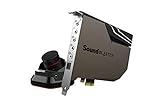
| Sound Blaster AE-7 | A premium card with a desk controller | Audio Control Module, Xamp headphone amp, PCIe DAC |
| SoundBlasterX AE-5 Plus Pure Edition | Highest listed signal-to-noise figure | SABRE32 Ultra-Class, 32-bit/384 kHz, 122 dB SNR |
| SoundBlasterX AE-5 Plus | RGB builds that want a DAC card | SABRE32-class, 122 dB SNR, RGB lighting |
| Sound Blaster AE-X | High sample rate with a simple setup | 32-bit/384 kHz, desktop app support |
| Sound Blaster Audigy Fx Pro | A first upgrade from onboard audio | Hi-Res PCIe, surround sound |
| Sound Blaster Recon3D THX | THX processing on a PCIe card | THX, PCIe card |
| Sound Blaster X-Fi Titanium SB0880 | Classic X-Fi design on PCI Express | PCI Express interface |
How to Choose
Confirm the ASIO driver before anything else
Only one title in this group says ASIO, so treat the rest as unconfirmed until the maker’s support page says otherwise. A quick search of the model number plus the word driver usually settles the question in a minute or two. Look for a Windows driver that lists ASIO by name, and check that it covers your Windows version. A card with a high sample rate on paper but no ASIO path will still show latency inside a recording program, and no amount of driver tweaking changes that.
Read the sample rate and signal-to-noise numbers properly
24-bit/192 kHz covers nearly all consumer music files, while 32-bit/384 kHz is mostly headroom. Signal-to-noise figures of 116 dB and 122 dB both sit far below what headphones can reveal, so do not let a six-decibel gap decide the purchase. Treat these as tie-breakers, not deciding factors, and put driver support first.
Match the headphone amplifier to your headphones
High-impedance studio headphones are the reason to want a dedicated amplifier. The Z SE title lists a 600 ohm amp, and the AE-5 and AE-7 titles mention Xamp, a discrete bi-amp design. Gaming headsets with low impedance run fine from any card here, so a budget card is enough if that is your setup. Look for the impedance of your own headphones on the box before deciding, and remember that amplifier headroom only matters if your headphones need it.
Check slot, size and extras
Every card in this list uses a PCIe slot, so confirm a free x1 slot or larger and enough clearance beside a graphics card. RGB lighting and a control module are conveniences; ignore them if you never look inside the case or reach for a knob. Budget cards trim the amplifier and the surround feature list first, so read those lines in the title.
The 8 Best Options
Creative Sound Blaster Z SE
The Z SE is the one title that names ASIO, which makes it the safest starting point for this keyword. It also lists 24-bit/192 kHz, a 116 dB signal-to-noise figure and a 600 ohm headphone amplifier, so the specs a music-software user checks first all sit in a single line.
- Strength: ASIO and a high-impedance headphone amp appear in the same listing.
- Strength: mic EQ and discrete 5.1 or virtual 7.1 output cover voice chat and games.
- Trade-off: the signal-to-noise figure is lower than the AE-5 series.
Skip it if you want RGB lighting or a physical control box on your desk, because the title mentions neither.
Creative Sound Blaster AE-7
The AE-7 pairs a PCIe card with an Audio Control Module, which puts volume and input switching within reach instead of burying them in software. The title also lists a PCIe DAC, Xamp headphone amplification and Hi-Res support, so it reads as the flagship of the list for desk-based listening and gaming.
- Strength: the control module saves trips into driver menus.
- Strength: Xamp amplification suits demanding headphones.
- Trade-off: the title does not mention ASIO, so verify the driver first.
Skip it if desk space is tight or you only need a basic output upgrade, because the extra hardware is what separates it from the simpler cards.
Creative SoundBlasterX AE-5 Plus Pure Edition
This edition steps up to SABRE32 Ultra-Class conversion with 32-bit/384 kHz and a 122 dB signal-to-noise figure, plus Dolby Digital, DTS and a discrete headphone bi-amp. It also adds RGB LED strips, which makes sense mainly for builds with a glass side panel and a color scheme worth matching.
- Strength: the strongest signal-to-noise claim in this group.
- Strength: Dolby Digital and DTS support for home theater style output.
- Trade-off: no ASIO wording in the title.
Skip it if your case has no window and lighting would go unseen.
Creative SoundBlasterX AE-5 Plus
The standard AE-5 Plus lists SABRE32-class conversion, 32-bit/384 kHz and up to 122 dB signal-to-noise, along with Dolby Digital and DTS. The Xamp discrete bi-amp and an RGB lighting system complete the sheet. For many buyers it is the same idea as the Pure Edition at a lower converter tier.
- Strength: the same headline audio numbers as the Pure Edition listing.
- Strength: RGB lighting suits a themed build.
- Trade-off: SABRE32-class sits one tier under the Ultra-Class wording above.
Skip it if you want ASIO confirmed on the listing page itself.
Creative Sound Blaster AE-X
The AE-X lists Hi-Res PCIe audio at 32-bit/384 kHz and desktop app support, which points to a driver suite you can adjust from Windows. It is a clean way to reach the top sample rate in this group without a control module or lighting, and the short title suggests a stripped-down feature set.
- Strength: 32-bit/384 kHz is listed.
- Strength: desktop app support keeps EQ and profiles in one place.
- Trade-off: no signal-to-noise figure or amplifier detail is given.
Skip it if you need headphone amplifier specifics before you commit, or if you plan to drive high-impedance headphones and want that stated plainly.
Creative Sound Blaster Audigy Fx Pro
The Audigy Fx Pro is the plain upgrade pick. The title promises Hi-Res audio, surround sound and clean audio on a PCIe card, framed as a PC upgrade rather than a workstation part. That framing suits a gaming desktop whose onboard audio hisses, more than a studio chasing ultra-low latency.
- Strength: a simple path away from noisy onboard audio.
- Strength: surround sound support suits gaming desktops.
- Trade-off: no sample rate, amplifier or ASIO detail appears.
Skip it if low-latency recording is the goal, since nothing in the title points to a dedicated driver path for that work.
Creative Sound Blaster Recon3D THX
The Recon3D THX is an older PCIe design whose title is built around THX and the SB1350 model number. There is little else to read, so the case for it rests on THX processing and a card format that has been around for years. Buyers comparing it with the newer AE cards will find far fewer numbers to weigh.
- Strength: THX branding for gaming audio.
- Strength: standard PCIe fit.
- Trade-off: the title offers no sample rate or ASIO information.
Skip it if you need modern high-resolution figures on the page.
Creative Labs X-Fi Titanium SB0880
The X-Fi Titanium SB0880 is a long-running Creative name moved onto PCI Express. The title gives only the model and the interface, so treat it as a known family rather than a spec-driven choice, and read the driver notes carefully because the design predates the AE line.
- Strength: a familiar X-Fi lineage on a PCIe slot.
- Strength: simple, no-frills card format.
- Trade-off: no resolution, amplifier or ASIO detail is listed.
Skip it if you want listed specs to compare against newer cards, or if you would rather buy a design that is still in the current Creative lineup.
Which One Fits Your Situation
You make music and need the driver confirmed
The Sound Blaster Z SE is the only card whose title names ASIO, plus a 600 ohm headphone amp. Start there, then confirm the driver on the support page for your Windows version.
You want hardware controls at your fingertips
The AE-7 and its Audio Control Module put volume and input choices on the desk. Buyers who switch between speakers and headphones often will use that every day, while anyone who never touches the settings after setup can save the extra hardware and choose a plainer card.
You care most about the headline audio numbers
The AE-5 Plus Pure Edition lists the highest signal-to-noise figure and the Ultra-Class converter wording. The regular AE-5 Plus sits right behind it with the same 122 dB claim.
You just want better sound than your motherboard
The Audigy Fx Pro or the AE-X are the simplest upgrades. Pick the AE-X if the 384 kHz sample rate matters, and the Audigy Fx Pro if you simply want the plainest route.
Common Mistakes
- Assuming every sound card includes ASIO; only one title above says so.
- Buying on sample rate alone and ignoring the driver and amplifier.
- Forgetting to check for a free PCIe slot beside a large graphics card.
- Choosing an RGB model for a case with no window.
- Expecting a card to fix a poor pair of headphones or a noisy room.
Related guides
- Battery Operated Smoke And Carbon Monoxide Detectors
- Combination Smoke And Carbon Monoxide Detectors
- Aio Liquid Coolers For High Performance Gaming
Frequently Asked Questions
What does ASIO actually do?
ASIO is a driver standard that lets audio software talk to the sound hardware with minimal delay. It matters for recording, virtual instruments and live monitoring more than for games or video.
Do I need a sound card for gaming?
Not necessarily, and many competitive players never add one. Onboard audio is fine for many desktops, but a card can offer a stronger headphone amplifier, cleaner mic handling and surround formats listed in the titles above.
Is a USB audio interface a better choice?
An external interface is a different product type with XLR inputs and no PCIe slot requirement. This list sticks to internal cards, so compare the two groups separately if you record microphones or instruments.
Will an older card work with current Windows?
Driver support decides that. Check the maker’s support page for your Windows version before choosing the older X-Fi Titanium or Recon3D models. Newer AE cards are more likely to ship with a maintained driver package and a desktop app.







