

- Top Pick: Sceptre New 22-Inch Gaming Monitor, FHD 1080p, Up to 144Hz, HDMI, DisplayPort, Built-in Speakers, Machine Black (E225W-FW144 Series, 2026)
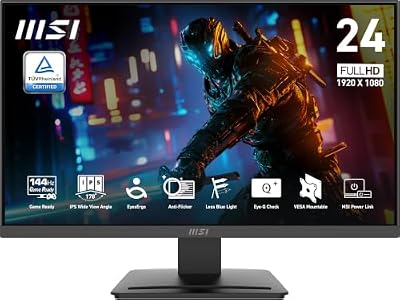
- Best Value: msi PRO MP243L E14 24-inch IPS 1920 x 1080 (FHD) Gaming Office Monitor, 144Hz, Free-Synch, HDR Ready, HDMI, VGA Port,VESA Mountable, Tilt, 4-Side Slim Bezel,1ms, Black
- Premium Choice: ASUS TUF Gaming 24” (23.8” viewable) 1080P Monitor (VG249QE5A) – FHD, 144Hz Overclock to 146Hz, IPS, Extreme Low Motion Blur Sync, 1ms, Speakers, Variable Overdrive, DisplayWidget Center, 3yr Warranty
What 144Hz Actually Gets You
Jumping from 60Hz to 144Hz is the single biggest visual upgrade you can make to a gaming setup, bigger than most GPU upgrades in terms of felt difference. Motion gets smoother, input feels more direct because the display is sampling your mouse and keyboard input more often, and fast-moving targets in shooters stop smearing into a blur. The jump from 144Hz to 240Hz is real but much smaller, and most people can’t reliably tell 165Hz from 180Hz in a blind test. 144Hz is the sweet spot where you get almost all the benefit without paying the premium that 240Hz and 360Hz panels still command.
The catch is that 144Hz only matters if your GPU can push frames at or near that rate. If you’re running a budget or mid-range card at 1440p in a demanding title and you’re capped at 80-90fps, a 144Hz monitor won’t feel dramatically different from a good 100Hz one. Match the panel to the GPU you actually have, not the one you plan to buy in two years.
As an Amazon Associate we earn from qualifying purchases at no extra cost to you.



Panel Types: IPS, VA, and TN
This is where most of the budget-vs-spend decision actually lives, more than refresh rate itself.
TN panels are the cheapest way to hit 144Hz and still show up in budget monitors. Response times are fast and input lag is low, but color accuracy and viewing angles are poor, colors shift noticeably if you’re not looking dead-on. Fine for a secondary competitive-shooter monitor, not great as your only screen.
VA panels give you deep blacks and strong contrast (often 3000:1 or higher versus 1000:1 for IPS and TN), which makes them good for darker games and movies. The trade-off is slower pixel response, which can cause smearing in fast dark-to-light transitions, sometimes called “black smearing.” It’s a real, visible artifact in some fast-paced games, not a theoretical spec sheet issue.
IPS panels are now common even at budget price points and offer the best color accuracy and viewing angles. The historical downside was slower response times and lower contrast, but current budget IPS panels have mostly closed the response-time gap with TN. Contrast is still weaker than VA, blacks look more gray in dark rooms.
If you want one panel type for everything, IPS is the safest general pick today. VA is worth it if you mostly play less twitchy games and watch content on the same screen. TN only makes sense if 144Hz at the lowest possible price is the only goal.
| Panel | Color/Viewing Angle | Contrast | Response Time | Best For |
|---|---|---|---|---|
| TN | Weak | Low | Fastest | Pure budget, competitive-only use |
| VA | Good | High | Moderate, can smear | Mixed gaming + movies, dark scenes |
| IPS | Best | Moderate | Fast (modern panels) | All-around use, content creation |
Resolution Trade-offs at 144Hz
1080p at 144Hz is the cheapest and easiest to drive, almost any GPU from the last five years can hit high framerates here, and panels in this category are the most affordable segment of the market. The downside is that at 27 inches or larger, 1080p starts looking visibly soft, text and UI edges lose crispness.
1440p at 144Hz is the current best balance for most gamers. It needs a mid-range or better GPU to actually sustain 144fps in modern titles, but the sharpness improvement over 1080p is substantial and noticeable in everyday use, not just gaming.
4K at 144Hz exists but is a different budget tier entirely, and driving 4K at anywhere close to 144fps requires a high-end GPU. If you’re shopping for an “affordable” 144Hz monitor, 4K isn’t really part of that conversation yet.
For most people reading a guide about affordable 144Hz monitors, the realistic choice is between 1080p and 1440p, and the deciding factor should be your GPU, not the monitor price alone. If you browse 1440p 144Hz monitors, check the specific GPU benchmarks for your card at that resolution before assuming you’ll hit the full refresh rate.
Specs That Matter More Than the Refresh Rate Number
Adaptive sync support (FreeSync or G-Sync Compatible) matters more at the budget tier than at the high end, because budget GPUs are more likely to produce variable framerates that dip below the panel’s max refresh. Without adaptive sync, those dips cause visible stutter and tearing. Almost all budget 144Hz monitors now support FreeSync, which also works fine with Nvidia cards through G-Sync Compatible mode, so this isn’t really a reason to pay more anymore.
Response time ratings on spec sheets (1ms, 1ms MPRT, etc.) are marketing numbers measured under ideal conditions and are not directly comparable across brands. Don’t use them to rank monitors against each other, they’re not standardized the way refresh rate is.
HDR on budget monitors is mostly a checkbox feature. True HDR needs high peak brightness and local dimming zones, neither of which budget panels have. A “HDR400” badge on a cheap monitor won’t look meaningfully different from SDR, don’t pay extra for it at this price tier.
Where to Spend, and Where It’s Fine to Save
Spend on panel quality (IPS over TN, generally) and on getting enough resolution for your screen size. Save on HDR branding, extreme refresh rates past 144Hz, and curved screens, which are a preference, not a performance upgrade. If your GPU is a few years old and mid-range, a 1080p IPS panel at 144Hz from a budget 144Hz IPS monitor search will outperform a flashier 240Hz TN panel in actual day-to-day use, because you’ll see the color and sharpness improvement constantly, while you’ll rarely push past 144fps anyway.
If you’re buying a second monitor purely for competitive shooters and already have a good main display, a cheap 24-inch TN 144Hz monitor is a legitimate choice, not a compromise, since color accuracy isn’t the point of that screen.














