

- Top Pick: FLASHFORGE Adventurer 5M 3D Printer with Fully Auto Leveling, Max 600mm/s High Speed Printing, 280°C Direct Extruder with 3S Detachable Nozzle, CoreXY All Metal Structure, Print Size 220x220x220mm
- Best Value: Bambu Lab P1S Combo, P1S 3D Printer and AMS, Multi-Color 3D Printing | MakerWorld Model Library, Multi-Color 3D Printing,High Speed & Precision CoreXY 3D Printer,Auto Bed Leveling, Ready-to-Use
- Premium Choice: Bambu Lab P1S 3D Printer, Ready-to-Use FDM 3D Printer | Beginner-Friendly Ecosystem with MakerWorld Model Library, Enclosed CoreXY, High Speed & Precision Printing
A cap of under 500 dollars used to mean a bare-bones bed slinger that ate a weekend of tinkering before the first clean part. Today, enclosed CoreXY frames, automatic leveling and one-click calibration have moved into this bracket, which makes the shopping question less about whether a printer can work and more about which kind of printing you actually want to do.
The real decision is rarely headline speed. It is whether you need multi-color capability, an enclosed chamber, a hot nozzle for reinforced filaments, or a small quiet unit for a child’s desk. Nine models are compared below using only their listed specs. Because color-system bundles tend to sit near the top of a cap like this, confirm that the exact configuration you choose fits the limit in 2026 before ordering.
Quick Picks
As an Amazon Associate we earn from qualifying purchases at no extra cost to you.


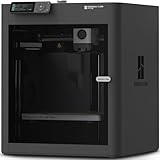


| Product | Best for | Key spec from the title |
|---|---|---|
| FLASHFORGE Adventurer 5M | Fast single-material work | 600mm/s, 280°C direct extruder |
| Bambu Lab P1S Combo | Multi-color with a ready ecosystem | P1S plus AMS, enclosed CoreXY |
| Bambu Lab P1S | First-time owners wanting an enclosure | Enclosed CoreXY, MakerWorld library |
| FLASHFORGE AD5X | Multi-color on a tight footprint | 300°C direct drive, 220x220x220mm |
| Hephi3d TINA2C | Classroom and STEM projects | Fully assembled, 3500+ model library |
| Entina Tina2C | Kids and quiet home printing | 5-minute setup, WiFi and app control |
| ELEGOO Centauri Carbon | Larger parts with monitoring | 320°C nozzle, built-in camera, 256mm cube |
| FLASHFORGE AD5X with IFS | Reinforced filaments in four colors | 4-color printing, PLA-CF and PETG-CF |
| Creality K2 SE 4C | Colorful prints with a heated bed | 500mm/s, 220×215×245mm |
How to Choose
Motion system and speed
CoreXY designs move a light toolhead instead of a heavy bed, which is why most of the fast machines here use one. Treat the 500mm/s and 600mm/s figures as ceilings. Real print time depends on acceleration, how fast the hotend can melt filament, and how detailed the model is. If two machines look close on paper, choose the one with a direct-drive extruder and automatic leveling, because those two features remove most early frustration. Ignore marketing language about precision unless the listing also names the frame material or motion type.
Build volume
A 220mm cube handles phone stands, brackets, small enclosures and most desk figurines. Step up to 256mm if you want taller vases or longer functional parts. Mini printers trade volume for a compact body, so check whether your favorite models fit before you commit to one. Remember that height matters as much as width: a printer with a shorter Z axis cannot make tall pieces in one go, however wide its bed may be.
Multi-color and material range
Multi-color systems feed several spools into one nozzle, and every color swap produces purge waste. That is fine for badges and decorative pieces but a poor fit for large single-tone parts. For reinforced filaments such as carbon-fiber blends, look for a nozzle that reaches 300°C or higher and a hardened path, and remember that an enclosure helps with warping on tougher materials.
Setup effort and software
Ready-to-use, fully assembled and automatic calibration are the phrases worth reading closely. A guided first print matters more than a bigger spec sheet if this is your first machine. Also consider the slicer and model library behind the hardware: a large model catalog saves hours, while open slicers give more control later. Skip any printer that forces you to hand-tune the bed before every job. Budget machines most often cut corners on documentation, support and replacement parts, so favor brands with active communities.
The 9 Best Options
FLASHFORGE Adventurer 5M
This one suits buyers who want a quick, single-material workhorse with a metal frame and do not need color switching. The title reads like a speed-first design aimed at people who already know what they want to make.
- The all-metal CoreXY structure and listed 600mm/s ceiling point to a rigid, fast design.
- A 280°C direct extruder with a 3S detachable nozzle makes swapping a worn tip simple, and fully automatic leveling trims setup time.
- Trade-off: the 220x220x220mm print size is modest, and no multi-color system appears in the title.
Skip it if colorful prints are the goal, since the AD5X models below cover that need.
Bambu Lab P1S Combo
The Combo pairs the P1S printer with an AMS color system, aimed at people who want multi-color prints without assembling a workflow themselves. It is the most complete package among the Bambu listings.
- The enclosed CoreXY frame supports high-speed, precise printing with automatic bed leveling, and the title calls it ready-to-use.
- Access to the MakerWorld model library gives beginners plenty of ready files to try on day one.
- Trade-off: bundles like this are the most likely to push past a strict cap, so verify the configuration first.
Skip it if you only print one color and would rather put the difference toward spare filament.
Bambu Lab P1S
This is the printer-only version for newcomers who want an enclosed, ready-to-use machine and may add color hardware later. It keeps the same core frame without the extra system.
- The enclosed CoreXY body is described as high speed and precise, and the title stresses a beginner-friendly ecosystem built around MakerWorld.
- MakerWorld integration means a first print can come from a catalog instead of a modeling session.
- Trade-off: the title lists no multi-color unit, so color work would need an add-on.
Skip it if you already know you want several colors from day one; the Combo is the more direct match.
FLASHFORGE AD5X
The AD5X is for buyers who want multi-color capability in a compact CoreXY machine that also reaches higher temperatures than many entry-level units. This listing is the shorter description of the family.
- A 300°C direct-drive extruder widens the range of filaments beyond basic PLA.
- One-click automatic leveling shortens setup, and the 600mm/s listing signals a speed-focused build with CoreXY motion.
- Trade-off: the 220x220x220mm volume is no bigger than the Adventurer 5M.
Skip this listing if you want the fuller four-color kit described under the IFS version, which spells out the filament system and material list in more detail. Also skip it if the title leaves you unsure which accessories are included.
Hephi3d TINA2C
A small, fully assembled printer for households and classrooms that care more about an easy introduction than about speed records. The title is written around approachability rather than raw performance.
- The listing promises a roughly five-minute path to printing, with automatic leveling.
- WiFi and app control, a 3500+ model library and 25+ DIY modules suit STEM sessions at home.
- Trade-off: as a mini unit, it is not meant for large parts or reinforced materials.
Skip it if you plan to print functional, desk-sized components such as brackets or enclosures. A larger CoreXY machine from the list will serve that work far better than a mini unit.
Entina Tina2C
This mini model targets beginners and kids, with a quiet-printing claim that appeals to shared rooms and bedrooms. Its feature list mirrors the other Tina2C listing closely, so the choice may come down to availability.
- It arrives fully assembled with a five-minute setup and automatic leveling.
- WiFi and app control sit alongside 3500+ models and 25+ DIY projects.
- Trade-off: the title gives no temperature or speed figures, so it reads as a learning tool, not a production machine.
Skip it if you want multi-color output or engineering filaments. Anyone planning to print daily for a hobby business will outgrow a beginner mini quickly.
ELEGOO Centauri Carbon
Aimed at buyers who want a larger build area and a printer they can watch remotely. It is the only listing here that names a built-in camera.
- A 256x256x256mm printing size gives the most room in this group.
- A 320°C nozzle, auto calibration and the camera cover high-temperature filaments and long unattended jobs.
- Trade-off: the title mentions no multi-color feeder, so it is a single-material pick.
Skip it if multi-color printing is a priority or if your parts are small enough that the extra volume goes unused. It also makes less sense for a classroom where a simpler mini would do the job.
FLASHFORGE AD5X with IFS
This listing spells out the filament system: four-color printing plus a high-temperature extruder, a good fit for makers experimenting with reinforced materials alongside colorful models.
- The IFS feeds four colors, and the title names PLA-CF and PETG-CF as intended filaments.
- A 300°C direct extruder with auto bed leveling supports those materials on a CoreXY frame.
- Trade-off: carbon-fiber filaments wear soft nozzles, so plan on hardened replacements.
Skip it if you only intend to print basic PLA in a single color. The extra filament hardware and the hardened-nozzle upkeep would add complexity without any real benefit for that work.
Creality K2 SE 4C
For buyers who want four-color printing, a heated bed and an approachable setup in one package. The title leans on beginner-friendliness while still advertising a fast 500mm/s speed.
- Multi-color support and the fast-printing claim cover both variety and pace.
- The title highlights auto leveling and a ready-to-use design.
- Trade-off: the 220×215×245mm print size is close to its rivals, so volume is not a differentiator.
Skip it if you need a camera or a nozzle that reaches the temperatures shown on the Centauri Carbon listing. If reinforced filaments are central to your plans, the IFS listing names them directly and is the safer match.
Which One Fits Your Situation
You are a complete beginner who wants an enclosure
Begin with the Bambu Lab P1S. The enclosed frame and bundled model library remove the guesswork, and you can add colors later.
You want colorful prints without a complicated workflow
The Bambu Lab P1S Combo and the Creality K2 SE 4C both list multi-color systems. Pick the Combo for the ecosystem and its listed AMS, or the K2 SE 4C if the heated bed and its 500mm/s fast-printing claim matter more to you.
You print structural parts in reinforced filament
The FLASHFORGE AD5X with IFS names PLA-CF and PETG-CF explicitly, while the ELEGOO Centauri Carbon offers the highest-temperature nozzle listed, at 320°C, and the largest volume.
A child or classroom will run it
Choose between the Hephi3d TINA2C and the Entina Tina2C. Both are fully assembled mini printers with app control, and the Entina listing adds an explicit note about quiet printing.
Common Mistakes
- Buying on headline speed alone, when acceleration and hotend flow set the real pace.
- Choosing a multi-color system and then printing mostly single-color parts, which wastes filament on purges.
- Ignoring nozzle wear when using carbon-fiber blends, which chew through soft brass tips.
- Assuming a mini printer can produce full-size functional parts.
- Forgetting that spare nozzles and filament also count toward a cap like under 500 dollars.
Related guides
- Battery Operated Smoke And Carbon Monoxide Detectors
- Combination Smoke And Carbon Monoxide Detectors
- Aio Liquid Coolers For High Performance Gaming
Frequently Asked Questions
Is an enclosed printer necessary?
Not for PLA, but an enclosure keeps drafts away and helps with materials that warp. It also reduces noise and keeps small hands away from moving parts. Open-frame machines can still print well in a calm room.
What does auto leveling actually do?
The printer probes the bed and compensates for small height differences, so the first layer sticks without manual paper-gauge adjustments. It is one of the biggest beginner-friendly upgrades.
Do buyers really need multi-color capability?
Only if you want colorful models in a single job. Many useful prints are single-color, and a simpler machine can produce them with less waste.
How hot should the nozzle go?
PLA and PETG run well below 260°C, so a basic hotend is enough for everyday prints. A 280°C to 320°C ceiling gives headroom for tougher materials and carbon-fiber blends, and it also leaves room to grow if your projects become more demanding over time.







