

- Top Pick: Bambu Lab P1S Combo, P1S 3D Printer and AMS, Multi-Color 3D Printing | MakerWorld Model Library, Multi-Color 3D Printing,High Speed & Precision CoreXY 3D Printer,Auto Bed Leveling, Ready-to-Use
- Best Value: FLASHFORGE Adventurer 5M 3D Printer with Fully Auto Leveling, Max 600mm/s High Speed Printing, 280°C Direct Extruder with 3S Detachable Nozzle, CoreXY All Metal Structure, Print Size 220x220x220mm
- Premium Choice: Bambu Lab P1S 3D Printer, Ready-to-Use FDM 3D Printer | Beginner-Friendly Ecosystem with MakerWorld Model Library, Enclosed CoreXY, High Speed & Precision Printing
A printer that lives at home has a different job description than one that lives in a workshop. It sits on a desk or a shelf, it runs while people sleep or watch television, and it has to be started by someone who may never have touched a slicer before. That is the real decision behind a search for 3D printers for home use: not the fastest machine on paper, but the one that gets from the box to a finished part without turning the weekend into a calibration project.
This guide is for first-time buyers, parents shopping for a STEM-minded kid, and hobbyists who want a dependable desktop machine in 2026. Every pick below is judged from what its listing title states: motion system, leveling method, extruder temperature, build volume, noise figure, and software ecosystem. Where a title is silent, the guide says so instead of guessing.
Quick Picks
As an Amazon Associate we earn from qualifying purchases at no extra cost to you.




| Product | Best for | Key spec from the title |
|---|---|---|
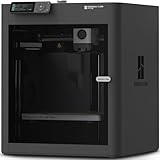
| Bambu Lab P1S Combo | Multi-color printing out of the box | Includes AMS, enclosed CoreXY, auto bed leveling |
| Flashforge Adventurer 5M | Speed-focused tinkerers | 600mm/s max, 280°C direct extruder, 220x220x220mm |
| Bambu Lab P1S | Single-material beginners who want an enclosure | Enclosed CoreXY, MakerWorld library |
| Bambu Lab P2S Combo | Buyers who want the newest Bambu platform | AMS 2 Pro, AI error detection |
| Hephi3d TINA2C | Small desks and STEM projects | Fully assembled, 3500+ model library |
| Flashforge AD5X | Multi-color on a CoreXY frame | 300°C direct drive, 600mm/s |
| Bambu Lab A1 | Quiet, open-frame family use | 48 dB or lower, full-auto calibration |
| AOSEED X-MAKER JOY AI+ | Younger kids and classrooms | Enclosed, leveling-free, 8 PLA spools |
| Entina Tina2C | Gift for a beginner or child | 5-minute setup, quiet printing |
How to Choose
Decide between enclosed and open frames
An enclosed chassis keeps drafts away from the part, muffles some sound, and keeps small hands away from a moving nozzle. The P1S, P2S, and AOSEED listings all state an enclosure. An open design, like the A1 style, is easier to reach into and usually takes less room, but it leaves the print exposed to a cold hallway or a curious pet. If the machine will share a room with kids or animals, favor the enclosed titles.
Check the leveling and calibration claims
Bed leveling is where beginners quit. Look for the words auto leveling, fully auto leveling, 1-click auto leveling, full-auto calibration, or leveling-free in the title. Any of these means you should not be turning bed screws by hand. A listing that says nothing about leveling deserves a closer look at the spec sheet before you commit.
Read build volume and temperature honestly
The two Flashforge titles state a 220x220x220mm print size. That is enough for most household objects: organizers, brackets, miniatures, and replacement knobs. Mini printers trade volume for a smaller footprint, so ignore a headline speed number if the part you want will not fit. For nozzle temperature, 280°C and 300°C direct-extruder figures suggest room for materials beyond basic PLA, while a listing that mentions only PLA spools is aimed at simpler use.
Weigh the software ecosystem and noise
Home use lives or dies on how easily you find something to print. The Bambu listings point to the MakerWorld model library, the Tina2C titles cite 3500+ models, and the AOSEED title cites 20,000+ models. Noise matters in a shared room too: only the A1 title gives a figure, 48 dB or lower. Budget machines often cut corners on app polish and support, so favor a listing with a clear library and a named ecosystem over a bare speed claim.
The 9 Best Options
Bambu Lab P1S Combo
This bundle pairs the enclosed CoreXY P1S with the AMS unit, so multi-color printing is part of the package from day one. The title lists auto bed leveling and calls it ready-to-use, which suits a household that wants to print on the first evening. It sits in the premium tier of this group, and the Combo wording signals that the printer and the filament-switching unit arrive as one purchase, which keeps compatibility questions off the table.
- Strength: the AMS bundle covers multi-color work without a separate add-on purchase.
- Strength: the enclosed CoreXY frame and MakerWorld access give you models to print right away.
- Trade-off: it is more machine than a casual single-color user needs.
Skip it if you only print simple one-color parts and want the smallest footprint.
Flashforge Adventurer 5M
Flashforge leads with numbers: a maximum 600mm/s, a 280°C direct extruder with a 3S detachable nozzle, and an all-metal CoreXY structure. Fully auto leveling keeps setup short, and the 220x220x220mm print size covers everyday household projects. It reads like a machine for someone who enjoys adjusting settings and swapping nozzles.
- Strength: the detachable nozzle design simplifies swapping a worn or clogged tip.
- Strength: the 280°C direct extruder points to more material choices than basic PLA.
- Trade-off: the title mentions no enclosure or multi-color system.
Skip it if you want a polished model library built into the buying decision.
Bambu Lab P1S
The standalone P1S is the same enclosed CoreXY platform without the AMS in the bundle. The title stresses a beginner-friendly ecosystem and the MakerWorld library, which makes it a reasonable mid-range-to-premium entry for someone who plans to print in one color first.
- Strength: enclosed construction suits shared rooms and cooler spaces.
- Strength: described as ready-to-use FDM with high speed and precision printing.
- Trade-off: no multi-color unit comes in this listing.
Skip it if you already know you want colorful prints, since the Combo version fits that goal better.
Bambu Lab P2S Combo
The P2S Combo ships with the AMS 2 Pro and highlights AI error detection alongside high-speed CoreXY motion. For a buyer who wants the newer generation and does not mind the premium tier, the extra monitoring feature is the headline difference from the P1S bundle.
- Strength: AI error detection is named directly in the title.
- Strength: multi-color printing and the MakerWorld library are both included.
- Trade-off: the title gives no build volume, so check dimensions first.
Skip it if the P1S Combo already covers your needs and the newer generation holds no appeal.
Hephi3d TINA2C
This is a fully assembled mini printer promising a start in five minutes. Auto leveling, app and WiFi control, a 3500+ model library, and 25+ DIY modules point to a classroom or family-project audience rather than a serious fabrication desk. Because it is described as a mini printer for home and STEM use, it fits a shelf or a school table more easily than the larger CoreXY machines.
- Strength: no assembly and an app-driven workflow lower the barrier for newcomers.
- Strength: the DIY modules give kids and teachers structured projects.
- Trade-off: the mini format limits part size.
Skip it if you want to print large household replacements or functional parts.
Flashforge AD5X
The AD5X combines multi-color printing with CoreXY motion, a 600mm/s ceiling, and a 300°C direct drive extruder. One-click auto leveling and a 220x220x220mm build volume round out a package aimed at precision and efficiency. For households that already like the idea of Flashforge hardware, it is the multi-color step up from the Adventurer 5M.
- Strength: the 300°C figure is the highest temperature in this guide.
- Strength: multi-color capability sits alongside one-click leveling.
- Trade-off: the title does not mention an enclosure or a model library.
Skip it if you would rather buy into a large, named community of ready-made models.
Bambu Lab A1
The A1 is pitched at beginners and kids, with full-auto calibration, active flow rate compensation, and a noise figure of 48 dB or lower. Those are the details that matter in a living room or bedroom, where a loud machine would not last long.
- Strength: the only title here that states a noise ceiling.
- Strength: calibration is automatic, so setup is short.
- Trade-off: the title does not list an enclosure, so drafts and pets are your problem.
Skip it if you want to print temperature-sensitive materials in a cold room.
AOSEED X-MAKER JOY AI+
Built for children, this printer is enclosed, leveling-free, and controlled through a one-click WiFi app. Eight PLA spools come with it, and the listing cites 20,000+ models and a 400mm/s speed. The AI branding in the name suggests software help for newcomers, though the title does not spell out what that covers.
- Strength: the enclosed design and leveling-free setup suit supervised kids.
- Strength: included filament means no separate hunt for supplies.
- Trade-off: it is framed as a STEM toy, not a precision tool.
Skip it if an adult hobbyist wants to push materials and tolerances.
Entina Tina2C
Entina markets this fully assembled mini printer for beginners and kids, with a five-minute setup, auto leveling, WiFi and app control, and quiet printing for home use. The 3500+ model library and 25+ DIY projects give a new owner something to do immediately. It targets the same audience as the Hephi3d unit, so compare the two on included projects rather than on raw specification.
- Strength: quiet printing is part of the stated pitch.
- Strength: assembly is already done.
- Trade-off: mini scale caps the size of finished parts.
Skip it if you need multi-color output or a metal-grade extruder. A second Entina Tina2C listing with near-identical wording was left out as a duplicate.
Which One Fits Your Situation
A family with a ten-year-old
The AOSEED X-MAKER JOY AI+ keeps the nozzle enclosed and removes leveling entirely, which means fewer adult interventions. If your child is more curious than your budget allows for something large, the Entina Tina2C is the simpler small alternative.
A hobbyist who wants colorful prints
Go with the Bambu Lab P1S Combo for the enclosed frame and AMS bundle. If you prefer Flashforge hardware, the AD5X offers multi-color and a 300°C direct drive extruder.
A quiet apartment
The Bambu Lab A1 is the only listing to name a noise ceiling, 48 dB or lower, so it is the logical first stop for a shared living space.
A speed-minded tinkerer on a tighter plan
The Flashforge Adventurer 5M pairs a 600mm/s maximum with a 280°C direct extruder and detachable nozzle, which suits someone who wants to experiment without a premium bundle.
Common Mistakes
- Choosing by headline speed alone and ignoring whether the 220mm-class build volume fits the parts you want.
- Assuming every listing includes multi-color support when only the Combo and multi-color titles state it.
- Forgetting that an open frame offers no protection from drafts, dust, or small fingers.
- Overlooking filament: a kit that includes spools removes a separate shopping step, while others do not mention any.
- Buying a mini printer for a project that needs a larger plate, then discovering the limit after assembly.
Related guides
- Combination Smoke And Carbon Monoxide Detectors
- Aio Liquid Coolers For High Performance Gaming
- Doorbell Cameras With Security Camera Bundles
Frequently Asked Questions
Do I need an enclosed printer at home?
Not always. An enclosure helps with drafts, noise, and safety around children or pets. If your printer sits in a stable room and you only print simple materials, an open frame can work well.
What does auto leveling actually save me?
It removes the manual adjustment of the bed relative to the nozzle, which is where many beginners stall. Titles that use auto, full-auto, or leveling-free wording mean you should not be turning screws before each print.
Is a mini printer enough for household repairs?
For small clips, knobs, and brackets, yes. For larger organizers or cases, a 220x220x220mm class printer gives you more room.
Are multi-color printers harder to learn?
The AMS and multi-color bundles in this list are built to make it approachable, though the workflow adds steps compared with single-color printing. Start with a single material if you are unsure.







