

- Top Pick: Samsung 27" Odyssey G5 (G51F) Series QHD (1440P) Gaming Monitor
- Best Value: SANSUI 27 Inch Curved 160Hz Gaming Monitor 144Hz FHD 1080P Computer Monitor
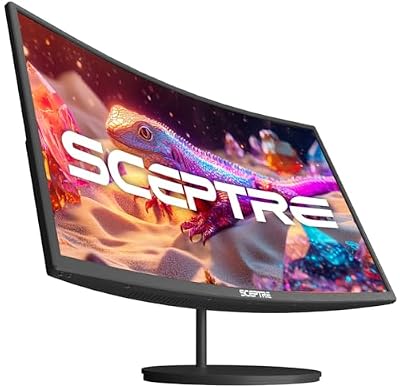
- Premium Choice: Sceptre Curved 27-inch Prime Monitor up to 100Hz 1080p, HDMI x2, VGA, 99% sRGB, Built-in Speakers, R1500, Machine Black 2025 (C275W-1920RN Series)
A 27-inch screen sits in the sweet spot for PS5: close enough to fill your field of view at a normal couch-free desk distance, big enough to show off 4K detail, but not so large that you’re turning your head to see the corners. The harder question is what’s actually inside that 27-inch chassis, because the PS5 has specific output limits that make some monitor features pointless and others genuinely worth paying for.
As an Amazon Associate we earn from qualifying purchases at no extra cost to you.



What the PS5 actually outputs
The PS5’s HDMI 2.1 port can do 4K at up to 120Hz, or 1440p at up to 120Hz on supported titles. There’s no DisplayPort on the console, so every monitor you consider needs HDMI 2.1, not just HDMI 2.0. This matters because a lot of budget 27-inch monitors still ship with HDMI 2.0 only, which caps you at 4K60 or 1440p75 regardless of what the panel itself can do. Check the port spec before anything else, including panel type.
Most PS5 games don’t actually hit 120fps at native 4K anyway. Performance modes on most titles target 1440p or a dynamic resolution upscaled to 4K, running at 60-120fps depending on the game. So a 1440p monitor with a genuine 120Hz-144Hz panel often gives you a sharper, smoother experience in practice than a 4K60 panel, even though 4K sounds like the bigger upgrade on paper.
Panel type trade-offs
IPS panels dominate the 27-inch gaming space now and that’s the right default for most people. Good color accuracy, wide viewing angles, response times that are fine for console gaming (not esports-grade, but you’re not playing competitive Counter-Strike on a PS5). The main weakness is contrast, typically 1000:1, which means blacks look more gray in a dark room.
VA panels fix the contrast problem, often hitting 3000:1 or higher, which makes a real difference in horror games and anything with dark atmospheric lighting. The trade-off is slower pixel response, which can introduce smearing in fast motion, and worse off-angle color shift if you’re not sitting dead center.
OLED is the one that actually matters for PS5 if your budget allows it. Near-instant response time, true blacks, and HDR that looks dramatically better than any LCD panel can produce. The catches are real: burn-in risk with static HUD elements over years of use, lower peak brightness in sustained full-screen bright scenes, and a price that’s often double or triple a comparable LCD. If you play a lot of games with static UI (MMOs, strategy games, anything with a persistent minimap) and you’re not using screensavers or pixel-shift settings religiously, that’s a real risk, not a theoretical one.
| Panel type | Contrast | Response time | Best for | Watch out for |
|---|---|---|---|---|
| IPS | ~1000:1 | Good | General use, color accuracy | Weaker blacks |
| VA | 3000:1+ | Moderate | Dark/atmospheric games | Motion smearing |
| OLED | Near-infinite | Excellent | HDR titles, fast action | Burn-in, price, brightness in bright scenes |
Resolution vs refresh rate: pick one priority
You will not get both maxed out on a budget. A 4K 27-inch monitor with a true 120Hz-capable HDMI 2.1 input and good HDR is still a premium product. If your budget is under roughly $350, you’re more likely to get a genuinely good 1440p 144Hz display than a genuinely good 4K120 one, and the 1440p option will feel smoother because the PS5 can actually push frame rates that take advantage of it in more games.
If budget isn’t tight, 4K with HDMI 2.1 is the better long-term pick since it matches what the PS5 is designed to output at its ceiling, and text/UI looks noticeably sharper at 27 inches at native 4K than at 1440p scaled up. For browsing options in that range, a search for 27 inch 4K 144Hz HDMI 2.1 monitors will surface the current crop that actually meet the spec, as opposed to ones with 4K resolution but a crippled HDMI 2.0 port.
HDR and brightness: don’t trust the badge
“HDR400” on a box means the panel can hit 400 nits peak brightness, which is the bare minimum tier and often looks barely different from SDR. For HDR that actually looks like HDR, you want VESA DisplayHDR 600 or higher, or an OLED panel, which doesn’t need the same brightness to produce impact because its blacks are already at zero. A cheap HDR400 IPS monitor isn’t a scam exactly, but don’t expect the glowing highlights and deep shadow detail you’ve seen in marketing screenshots.
What to actually buy
For most PS5 owners, a 27-inch 1440p IPS panel with HDMI 2.1 and a 144Hz refresh rate is the honest best value: it handles every PS5 performance mode well, looks good in daylight and at angles, and costs a fraction of a 4K120 OLED. If you mainly play story-driven or atmospheric games and watch movies on the same screen, a VA panel in the same price bracket is a reasonable swap for the better contrast. If you’ve got the budget and play a mix of fast and slow games without heavy static UI, OLED is the one upgrade that’s genuinely transformative rather than just a spec bump, and it’s worth looking at a 27 inch OLED gaming monitor if that fits your use case and budget.
Skip anything advertised as “4K 120Hz” that doesn’t explicitly list HDMI 2.1 in the port spec. That single checkbox is the most common way people end up disappointed, buying a monitor capable of the resolution and refresh rate on paper but incapable of ever receiving that signal from a PS5.














