

- Top Pick: Acer 27in FHD 1920×1080 IPS 120Hz Gaming Monitor | Office KB272 G0bi
- Best Value: msi MAG 274CF X24 27-inch 1920 x 1080 (FHD) Gaming Monitor, 240Hz, AMD FreeSync Premium, HDR Ready, HDMI, VGA Port, VESA, Tilt, 0.5ms, Black
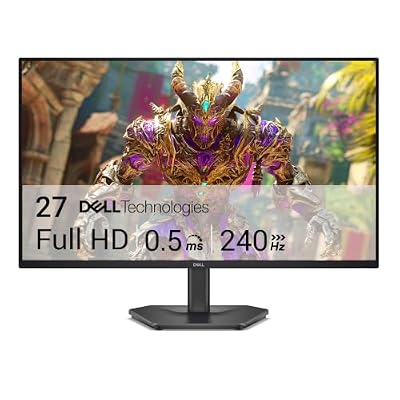
- Premium Choice: Dell 27 240Hz Gaming Monitor – SE2726HG – 27-inch FHD (1920×1080) Display, in-Plane Switching (IPS) Technology, AMD FreeSync Premium, TÜV 3-Star, 2X HDMI, DisplayPort 1.4, Tilt
Why 27 inches at 1080p still makes sense
27 inch 1080p gets dismissed a lot because the pixel density math isn’t flattering: 1920×1080 stretched over 27 inches works out to about 82 pixels per inch, noticeably softer than the same resolution on a 24 inch panel. Text and desktop icons look a bit fuzzy up close. But for gaming specifically, this size and resolution combo has one real advantage: it’s the easiest pairing to drive at high refresh rates without spending on a flagship GPU. A GTX 1660 Super or RX 6600 can push 144Hz 1080p in most competitive titles. The same cards struggle to sustain even 100fps at 1440p in anything demanding. If your card is a few years old or budget-tier, 27 inch 1080p is the size that lets you actually use the refresh rate you’re paying for.
The trade-off is sitting distance. At 27 inches you’ll want to be at least 70-80cm back, or the pixel softness becomes distracting during desktop use. If you game at arm’s length on a small desk, 24 inch 1080p or 27 inch 1440p are both better fits.
As an Amazon Associate we earn from qualifying purchases at no extra cost to you.


Panel type matters more than the spec sheet suggests
Three panel types show up at this size and resolution, and they behave differently in ways that matter for actual gameplay.
IPS panels dominate the current lineup. Good color accuracy, wide viewing angles, and modern IPS variants have mostly closed the response time gap with TN. The one real weakness is black levels — IPS glow is visible in dark scenes, especially in corners, and it’s worse on cheaper panels. If you play a lot of horror or atmospheric games, this is the thing you’ll notice.
TN panels are fading out at 27 inch 1080p but still show up in budget 144Hz and 240Hz models. They’re genuinely fast and cheap, but color shifts noticeably off-angle and the colors themselves look washed out even head-on. Fine for a dedicated competitive FPS display where you sit dead center and don’t care about visuals. Not fine as your only monitor.
VA panels are less common at this exact size/resolution but worth knowing: much better contrast and black depth than IPS, at the cost of slower pixel response that can show smearing in fast dark-to-light transitions. If you play slower, atmospheric games more than competitive shooters, VA is worth considering over IPS.
| Panel | Color/Contrast | Response Time | Best for |
|---|---|---|---|
| IPS | Good color, weak blacks | Fast on modern panels | All-rounder, mixed use |
| TN | Weak color, washed out | Fastest, cheapest | Pure competitive FPS on a budget |
| VA | Best contrast/blacks | Slower, can smear | Single-player, atmospheric games |
What refresh rate actually buys you
60Hz to 144Hz is the upgrade that’s genuinely obvious the moment you move the mouse — cursor motion and camera panning go from slightly choppy to fluid. 144Hz to 240Hz is real but smaller, mostly noticeable in fast-paced shooters where tracking fast-moving targets benefits from the extra frames. Past 240Hz, on a 27 inch 1080p panel, you’re deep into diminishing returns unless you’re playing competitively at a level where frame-by-frame reaction time is actually the bottleneck.
The practical ceiling is your GPU, not the panel. A 240Hz monitor paired with a card that only pushes 110fps in your main game is a 110Hz experience. Match the panel to what your hardware can realistically sustain in the games you actually play, not your best-case benchmark number. For most people upgrading from 60Hz, a 27 inch 144Hz 1080p monitor is the sensible stopping point — it’s cheap, the GPU demand is modest, and the visual improvement over 60Hz is the biggest jump you’ll feel.
If you’re specifically chasing competitive FPS performance and have a GPU that can hold triple-digit framerates reliably, a 27 inch 240Hz 1080p monitor is worth the jump. Just confirm your card can actually feed it before paying the premium.
Adaptive sync, HDR, and other box-ticking specs
G-Sync or FreeSync support matters more than the headline refresh rate for perceived smoothness, because it eliminates tearing and stutter when your framerate doesn’t match the panel’s refresh rate exactly — which is most of the time in real gameplay. Almost every modern 1080p gaming monitor supports FreeSync; it works fine with Nvidia cards too despite the branding, as long as you enable it in Nvidia’s control panel. Don’t pay extra for a “G-Sync Compatible” sticker over an equivalent FreeSync panel.
HDR on a budget 1080p monitor is mostly marketing. True HDR needs high peak brightness (usually 600 nits or more) and local dimming zones, and almost no monitor at this price point and resolution has either. “HDR400” certification just means it accepts an HDR signal, not that it displays HDR well. Don’t let it be a deciding factor.
What to actually prioritize
In order: confirm the panel type and response time numbers aren’t misleading marketing (look for independent reviews, not just the spec sheet), pick a refresh rate your GPU can sustain, check that adaptive sync is included, and treat HDR and extra “gaming” features as irrelevant tie-breakers. If you’re not sure which panel suits your use, a general search for a 27 inch 1080p gaming monitor will surface current options across all three panel types so you can compare specific response time and contrast figures side by side.
If your budget is tight, don’t feel pressured into 240Hz or VA contrast features. A solid 144Hz IPS panel covers the vast majority of games well, and the money saved is better spent on a GPU upgrade — that’s usually the actual bottleneck anyway.














