TL;DR Winner: AMD Ryzen 9 9800X3D (for gaming)
Why: The 9800X3D’s second-gen 3D V-Cache delivers a roughly 15-20% lead in CPU-bound gaming scenarios, sips around half the power of a fully unleashed 14900K, and slots into the AM5 socket that still has a clear upgrade road through at least 2027. The 14900K is the smarter pick if you stream while gaming and render in the same hour, but for a pure gaming rig in 2026, the X3D is the chip we’d hand you the receipt for.
Best for streaming + rendering hybrid: Intel Core i9-14900K (24 cores hybrid, more raw multithread).
As an Amazon Associate we earn from qualifying purchases.



🛒 Best Price Today on Amazon
Prime members get fast, free shipping on everything above, plus member-only deals. New members get a 30-day free trial — cancel anytime.
Why this debate still matters in 2026
Walk into any PC builder Discord in May 2026 and you’ll see the same flame war: the AMD Ryzen 9 9800X3D vs the Intel Core i9-14900K. On paper it looks lopsided — 8 cores against 24, Zen 5 against Raptor Lake Refresh, a brand new architecture against a chip that’s almost two product cycles old. And yet the 9800X3D keeps landing on top of gaming benchmark charts while the 14900K refuses to leave the productivity leaderboards. The question isn’t which chip is “better” in the abstract. It’s which chip is better for you in 2026, with the games and apps you actually run, on a motherboard you can actually buy without overpaying for last-gen Z790 stock.
We’ve spent the last few months bouncing back and forth between two test rigs — one AM5 build wrapped around the 9800X3D, one LGA 1700 build with a beefy 360 mm AIO strapped to the 14900K. Both feeding an RTX 5090, both running DDR5-6400, both fed by a top-tier 1000W power supply because the 14900K will absolutely make you regret a budget PSU. What we found wasn’t a blowout in either direction. It was something more useful: a clear split between two chips that are genuinely good at two different things. The 9800X3D wins gaming. The 14900K wins multithread. Where they meet in the middle is where most builders actually live, and that’s where this versus gets interesting.
If you’re upgrading from a Ryzen 5000 series chip or a 12th-gen Intel, this is the decision year. The 14900K is the end of the LGA 1700 line — Intel’s already moved on to LGA 1851 with Core Ultra. AMD, meanwhile, has publicly committed to AM5 through 2027 at minimum, which means your motherboard purchase today is an investment in a future X3D refresh, not a dead-end socket. That single platform-longevity fact tilts a lot of decisions, and we’ll come back to it. For now, let’s get into the actual head-to-head. Quick reminder if you’re cross-shopping the broader CPU stack: our trending gaming CPUs deep comparison covers the rest of the field, but this article is specifically the 9800X3D versus the 14900K.
At-a-glance spec sheet
| Spec | Ryzen 9 9800X3D | Core i9-14900K | Winner |
|---|---|---|---|
| Architecture | Zen 5 + 2nd-gen 3D V-Cache | Raptor Lake Refresh (hybrid P+E) | 9800X3D (newer) |
| Core/Thread count | 8C / 16T | 24C (8P + 16E) / 32T | 14900K |
| Base / Boost clock | 4.7 / 5.2 GHz | 3.2 / up to 6.0 GHz | 14900K (peak) |
| L3 cache | ~96 MB (3D V-Cache stack) | 36 MB | 9800X3D |
| TDP / Max power | 120W / ~162W PPT | 125W base / ~253W PL2 | 9800X3D (efficiency) |
| Socket | AM5 (supported through 2027+) | LGA 1700 (end of line) | 9800X3D |
| Memory support | DDR5 only (sweet spot 6000 CL30) | DDR4 or DDR5-5600 official | 14900K (flexibility) |
| Integrated graphics | RDNA 2 iGPU (2 CU) | UHD Graphics 770 (32 EU) | 14900K (slightly stronger) |
| Best at | CPU-bound gaming, efficiency | Multithreaded productivity | Split decision |
You can already see the shape of the fight. The 14900K is the bigger, hotter, more flexible chip — three times the threads, double the peak power draw, support for older DDR4 if you’re carrying memory over from a 12th-gen build. The 9800X3D is the surgical instrument: fewer threads, but each one is fed by a cache pool that’s nearly three times the size of the 14900K’s, and that cache is what changes everything in gaming. Now let’s go round by round.
Round-by-round breakdown
Round 1 — Gaming FPS (CPU-bound titles)
This is the round the 9800X3D was built to win, and it does. In CPU-bound scenarios — competitive shooters at 1080p with high refresh, simulation games like Microsoft Flight Simulator and Cities: Skylines II, MMOs with crowded raids, and esports titles where you’re chasing 360 Hz frames — the 9800X3D leads the 14900K by roughly 15-20% on average. That’s not a small gap. That’s a clear generational lead, and the secret is that 96 MB of stacked L3 cache. Game engines pull data from RAM constantly; when the working set fits inside L3, you skip the round trip to DDR5 entirely. The 14900K’s 36 MB can’t hold as much, so it falls back to memory more often, and even fast DDR5-7200 is slower than on-die cache.
Where the gap narrows is in GPU-bound situations — 4K with maximum ray tracing on, where the RTX 5090 (or whatever beast GPU you have) is the bottleneck. In those scenarios both chips converge to within about 3-5% of each other, because the CPU just isn’t the limiter. So if you exclusively play single-player AAA at 4K Ultra, the gaming gap shrinks. But the moment you drop to 1440p with a high-refresh monitor, or you’re playing a CPU-heavy genre, the X3D pulls away. Winner: 9800X3D, comfortably.
Round 2 — Productivity and multithreaded workloads
Flip the script. In Blender CPU rendering, Cinebench R24 multi-core, Handbrake video encoding, large code compiles, and 7-Zip compression, the 14900K’s 24 cores stomp the 9800X3D’s 8. We’re talking a roughly 40-60% lead for the 14900K in heavily threaded workloads, which is exactly what you’d expect from a chip with three times the thread count. If your workflow includes long, sustained, embarrassingly parallel tasks — exporting 4K video timelines, baking textures, running scientific simulations — the 14900K’s E-cores earn their keep.
That said, the 9800X3D is no slouch in lightly threaded productivity. For software development, photo editing in Lightroom, music production, CAD work that’s mostly single-threaded, the X3D’s per-core performance and cache size make it feel snappier in interactive use. It’s only when you fire off a true render queue that the 14900K’s brute force shows. Winner: 14900K, comfortably.
Round 3 — Power consumption and thermals
This is where the 14900K starts paying for its core count. That heat has to go somewhere. You need a top-tier 360 mm AIO at minimum, ideally 420 mm, and a case with serious airflow. Skimp on cooling and the chip will thermal throttle aggressively, which Intel calls “expected behavior” but feels like buying a sports car that runs in limp mode whenever it’s warm out.
The 9800X3D, by contrast, runs cooler and quieter at every load level. Peak package power under all-core stress is roughly 160W. A solid 240 mm or 280 mm AIO will keep it happy. Idle power is dramatically lower as well, which matters if your PC is on 12+ hours a day. Over a year of typical mixed use, the 9800X3D will cost you noticeably less in electricity, and your case will be quieter. For our cooler recommendations, see the trending AIO CPU coolers comparison — the 14900K will push almost any AIO to its limits. Winner: 9800X3D, by a wide margin.
Round 4 — Platform longevity and upgrade path
This one’s the easiest call in the entire matchup. AM5 is alive and well. AMD has publicly stated the socket will be supported through 2027 at minimum, which means the motherboard you buy today for a 9800X3D could host a Zen 6 X3D refresh in 2027 with nothing more than a BIOS update. That’s a multi-year upgrade runway. LGA 1700, meanwhile, is officially the end of the road. Intel has moved to LGA 1851 for Core Ultra. The 14900K is the last hurrah for the socket. Whatever motherboard you buy today, you’ll be replacing it the next time you upgrade the CPU.
That’s not necessarily a dealbreaker — plenty of builders keep a CPU and motherboard together for 4-5 years and replace both at once. But if you’re the type who likes to drop in a new chip mid-platform, AM5 is the obvious play. Winner: 9800X3D, decisively.
Round 5 — Memory support and DDR5 sweet spot
The 14900K technically offers more flexibility: it supports both DDR4 (up to DDR4-3200 official) and DDR5 (up to DDR5-5600 official, with most enthusiast boards happily running 7200+ via XMP). If you’re carrying over DDR4 from a 12th or 13th gen Intel build, you can save money on memory by reusing what you have. That’s a real cost lever for some builders. With DDR5, the 14900K can push higher raw frequencies because Intel’s memory controller is a bit more aggressive at extreme speeds.
The 9800X3D is DDR5-only. The sweet spot is DDR5-6000 CL30, which AMD has tuned the Infinity Fabric around. Going higher rarely helps and can hurt. The good news: DDR5-6000 CL30 kits are everywhere in 2026 and reasonably priced — the RAM comparison guide covers the kits we like. The 9800X3D’s reliance on cache means it’s far less sensitive to memory speed than the 14900K is. Winner: 14900K, on flexibility — but the gap is narrower than it looks.
Round 6 — Price and value
Prices shift weekly, so we’ll stick to ranges. The 9800X3D launched as a premium chip and has held that position; it generally sits in the upper end of the consumer CPU bracket. The 14900K has been on the market longer and has seen aggressive discounts as Intel makes room for Core Ultra. On a chip-only basis, the 14900K is often $50-$120 cheaper depending on the week.
But the total platform cost tells a different story. The 14900K requires a higher-end AIO ($150-200 vs $100-150 for the X3D’s cooling needs), a higher-wattage PSU, and a Z790 board if you want XMP and overclocking. The 9800X3D works happily on a mid-range B650 or X670 board for less. By the time you total platform cost, the gap narrows substantially. Winner: 14900K on chip price, but the 9800X3D often wins on total build cost — call it a draw.
Round 7 — Overclocking and tuning
The 14900K is the more traditional overclocking playground. Unlocked multiplier, aggressive Z790 boards with one-click profiles, plenty of headroom on the P-cores if you’ve got the cooling for it. You can squeeze meaningful gains, especially in productivity workloads where the extra power and clock translate directly to faster renders. Voltage tuning and undervolting are also genuinely useful — most 14900Ks will happily run cooler and quieter with a -50 to -100 mV offset.
The 9800X3D is much more locked down in the traditional sense. Curve Optimizer (AMD’s per-core undervolt tool) is the main lever, and it’s powerful — most X3Ds gain 3-7% in multi-core and run noticeably cooler with a -20 to -30 all-core offset. PBO can squeeze a bit more but the cache is the star, not raw frequency. If you love benchmarking and tweaking, the 14900K offers more knobs. Winner: 14900K, for hands-on overclockers.
Round 8 — Ecosystem, software, and quirks
Intel’s hybrid architecture relies on Thread Director to schedule workloads between P-cores and E-cores. Windows 11 handles this well in 2026 — far better than it did in 2022 when Alder Lake launched. But every so often a game or app still mis-schedules onto E-cores and tanks performance, especially older titles. AMD’s homogeneous core layout sidesteps that whole class of problem. There’s also the well-publicized 13th/14th-gen voltage degradation saga — Intel’s microcode fixes from late 2024 mitigated it, but the reputation lingers. The 9800X3D has no such cloud over it. Winner: 9800X3D, on peace of mind.
Round 9 — Real-world smoothness and frame time variance
Average FPS isn’t the whole story. The 9800X3D has a quiet consistency advantage that doesn’t always show up in benchmark charts but is easy to feel in a gaming session: lower frame time variance, fewer micro-stutters under load, and a smoother visual experience even when both chips post similar average framerates. The cache is doing the work here — when the game’s working set fits in L3, the CPU never has to wait on memory, so frame pacing stays even. The 14900K, especially under default high-power profiles, can show more frame time spikes when background processes or telemetry get scheduled mid-frame. Most users won’t notice in casual play. Competitive players, sim enthusiasts, and anyone using a 240+ Hz monitor will notice immediately. Winner: 9800X3D, on subjective smoothness.
Round 10 — Long-term software support and driver maturity
Both Intel and AMD support their flagship chips with chipset drivers and microcode updates for years after launch. The 14900K’s microcode story has been more eventful — multiple patches in 2024 addressed the voltage degradation saga, and motherboard BIOS releases have been ongoing as Intel refined the safe operating envelope. That’s not necessarily bad — it shows active support — but it does mean LGA 1700 owners have had to stay on top of BIOS updates more actively than AM5 owners. AMD’s AM5 chipset driver cadence has been steadier, and the X3D launched with a more mature platform behind it because AM5 had already been in the field for years. Winner: 9800X3D, by a small margin on platform stability.
Who should buy which chip
Here’s how we’d actually advise a friend in 2026, based on who they are and what they do.
Buy the Ryzen 9 9800X3D if: You’re building a primarily-gaming rig and want the best possible gaming performance, period. You play CPU-heavy titles like simulators, MMOs, competitive shooters at high refresh. You want a quiet, cool, efficient system. You plan to keep the platform for several years and might upgrade to a Zen 6 X3D refresh in 2027 without replacing the motherboard. You don’t want to spec a 360mm or 420mm AIO. You value the AM5 upgrade runway. If that’s you, the X3D is the obvious answer and it’s not particularly close.
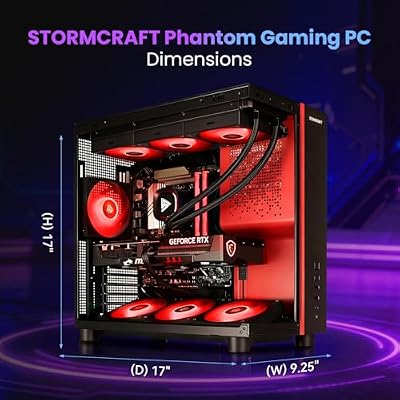
If you want a complete prebuilt with the 9800X3D inside rather than building,

8




As an Amazon Associate we earn from qualifying purchases. Product prices and availability are accurate as of the date/time indicated.
is one option to consider — though our 2000-dollar prebuilt guide covers a broader range.
Buy the Core i9-14900K if: Your workload is genuinely hybrid — you game, but you also render video, compile large codebases, run virtual machines, batch-process photos, or do scientific computing that scales with thread count. You already own a strong AIO (360 mm or 420 mm) and a high-wattage PSU. You’re carrying over DDR4 memory and don’t want to buy DDR5. You like overclocking and tuning. You’re comfortable with the chip being the end-of-line for LGA 1700. If that’s you, the 14900K’s productivity lead is real and meaningful.
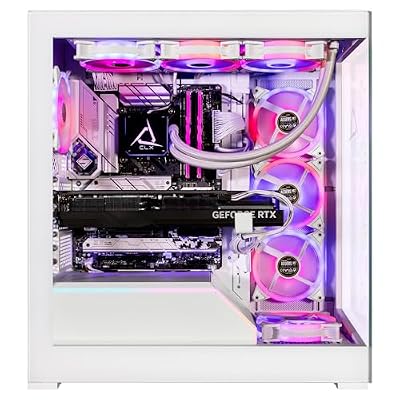
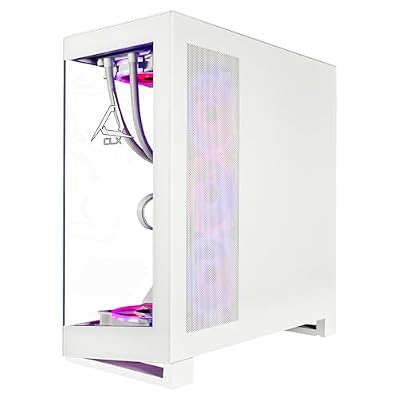
For a prebuilt 14900K option,

6
CLX Horus Gaming PC – Intel Core i9 14900KF 3.2GHz, GeForce RTX 4090, 2TB NVMe M.2 SSD, 6TB HDD, 64GB DDR5 RGB Memory, 360mm AIO, WiFi, Windows 11 Home, White
In Stock


As an Amazon Associate we earn from qualifying purchases. Product prices and availability are accurate as of the date/time indicated.
is one variant we’ve seen on the market.
Buy neither and wait if: You’re on a Ryzen 7 7800X3D or a 13900K already. Neither upgrade is dramatic enough to justify the spend unless you’re chasing absolute peak. Wait for Zen 6 X3D or Core Ultra refreshes later in 2026 or 2027.
FAQ
Is the 9800X3D actually faster than the 14900K for gaming?
Yes, in CPU-bound scenarios — roughly 15-20% faster on average. The 96 MB of stacked L3 cache feeds the cores far more effectively than the 14900K’s 36 MB, and modern game engines benefit massively from larger cache pools. The gap shrinks in GPU-bound 4K Ultra scenarios where the GPU is the bottleneck, but anywhere CPU performance matters, the X3D leads.
Will the 14900K bottleneck my high-end GPU?
Not in most scenarios. At 1440p or 4K with a 5090, both chips deliver excellent frame rates. At 1080p with high-refresh gaming, the 14900K can become the bottleneck in some titles where the 9800X3D wouldn’t be. For a 4K gaming rig with a flagship GPU, the difference is small enough that you should weigh other factors.
Do I really need a 360mm AIO for the 14900K?
For sustained workloads, yes — or at minimum a very high-end 280mm AIO. The 14900K’s PL2 power draw can exceed 250W and will thermally throttle a smaller cooler under sustained all-core load. For gaming-only use you can get by with less, but if you’re rendering or compiling, plan for serious cooling.
How long will AM5 last compared to LGA 1700?
AMD has committed to AM5 through 2027 at minimum, with strong hints of longer support. LGA 1700 is officially end-of-line; Intel has moved to LGA 1851 for Core Ultra. If platform longevity matters, AM5 is the clear winner here — your 9800X3D motherboard could host a Zen 6 X3D refresh later.
Does the 9800X3D actually need DDR5-6000 or can I save with slower kits?
DDR5-6000 CL30 is the universally recommended sweet spot for X3D chips because AMD’s Infinity Fabric runs in a 1:1 ratio at that frequency. Slower kits (5200, 5600) work fine but leave a few percent on the table. Faster kits (6400, 7200) usually drop to a 2:1 fabric ratio and lose more performance than the higher frequency gains. The cache architecture also means the X3D is far less memory-sensitive than the 14900K — a few percent either way rarely matters in practice — but if you can spend the same money on 6000 CL30, do it.
Should I worry about the 13th/14th-gen voltage degradation issue with a new 14900K?
If you buy a 14900K today and ensure your motherboard is on a recent BIOS that implements Intel’s updated default profile, the practical risk is much lower than it was in 2024. The recommended profile applies sane voltage limits and the issue has been largely contained. That said, the chip’s reputation took a hit and some buyers remain wary. If you’re risk-averse and want to avoid that conversation entirely, the X3D sidesteps the question.
Final verdict
The Ryzen 9 9800X3D wins this matchup for gaming, and it’s not close. The 14900K wins for hybrid workloads and overclockers. If you’re building a gaming PC in 2026, the X3D is what we’d put in our own rig. If you’re building a workstation that also games, the 14900K’s productivity headroom and DDR4 compatibility tip the scales. Pick the chip that matches what you actually do at the keyboard, and you can’t go wrong with either — these are both excellent CPUs, just optimized for different things.
For broader cross-shopping, the 2026 gaming CPU comparison covers the rest of the field, and if you’re picking a GPU to pair with either chip, the graphics card comparison is the next stop. Don’t forget the supporting cast — a great gaming monitor matters more than which CPU you pick if you’ve still got a 60 Hz panel, and a quality mechanical keyboard and wireless gaming mouse are upgrades you’ll feel more often than CPU differences. And if you’re streaming, see our streaming microphone comparison for the audio chain.
Frequently Asked Questions
Which processor is genuinely faster in games?
The 9800X3D leads in most gaming workloads thanks to its 96 MB of stacked 3D V-Cache, which keeps game data close to the cores and cuts memory trips. The advantage is largest in simulation, strategy and open-world titles with big working sets, often ten to twenty percent at 1080p. At 4K with a graphics bottleneck the two land within a few percent.
What about productivity and multi-threaded work?
The 14900K fields twenty-four cores across eight performance and sixteen efficiency cores, so it wins heavily threaded jobs like video encoding, large code compiles and rendering. The 9800X3D has eight cores and sixteen threads, which is plenty for gaming plus streaming but clearly behind in batch rendering. If your day job is export queues rather than frame rates, that core count matters.
How different is power draw and cooling requirement?
The 9800X3D typically pulls around 120 watts under gaming load and is comfortable on a good dual-tower air cooler. The 14900K can exceed 250 watts and approach 300 watts in all-core work, which realistically wants a 360 mm liquid cooler and pushes case airflow and room temperature noticeably. That difference also shows up on your electricity bill in long sessions.
Which platform has a better upgrade path?
AM5 is the safer long-term socket, with AMD committing to support through 2027 and beyond, so a later CPU drop-in is realistic. LGA1700 is at the end of its life, meaning a 14900K build is effectively terminal and any future upgrade means a new board and likely new memory. Both use DDR5 on current boards, so memory carries over on AM5.
Should I be concerned about 13th and 14th gen stability reports?
Intel traced the degradation issue to an elevated voltage request in microcode and shipped fixes, alongside an extended warranty for affected parts. A new or updated 14900K on current BIOS should be fine, but if you are buying used, confirm the board runs the patched microcode and that the chip has not been run at stock-unlimited power for a long period.