Alwa’s Awakening, Elden Pixels’ 8-bit adventure about Zoe, a heroine sent from another world to free the land of Alwa with a magic staff, is one of this series’ straightforward records. Steam’s listing flags the game for Windows, Mac and Linux alike, and the paperwork behind the flag agrees with it: a filled-in Linux requirements tab, a dedicated Linux depot, and a second storefront selling the same three-platform build.
That leaves the smaller questions. How large is the community file behind the native classification? What exactly did Valve test on Steam Deck, and does the paperwork still describe the build on sale? And does the family’s one add-on app, a soundtrack, muddy the picture as soundtracks so often do here?
As an Amazon Associate, we earn from qualifying purchases.
Quick answer
Yes. Alwa’s Awakening is genuinely native on Linux: Steam flags all three platforms, the Linux requirements tab is filled in, and a dedicated Linux depot ships in the package. ProtonDB classifies it Native with a Platinum file, and Valve rates it Verified on Steam Deck. The Steam and GOG editions both sell the Linux build.
The status at a glance
| Question | Answer from the record |
|---|---|
| Native Linux build | Yes — flag, filled-in tab and a Linux depot |
| Linux requirements tab | Populated at the minimum tier |
| Add-on apps | One soundtrack, flagging all three with an empty field |
| ProtonDB record | Platinum on all three tiers, 7 reports, low confidence |
| Steam Deck verdict | Verified, tested December 2022 on the current build |
| GOG edition | Exists, and lists Linux |
| Anti-cheat or launcher | None named on the records checked |
What Steam’s record says
Steam’s appdetails record for Alwa’s Awakening (app 549260) names Elden Pixels as both developer and publisher, with a release date of 2 February 2017. The platform flags read Windows true, Mac true, Linux true. Unlike the empty-shell pattern this series keeps meeting, the Linux requirements field here is genuinely populated at the minimum tier: Ubuntu 16.04, a dual-core processor at 2 GHz, 2 GB of RAM, Intel HD Graphics or better, 280 MB of storage, a sound card, and a note that a gamepad is recommended. No recommended tier is published, the same minimum-only shape as the Mac tab.
The depot table settles what the tab promises: three platform depots side by side, a Windows depot of 272.72 MiB, a macOS depot of 314.06 MiB and a dedicated Linux depot of 308.67 MiB, the largest of the three. The public branch stands on a build from June 2022, and a Linux client icon sits in the asset list, decoration that this time agrees with the depots. One field dissents on paper: the extended OS string names Mac packaging only. Against a true flag, a filled-in tab and a sized depot, it reads as Mac signing metadata, not a verdict on the Linux build.
The rest of the listing is plain: single-player, Steam Achievements, full controller support, Steam Trading Cards, captions available, DualShock and DualSense support, Steam Cloud, Remote Play on TV and Family Sharing, across eight languages. No third-party DRM notice and no external account notice appears on the record; both absences are gaps, stated as gaps, not promises. SteamDB’s detected technologies are the Unity engine and the Mono SDK, plumbing only.
The family shelf: one soundtrack, one bare flag
The game’s own record lists exactly one app in its add-on array: the Alwa’s Awakening Soundtrack (Deluxe Edition), a music app released in July 2021. Read individually, it flags Windows, Mac and Linux all true, while its own Linux requirements field is an empty list outright. That is the soundtrack trap in its standard form, a bare flag on an audio product that a family-level scan could credit to the game.
Here the trap is harmless, and the article rests nothing on it. The game’s native case stands on its own record: a true flag, a populated tab and a dedicated depot. The soundtrack’s flag agrees with the verdict by accident and proves nothing in either direction. Two relatives stay outside the count: the 8-Bit Edition and the sequel Alwa’s Legacy are separate apps, and nothing here is drawn from their records.
The Proton file
ProtonDB’s summary record for app 549260 is unanimous and thin at once: a Platinum headline tier, a Platinum best-reported tier and a Platinum trending tier, across 7 reports with low confidence. ProtonDB’s game page classifies it as Native under its Natively Supports heading, and Steam agrees: the clean-agreement case, not the stray-tag pattern. Because the title is native, that file grades the fallback route, the Windows build under Proton.
The report texture, at report weight, is mostly clean: several reporters describe perfect runs, native and Proton alike. Two qualifications sit inside the small pool. One native report from two years ago describes the game installing and opening but not starting play, with no keyboard or windowed support. Another notes the default in-game resolution wraps text outside its boxes, fixed by a lower resolution with fullscreen on. Seven reports is a small file, claimed at exactly that size: a unanimous Platinum on a thin pool, not a settled consensus.
The Steam Deck sheet
Valve rates Alwa’s Awakening Verified on Steam Deck, the top category, and SteamOS separately Compatible. The verdict and its items were read from Valve’s own compatibility endpoint directly this session: all four Verified checks pass, covering the default controller configuration, the glyphs shown, interface text legibility and default graphics performance. The configuration expects gamepad input, with no manual keyboard invocation, no launcher navigation and no internet needed for setup or single-player.
The dated paperwork comes from SteamDB’s republication of Valve’s compatibility data, disclosed as the evidence path: the test is dated 2 December 2022, on build 9019761. That build is exactly the one the public branch still serves, so the paperwork is current rather than describing a superseded build. One wrinkle is stated plainly: the test configuration names a Proton 7.0-series build as its recommended runtime, so the dated test describes a Proton run, even though a native Linux depot ships in the same package. The badge is real either way; which build it certifies takes a close reading of the sheet.
The storefront ruling
A second edition exists. GOG’s live product page is this game, verified against the Steam record by its description and credits, and GOG’s product record lists Windows, Linux and Mac as supported systems. Both storefronts therefore sell the native build, so the choice between them is a storefront preference rather than a compatibility decision.
Gear that fits the record
The gear below follows the record’s shape: the handheld the Verified badge was written for, pads for a game whose requirements tab recommends one, a mouse for the desktop side of a Linux setup, and library storage.
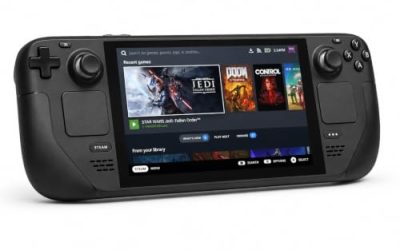
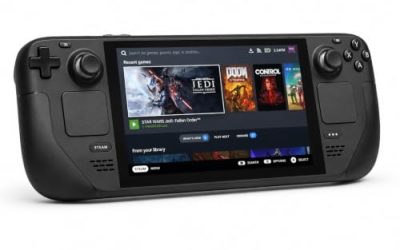
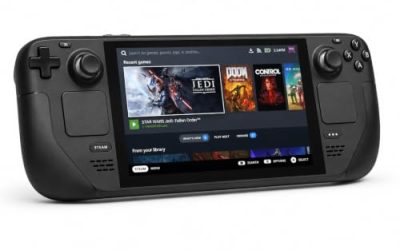
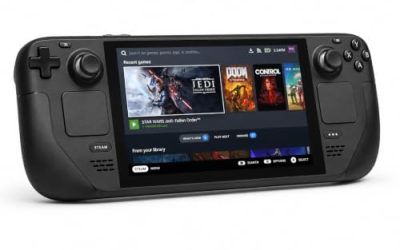
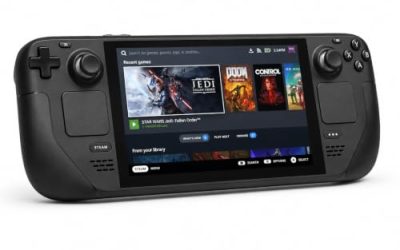
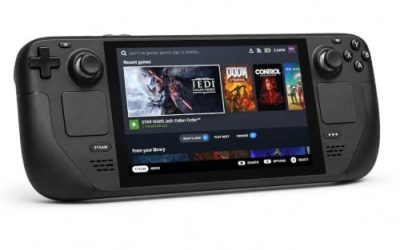
Valve Steam Deck OLED 512GB

The handheld the Verified badge covers. Valve’s test paperwork names the very build the public branch still serves, and the game’s requirements sit far below the Deck’s APU.
Specs
- Display: 7.4-inch HDR OLED, 1280 by 800, up to 90 Hz
- Processor: AMD Zen 2 and RDNA 2 custom APU
- Memory: 16 GB LPDDR5
- Storage: 512 GB NVMe, plus a microSD slot
- Wireless: Wi-Fi 6E and Bluetooth
- Channel note: Valve sells the Deck mainly through its own store, so Amazon listings are third-party sellers
8BitDo Ultimate 2 Bluetooth Controller

The pad pick for docked and desktop play. The game’s Linux tab recommends a gamepad outright, and this pad covers long dungeon sessions with modern sticks, triggers and back buttons.
Specs
- Connectivity: Bluetooth wireless and USB-C wired
- Joysticks: TMR electromagnetic, anti-drift design
- Triggers: Hall effect, with mode switching
- Extras: two remappable back buttons, motion control
- In the box: charging dock included
Xbox Wireless Controller, Carbon Black

The safest guest pad in PC gaming: Steam Input support is universal, the glyphs match what most games display, and it pairs over Bluetooth or its own wireless standard.
- Connectivity: Xbox Wireless and Bluetooth
- Port: USB-C for wired play
- Controls: hybrid D-pad, dedicated Share button
- Power: AA batteries or optional rechargeable pack
Logitech G502 HERO

For the desktop side of a Linux setup, a precise wired mouse keeps launchers and system menus quick between sessions. Eleven programmable buttons cover the inputs a desk setup repeats daily.
Specs
- HERO optical sensor, up to 25,600 DPI
- 11 programmable buttons
- Adjustable weight system
- Wired USB connection
- On-board memory profiles
Samsung T9 Portable SSD 2TB

For moving a Linux game library between a desktop and a laptop, or keeping an offline backup of installers, a fast USB-C drive is the simple answer. The headline figure needs a Gen 2×2 host port; on a lesser port the drive runs at that ceiling instead.
Specs
- Capacity: 2 TB portable SSD
- Interface: USB 3.2 Gen 2×2, USB-C connector
- Maker-rated speeds: up to 2,000 MB per second read, 1,950 MB per second write
- Features: Dynamic Thermal Guard, maker-rated drop resistance
How to choose
Choose either storefront copy, because both sell the same native build: pick Steam for the Deck sheet, the Proton file and Steam Cloud saves, or GOG for its separate edition. On desktop or laptop, install the native build and play directly; no compatibility layer is involved. On a Steam Deck, the Verified badge means no configuration work is expected. Keep one report-level note in mind: if text wraps at the default resolution, the community fix is a lower in-game resolution with fullscreen on. For input, follow the record’s own advice and use a gamepad.
Who should skip
Skip the native-first plan only if the one dissenting ProtonDB report matches your setup: a reporter on the native build described the game opening but not starting play, so if you hit that, the fallback is the Windows build under Proton, which the same file rates Platinum. Skip it if a 7-report community file feels too thin to trust. And skip it if you want the later editions instead: the 8-Bit Edition and Alwa’s Legacy are separate apps whose builds this record does not describe.
FAQ
Is Alwa’s Awakening native on Linux?
Yes. Steam flags Linux true, the requirements field is populated at the minimum tier, and the package holds a dedicated Linux depot of 308.67 MiB. ProtonDB classifies the game as Native too, and the two records agree.
How well does Alwa’s Awakening run on Steam Deck?
Valve rates it Verified, the top category, with all four checks passing. The test paperwork is dated December 2022 and names the build the public branch still serves, though its test configuration lists a Proton runtime.
Does the soundtrack’s Linux flag prove the game is native?
No. The soundtrack is a separate music app whose Linux flag sits over an empty field. The game’s case rests on its own record: the flag, the filled-in tab and the Linux depot.
Can I buy Alwa’s Awakening on GOG instead?
Yes. GOG sells an edition whose product record lists Linux alongside Windows and Mac. Both storefronts offer the native build, so the choice is a storefront preference.
Final verdict
Alwa’s Awakening is the clean shape this series looks for: a true Linux flag backed by a populated requirements tab and a dedicated Linux depot, a second storefront listing the same three platforms, and a Verified Steam Deck badge whose test paperwork still names the current build. The qualifications are small and stated: a unanimous but thin 7-report file, one dissenting native report inside it, a soundtrack flag that proves nothing, and a Deck test configuration naming a Proton runtime for a native game. Buy either edition, install the native build, and play with a gamepad, as the record itself recommends.
Product and ASIN Reference
| Product | ASIN |
|---|---|
| Valve Steam Deck OLED 512GB | B0CQ3RWQQZ |
| 8BitDo Ultimate 2 Bluetooth Controller | B0F194QFT2 |
| Xbox Wireless Controller, Carbon Black | B08DF248LD |
| Logitech G502 HERO | B07GBZ4Q68 |
| Samsung T9 Portable SSD 2TB | B0CHFS9K14 |