- Top Pick: Xbox Wireless Gaming Controller (2025), Carbon Black
- Runner-up: Samsung 990 PRO 2TB NVMe SSD
- Also consider: WD Black SN850X 2TB NVMe SSD
Xenia is the only Xbox 360 emulator that matters, and it is a Windows program. There is no official native Linux build from the project: no Flatpak, no AppImage, no package. Yet Linux players do run it, through Wine or Proton, on the emulator’s Vulkan renderer, and usually with the experimental canary branch rather than the conservative master build. The results are real but uneven. Some games play start to finish, others fail in ways that have nothing to do with your hardware, and a game that behaves on Windows can break purely because of the extra translation layer underneath it.
This site’s general Xbox 360 emulation guide already covers Xenia on Windows: the builds, the hardware, and the usual troubleshooting. This article does not repeat that ground. What follows is only the Linux layer: the honest status, what the Wine and Proton route involves, where it adds friction Windows players never see, what the project’s compatibility records say about which games cope, and the legal frame for game files, which is stricter than many players assume. The gear picks at the end cover the controller and storage this setup leans on.
As an Amazon Associate, we earn from qualifying purchases.
Quick answer
Xenia has no native Linux build. The only route is the Windows build running through Wine or Proton, usually the experimental canary branch on its Vulkan renderer. Simple and older titles can play well; demanding exclusives often break. Check the project compatibility list for each game, and use images dumped from your own discs.
The status in one view
Start with the fact that shapes everything else: Xenia is an experimental, open-source emulator aimed at Windows first. Its two branches matter more on Linux than on Windows. The master branch is the conservative line. The canary branch is where fixes and new behaviour land first, and most community compatibility reports describe canary, because that is the build players actually use. On Linux, the branch you pick changes which games boot at all, so canary is the realistic default and master the fallback when a canary change breaks something you play.
There is no official Linux port, and that gap has a consequence beyond inconvenience. Anything packaged or sold as a native Linux or mobile Xenia is not the project: 360 emulation searches attract fake emulators bundled with junk, so builds should only come from the project’s own channels.
Graphics are the second structural fact. On Windows, Xenia offers Direct3D 12 and Vulkan backends. Under Wine on Linux, Vulkan is the practical route: it talks to your graphics driver through the same API family the driver already speaks. The Direct3D 12 path has to pass through an additional translation layer first, stacking a second set of bugs on top of an emulator that is candid about being unfinished. Expect to live on Vulkan, and expect your driver to matter as much as your graphics card.
The Linux route: Wine, Proton, and the extra layer
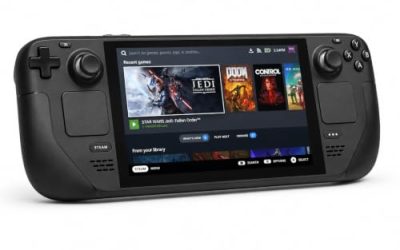
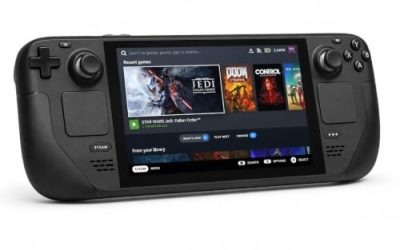
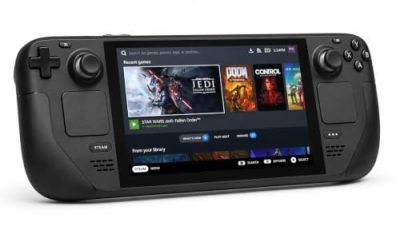
Every Linux setup runs the same Windows executable; the wrappers differ in convenience, not in magic. Plain Wine in a dedicated prefix gives the most control and the most manual work. A managed prefix through a tool like Bottles or Lutris wraps installation and settings into something repeatable. Adding Xenia to Steam as a non-Steam game runs it under Proton, the natural choice on a Steam Deck and a comfortable one on a desktop that already lives in Steam.
The friction points are consistent. Canary updates are manual and frequent, so a working setup can quietly become an old setup. Shader compilation stutter is part of the experience, particularly on a first run through a level. Driver quality decides Vulkan behaviour: the open Mesa drivers and the proprietary NVIDIA driver do not fail in the same places, so two Linux players with similar hardware can see different results in the same game. Most importantly, the accumulated community knowledge about Xenia — per-game settings, patches, and workarounds — is written against Windows behaviour. A fix reported by Windows players may not transfer, because your copy runs through one more layer than theirs. When a game misbehaves, the project’s compatibility records are the reference; Windows advice is a lead, not a guarantee.
Your games: the legal line and your own discs
The emulator itself is legal software: it contains no Microsoft code and was built without copying it. The legal question is entirely about the games. The rule is simple and has no convenient exceptions: use only disc images you dumped yourself, from discs you personally own. Downloading a game file from the internet is copyright infringement even when a physical copy of that same game is sitting on your shelf.
Dumping your own discs is the part players underestimate. Xbox 360 discs cannot simply be read by an ordinary PC DVD drive; in practice, images are produced using a suitably equipped console or one of a narrow set of drive arrangements, and the process is a project in its own right. Xenia then works from the dumped image or extracted game files on your storage. It does not play games straight from a disc in the drive, and there is no shortcut around producing the image first.
One more expectation to set: this is a single-player pursuit. The original Xbox Live services for the 360 era have been retired, and Xenia does not emulate online play.
What to expect, by game class
Xenia’s compatibility is tracked per title in the project’s own records, with community reports sorting games from playable down through in-game with problems to loads-and-dies and will-not-boot. The pattern across those records is clear enough to plan around, by class.
The strongest class is two-dimensional games, Xbox Live Arcade titles, and simpler early-generation releases. These ask the least of the emulator’s unfinished systems, and a good share run the way players hope emulation will run. The mixed class is mid-generation three-dimensional titles with modest effects: many reach in-game and can be played, with graphical glitches, audio problems, or performance dips that come and go by build. The weakest class is the one most people ask about first: the big first-party exclusives and late-generation releases that pushed the original hardware hardest. Several famous names remain broken or heavily compromised in the project’s records, and no setting on your end changes that. The only reliable unit of prediction is the individual game, so check its entry before investing an evening.
How to choose: attempt it, or wait
Choose by your library first. If your shelf is mostly Arcade releases, two-dimensional games, and early titles, the attempt is worthwhile today: the route is an afternoon of setup, and the class of games you own is the class that copes. If your shelf is built around the headline exclusives, waiting is the honest answer, or playing those games through official backward compatibility on a modern Xbox, where they exist in polished form.
Choose by temperament second. The canary culture means the emulator changes under you: an update can fix one game and disturb another, and staying current is part of the hobby. If you want a setup that never needs re-checking, this is not it yet. And choose by hardware last: a strong CPU and a Vulkan-capable graphics card you already own are the platform. Buying hardware for Xenia alone is hard to justify while the software is this experimental.
Who should skip this
Skip it if the games you actually want to play are marked broken in the project’s compatibility records; enthusiasm does not repair an emulator. Skip it if online play is the point. Skip it if your games have proper PC ports, remasters, or backward-compatible releases, which are all less work than this. And skip it if you are not willing to dump your own discs, because without that step there is no legal version of this setup to build.
Gear for a Linux Xenia setup
The hardware asks are modest: a controller the emulator recognises natively, and fast storage for the large game images.
Xbox Wireless Gaming Controller (2025), Carbon Black

Xenia speaks XInput, and this is the pad that defines the standard. On Linux it pairs over Bluetooth or runs wired over USB-C, and it is the controller least likely to add problems of its own.
Specs:
- Connectivity: Bluetooth and USB-C wired
- Input standard: XInput, native in Xenia
- Features: hybrid D-pad, share button, textured grips
- Compatibility: PC, Xbox Series X and S, Xbox One
Samsung 990 PRO 2TB NVMe SSD

A fast internal drive for the game library. Maker-stated sequential reads up to 7,450 MB/s keep large images and shader data moving, and 2TB holds a serious 360 collection.
Specs:
- Capacity: 2TB
- Interface: PCIe 4.0 x4, NVMe, M.2 2280
- Maker-stated read speed: up to 7,450 MB/s
- Model: MZ-V9P2T0B/AM
WD Black SN850X 2TB NVMe SSD

The same class of performance from Western Digital’s gaming line, with maker-stated reads up to 7,300 MB/s.
Specs:
- Capacity: 2TB
- Interface: PCIe 4.0 x4, NVMe, M.2 2280
- Maker-stated read speed: up to 7,300 MB/s
- Model: WDS200T2X0E
Crucial T500 2TB NVMe SSD

A third strong Gen4 option, with maker-stated reads up to 7,400 MB/s and a DRAM cache.
Specs:
- Capacity: 2TB
- Interface: PCIe 4.0 x4, NVMe, M.2 2280
- Maker-stated read speed: up to 7,400 MB/s
- Model: CT2000T500SSD8
Samsung T9 Portable SSD 2TB

For a library that moves between a desktop and a Steam Deck or a second machine, the T9 carries 2TB at maker-stated speeds up to 2,000 MB/s over USB 3.2 Gen 2×2. Full speed needs a Gen 2×2 port, which is uncommon; on a standard port it runs at that port’s lower rate, still ample for game images.
Specs:
- Capacity: 2TB
- Interface: USB 3.2 Gen 2×2, USB-C
- Maker-stated read speed: up to 2,000 MB/s
- Model: MU-PG2T0B/AM
FAQ
Is there a native Linux version of Xenia?
No. The project publishes Windows builds only. Every Linux setup runs the Windows build through Wine or Proton.
Should I use the master or canary build?
Canary, for most players. It receives fixes first, and most compatibility reports describe it. Keep master as a fallback for when a canary update breaks a game you are in the middle of.
A game works for Windows players but crashes for me. Why?
Because your copy runs through an extra layer. The Vulkan-only route, your specific graphics driver, and the wrapper itself can each change behaviour. Check the game’s entry in the project’s compatibility records, try the other branch, and treat Windows workarounds as leads rather than instructions.
Can Xenia read my game discs directly?
No. It runs dumped images or extracted files from your storage. Producing that image from a disc you own is a separate step, and an ordinary PC DVD drive cannot read 360 discs on its own.
Final verdict
Xenia on Linux is a real, working route with an honest ceiling. There is no native build, so the experience is the Windows emulator plus a translation layer. For Arcade titles, two-dimensional games, and early releases, it is already worth the setup. For the famous exclusives, the project’s own records say to wait, or to play those games through official channels. Check your titles first, dump your own discs, pick canary on Vulkan, and the attempt will quickly tell you which class your library falls into.