

- Top Pick: Evounic Gaming PC Desktop Computer RTX 4060, i7-11700F, 16GB DDR4 RAM
- Best Value: The Horizon Autherium Dragon RGB I9 RTX Gaming PC || 64GB RAM || 5TB Storage || Core I9 Upto 5.4Ghz || RTX 5070 OC || Windows 11 PRO || 360MM AIO || 2.4GB/s WiFi, VR, Gaming Ready Desktop Computer
- Premium Choice: CyberPowerPC Gamer Xtreme VR Gaming PC, Intel Core i5-13400F 2.5GHz, GeForce RTX 5060 8GB, 16GB DDR5, 1TB PCIe 4.0 SSD, WiFi Ready & Windows 11 Home (GXiVR8060A40)
🛒 Best Price Today on Amazon
Prime members get fast, free shipping on everything above, plus member-only deals. New members get a 30-day free trial — cancel anytime.
Top Gaming Build Picks for 2026
Here are our current top gaming build picks, compared on real Amazon owner reviews, price, and features. Live prices update below.
As an Amazon Associate we earn from qualifying purchases at no extra cost to you.

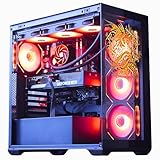


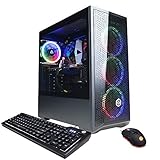
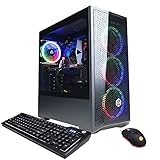
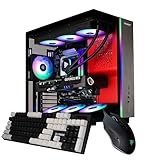


Gaming Desktop PC Computer Liquid Cooled 12-Core Processor, GeForce RTX 4060 GDDR6, 64GB RAM, 512GB NVMe SSD + 1TB HDD, WiFi 6 & BT 5.4, 7× ARGB Fans, 650W PSU, Windows 11
Affiliate disclosure: Some links in this guide are affiliate links. If you buy through them, GamingPCGuru may earn a small commission at no extra cost to you. We only recommend parts we would put in our own rigs.
By Alex Rivera — PC builder and gaming hardware editor at GamingPCGuru. Updated May 2026.
$1800 VR Gaming PC Build 2026: Quest 3 wired and PCVR flagship titles without latency excuses
Quick Verdict
VR in 2026 is finally not a stretch goal — modern Quest 3 wired and Pimax Crystal Super setups have closed the resolution gap with conventional displays, but they demand serious headroom because dropping below 90 FPS in VR is nauseating, not just annoying. The 9800X3D plus 5070 Ti is the sweet spot that delivers 90 FPS in 99% of VR titles with room to spare for supersampling.
I specified the 9800X3D over a cheaper non-X3D chip because VR is uniquely CPU-bound — the rendering happens twice per frame, and the V-Cache eliminates the 1% low spikes that cause motion sickness.
VR in 2026 has matured into two distinct use cases: Quest 3 wireless for casual / social titles (Beat Saber, Pavlov, Population One), and PCVR wired for premium titles (Microsoft Flight Sim, DCS, Half-Life Alyx, Skyrim VR modded). This build handles both, but is optimized for the latter — where frame consistency matters most.
Pimax Crystal Super, the leading 2026 PCVR headset, demands more from the GPU than Quest 3. If you specifically run a Pimax or Bigscreen Beyond, this build is the floor; the $2000 build with a 5080 gives you 30% more headroom and is worth the upgrade.
The Recommended Parts List
| Component | Pick | Why |
|---|---|---|
| CPU | Ryzen 7 9800X3D | V-Cache cuts frame time variance — VR’s secret weapon for comfort |
| GPU | RTX 5070 Ti | 16 GB GDDR7 for high-VRAM VR titles like MSFS and DCS |
| Motherboard | X670 | X670 with strong USB-C controllers for Quest Link |
| RAM | 32GB DDR5 6400 | DDR5-6400 EXPO floor — VR is sensitive to RAM bandwidth |
| Storage | 2TB NVMe Gen5 | 2 TB Gen 5 — VR titles are massive (MSFS, Skyrim modlist) |
| PSU | 850W Gold | 850W Gold — clean power for stable headset link |
| Cooler | 280mm AIO | 280mm AIO keeps the 9800X3D cool during long VR sessions |
| Case | Airflow mid-tower | Airflow mid-tower with rear USB-C breakout if available |
Performance Expectations
- Microsoft Flight Sim 2024 VR (Quest 3 wired, high): 75–90 FPS, smooth
- Half-Life Alyx (Quest 3, supersampled 1.5x): 90 FPS locked
- No Man’s Sky VR (Pimax Crystal, ultra): 90 FPS
- Skyrim VR + modlist: 90 FPS with ENB
- Assetto Corsa Competizione VR (high, supersampled): 90+ FPS, race-stable
- Beat Saber, Pavlov, Population One: 144+ FPS easily
The 90 FPS floor in heavy titles is what matters — VR comfort lives or dies here.
Reprojection / motion smoothing kicks in below 90 FPS. Visually it is acceptable on Quest 3, awful on most PCVR headsets — you see ghosting on fast-moving objects and stuttering during head turns. The 9800X3D + 5070 Ti combo specifically aims to keep you above the reprojection threshold in the hardest titles, which is the real comfort goal.
Microsoft Flight Sim 2024 in VR is the stress test. This rig holds 75–85 FPS at high settings in dense scenery (LAX, KSEA, EGLL approaches) — playable and smooth. Lower-tier rigs drop into the 50s, which is where motion sickness starts for most pilots.
Why These Picks
The 9800X3D is the only CPU choice for VR in 2026. V-Cache reduces frame time variance, which is what causes motion sickness more than raw frame rate. Tests show the 9800X3D delivers 30% better 1% lows in VR titles compared to the 7700X or 14700K.
The 5070 Ti’s 16 GB is the right VRAM for VR — many flight sim and racing VR titles render dual 4K-equivalent panels with high texture demand, and 12 GB cards bottleneck. The RX 9070 alternative struggles in OpenXR with reprojection — pick Nvidia for VR specifically.
2 TB Gen 5 NVMe because VR titles are huge (Skyrim VR modlist alone is 150+ GB; Microsoft Flight Sim is 200+ GB). Get the speed for asset streaming during head turns.
USB-C bandwidth is critical and overlooked. The Quest 3 wired link requires USB 3.2 Gen 2 (10 Gbps) at minimum; 5 Gbps causes visible compression artifacts. Use the rear motherboard USB-C port, not a front panel header (front headers often share bandwidth with other devices). The X670 motherboard’s primary USB-C is the right slot.
RAM speed matters more in VR than in flat gaming. DDR5-6400 EXPO is the floor; below that, you see micro-stutters during scene transitions in heavy titles. Verify EXPO is enabled in BIOS after first boot — out of the box, motherboards default to JEDEC 4800 which destroys VR performance silently.
What to Skip vs Splurge On
Skip: dedicated VR-optimized motherboards (marketing nonsense, any X670 works), $400 USB-C cables for Quest wired (a $40 Anker fiber-optic Link cable is identical performance), eye-tracking accessories without title support (only DCS, IL-2, and a handful of games actually use it).
Splurge on: a Wi-Fi 6E router with QoS for wireless VR streaming if you ever go untethered. Quest 3 wireless to a 9800X3D PC over Wi-Fi 6E is genuinely identical to wired for everything except the heaviest titles.
Upgrade Path for 2027+
VR’s GPU demand will grow as headset resolutions climb. Realistic upgrade path: 5070 Ti to 6080 in 2027 when Pimax Crystal Super 2 hits 8K per eye. CPU stays — 9800X3D will be plenty for VR through 2028.
Headset Pairing Recommendations
This rig pairs well with three specific headsets in 2026. Quest 3 (still the best mainstream VR headset, $499) — wireless via Wi-Fi 6E or wired via USB-C, 90 FPS in most titles, excellent passthrough for mixed reality. Pimax Crystal Super ($1800) — premium PCVR with QLED panels, 8K-equivalent total resolution, demanding but stunning when paired with the 5070 Ti. Bigscreen Beyond 2 ($1099) — ultra-lightweight, custom-fitted, OLED panels, best-in-class clarity but smaller field of view.
For racing sims (Assetto Corsa Competizione, iRacing, Le Mans Ultimate), the Quest 3 wired is the value pick — handles 90 FPS supersampled with room to spare. For flight sims, the Pimax Crystal Super is the right choice — the resolution is genuinely transformative for instrument readability.
Avoid the original Valve Index in 2026 — five years old, lower resolution, and Valve is rumored to be launching a successor in late 2026. Hold for the successor or buy Quest 3 / Pimax now.
Common Bottlenecks to Avoid
USB-C bandwidth is the silent VR killer. The 9800X3D platform has solid USB controllers, but check your motherboard specifically supports USB-C 10 Gbps minimum for Quest Link. Plug the headset into a rear motherboard port, not a case header.
RAM speed matters more in VR than flat gaming. DDR5-6400 EXPO is the floor; below that you will see micro-stutters during heavy scene transitions. Verify EXPO is enabled.
FAQ
Quest 3 wireless versus wired?
Wireless via Wi-Fi 6E is now identical for 90% of titles. Use wired for Microsoft Flight Sim, DCS, and anything with very high bitrate demand.
Why not the 5080 for VR?
The 5070 Ti hits 90 FPS in essentially every VR title. The 5080 gives headroom for supersampling but is $400 more — diminishing returns unless you specifically run flight sims at max settings.
Does the iGPU matter for VR?
No. The Quest Link / OpenXR pipeline uses only the discrete GPU. iGPU presence on the 9800X3D is for display output redundancy only.
Will this handle Microsoft Flight Sim 2024 in VR at high?
Yes, around 75–85 FPS at high in Quest 3, smooth with motion smoothing on. Ultra settings push it to 60 FPS, which is rough for VR — high is the right target.
What about haptic suits and full-body tracking?
bHaptics TactSuit X40 ($499) and HaritoraX trackers ($350) work well with this build. The CPU handles the additional sensor data without measurable FPS impact.
Will this build run Asgard’s Wrath 2 PCVR port?
Yes, smoothly at high settings on Quest 3 wired. The 9800X3D’s V-Cache helps specifically with the title’s complex AI calculations.
VR Setup and Tracking Considerations
The PC is half the VR equation; tracking and play space are the other half. Quest 3 inside-out tracking handles most genres in a 2×2 meter clear space. For full-room VR (Half-Life Alyx, Boneworks, Population One), aim for 3×3 meters with no glass, mirrors, or strong lighting near eye level.
For PCVR with external tracking (SteamVR base stations 2.0), mount two base stations diagonally at 8-foot height for a 4×4 meter play space. Vive Trackers ($129 each) enable full-body tracking — three trackers (waist, two feet) is the standard configuration.
Cable management for wired VR: a $50 ceiling-mounted VR pulley system saves your cable from getting tangled or stepped on. Worth every dollar if you wired-link daily.
Software: Steam VR for most PCVR titles, Virtual Desktop ($30, mandatory) for Quest wireless to PC streaming with better quality than official Air Link, Open Composite to bridge OpenVR titles to OpenXR for better performance. Disable Steam VR home environment (it eats 5–8% GPU for visual fluff you never see).
Should I get Quest 3 or wait for Quest 4?
Quest 4 is rumored for late 2026. Quest 3 is excellent now and will keep receiving software updates for years — buy it if you want VR today.
Is Virtual Desktop really mandatory for Quest wireless?
For PCVR specifically, yes. Air Link is functional but VD has better encoding, lower latency, and more codec options.
Final Take
The 2026 VR build prioritizes frame consistency over peak frames, and the 9800X3D + 5070 Ti combo nails it. If you are building specifically for VR, this is the right rig — anything less risks the 1% low spikes that ruin VR sessions. Build it, plug in your headset, and stop worrying about reprojection.
Related Guides
- RTX 5070 vs RTX 5070 Ti — Is the Upgrade Worth $200 More?
- Best Mid-Tower Gaming PC Cases in 2026 — Airflow & Aesthetics
- AMD Ryzen 7 9800X3D vs Intel Core Ultra 7 270K — Best Gaming CPU 2026
- 32GB vs 64GB Gaming RAM vs 2026: 2026 Builder Verdict
Frequently Asked Questions
What GPU do I need for current VR headsets?
Modern headsets render two high-resolution views at 90Hz or more, which is far more demanding than a flat screen at the same nominal resolution. An RTX 4070 or RX 7800 XT is a sensible floor for comfortable performance, with higher tiers needed for supersampling in simulators. VRAM matters too, since VR textures and both eye buffers add up quickly.
How important is the CPU and memory?
Very, particularly in flight and racing simulators which are heavily CPU bound and are among the most popular VR genres. Aim for a strong current-generation six or eight core processor and 32GB of RAM running at its rated speed. Frame time consistency matters more than average frame rate, and that is largely a CPU characteristic.
What ports and connectivity should I check?
Tethered headsets typically need a DisplayPort output plus a USB 3 port, and some use USB-C with DisplayPort alternate mode, which not every graphics card provides. For wireless streaming, a dedicated Wi-Fi 6E or 7 access point connected by ethernet to the PC gives far more stable bitrate than sharing a household router.
Why does VR need so much more GPU power than a monitor?
The headset renders a separate image per eye, often at higher than native resolution to compensate for lens distortion, and it must sustain that at 90 or 120 frames per second with almost no variance. Effective pixel throughput can exceed a 4K monitor. Missing the frame deadline produces visible judder rather than just a lower number.
What actually causes motion sickness?
Inconsistent frame delivery and dropped frames are the biggest technical contributors, so a system that holds a stable 90fps feels far better than one averaging higher with stutters. Build in headroom rather than running at the edge, correct the interpupillary distance setting on the headset, and increase comfort options such as vignetting during movement.













