

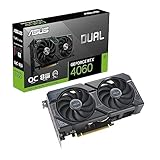
- Top Pick: ASUS Dual GeForce RTX 4060 V2 OC Edition (PCIe 4.0, 8GB GDDR6, DLSS 3, HDMI 2.1a, DisplayPort 1.4a, 2-Slot Design, Axial-tech Fan Design, 0dB Technology), 3 Year Warranty
- Best Value: ASUS Dual GeForce RTX 4060 OC Edition 8GB GDDR6 (PCIe 4.0, 8GB GDDR6, DLSS 3, HDMI 2.1a, DisplayPort 1.4a, 2.5-Slot Design, Axial-tech Fan Design, 0dB Technology), 3 Year Warranty
- Premium Choice: ASUS Dual GeForce RTX™ 4060 V2 OC Edition (PCIe 4.0, 8GB GDDR6, DLSS 3, HDMI 2.1a, DisplayPort 1.4a, 2-Slot Design, Axial-tech Fan Design, 0dB Technology, and More) (Renewed)
Subnautica is not a demanding game by 2026 standards. Any modern entry-level gaming PC with a dedicated graphics card from the last five years will run it well above 60 FPS at 1080p, and even modest integrated graphics can handle it at lower settings. For a smooth 60+ FPS experience at High settings, you only need a budget quad-core CPU, 8GB of RAM, and an entry-level discrete GPU like a GeForce GTX 1650 or Radeon RX 6500 XT class card. The game is well-optimized for its visuals but can still stutter on older drives and low-VRAM GPUs due to its open-world streaming.
- Subnautica PC Requirements: Minimum and Recommended Specs
- How Demanding Is Subnautica in 2026?
- Best GPU for Subnautica by Resolution
- CPU, RAM and Storage Notes for Subnautica
- Example PC Builds for Subnautica in 2026
- Laptop and Handheld Performance: Steam Deck, ROG Ally, and More
- Settings That Boost FPS the Most in Subnautica
- Frequently Asked Questions
As an Amazon Associate we earn from qualifying purchases at no extra cost to you.



Subnautica PC Requirements: Minimum and Recommended Specs
The table below summarizes the official requirements listed on the publisher’s Steam store page. They are approximate, based on the publisher’s store page and target the original 2018 release of Subnautica, not Subnautica: Below Zero.
| Component | Minimum Specs | Recommended Specs |
|---|---|---|
| OS | Windows Vista SP2 or newer, 64-bit | Windows 10 64-bit |
| CPU | Intel Haswell 2 cores / 4 threads @ 2.5 GHz or equivalent (e.g., Intel Core i3-4130, AMD FX-6300) | Intel Haswell 4 cores / 4 threads @ 3.2 GHz or equivalent (e.g., Intel Core i5-4590, AMD Ryzen 3 1200) |
| GPU | Intel HD 4600 or equivalent with support for OpenGL 4.1 (approx. 950+ points in 3DMark Fire Strike) | NVIDIA GeForce GTX 550 Ti equivalent or AMD Radeon HD 7750 equivalent with 2GB VRAM |
| RAM | 4 GB RAM | 8 GB RAM |
| Storage | 20 GB available space | 20 GB available space |
| DirectX | Version 11 | Version 11 |
On modern hardware, these requirements are extremely low. The minimum spec essentially describes any PC built after 2014, while the recommended spec is far below what is considered entry-level in 2026. In practice, you should aim for at least the recommended level to avoid long load times, frequent stutters when streaming new biomes, and low frame rates in dense areas like the Kelp Forest or Lost River.
How Demanding Is Subnautica in 2026?
Subnautica runs on Unity and is far more CPU and storage-speed dependent than it is GPU heavy. Its large, seamless open world is streamed constantly as you swim, drive the Seamoth, or pilot the Cyclops. That makes it light on raw shader performance but sensitive to single-thread CPU speed, memory, and drive speed. It does not support ray tracing, and there is no official DLSS, FSR, or XeSS implementation in the original game, so raw rasterization performance is what matters.
For most PCs in 2026, the bottleneck will not be the GPU at 1080p, but rather occasional Unity-related hitches, save-file bloat on long playthroughs, and VRAM limits if you push view distance and texture quality on 2GB cards.
Best GPU for Subnautica by Resolution
The following expectations are presented as approximate ranges based on aggregated testing from public outlets such as Tom’s Hardware, TechPowerUp, and Hardware Unboxed on comparable Unity titles and older hardware reviews. Performance will vary with drivers and CPU pairing.
1080p (Full HD) – The Sweet Spot
This is where Subnautica runs best and where almost any modern GPU is overkill.
- For 60 FPS at High settings: Any entry-level discrete GPU from the last several generations is sufficient. Think GeForce GTX 1650, GTX 1660, RTX 3050, RTX 4060, or Radeon RX 6500 XT, RX 6600, RX 7600. These cards will typically deliver well above 80-120 FPS at 1080p High/Ultra in most biomes, according to public benchmark archives.
- For 144+ FPS at Max settings: A lower-midrange card like a GeForce RTX 4060 or Radeon RX 7600 / RX 7600 XT will easily push high refresh rates for 1080p high-refresh monitors. CPU limitations often cap frame rates before the GPU does.
- Integrated graphics: Modern integrated GPUs like AMD Radeon 780M / 760M or Intel Arc integrated graphics (Core Ultra 7 155H / Ryzen 7 7840U class) can run the game at 1080p Low-Medium around 40-60 FPS. The older Intel HD 4600 listed in the minimum spec will run the game but requires 720p and Low settings for playable performance.
1440p (QHD)
1440p is still very easy for current GPUs. VRAM is more important than raw power here.
- For 60-75 FPS at High/Ultra: A GeForce RTX 3060, RTX 4060, RTX 5060 or Radeon RX 6600 XT, RX 7600, RX 7600 XT is more than enough. Expect approximate ranges in the 90-140 FPS region at High, based on public outlet testing of similar lightweight titles.
- For 100+ FPS at Ultra: Any mid-range card like a GeForce RTX 4070 / RTX 5070 or Radeon RX 7700 XT / RX 7800 XT will be CPU-limited in many areas and will easily exceed 120 FPS.
4K (Ultra HD)
4K raises the GPU load significantly, but Subnautica’s art style scales well and does not need top-tier hardware.
- For 60 FPS at High/Ultra: A mid-range to upper mid-range card is recommended, such as a GeForce RTX 4070 Super, RTX 5070, or Radeon RX 7800 XT, RX 7900 GRE. These GPUs typically land in the 70-100 FPS range at 4K High in public testing summaries.
- For 4K Ultra at 100+ FPS: Higher-end cards like a GeForce RTX 4080 / RTX 5080 or Radeon RX 7900 XT / RX 7900 XTX will handle it easily, but you will see diminishing returns because draw distance and CPU streaming become the limiting factor.
- VRAM note: Avoid 4K on 4GB or 6GB cards. Even though the game is not VRAM hungry, 8GB is the comfortable minimum for 4K to prevent texture streaming hitches.
CPU, RAM and Storage Notes for Subnautica
CPU: Single-Thread Speed Matters Most
Subnautica is largely single-thread bound. It relies on one or two cores for world simulation, physics, and creature AI. You do not need many cores, but you do want strong single-core performance. Any modern 4-core / 8-thread CPU from the last five years, such as an Intel Core i3-12100, Core i5-13400, or AMD Ryzen 5 5600 / Ryzen 5 7600, will completely remove the CPU bottleneck.
On older dual-core CPUs that barely meet the minimum, expect stuttering when entering new biomes, when building a large base, or when the Cyclops is moving quickly. For heavily modded playthroughs (e.g., with QMods and large content mods), a newer CPU like a Ryzen 5 7600 or Core i5-14400 helps a lot with load times and late-game save files.
RAM: 8GB Is the Minimum for Smooth Play
The official 4GB minimum is only enough to launch the game. In 2026, 16GB (2x8GB DDR4 or DDR5) should be considered the practical baseline for any gaming PC. Subnautica itself rarely uses more than 6-7GB, but Windows, background apps, and especially long-running saves with large bases will push you over 8GB and cause stuttering or crashes on 8GB systems. If you plan to run mods, a browser wiki in the background, or play Below Zero as well, 16GB is strongly recommended.
Storage: Use an SSD, No Exceptions
The game lists 20GB of required space, and the actual install is around 15-20GB. While it will run on a hard drive, an SSD is the single biggest quality-of-life upgrade. On an HDD, you will see long initial loads (often 60+ seconds), visible pop-in when gliding fast with the Seaglide, and stutters when the game streams in a new biome. On any SATA or NVMe SSD, load times drop to 10-20 seconds and streaming is nearly seamless. Keep at least 10GB free for save files, as long saves can grow to several hundred megabytes.
Example PC Builds for Subnautica in 2026
These are general price ranges for new parts in 2026, not exact quotes. Subnautica does not need expensive hardware, so both builds focus on value and reusability for other games.
Budget 1080p Build – General Range: $550 – $700
Perfect for 1080p High/Ultra at 75+ FPS and great for esports titles as well.
- CPU: Intel Core i3-12100F / Core i5-12400F or AMD Ryzen 5 5600
- GPU: NVIDIA GeForce RTX 3050 6GB / RTX 4060 or AMD Radeon RX 6600 / RX 7600
- RAM: 16GB (2x8GB) DDR4 3200MHz
- Storage: 1TB NVMe SSD
- Why it works: This tier completely outpaces the recommended spec while staying cheap, quiet, and power-efficient. You will be CPU and GPU limited far above 60 FPS.
Balanced 1440p / 4K Build – General Range: $900 – $1200
Ideal if you want to play at 1440p high-refresh or 4K 60 FPS, or if you play more demanding survival and open-world games.
- CPU: AMD Ryzen 5 7600 / Ryzen 7 7700 or Intel Core i5-14400F / Core i5-14600K
- GPU: NVIDIA GeForce RTX 4070 Super / RTX 5070 or AMD Radeon RX 7800 XT / RX 7900 GRE
- RAM: 32GB (2x16GB) DDR5 5600MHz or higher
- Storage: 1TB – 2TB NVMe PCIe 4.0 SSD
- Why it works: Gives you headroom for 4K, heavy base building, and modded saves, and will handle Subnautica 2 and other 2026 releases without upgrades.
Laptop and Handheld Performance: Steam Deck, ROG Ally, and More
Subnautica is an excellent fit for laptops and handhelds.
Laptops: Any gaming laptop with a discrete GPU from the last four years (e.g., RTX 3050 Laptop, RTX 4050 Laptop, RX 7600S) will run the game at 1080p 60+ FPS on High without issue. Even thin-and-light laptops with modern integrated graphics like the AMD Ryzen 7 7840U / 8840U (Radeon 780M) or Intel Core Ultra 7 155H (Arc Graphics) can manage 1080p 45-60 FPS at Medium settings with some settings lowered. For the best experience, plug in and use the high-performance power profile to avoid thermal throttling during long exploration sessions.
Steam Deck and ROG Ally: Subnautica is verified as Playable on Steam Deck and runs very well on both the Steam Deck (LCD/OLED) and devices like the ASUS ROG Ally and Lenovo Legion Go. On Steam Deck, expect an approximate range of 50-60 FPS at 800p with a mix of Medium-High settings and a 40-60 FPS cap for battery life, based on public outlet and community performance reports. Lowering shadows and water quality helps lock 60 FPS. On the ROG Ally and Ally X, you can typically push 60 FPS at 1080p Medium-High in Performance or Turbo mode. The game benefits greatly from a 30-40W TDP limit and an SSD, which both handhelds have.
Settings That Boost FPS the Most in Subnautica
If your frame rate dips in dense biomes or large bases, adjust these settings first. They give the largest gain for the smallest visual loss.
- Water Quality – High to Medium: This controls water clarity, refraction, and surface effects. It is one of the heaviest settings because water is on screen constantly. Dropping from High to Medium can recover 10-20% FPS with little noticeable difference while underwater.
- Shadows – High to Medium/Low: Shadows from kelp, wrecks, and base structures are rendered at a high cost. Medium still looks good underwater where shadows are softer. This is often the single biggest FPS gain on low-end GPUs and integrated graphics.
- View Distance / Draw Distance: Directly impacts CPU streaming and GPU load. Lowering it reduces how far creatures, terrain, and flora are drawn. At Low-Medium, distant terrain pops in more noticeably, but it greatly reduces stutters when piloting fast vehicles. Keep it at High if you have an SSD and a modern CPU.
- Ambient Occlusion and Bloom: These add depth around rocks and light bloom from the surface, but cost several FPS each. Turning Ambient Occlusion off or to Low is a cheap win on older GPUs.
- Anti-Aliasing and Denoising: Subnautica’s FXAA is very light, but if you run at 1080p or higher you can leave it on with almost no cost. If you need extra performance on integrated graphics, disabling it helps slightly.
For the smoothest experience, cap your frame rate to 60 or 72 FPS and enable V-Sync or a frame limiter. Subnautica’s physics can behave oddly at very high, uncapped frame rates above 120 FPS, and a cap reduces power draw and heat on laptops and handhelds.
Frequently Asked Questions
Does Subnautica need a good graphics card?
No. It is one of the least GPU-demanding survival games available in 2026. Any modern budget gaming GPU will max it out at 1080p and 1440p. Focus on having 16GB RAM and an SSD instead.
Can you play Subnautica without a graphics card?
Yes, on modern integrated graphics. AMD Radeon 780M / 760M and Intel Arc integrated graphics can run it at 1080p Medium around 40-60 FPS. Older Intel HD 4600 graphics can run it but only at 720p Low with reduced view distance.
Is Subnautica CPU or GPU intensive?
More CPU and storage intensive than GPU intensive. A strong single-thread CPU and an SSD prevent the stutters that happen when the world streams in, while the GPU handles the relatively simple shading.
How much RAM and storage do you really need?
Aim for 16GB RAM and an SSD with at least 20GB free. 8GB works but can stutter on long saves, and an HDD makes load times much longer and increases pop-in.














