Samorost 3 is Amanita Design’s wordless space adventure: a small gnome, a scavenged ship, and nine hand-built worlds of point-and-click puzzles solved by observation and sound rather than dialogue. Linux players find it in the Steam catalogue with Windows and Mac badges on the store page, and the question this article answers from the records is whether any Linux build sits behind them.
The short answer is no, and every layer of the record says the same thing. Steam’s platform flags stop at Windows and Mac, the depot table holds exactly two builds, and the one Linux flag in the game’s family belongs to a soundtrack. What Linux players get instead is a Proton route with a Platinum headline and a Steam Deck Verified badge.
As an Amazon Associate, we earn from qualifying purchases.
Quick answer
No. Samorost 3 has no native Linux build: Steam flags Windows and Mac only, its Linux requirements field is an empty list, and SteamDB’s depot table holds just a Windows and a macOS build. Linux players use Proton, where ProtonDB’s headline tier is Platinum across 31 reports, and Valve rates the game Steam Deck Verified.
What Steam’s own record says
The platform flags are unambiguous: windows=true, mac=true, linux=false. The Windows requirements field is genuinely populated at its minimum tier, naming Windows 7, 8 or 10, a 2.3 GHz dual-core processor, 1 GB of RAM, Intel HD 4000 graphics and 1 GB of storage, mouse recommended. The Mac field is likewise populated at minimum tier, naming Mac OS X v10.7 and above with the same processor, memory and storage figures. The Linux field is an empty list outright: no headings, no shell, no text. Neither supported platform publishes a recommended tier, so that thinness is uniform.
The rest of the record is a quiet single-player file, from developer and publisher Amanita Design, released 24 March 2016. Categories read Single-player, Steam Achievements, Steam Trading Cards, Steam Cloud and Family Sharing; genres read Adventure, Casual and Indie. Two gaps: the record carries no drm_notice and no ext_user_account_notice, so Steam names no DRM layer and no third-party account requirement. The one platform-flavoured metadata value, osextended, reads macos64: Mac packaging metadata, matching the Mac build below.
Two depots and no third
SteamDB’s depot table is short. Depot 421122 is the Windows build at 1.11 GiB on disk; depot 421121 is the macOS build at 1.12 GiB. The total size on disk, 2.23 GiB, is exactly those two depots added together. There is no Linux depot in any package, hidden or otherwise, so there is no store-package question to settle: buyers receive one of these two builds. The public branch sits on build 13870914, built 27 March 2024, alongside beta and d3d9 compatibility branches. SteamDB’s detected technology list names the Adobe AIR engine only.
The family sweep: one soundtrack, one false flag
The full DLC array on the game’s record holds exactly one app, read individually. App 455370 is the Samorost 3 Soundtrack + Art Book, type music, released the same day as the game. It flags all three platforms true while every one of its requirements fields, Linux included, is an empty list outright: the bare-flag pattern in its purest form, a music product carrying a Linux flag with no build behind it. It does not make the game native. Samorost 1 and Samorost 2 are separate apps with their own records; this article judges app 421120 alone.
Anti-cheat: three empty answers
Kept separate, the three sources agree by saying nothing. Steam names no anti-cheat anywhere on the record, which fits a single-player-only category list with no account notice. SteamDB’s detected technologies name the Adobe AIR engine only. Are We Anti-Cheat Yet carries no entry for this game: its full dataset was searched by name and by app id 421120, with zero hits. Nothing stands between the Windows build and a compatibility layer.
The Proton file
One disclosure belongs up front: ProtonDB’s summary endpoint could not be read this session, returning page-not-found on repeated attempts, so the best-reported and trending tiers and the summary confidence figure are not claimed here. What was read in full is the game page: headline tier Platinum, 31 reports on file. The report texture, kept at report weight, splits by age. Recent reports under the Proton 8, 9 and 10 lines describe the game working perfectly, including on Steam Deck. Older reports, from the Proton 4 to 6 era, carry the known quirks: loading screens that stalled at 2560-wide resolutions and cleared at 1920 by 1080, flute audio crackle fixed by one reporter with a pulse latency launch option, and a single DXVK stall resolved by forcing the WineD3D path. The classification heading check found no native classification heading on the page as read: no stray-tag contradiction is alleged and no agreement is claimed.
The Steam Deck sheet
Samorost 3 is Steam Deck Verified, and the paperwork is in better shape than most. The verdict and test sheet were read from SteamDB’s republication of Valve’s compatibility data, disclosed as such. All four Verified items pass: full functionality on the default controller configuration, Deck controller icons shown, legible interface text, and a default graphics configuration that performs well. SteamOS is separately rated Compatible. Valve tested on 4 April 2024, on build 13870914, the same build the public branch still serves today, so the paperwork does not predate the current build. The recommended runtime, though, is proton-9.0-1RC, which settles what the badge certifies: the Windows build under Proton, not a native port. One smaller note: the configuration’s supported input reads “other” rather than a gamepad profile, matching a game whose requirements recommend a mouse.
The storefront ruling
A GOG edition of Samorost 3 exists, ruled from GOG’s own records rather than its search: the live product page is up under the game’s name with Amanita Design’s description, and GOG’s catalogue data lists the product’s operating systems as Windows and Mac, with no Linux entry. The storefronts agree: the game is sold for PC as a Windows and Mac title, and the DRM-free copy is the same Windows build Steam delivers, with the same Proton requirement on Linux.
Gear that fits the record
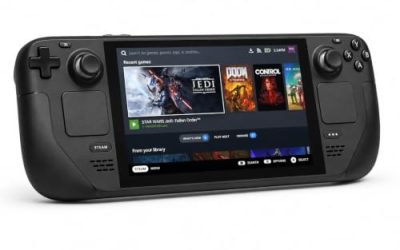
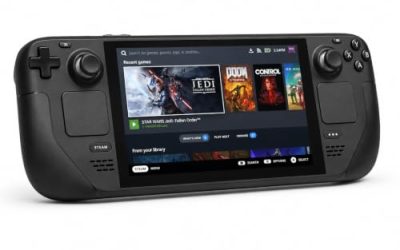
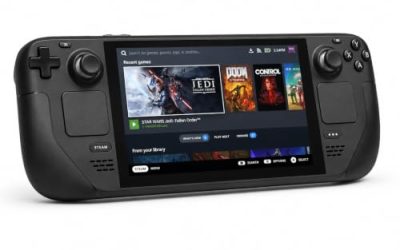
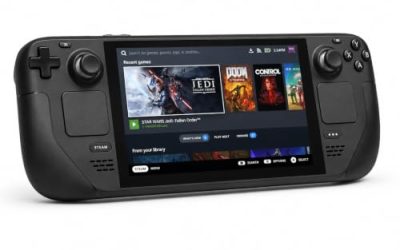
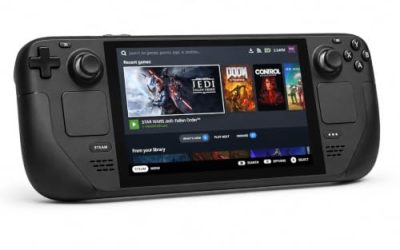
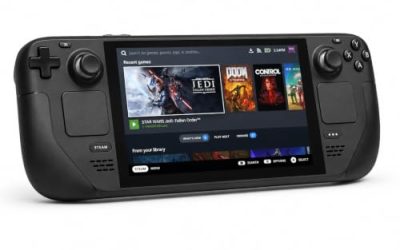
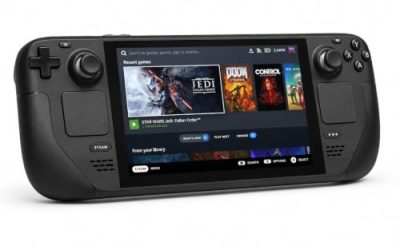
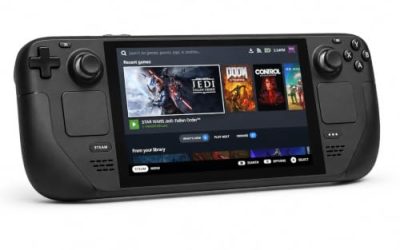
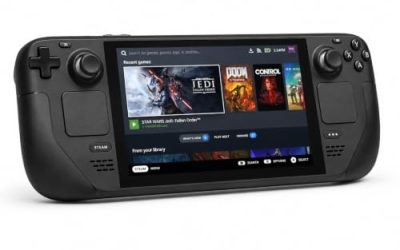
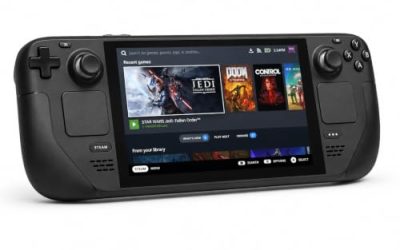
Valve Steam Deck OLED 512GB

The handheld the Verified badge was written for. Valve’s test sheet gives the Windows build a clean pass under a Proton runtime, and the game’s requirements are a rounding error next to the Deck’s APU.
Specs
- Display: 7.4-inch HDR OLED, 1280 by 800, up to 90 Hz
- Processor: AMD Zen 2 and RDNA 2 custom APU
- Memory: 16 GB LPDDR5
- Storage: 512 GB NVMe, plus a microSD slot
- Wireless: Wi-Fi 6E and Bluetooth
- Channel note: Valve sells the Deck mainly through its own store, so Amazon listings are third-party sellers
8BitDo Ultimate 2 Bluetooth Controller

The docked and desktop pad pick. Valve’s sheet confirms the default controller configuration is fully functional, and this pad covers the couch case with modern sticks, triggers and back buttons.
Specs
- Connectivity: Bluetooth wireless and USB-C wired
- Joysticks: TMR electromagnetic, anti-drift design
- Triggers: Hall effect, with mode switching
- Extras: two remappable back buttons, motion control
- In the box: charging dock included
Xbox Wireless Controller, Carbon Black

The safest guest pad in PC gaming: Steam Input support is universal, the glyphs match what most games display, and it pairs over Bluetooth or its own wireless standard.
- Connectivity: Xbox Wireless and Bluetooth
- Port: USB-C for wired play
- Controls: hybrid D-pad, dedicated Share button
- Power: AA batteries or optional rechargeable pack
Logitech G502 HERO

Samorost 3 is a point-and-click game whose own requirements recommend a mouse, and at a desk a precise wired mouse is the native input shape for its small action points.
Specs
- HERO optical sensor, up to 25,600 DPI
- 11 programmable buttons
- Adjustable weight system
- Wired USB connection
- On-board memory profiles
Samsung T9 Portable SSD 2TB

For moving a Linux game library between a desktop and a laptop, or keeping an offline backup of installers, a fast USB-C drive is the simple answer. The headline figure needs a Gen 2×2 host port; on a lesser port the drive runs at that ceiling.
Specs
- Capacity: 2 TB portable SSD
- Interface: USB 3.2 Gen 2×2, USB-C connector
- Maker-rated speeds: up to 2,000 MB per second read, 1,950 MB per second write
- Features: Dynamic Thermal Guard, maker-rated drop resistance
How to choose
Choose either storefront, because the builds are the same: Steam and GOG both sell the Windows and Mac editions, and on Linux both copies run under Proton. On a desktop or laptop, install and leave the compatibility tool at its default first; the Platinum headline says current Proton builds handle the game, and the historical quirks belong to older Proton versions. If an old-report symptom surfaces, the fixes are documented in those reports: drop to 1920 by 1080 for a loading stall, and treat audio crackle as a launch-option matter. On a Steam Deck, no configuration work is expected: the Verified test ran against the exact build the store still serves. For input, keep a mouse in reach, as the game’s requirements advise.
Who should skip
Skip this one if you are shopping for a native Linux Amanita Design title: on this record, Samorost 3 is not one, and the soundtrack’s flag does not change that. Skip it if you will only buy games whose ProtonDB summary you can inspect down to the last tier, because that endpoint was unreadable this session even though the game page reads Platinum. Skip it if you dislike pointer-led puzzle games with no dialogue, since that design is the entire game. And skip the GOG copy if you hoped the DRM-free edition would include a Linux build: its system list was read directly, and Linux is not on it.
FAQ
Is Samorost 3 native on Linux?
No. Steam flags the game for Windows and Mac only, the Linux requirements field is an empty list outright, and SteamDB’s depot table holds exactly two builds, one per supported platform.
Why does the soundtrack show a Linux flag?
Because the Samorost 3 Soundtrack + Art Book, the game’s only DLC app, flags all three platforms while its Linux requirements field is an empty list. A bare flag on a music product is a paperwork artefact, not a port.
How well does Samorost 3 run under Proton?
ProtonDB’s game page reads Platinum on its headline across 31 reports, with recent reports on current Proton versions describing flawless runs. Older reports document loading stalls at very wide resolutions and occasional audio crackle, each with a documented workaround. The summary endpoint was unreadable this session, so no best-reported or trending tier is claimed.
Does the GOG edition include a Linux build?
No. A GOG edition exists and was checked on GOG’s own product data: its operating system list reads Windows and Mac only. The GOG copy is the same Windows build, sold without DRM, and needs Proton on Linux just as the Steam copy does.
Final verdict
Samorost 3 is one of the cleanest not-native records in this run of checks: false Linux flag, empty-list Linux field, two depots accounting for every byte of the delivery, and a single soundtrack flag as the only false signal. Nothing about the verdict is ambiguous, and nothing about the practical outcome is bad. The Windows build carries a Platinum Proton headline, a Steam Deck Verified badge whose test build is still the build on sale, and a GOG twin confirming the same platform list. Buy it where you prefer, play it through Proton, and file the Linux question as settled: answered, in the negative, by every record the game has.
Product and ASIN Reference
| Product | ASIN |
|---|---|
| Valve Steam Deck OLED 512GB | B0CQ3RWQQZ |
| 8BitDo Ultimate 2 Bluetooth Controller | B0F194QFT2 |
| Xbox Wireless Controller, Carbon Black | B08DF248LD |
| Logitech G502 HERO | B07GBZ4Q68 |
| Samsung T9 Portable SSD 2TB | B0CHFS9K14 |