Neon Abyss is Veewo Games’ roguelike run-and-gun about the Grim Squad, a task force sent into a shifting dungeon called the Abyss, where every run rearranges the rooms and stacks item effects without limit. Steam’s record names Veewo Games as developer and Team17 and Veewo Games as publishers, released 14 July 2020. It is the kind of Unity-built indie that often hides a quiet Linux port: does this one?
This article rules on the record as it stands today. The store record, the depot table, every app in the add-on family, the community file, Valve’s Deck sheet and the GOG catalogue were each read directly. Where a layer could not be read, that gap is stated rather than filled in.
As an Amazon Associate, we earn from qualifying purchases.
Quick answer
No. Neon Abyss has no native Linux build: Steam flags the game Windows only, its Linux requirements field is an empty shell, and the depot table holds a single Windows depot. Linux players run the Windows build through Proton, where the community file’s headline tier is Platinum across 52 reports, and Valve rates the game Verified on Steam Deck.
The Steam record: one flag and two empty shells
Start with the flags, because they are unanimous. Steam’s record for app 788100 marks Windows true and both Mac and Linux false. The Windows requirements field is genuinely populated at both tiers: a 64-bit Windows 7, an Intel i3, 4 GB of memory, a GeForce 650-class card, DirectX 11 and about a gigabyte of storage at minimum, rising to Windows 10, an i3-2100 or A8-5600k and a GTX 630 or Radeon HD 6570 recommended.
The Mac and Linux requirements fields exist but hold nothing: each carries its Minimum and Recommended headings over empty lists. An empty shell is a form the store generates, not a specification a developer filled in. There is no Linux tab to read, in any tier, in any form. The architecture field reads 64, matching the 64-bit Windows build, and the extended-OS field is an empty string, naming nothing for any platform.
The notices are gaps: no DRM notice and no account notice, so no third-party DRM or external account requirement is stated. The category list is plain: Single-player heads it, followed by Steam Achievements, Full controller support, Steam Trading Cards, DualShock and DualSense controller support, Steam Cloud, Remote Play on Phone and Tablet, and Family Sharing. No co-op or multiplayer category is listed, so on the record this is a single-player game. Genres: Action, Adventure, Indie and RPG.
The depot table: one depot, Windows only
The depot table is decisive, and it is short. Behind the game sits exactly one content depot, numbered 788101 and configured as Windows 64-bit, at 966.04 MiB. The record’s total size on disk is 966.04 MiB, the Windows depot alone to the byte. There is no Linux depot and no Mac depot in any branch. The public branch stands on a September 2025 build. What buyers download is the Windows build, and only the Windows build.
The add-on family: the soundtrack trap fires
The full add-on array holds four apps, each read individually. Three are content packs — the Lovable Rogues Pack (1262000, July 2020), Alter Ego (1518790, April 2021) and Chrono Trap (1851340, January 2022) — and all three repeat the game’s shape exactly: Windows true, Mac and Linux false, a populated Windows field and empty-shell Mac and Linux fields. None adds a platform.
The fourth is the Neon Abyss Soundtrack (1396440, September 2020), the one flag in the family. Its record flags all three platforms true, while its requirements fields on every platform are empty lists outright, not even shells with headings: the soundtrack trap in its classic form, a bare flag on an audio product with no build behind it. The family Linux-flag tally reads one of five readable records, and the one is the music.
Anti-cheat, from three sources
The three sources were kept separate, and all three come back negative. Steam’s record names no anti-cheat and carries neither notice. The depot database detects only the Unity Engine, FMOD SDK, Mono SDK and Resonance Audio SDK: engine and audio plumbing. The community anti-cheat tracker’s full dataset, searched by name and by app number, carries no entry for this game. The expected picture for a single-player record: no multiplayer for an anti-cheat to guard.
What ProtonDB says
Two honest qualifications come before the headline. First, the summary record behind the community file could not be read this session — the summary address returned a page-not-found response — so no tier split and no confidence figure is claimed. The game’s page itself shows a Platinum headline across 52 reports, claimed here at exactly that size. Second, the page displays a “Natively Supports” heading above its requirements block, and it is wrong here: every report beneath it was filed under a named Proton version, and Steam’s record contradicts it at every layer. This article follows Steam and names the contradiction.
At report weight, recent reports describe clean installs and runs on current Proton builds, and the Deck reports describe it working out of the box. The blemishes sit in the file’s old end: Proton 6.3-era reports mention a screen that only refreshed while the mouse moved and a controller that went undetected, under versions long superseded.
The Steam Deck sheet
Valve rates Neon Abyss Verified on Steam Deck, its top category, and SteamOS separately rates Compatible. Note: Valve’s own compatibility endpoint returned no usable answer this session, so the verdict and paperwork come from the depot database’s republication of Valve’s compatibility data, disclosed here. All four Verified items pass: full functionality on the default controller configuration, Deck controller icons, legible interface text, and a performant default graphics configuration. The sheet’s single note is that external controllers do not take over by default and may need a manual Quick Access Menu switch.
The dated paperwork reads: tested 15 March 2022, on the build then current, with Proton Experimental as the recommended runtime — so the badge certifies the Windows build under Proton, the only build there is. The paperwork predates the current branch build, which has since moved on to September 2025, but the community file’s recent reports cover current builds.
The GOG edition
A GOG edition exists, ruled from GOG’s own live product page, and it is Windows-only: its works-on line lists Windows alone, its questions section states official Windows support, and its requirements are the Windows requirements. So the DRM-free storefront is not a second Linux route: the same Windows build is sold there, to be run through a compatibility layer of the buyer’s own arrangement. Neon Abyss 2 is a separate game and is not covered here.
Gear for the Proton route
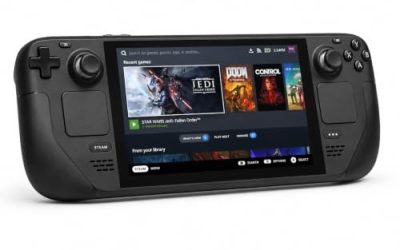
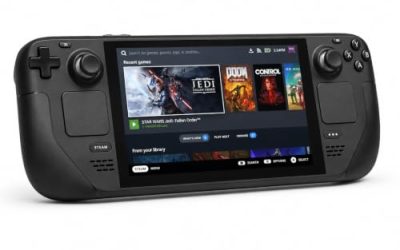
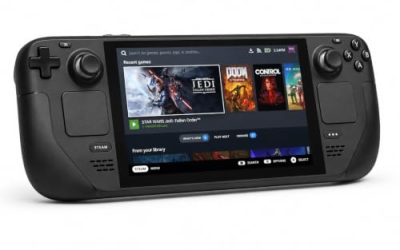
Valve Steam Deck OLED 512GB

The handheld the Verified badge was written for: Valve’s sheet gives the Windows build a clean pass under Proton, and a sub-gigabyte 2D roguelike is a light load for the APU.
Specs
- Display: 7.4-inch HDR OLED, 1280 by 800, up to 90 Hz
- Processor: AMD Zen 2 and RDNA 2 custom APU
- Memory: 16 GB LPDDR5
- Storage: 512 GB NVMe, plus a microSD slot
- Wireless: Wi-Fi 6E and Bluetooth
- Channel note: Valve sells the Deck mainly through its own store, so Amazon listings are third-party sellers
8BitDo Ultimate 2 Bluetooth Controller

The docked and desktop pad pick. Full controller support is the game’s native input shape, and this pad adds back buttons for the inputs a run repeats.
Specs
- Connectivity: Bluetooth wireless and USB-C wired
- Joysticks: TMR electromagnetic, anti-drift design
- Triggers: Hall effect, with mode switching
- Extras: two remappable back buttons, motion control
- In the box: charging dock included
Xbox Wireless Controller, Carbon Black

The safest guest pad in PC gaming: Steam Input support is universal and the glyphs match what most games display. On the handheld, the sheet’s note applies: an external pad may need a manual Quick Access Menu switch.
- Connectivity: Xbox Wireless and Bluetooth
- Port: USB-C for wired play
- Controls: hybrid D-pad, dedicated Share button
- Power: AA batteries or optional rechargeable pack
Logitech G502 HERO

A pad-first game, but desktop players live in its menus between runs, and a precise wired mouse turns loadout and shop trips into single clicks.
Specs
- HERO optical sensor, up to 25,600 DPI
- 11 programmable buttons
- Adjustable weight system
- Wired USB connection
- On-board memory profiles
Samsung T9 Portable SSD 2TB

The game is under a gigabyte, so a drive this size is about the library around it: moving a collection between machines or keeping offline installer backups. The headline figure needs a Gen 2×2 host port.
Specs
- Capacity: 2 TB portable SSD
- Interface: USB 3.2 Gen 2×2, USB-C connector
- Maker-rated speeds: up to 2,000 MB per second read, 1,950 MB per second write
- Features: Dynamic Thermal Guard, maker-rated drop resistance
How to choose
Choose the Steam copy: it is the build both compatibility records describe and the one the Deck badge certifies. On desktop or laptop, install and let Steam apply Proton by default; the Platinum headline across 52 reports says current builds run it well. On a Steam Deck, the Verified badge means no configuration work: install, launch, and touch controller settings only if you pair an external pad. A pad is the native input shape; a mouse earns its place only for desktop menu work. Treat the GOG copy as a Windows purchase, because that is what its page says it is.
Who should skip
Skip this one if you are shopping for a native Linux build: there is none, and the only Linux flag near the title belongs to its soundtrack. Skip it if the “Natively Supports” heading on the community page sold you, because the store record contradicts that heading at every layer. Skip the GOG edition if you expected a DRM-free Linux route, since it is Windows-only. And skip it if you want multiplayer or co-op: the record lists single-player only.
FAQ
Is Neon Abyss native on Linux?
No. Steam’s record for app 788100 flags Windows only, the Linux requirements field is an empty shell, and the depot table holds a single Windows depot. The family’s only Linux flag sits on the soundtrack, an audio product with no build behind it.
How well does Neon Abyss run under Proton?
The community page shows a Platinum headline across 52 reports. Its summary record could not be read this session, so no tier split or confidence figure is claimed. Recent reports under current Proton builds describe clean runs; the file’s quirks belong to the Proton 6.3 era.
Is Neon Abyss Steam Deck Verified?
Yes. Valve’s record gives the game its top category, Verified, with all four checks passing, tested in March 2022 under Proton Experimental. The badge certifies the Windows build under Proton. The one note: external controllers do not take over by default and may need a Quick Access Menu switch.
Can I buy Neon Abyss on GOG for Linux?
A GOG edition exists, but its page lists Windows only, so it is not a Linux edition. The Steam copy is the one both records describe.
Final verdict
Neon Abyss is a Windows-only release whose paper trail needs careful reading: an empty-shell Linux tab that specifies nothing, a community heading that claims native support the store record refutes, and a soundtrack flag that inflates any careless family scan. Underneath, the position is simple and strong. There is one Windows build, it runs through Proton to a Platinum community headline, and Valve rates it Verified on Steam Deck. Buy the Steam copy, play it under Proton, and let the record, not the headings, tell you what you own.
Product and ASIN Reference
| Product | ASIN |
|---|---|
| Valve Steam Deck OLED 512GB | B0CQ3RWQQZ |
| 8BitDo Ultimate 2 Bluetooth Controller | B0F194QFT2 |
| Xbox Wireless Controller, Carbon Black | B08DF248LD |
| Logitech G502 HERO | B07GBZ4Q68 |
| Samsung T9 Portable SSD 2TB | B0CHFS9K14 |