As an Amazon Associate we earn from qualifying purchases.
A gaming handheld is worth it when portable play is something you will actually use week after week, and when the games you love run well on a small screen with a modest power budget. It is not worth it when you already play at a desk most of the time, when your library is built around demanding titles that need a large screen and a high power draw, or when you expect a handheld to replace a desktop without compromise. The answer depends less on any single device and more on where you play, what you play, and how much portability matters to you.
The Short Answer
For many players, a handheld is worth it because it turns dead time into play time. Commutes, travel, waiting rooms, and evenings on the couch become gaming sessions without a desk, a monitor, or a television. A handheld also works as a second device for someone who already owns a desktop or a console. It handles indie games, older titles, and many current games at modest settings, and it keeps a large library within reach.
For other players, a handheld is a poor fit. If you play competitive shooters where a large monitor, a mouse, and a keyboard matter, a seven or eight inch screen and thumbsticks will feel like a step down. If your favorite games demand high settings at high frame rates, a handheld power budget will not deliver that experience. If you rarely leave your desk, the portability you paid for goes unused, and a desktop or a laptop gives you more performance for the same outlay.
What a Gaming Handheld Actually Is
PC handhelds such as the Steam Deck OLED, the ASUS ROG Ally X, the Lenovo Legion Go, and the MSI Claw 8 AI Plus run PC game libraries. They can install games from major PC storefronts, run desktop software, and connect to a monitor, keyboard, and mouse through a dock. Console handhelds such as the Nintendo Switch 2 and the Nintendo Switch OLED run console libraries. They offer exclusive titles and a simpler setup, but they do not run PC games.
Who a Handheld Suits Best
A handheld suits players who value flexibility. It suits commuters, frequent travelers, parents who share a television, and players who like to game in different rooms. It suits players with large backlogs of indie games, older titles, and games that do not demand the highest settings. It also suits players who want a second screen for a game that is already installed on a desktop, using streaming or remote play to continue a session away from the desk.
CPU, GPU, and Power Limits
The Steam Deck OLED uses a custom AMD APU built for handheld power levels. It is tuned for efficiency at modest wattage, which is why it handles many games at its native resolution with smooth frame pacing. The ASUS ROG Ally X uses a more powerful AMD Z1 Extreme chip and can draw more power when plugged in, which helps in demanding titles but also drains the battery faster on the go. The Lenovo Legion Go uses a similar class of AMD chip, while the MSI Claw 8 AI Plus uses an Intel Core Ultra chip with integrated Arc graphics. The Nintendo Switch 2 uses a custom NVIDIA Tegra chip designed for its own library, so direct comparisons with PC handheld chips do not tell the whole story.
Power modes are the practical detail to understand. Most PC handhelds let you set a power limit per game or per session. A low limit extends battery life and keeps the device cooler and quieter, but it can reduce frame rates in demanding scenes. A high limit does the opposite. Learning to set a sensible limit for each game is part of owning a handheld, and it is the difference between a device that lasts through a commute and one that runs out of charge halfway.
Display Quality and Size
The Steam Deck OLED has a 7.4 inch OLED display at 1280 by 800 with a 90 Hz refresh rate. OLED gives deep blacks and strong contrast, which helps in dark scenes. The ASUS ROG Ally X has a 7 inch IPS display at 1920 by 1080 with a 120 Hz refresh rate, so text stays sharper and motion stays smoother in fast games. The Nintendo Switch 2 has a 7.9 inch LCD display at 1920 by 1080 with support for up to 120 Hz and HDR in supported titles. The Lenovo Legion Go has a larger 8.8 inch display at 2560 by 1600 with a 144 Hz refresh rate, which suits players who want more screen space but adds weight and power draw. The MSI Claw 8 AI Plus has an 8 inch display at 1920 by 1200 with a 120 Hz refresh rate.
RAM and Storage
Memory and storage decide how many games you can keep installed and how smoothly large games load. Most current PC handhelds ship with 16 GB of memory, and some higher tier configurations ship with 24 GB or 32 GB. For most games at handheld settings, 16 GB is a workable baseline. More memory helps with multitasking, with games that load large open worlds, and with future titles that expect more headroom. Console handhelds use fixed memory configurations set by the maker, so the choice there is the model, not a memory upgrade.
Storage is where many buyers get caught out. Modern games are large, and a base storage tier can fill up after only a handful of installs. The Steam Deck OLED ships in 512 GB and 1 TB configurations. The ASUS ROG Ally X ships with 1 TB of internal storage. The Lenovo Legion Go and the MSI Claw 8 AI Plus also ship in configurations that reach 1 TB. The Nintendo Switch 2 ships with 256 GB of internal storage, which fills quickly if you buy digital titles.
Ports, Connectivity, and Controls
Ports decide what a handheld can connect to. The Steam Deck OLED has a single USB-C port, a headphone jack, and a microSD slot. The ASUS ROG Ally X has two USB-C ports, a headphone jack, and a microSD slot, which makes it easier to charge and connect a peripheral at the same time. The Lenovo Legion Go has two USB-C ports and a microSD slot, and its controllers detach from the main body. The MSI Claw 8 AI Plus has two Thunderbolt 4 USB-C ports, a headphone jack, and a microSD slot. The Nintendo Switch 2 has a USB-C port on the top and bottom, a headphone jack, and a microSD Express slot.
Battery Life and Charging
The Steam Deck OLED has a 50 watt hour battery, and the ASUS ROG Ally X has an 80 watt hour battery, which is one reason the Ally X can last longer in light use despite its more powerful chip. Other models sit between those figures, and their published battery capacities are listed on their exact model pages. Treat any battery claim as a guide to capacity, not as a promise of hours, because the game you play matters more than the battery size.
Software, Libraries, and Game Compatibility
Software is where PC handhelds and console handhelds diverge most. A PC handheld can run games from several storefronts, but compatibility is not universal. The Steam Deck OLED runs SteamOS, and most Steam games carry a compatibility label on their store page. Some games run without issue, some need settings changes, and a small number do not run at all because of anti-cheat software or other requirements. The ASUS ROG Ally X, the Lenovo Legion Go, and the MSI Claw 8 AI Plus run Windows, which gives broader software compatibility but needs more setup and maintenance, including driver and system updates.
Warranty and Upgrade Options by Exact Model
Warranty terms and upgrade options differ by model, and they should be checked on the exact model page before you open anything. Opening a device can affect warranty coverage, and the rules are not the same for every maker. Keep the original parts you remove, keep your proof of purchase, and follow the maker instructions for the exact model if you decide to upgrade.
| Model | Internal storage upgrade | Memory upgrade | Removable storage |
| Steam Deck OLED | Replaceable M.2 2230 SSD | Soldered, not user upgradeable | microSD |
| Steam Deck LCD | Replaceable M.2 2230 SSD | Soldered, not user upgradeable | microSD |
| ASUS ROG Ally X | Replaceable M.2 2280 SSD | Soldered, not user upgradeable | microSD |
| ASUS ROG Ally | Replaceable M.2 2230 SSD | Soldered, not user upgradeable | microSD |
| Lenovo Legion Go | Replaceable M.2 2242 SSD | Soldered, not user upgradeable | microSD |
| MSI Claw 8 AI Plus | Replaceable M.2 2280 SSD | Soldered, not user upgradeable | microSD |
| Nintendo Switch 2 | Not user upgradeable | Fixed, not user upgradeable | microSD Express |
| Nintendo Switch OLED | Not user upgradeable | Fixed, not user upgradeable | microSD |
Handheld Against a Laptop, Console, and Desktop
A handheld competes with three other setups, and each one wins in a different situation. Against a laptop, a handheld is smaller, lighter, and easier to use on the move, but a laptop has a larger screen, a keyboard, and more room for upgrades and cooling. If you need one device for work and play, a laptop is usually the better choice. If you already have a laptop or desktop and want a portable gaming device, a handheld fills a gap a laptop does not.
Against a desktop, a handheld loses on raw performance, screen size, and upgrade options, and wins on portability alone. That is a fair trade for many players, and a poor trade for players who never leave the desk. See our guide to best gaming handhelds for model picks once you have decided that a handheld fits your habits.
A Decision Checklist Before You Buy
Work through this checklist before you spend anything. First, write down the five games you play most and check each one against the exact model you are considering. If any of them does not run well on that model, the answer is probably no, or a different model is needed.
Top Picks for Handheld Gaming PCs
Handheld PCs trade size and battery life for portability. These picks cover three different devices and the storage that helps once your library grows.
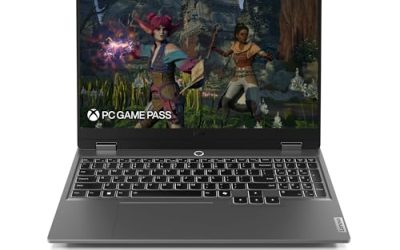
Lenovo Legion Go S Handheld
A newer handheld with an 8 inch screen and AMD Radeon graphics. It is a middle-priced pick for players who want a more compact body than the first Legion Go.

ASUS ROG Xbox Ally Handheld, 7-inch 120Hz
A 7 inch handheld with a 120Hz display, a Ryzen Z2 A chip and 16GB of memory. Its Xbox-style layout suits players who already use that ecosystem.

MSI Claw A8 PC Gaming Handheld
An 8 inch FHD+ handheld at 120Hz built around the Ryzen Z2 Extreme chip. It is a high-end option and costs more than the smaller devices here.

SanDisk 128GB Extreme microSD Card with Adapter
A fast microSD card for handhelds with a card slot. Extra storage helps when installed games outgrow the built-in drive, and the adapter makes copying files easy.

ASUS ROG Xbox Ally X 7-inch Gaming Handheld
A higher-spec sibling of the Ally, with a 120Hz display and an AMD Ryzen AI chip. It costs more, but suits players who want more memory and speed on the go.

Battery life, weight and library access matter more than raw speed on a handheld, so pick based on the games you actually play.
Frequently Asked Questions
Is a gaming handheld worth it for someone who already owns a gaming desktop?
Yes, it can be worth it as a second device, because it adds portable play and couch play that a desktop cannot offer. It is not a replacement for the desktop, and its value depends on how often you actually play away from your desk.
Is a gaming handheld worth it for playing demanding AAA games?
It depends on the game and on your expectations. Many demanding titles run at modest settings on a handheld, with lower resolution and tuned power limits. If you need high settings and a large screen for those titles, a desktop or a console is a better fit.
Is a gaming handheld worth it for travel and commuting?
Yes, travel and commuting are where a handheld earns its keep, because it turns time that would otherwise be idle into play time. Check the battery behavior for the games you play, carry a compatible charger, and keep your most played titles on internal storage.
Is a gaming handheld worth it for children or casual players?
It can be, especially for console handhelds with a simple setup and a family friendly library. For younger players, check the parental controls, the screen size, the weight, and the storage tier, and choose the model that matches the games they actually play.
Conclusion
A gaming handheld is worth it when portable play matches your habits, your library runs well on the model you choose, and you are comfortable tuning settings for a small screen and a modest power budget. It is not worth it when you play almost entirely at a desk, when your favorite games need a large screen and high settings, or when the model you want cannot run the games you love. Check the exact model, its storage and upgrade options, its display, and its warranty terms before you buy, and let your real play habits make the decision.