Learning how to choose CPU motherboard combinations is the single most consequential decision in a gaming PC build. The processor sets the ceiling for frame rates and responsiveness, while the motherboard decides which processors fit, how much memory the system accepts, how many drives it holds, and whether a future CPU upgrade is even possible. Buy them as a pair and the rest of the build falls into place; buy them separately and a socket mismatch can quietly cap performance for the life of the machine.
This guide walks through the pairing process in order: socket, chipset, power delivery, memory, storage, graphics pairing, and upgrade path. Every number below comes from a published specification or a measured benchmark, with the source named wherever figures appear.
As an Amazon Associate we earn from qualifying purchases.
Why the CPU and motherboard are one decision. A processor only works in a socket built for it, and the socket belongs to the motherboard. An AMD Ryzen 9000 chip needs an AM5 board, a 14th Gen Intel Core chip needs an LGA1700 board, and a Core Ultra 200 chip needs an LGA1851 board. No adapter exists, and no BIOS update can change the physical socket. The chipset then decides the feature set: how many USB ports the board exposes, how many M.2 slots it carries, whether it allows CPU multiplier tuning, and which memory speeds it supports. Compare combinations rather than individual parts, and budget for the pair as one purchase.
Match the socket first. The socket is a hard constraint, so it comes before everything else. On the AMD side, AM5 covers Ryzen 7000, 8000, and 9000 processors. It uses an LGA-style socket with 1,718 contact points and requires DDR5 memory. AMD has committed to supporting AM5 through at least 2027, with current reporting pointing to support continuing through 2029. On the Intel side, LGA1700 covers 12th, 13th, and 14th Gen Core processors, while the newer LGA1851 socket covers Core Ultra 200 series chips, known as Arrow Lake. The two Intel sockets are physically incompatible, and Intel has already moved its newest processors to LGA1851, so an LGA1700 board bought now cannot accept any future Intel CPU. Before buying, check the exact processor model against the board’s CPU support list, which also names the minimum BIOS version required.
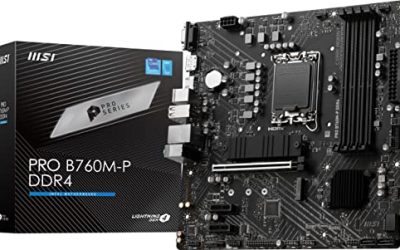
Pick a chipset tier that fits the CPU. On AMD, B650 and B850 serve value and mid-range builds, while X670E, X870, and X870E serve high-end builds with more PCIe 5.0 lanes and stronger power stages. On Intel, B760 and B860 serve value and mid-range builds, while Z790 and Z890 serve high-end builds. The practical differences are straightforward. Z-series Intel chipsets allow CPU multiplier tuning, but only with K-suffix processors; B-series Intel chipsets support memory profiles such as XMP but lock the CPU multiplier. AMD allows multiplier tuning on most Ryzen processors across most chipset tiers, so the chipset choice matters less for tuning and more for connectivity and power delivery. A K-suffix processor such as a Core i5-14600K or Core i9-14900K deserves a Z-series board with a strong VRM, because that is where the extra frequency headroom comes from. Do not pay for a flagship chipset unless the build genuinely uses its extra lanes and ports.
Power delivery decides whether boost clocks hold. The voltage regulator module, or VRM, converts power from the supply into the precise voltage the CPU needs, and its quality determines whether a processor can sustain its advertised boost clocks. High core-count processors draw far more current than mid-range chips, and a board with too few power phases or no heatsink on the VRM will run hot and force the CPU to slow down under sustained load. Check the phase count, the amperage specification of the power stages, and whether the VRM heatsink has real surface area. Power draw also shapes the platform choice. In Battlefield 6 measurements reported by WCCFTech, the Ryzen 7 9800X3D drew roughly 100 to 110 watts at 4K while the Core i9-14900K drew roughly 150 to 160 watts in the same scenes, and the AMD chip used about 40 percent less power overall. A processor with a 253-watt maximum turbo power figure, as Intel lists for the Core i9-14900K, needs a board with a VRM built for that current, plus a cooler and a power supply rated for the load.
Memory: DDR4, DDR5, slots, and speed. Memory compatibility is the second hard constraint after the socket. AM5 boards accept DDR5 only. LGA1700 boards come in DDR4 versions and DDR5 versions, and the two standards are physically different and not interchangeable, so the board, the memory, and the CPU must all agree. LGA1851 boards are DDR5 only. For a new gaming build, DDR5 is the sensible default: it offers higher bandwidth, and every current platform supports it. Capacity matters more than raw speed for most games, and 32 GB is the comfortable baseline for modern titles with a browser and voice chat running in the background. Two sticks in dual-channel mode beat a single stick of the same total capacity, and four slots give the option of adding more memory later.
Storage and expansion: M.2 slots, PCIe lanes, and ports. Modern processors connect the graphics card and the primary SSD directly to the CPU through dedicated PCIe lanes, bypassing the chipset for minimum latency. Ryzen 9000 processors, for example, provide a PCIe 5.0 x16 link for the graphics card and a PCIe 5.0 x4 link for the primary NVMe drive. Count the M.2 slots before buying, because a board with a single slot forces a choice between a fast boot drive and a large game library drive, while a board with three slots leaves room to grow. Look at the rear I/O panel too: enough USB ports for the keyboard, mouse, headset, and controller; a USB-C port for modern peripherals; and 2.5 Gb Ethernet for low-latency online play. Form factor is the last physical check: ATX boards offer the most slots, Micro-ATX trims expansion for smaller cases, and Mini-ITX demands careful cooler and memory clearance planning.
Match the pair to the GPU, VRAM, and resolution. The CPU and motherboard exist to serve the graphics card, so the pairing should follow the monitor. At 1080p with a high-refresh monitor, the CPU does most of the work. At 1440p, the load balances between CPU and GPU. At 4K, the graphics card dominates, and the CPU matters far less. Measured data makes the point clearly. In Battlefield 6 open-beta benchmarks reported by WCCFTech, using a GeForce RTX 5090 at Ultra settings, the Ryzen 7 9800X3D averaged 283 frames per second at 1080p against 219 for the Core i9-14900K, a gap of roughly 29 percent. At 1440p the two chips averaged 242 and 215 frames per second, a gap of 12 to 23 percent depending on the scene. At 4K they averaged 155 and 150 frames per second, a gap of only 3 to 7 percent. The lesson is that a premium CPU pays off at 1080p and 1440p, while a 4K build should put the money into the graphics card and its VRAM instead. For 1440p gaming, 12 GB of VRAM is a sensible floor, and 16 GB leaves more headroom for high-resolution textures. For 4K, 16 GB is the comfortable minimum.
What benchmarks actually tell you. A benchmark is only as useful as its method, so read the numbers with the measurement conditions in mind. Averages hide as much as they reveal: the 1 percent and 0.1 percent low frame rates describe the worst moments, and a chip with a higher average but worse lows will feel less smooth. Resolution changes the story completely, as the Battlefield 6 data above shows, so a result measured at 1080p says little about 4K. Broader suites confirm the pattern. Across benchmark suites published by Hardware Unboxed and TechSpot, the Ryzen 7 9800X3D leads the Core i9-14900K by roughly 12 to 20 percent on average across a wide mix of competitive and AAA titles, and TechPowerUp noted the 9800X3D’s frametime consistency as a particular strength. The 9800X3D’s advantage comes from its 96 MB of L3 cache, against 36 MB on the 14900K, which keeps more game data close to the cores. Trust the pattern across many titles and many outlets more than any one headline number.
Upgrade path and platform life. A motherboard is a multi-year commitment, and the platform’s future matters as much as its present. AM5 is the clearest long-term bet: a B650 board bought today can accept a higher-tier Ryzen 9000 processor after a BIOS update, provided the board’s power stage can handle the extra current. That upgrade path is the main reason AM5 is the default recommendation for a new gaming build. LGA1700, by contrast, has reached the end of its upgrade path, because Intel’s newest desktop processors use LGA1851. An LGA1700 board still makes sense when the buyer already owns a 12th, 13th, or 14th Gen Intel processor, or when a specific Intel feature is required, but it should be bought with eyes open: no future Intel CPU will fit it. A board that allows a drop-in CPU upgrade extends the life of the whole system by years, while a dead-end socket forces a full platform replacement.
A simple decision flow. For a value 1080p build, pair a mid-range processor with a solid B-series board and spend the savings on the graphics card: a Ryzen 7 7800X3D on a B650 board, or a Core i5-14400F on a B760 board. For a balanced 1440p build, pair a strong gaming processor with a mid-range board that has a good VRM and at least two M.2 slots. A Ryzen 7 9800X3D on a B650 or X670E board, or a Core i5-14600K on a Z790 board, fits this tier well. For a high-end 4K build, the graphics card takes priority, and the CPU and board need only stay out of its way: a Core i7-14700K on a Z790 board, or a Ryzen 9 9900X on an X870 board, both leave ample headroom. In every tier, confirm four things before checkout: the socket matches the CPU, the board’s CPU support list names the exact processor model, the memory standard matches the board, and the case fits the board’s form factor. If those four checks pass, the combination will work.
Common mistakes to avoid. The most expensive mistake is buying a processor and a board with different sockets, which is why the CPU support list exists and why it should be checked before every purchase. The second is mixing memory standards: DDR4 memory will not fit a DDR5 board, and a DDR5 kit bought for an LGA1700 DDR4 board is money wasted. The third is pairing a high-end processor with a board whose power stage cannot feed it, which shows up as throttling under sustained load rather than as an obvious failure. The fourth is buying a board with too few M.2 slots or too few USB ports, which forces awkward compromises later. The fifth is ignoring the BIOS version: a board that shipped before a processor launched may need an update before the system will boot, and a board without BIOS flashback needs a compatible older CPU to perform that update.
Putting it together. Use measured benchmarks from named sources to compare processors at the resolution that will actually be played. For a deeper look at individual processors, including clock speeds, core counts, and power figures, see this guide to choosing a CPU. Get the pairing right, and the rest of the build is straightforward.
Can I use any CPU with any motherboard?
No. A processor only fits the socket built for it. AMD Ryzen 7000, 8000, and 9000 chips need an AM5 board. Intel 12th, 13th, and 14th Gen Core chips need an LGA1700 board. Core Ultra 200 chips need an LGA1851 board. Always check the board’s CPU support list for the exact processor model and the minimum BIOS version before buying.
Do I need a Z790 or X670E board for gaming?
Usually not. A locked Intel processor gains almost nothing from a Z790 board, and a Ryzen X3D processor performs well on a solid B650 board. Buy a high-end chipset only when the build needs its extra lanes, slots, ports, or overclocking support.
Is DDR5 worth it over DDR4 for a gaming build?
For a new build, yes. Every current platform supports DDR5, and it offers higher bandwidth than DDR4. AM5 and LGA1851 boards are DDR5 only. Some LGA1700 boards still use DDR4, which can save money on a budget build, but DDR4 and DDR5 memory are not interchangeable, so the board and the memory must match.
How much does the motherboard affect gaming FPS?
Very little, directly. The motherboard does not render frames. Its influence is indirect: a weak power stage can throttle a strong CPU, a slow memory configuration can cost a few frames, and a missing PCIe 5.0 slot can limit a future graphics card. The processor and the graphics card decide frame rates far more than the board does.