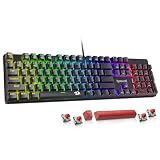
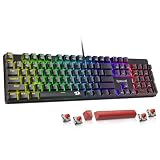
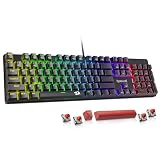
- Top Pick: SteelSeries Apex 3 TKL RGB Gaming Keyboard – Tenkeyless Compact Form Factor – 8-Zone RGB Illumination – IP32 Water & Dust Resistant – Whisper Quiet Gaming Switch – Gaming Grade Anti-Ghosting,Black
- Best Value: Logitech G PRO Mechanical TKL Tenkeyless Gaming Keyboard (Clicky) – Black
- Premium Choice: Corsair K55 CORE TKL RGB Gaming Keyboard – Tenkeyless, 8-Zone RGB, Quiet Membrane Keys, Spill Resistant, Media Keys, 1000Hz Polling – NA Layout – Black
Every gaming keyboard purchase eventually comes down to one structural decision: do you keep the number pad, or cut it loose? A full-size board gives you the complete 104-key layout — function row, navigation cluster, and numpad — in a single slab. A tenkeyless (TKL) board removes that numpad, shaving roughly 15–20% off the total width while keeping every key most games actually use.
In 2026 the choice matters more than it did five years ago. Desks are smaller, mouse sensitivities are lower, and the low-DPI aiming style that dominates modern shooters demands horizontal sweep room that a full-size board simply eats into. At the same time, hybrid work has blurred the line between the gaming rig and the productivity station, and a missing numpad is genuinely felt if you spend your days in spreadsheets or CAD. Neither layout is objectively better — but one of them is clearly better for you.
Related guide: Apex pro tkl
As an Amazon Associate we earn from qualifying purchases at no extra cost to you.






⚡ Save on Your Next PC — Amazon Prime
Prime members get fast free shipping on the systems above, plus early access to Prime Day & Black Friday PC deals. New members get a 30-day free trial.
Watch: Full-Size vs TKL Keyboard: 2026 Comparison — Video Review
Quick Verdict
Choose full-size if your keyboard doubles as a work tool, you play sim, strategy, or MMO titles with heavy macro and hotkey use, and you have at least a 120cm desk to spare. Choose TKL if you play mouse-intensive shooters at low sensitivity, work on a compact or dual-monitor desk, travel to LANs, or simply want a cleaner setup. For most gamers in 2026, TKL is the safer default — the numpad is the least-used third of a full-size board.
Key Differences
- Footprint: Full-size boards run roughly 44–46cm wide; TKL boards land around 35–37cm, freeing about 8–10cm of mouse real estate.
- Mouse ergonomics: TKL lets you centre your keyboard on your body while keeping your mousing arm at a neutral shoulder angle — full-size forces either an angled wrist or an off-centre torso.
- Numeric input: Full-size wins outright for accounting, data entry, streaming decks bound to numpad keys, and MMO hotbars mapped to the number cluster.
- Portability: TKL boards fit standard 15-inch laptop bags; full-size boards usually need a dedicated case.
- Price and features: At equal build quality, TKL versions often cost less, so more of your budget goes toward switches, plates, and polling rate instead of extra keycaps.
- Desk aesthetics: TKL is the standard for minimalist and streaming setups; full-size reads as a workstation board.
Full-Size Keyboards: The Complete Layout
A full-size board is the no-compromise option for anyone who needs every key present without a function-layer shortcut. If you play Escape from Tarkov, Star Citizen, Microsoft Flight Simulator, or any grand strategy title, the numpad is prime binding territory — camera presets, stance toggles, ship subsystems. MMO players use it as a second hotbar. Streamers bind it to scene switches. Once you build that muscle memory, dropping to TKL feels like losing a limb.
The trade-off is spatial. That extra 9cm of chassis pushes your mouse outward, and at 400–800 DPI a wide flick can run you off the pad or into the keyboard’s edge. Full-size also tends to cost more for the same switch and build tier, since you’re paying for roughly 17 extra keys, more stabilisers, and a larger plate. If your desk is deep and wide and your mouse hand stays local, none of this will bother you.
TKL Keyboards: Compact Without Compromise
TKL is the format competitive gaming settled on, and the current lineup shows why. The Logitech G PRO TKL is the esports benchmark — clicky mechanical switches, a detachable cable for transport, and a tournament-ready profile. The Logitech G413 TKL SE strips things back to a tactile mechanical board with a solid aluminium top case, ideal if you want typing feel over RGB. The SteelSeries Apex 3 TKL takes the opposite approach: whisper-quiet gaming switches, 8-zone RGB, and IP32 water and dust resistance, which is genuinely useful if you eat and drink at your desk.
Budget-focused buyers are well served too. The Corsair K55 CORE TKL pairs quiet membrane keys with dedicated media controls, spill resistance, and a 1000Hz polling rate — unusually responsive for its class. The Razer Ornata V3 TKL uses low-profile keys with a shorter travel distance, which suits fast tapping and anyone coming from a laptop keyboard. And if you want the Apex 3 TKL feature set for less, the Apex 3 TKL (Renewed) is the same hardware at a reduced entry point.
Which Should You Buy?
- For competitive FPS at low sensitivity: pick TKL — the Logitech G PRO TKL for its clicky switches and detachable cable, or the G413 TKL SE for a quieter mechanical feel.
- For work and gaming on one board: pick full-size, unless you’re willing to add a separate wireless numpad.
- For small or dual-monitor desks: pick TKL — the Apex 3 TKL and Ornata V3 TKL both keep a very tight footprint.
- For a tight budget: pick TKL — the Corsair K55 CORE TKL or the Renewed Apex 3 TKL deliver the most feature density per pound.
- For shared rooms, dorms, or mic-live streaming: pick a quiet TKL like the Apex 3 TKL or K55 CORE TKL over any clicky full-size board.
Frequently Asked Questions
Does a TKL keyboard actually improve aim?
Indirectly, yes. It doesn’t change your sensor or your reflexes, but it gives you more physical space for wide arm-driven flicks and lets you sit square to your monitor. Players at 400–800 DPI notice the difference immediately; high-sensitivity players often don’t.
Can I add a numpad to a TKL board later?
Absolutely. Standalone USB and Bluetooth numpads are inexpensive and can sit on your left side, which many spreadsheet users actually prefer. This “TKL plus numpad” setup is the most flexible option available.
Are TKL keyboards more durable for travel?
Generally yes — fewer keys, less flex, and less mass. Boards with detachable cables, like the Logitech G PRO TKL, survive transport best because the cable joint is the most common failure point.
Is a renewed keyboard worth buying?
For a straightforward board like the Apex 3 TKL, renewed units are a sound value. They’re inspected and tested, and membrane-style switches have few wear points. Just confirm the return window before purchase.
Final Verdict
Full-size remains the right call for hybrid work-and-play desks, sim rigs, and MMO players who live on the numpad. For everyone else — and particularly for shooter players in 2026 — TKL is the smarter buy: the Logitech G PRO TKL for competitive performance, the Apex 3 TKL for quiet, spill-resistant everyday use, and the Corsair K55 CORE TKL if you want the most keyboard for the least money.