- Top Pick: Logitech MX Master 3S Bluetooth Wireless Mouse No Receiver – Graphite
- Best Value: Logitech MX Master 4 Ergonomic Wireless Mouse with Haptics – Graphite
- Premium Choice: Logitech MX Master 3S – Performance Wireless Mouse with Ultra-Fast Scrolling, Ergo, 8K DPI, Track on Glass, Quiet Clicks, Bluetooth, Windows, Linux, Chrome, Black
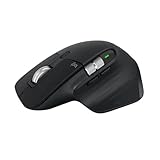
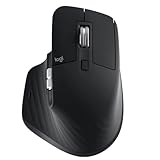
The Logitech MX Master 3S is a productivity mouse rather than a gaming one, and it is arguably the best in its class. It refines a long-running formula with an 8,000 DPI sensor that tracks on glass, near-silent Quiet Click buttons, and Logitech’s signature MagSpeed electromagnetic scroll wheel that switches between ratcheted and free-spinning modes.
It is made for professionals, developers, creators, and anyone who spends their day in documents, spreadsheets, timelines, or design tools and wants speed and comfort over a keyboard-and-trackpad setup. If your work involves heavy scrolling, multi-app multitasking, and precise cursor work, this is a tool worth the money. Competitive gamers and people who want an ultralight mouse should look elsewhere.
Related guide: Best linux for gaming
As an Amazon Associate we earn from qualifying purchases at no extra cost to you.




⚡ Save on Your Next PC — Amazon Prime
Prime members get fast free shipping on the systems above, plus early access to Prime Day & Black Friday PC deals. New members get a 30-day free trial.
Watch: Logitech MX Master 3S Review — Video Review
Design & Build
The MX Master 3S keeps the tall, sculpted right-handed shape that fills a palm and places a thumb rest, dedicated thumb wheel, and gesture button exactly where they fall naturally. Build quality is excellent, with soft-touch surfaces, a metal scroll wheel, and a reassuring heft. It charges over USB-C, pairs with up to three devices via Bluetooth or the Logi Bolt receiver, and Flow lets it roam across multiple computers.
Performance
Day to day, the experience is polished. The 8,000 DPI sensor works on virtually any surface including glass, the MagSpeed wheel flings through long documents then re-engages precise ratcheting instantly, and the Quiet Click buttons genuinely cut noise without feeling mushy. Battery life is outstanding, measured in weeks, and a quick USB-C charge yields hours of use.
The limitations are about scope, not execution. It is heavy and strictly right-handed, so it is a poor fit for gaming or left-handers, and the deep customization only unlocks through Logitech’s Options+ software, which some users find heavier than they would like. It is also a premium-priced peripheral.
Pros & Cons
- Superb MagSpeed scrolling that suits heavy document and code work
- Quiet Click buttons reduce noise without losing tactility
- Tracks on any surface including glass, with multi-device Flow
- Weeks of battery life and fast USB-C top-ups
- Heavy and unsuitable for fast-paced gaming
- Right-handed only ergonomic shape
- Full customization requires Logitech Options+ software
Alternatives to Consider
If you want the newest iteration with haptic feedback in the scroll wheel, the Logitech MX Master 4 is the direct successor. Users who want a matching typing setup can pair it via the MX Keys S Combo, and those who travel or work on smaller desks should consider the more compact MX Anywhere 3S, which brings much of the same scrolling magic in a portable body.
Frequently Asked Questions
Is the MX Master 3S good for gaming?
Not really. It is a productivity mouse: heavy, with a sensor and switches tuned for precision and quiet rather than the speed and low weight competitive gaming demands.
What is the difference between the 3S and the older MX Master 3?
The 3S adds an 8,000 DPI sensor and Quiet Click buttons over the previous model. The shape and MagSpeed wheel are largely unchanged, so the upgrade is about refinement.
Can I use it with multiple computers?
Yes. It pairs with up to three devices and Logitech Flow lets you move the cursor and even copy content across multiple computers seamlessly.
Does it need software to work?
Basic clicking and scrolling work out of the box, but remapping buttons, tuning the wheel, and enabling Flow require the free Logitech Options+ app.
Verdict
The MX Master 3S is the gold standard for a productivity mouse in 2026. It is not for gamers and it is not cheap, but for anyone who lives in their work all day, the comfort, scrolling, and multi-device flexibility make it a genuine quality-of-life upgrade that is hard to give up once you adjust.