

- Top Pick: GameSir G8 Galileo Type-C Mobile Gaming Controller
- Runner-up: Razer Kishi Ultra
- Also consider: Black Shark FunCooler 5
Dolphin on a phone is a strange bargain. The GameCube library runs astonishingly well on modern hardware, yet two phones with similar spec sheets can behave completely differently, one holding full speed for an hour and the other stuttering in the first village. The difference is rarely raw power. It is the graphics driver your chip ships with, and a handful of settings that matter more on a phone than on a PC.
As an Amazon Associate, we earn from qualifying purchases.
This guide works through those settings in order: the hardware truth first, then installation, the options that actually move the needle, Wii games on a touchscreen, and the thermal ceiling every session hits. Everything here assumes games you dumped from your own discs.
This article contains affiliate links, and we may earn a commission if you buy through them at no extra cost to you.
Quick Answer
Start with Vulkan, Dual Core on, and Sync on Skip Idle, then set internal resolution by chip: 2x to 3x on flagship Snapdragon, 1x to 2x on mid-range chips, 1x on Mali phones. Pick Hybrid Ubershaders to stop shader stutter, and expect heat to set your session length.
Your Chip Decides More Than Any Setting
Dolphin translates GameCube and Wii graphics into Vulkan or OpenGL calls, and on Android the driver receiving those calls is part of the phone, not the app. Qualcomm’s Adreno GPUs ship with the most mature Vulkan drivers in the Android world, which is why Snapdragon phones are the safe recommendation year after year. The app is also 64-bit only, so a 32-bit phone cannot install it at all.
Mali GPUs, found in most MediaTek Dimensity chips and many Exynos models, are the recurring problem. Their stock Vulkan drivers have a long history of bugs and missing optimisations that Dolphin’s developers have called out repeatedly: games that should run easily instead crawl, or render with glitches no setting fixes. Recent development builds have even added a GPU Driver option in the graphics settings, where experimental alternative Vulkan drivers can be selected on Mali hardware. It is early, uneven work, but it tells you where the bottleneck lives. On a Mali phone, keep expectations at native resolution.
Getting the App Without the Junk
There are two legitimate sources. The Google Play listing, published under the package name org.dolphinemu.dolphinemu, is the simplest route and updates itself. The official Dolphin website also offers the Android APK directly, where newer builds appear first. Release builds are the tested snapshots most players should stay on; development builds change constantly and occasionally trade one fix for a new bug. Avoid third-party APK sites entirely: they bundle outdated, modified installers, and the developers give the app away themselves.
The Settings That Actually Matter on a Phone
Video backend. Choose Vulkan on any recent Snapdragon phone. OpenGL is the fallback where Vulkan misbehaves, and on Mali devices test both, because the less broken driver varies by model.
Internal resolution. Native GameCube output is 640 by 528, and every step up multiplies the GPU work. Flagship Snapdragon 8-series chips handle 2x or 3x in most GameCube games; Snapdragon 7-series chips belong at 1x to 2x; older mid-range and most Mali phones should stay at 1x. Raising resolution is the fastest way to turn a smooth game into a slideshow, so set it per game if your library mixes light and heavy titles.
Shader compilation. Dolphin builds shaders as new effects appear, and each build can hitch. Specialized, the default, compiles as it goes and stutters the most. Hybrid Ubershaders runs a fallback shader while the real one compiles, removing most hitches at a modest GPU cost, and it is the right default for phones. Exclusive Ubershaders is smoother still but too heavy for most phones to sustain. Skip Drawing avoids the pause by not drawing an object until its shader is ready, trading stutter for brief pop-in. Pair any mode with Compile Shaders Before Starting, so remaining compilation happens at load time instead of mid-game.
Dual Core and Sync on Skip Idle. Dual Core splits emulation across two threads and is the biggest single speed switch in the app; leave it on unless a game misbehaves. Synchronize GPU Thread governs how tightly the emulated GPU is kept in step: On Idle Skipping is the balanced setting to use, Never can add speed but risks freezes, and Always is a compatibility last resort.
Wii Games on a Phone, Honestly
GameCube games ask for a stick, buttons and two analog triggers, all of which map cleanly onto a phone. Wii games are where the form factor fights back. The Wii Remote pointer is emulated by dragging on the touchscreen or tilting the device, and for menu-heavy games that is tolerable. For anything that aims constantly, it is a compromise you feel every minute.
A real Wii Remote is the proper fix, but modern Android Bluetooth stacks will not pair one directly. The established workaround is a sensor bar with its own Bluetooth radio, the Mayflash DolphinBar being the common example, which talks to the remote itself and passes the input to Dolphin. Dolphin also needs the bar position set, above or below the screen, for the pointer maths to line up. The verdict: build your phone library around GameCube titles, and treat Wii games as experiments unless you invest in the bar.
Heat Is the Real Final Boss
Every phone throttles. A flagship runs Dolphin at full speed for the opening stretch, then quietly pulls its clocks back as the chassis warms, and frame rates sag with it. Settings cannot repeal this; they can only delay it. Lower internal resolution, a performance mode, and playing with the case off all push the wall further away.
This is where an active cooler stops being a novelty. A Peltier cooler magnetised to the back of the phone pulls heat out of the spot above the chip, and in long sessions it is the difference between the speed you started with and the speed you end with. It needs USB power, so it suits a desk or couch setup rather than a bus ride.
Touch Controls vs a Real Controller
Dolphin’s touchscreen overlay is better than its reputation: repositionable, per-system, and fine for slower games. Its hard limit is the GameCube’s analog triggers, which many games read as a pressure range. A touch button is either pressed or not, so light and full presses collapse into one input, and a few games suffer for it.
A USB-C telescopic controller solves the trigger problem properly, adds real sticks, and removes your thumbs from the picture. Wired over the port rather than Bluetooth, it also drops input latency and skips pairing. For anything action-heavy, it changes the experience more than any graphics setting here.
Gear That Helps
GameSir G8 Galileo Type-C Mobile Gaming Controller

The G8 Galileo wraps the phone in full-size grips with Hall Effect sticks and triggers, so the analog trigger range GameCube games expect is there. Its movable USB-C connector tolerates offset ports, and it passes charging through as you play.
Specs:
– Connection: wired USB-C with movable connector
– Sticks and triggers: Hall Effect, anti-drift
– Phone fit: 110 to 185 mm long, up to 13 mm thick
– Extras: 3.5 mm audio jack, pass-through charging, two back buttons
– Weight: 252 g
Razer Kishi Ultra

The Kishi Ultra is the larger telescopic option, stretching to fit small tablets as well as phones, suiting players who split time between a handset and an iPad Mini. It keeps the wired connection and analog Hall triggers, and adds haptics on supported platforms.
Specs:
– Connection: wired USB-C, plug and play
– Fit: phones and tablets up to 8 inches
– Triggers: Hall Effect analog triggers
– Extras: 3.5 mm audio jack, USB-C pass-through charging, Chroma RGB lighting
– Model: RZ06-05070100-R3U1
Black Shark FunCooler 5

The FunCooler 5 is a Peltier cooler that magnetises to the back of the phone and pulls heat away from the chip area in long sessions. It runs off a USB-C cable rather than a battery.
Specs:
– Model: BR50
– Cooling: Peltier (TEC) element, 20 W, fan up to 6,500 RPM
– Attachment: magnetic; non-magnetic Android phones need a magnetic ring or plate
– Power: USB-C, 5 V, no internal battery
– Noise: 30 dB; weight: about 80 g
SanDisk 1TB Extreme microSDXC Card
A GameCube and Wii library grows into tens of gigabytes, and a fast microSD card is the cheapest way to carry it, on phones that still have a slot. The A2 rating matters because Dolphin reads many small files, not one big stream.
Specs:
– Capacity: 1 TB
– Read speed: up to 190 MB/s; write speed: up to 130 MB/s
– Classes: U3, V30, A2, Class 10
– Model: SDSQXAV-1T00-GN6MA
– Includes: full-size SD adapter
SanDisk 1TB Extreme Portable SSD
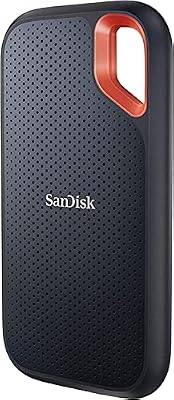
For phones without a card slot, a pocket USB-C SSD does the same job faster and doubles as the place your disc dumps live before they reach the phone.
Specs:
– Capacity: 1 TB
– Read speed: up to 1050 MB/s over USB-C (USB 3.2 Gen 2)
– Write speed: not stated
– Rating: IP65 water and dust resistance
– Model: SDSSDE61-1T00-G25
How to Choose
Start with your chip, not your wishlist. Whether your phone is Adreno or Mali based decides your realistic resolution tier before any setting is touched. Then work through the settings in order: backend first, shader mode second, resolution last, changing one thing at a time and testing the same scene after each change. Add hardware only where a frustration demands it: a controller for analog triggers, a cooler for long sessions, storage when the library outgrows the phone.
Who Should Skip
Skip the whole exercise if your phone is a budget Mali model from several years ago and your target is the heavier end of the Wii library; no configuration rescues that combination, and a PC will serve you better. Skip the accessories if you only play short sessions of lighter GameCube games, because the stock app with sane settings covers that. And if your games were not dumped from your own discs, stop here: this guide has nothing for that library.
FAQ
Which phones run Dolphin at full speed?
Recent flagship Snapdragon phones are the reliable answer, with Snapdragon 7-series models handling most GameCube games at modest resolutions. High-end Mali phones manage lighter titles at native resolution. Older or budget phones should expect partial speed.
Can I use a real Wii Remote with Dolphin on Android?
Not through direct Bluetooth pairing, which modern Android does not support for Wii Remotes. A DolphinBar-style sensor bar with its own radio is the working route, and it provides the infrared reference the pointer needs.
Why does my game slow down after twenty minutes?
That is thermal throttling, not a settings fault. The phone cuts its clock speeds as it heats up. Lower the resolution, remove the case, or add a cooler to extend the full-speed window.
Final Verdict
Dolphin on Android rewards ten minutes of honest setup. Match the backend and resolution to your chip, let Hybrid Ubershaders absorb the shader stutter, keep Dual Core and Sync on Skip Idle at their balanced settings, and plan around heat rather than pretending it away. Do that, and a phone becomes a good GameCube machine, with Wii games as a sometimes-food.










