CivCity: Rome is a 2006 city builder from FireFly Studios and Firaxis Games, a collaboration that took the Civilization name and aimed it at a single city instead of an empire. You build, feed and defend Roman settlements through dozens of missions, research more than seventy technologies, and watch one family climb from a humble hut to a noble palace.
That age is exactly why the Linux question needs a careful answer: the game predates Steam Play, Proton and the Steam Deck by well over a decade, yet it still sells.
As an Amazon Associate, we earn from qualifying purchases.
Quick answer
CivCity: Rome has no native Linux build. Steam sells a Windows-only game from 2007, and no Linux depot, icon, or requirements field exists anywhere on the record. The Windows build still runs well on Linux through Proton, where it holds a Gold rating across twelve reports, and Valve rates it Playable on Steam Deck under proton-stable. Buy it for the Proton route, not for a native port.
The status at a glance
| Layer | What the record says |
|---|---|
| Native Linux build | No — Windows only on every layer |
| Steam platform flags | Windows true, Mac false, Linux false |
| Linux depot | None — one Windows content depot only |
| ProtonDB | Gold headline, Platinum best-reported, Gold trending, 12 reports, moderate confidence |
| Steam Deck | Playable, tested 28 July 2022, paperwork current |
| GOG edition | Exists, Windows only |
| Anti-cheat | None on the record — single-player only |
What Steam’s own record says
The platform flags are blunt: Windows true, Mac false, Linux false. The requirements fields agree. The Mac and Linux fields are empty lists outright, not populated tabs and not even empty shells. There is nothing for a Linux install to read.
The sole purchase package, number 307, contains the base app alone, carries a Windows-only platform mask, and records full gamepad support as false. The depot list is decisive. Content depot 3981 holds the game at about 1.37 GiB, and the only other depots are French and Spanish language packs at roughly 78 and 75 MB.
The Windows tab is genuinely populated with a minimum tier only — Windows 2000 or XP, a 1.6 GHz processor, 512 MB of RAM, 2.5 GB of disk space, a 64 MB video card, and DirectX 9.0c. The launch configuration holds exactly one entry, the Windows executable CivCity Rome.exe, no Linux client icon is registered, and the public branch sits on build 250770, built on 1 May 2014 and frozen ever since.
Two dates matter and they are easy to confuse. The game itself first released on 24 July 2006, while the Steam listing dates from 6 April 2007.
The family sweep: nothing to sweep
The record carries no downloadable content array at all, so the family sweep is short. There is no expansion, no soundtrack, no art book and no demo to read, and no ghost app to chase down. Nothing in the family dissents from the base verdict, because there is no family. One separation: CivCity: Rome is a FireFly and Firaxis city builder that borrows the Civilization name, not a turn-based strategy title in that series.
The Proton file
ProtonDB’s summary for the game is a full read: Gold on the headline tier, Platinum on best-reported and Gold on trending, across twelve reports with moderate confidence. The two newest filings are clean — one from about a year ago reports the game simply working on Proton 9.0-4, and one from about two years ago reports it working great on Proton 9.0-2. Those are the filings that describe the game as it exists today.
The older filings are rougher. Reports from the Proton 5.13 era describe heavy graphics artifacts on the research screen and the empire map, crashes roughly once every forty minutes on one filing, missing menu text that one filer fixed by installing Microsoft core fonts, and a blinking cursor. The Platinum filings from seven and eight years ago are the counterweight: the game running flawlessly out of the box, with custom resolutions set by editing the graphics settings file. The page heads its requirements block with “Natively Supports:”, and that heading is stray — no Linux depot, no Linux client icon, no Linux requirements field, and platform flags that deny Linux outright.
The Steam Deck sheet
Valve rates CivCity: Rome Playable on Steam Deck, with SteamOS separately rated Compatible. The test was run on 28 July 2022 and graded build 250770, which is exactly the current public branch build. The paperwork is current, not stale, because the branch has not moved since the test was written.
The recommended runtime is proton-stable, and the sheet records three deductions: non-Deck controller glyphs, a manual keyboard invoke, and native resolution not supported. Three checks pass: the default controller configuration is fully functional, the interface text is legible, and the default configuration performs well. The supported input is listed as other, which fits a mouse-first city builder, and the game itself records no controller support field, no controller category, and a package that marks full gamepad support as false.
One disclosure about the route: Valve’s compatibility endpoint returned compressed garbage all session, so the sheet was read from the steamcmd appinfo mirror instead, and the ProtonDB page header independently corroborates the Playable verdict. The two routes agree, and the mirror’s record is the one quoted above.
The GOG edition
GOG sells CivCity: Rome, but only for Windows. The live product page is identity-verified and in stock, the catalogue returns exactly one product for the game, and the product API record, number 1367477034, reads Windows true, Mac false and Linux false. The products API by slug returned an empty list, a known blind spot not relied on. There is no Linux edition to buy anywhere, and no Dreamlist claim is asserted.
Gear that fits the record
The gear below follows the record’s shape: the handheld Valve tested the game on, two pads for docked and desktop play, a mouse for a menu-heavy game, and storage for a library that will mostly hold other games.
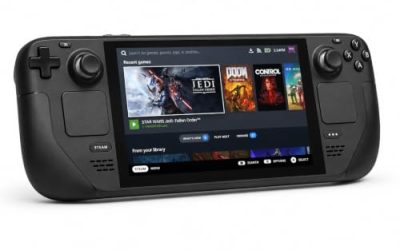
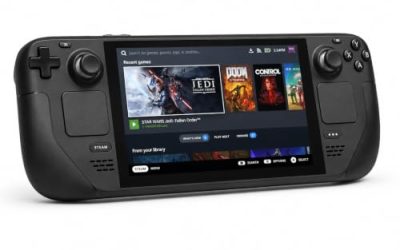
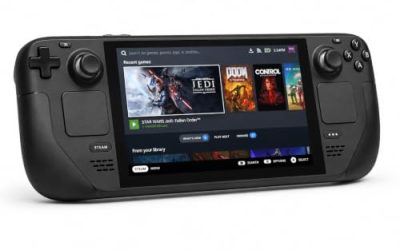
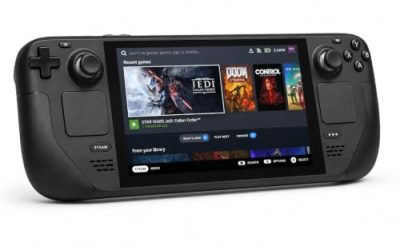
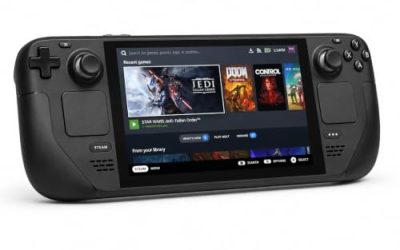
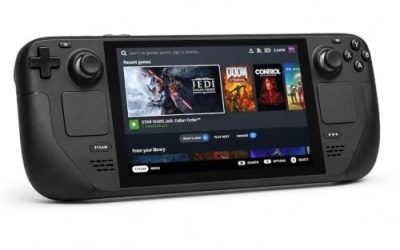
Valve Steam Deck OLED 512GB

The handheld Valve’s Playable badge was written for. The game’s published requirements are a rounding error next to the Deck’s APU, and the test sheet gives the Windows build a clean pass under proton-stable.
Specs
- Display: 7.4-inch HDR OLED, 1280 by 800, up to 90 Hz
- Processor: AMD Zen 2 and RDNA 2 custom APU
- Memory: 16 GB LPDDR5
- Storage: 512 GB NVMe, plus a microSD slot
- Wireless: Wi-Fi 6E and Bluetooth
- Channel note: Valve sells the Deck mainly through its own store, so Amazon listings are third-party sellers
8BitDo Ultimate 2 Bluetooth Controller
The docked and desktop pad pick. The game’s own record lists no controller support and the package marks full gamepad support as false, so this pad is a Steam Input translation device for a mouse-first game, with modern sticks and triggers plus back buttons for menu shortcuts.
Specs
- Connectivity: Bluetooth wireless and USB-C wired
- Joysticks: TMR electromagnetic, anti-drift design
- Triggers: Hall effect, with mode switching
- Extras: two remappable back buttons, motion control
- In the box: charging dock included
Xbox Wireless Controller, Carbon Black
The safest guest pad in PC gaming: Steam Input support is universal, the glyphs match what most games display, and it pairs over Bluetooth or its own wireless standard. On the handheld, the test sheet’s note applies: an external pad may need a manual Quick Access Menu switch before it takes over.
- Connectivity: Xbox Wireless and Bluetooth
- Port: USB-C for wired play
- Controls: hybrid D-pad, dedicated Share button
- Power: AA batteries or optional rechargeable pack
Logitech G502 HERO
CivCity’s sessions are menu-driven, and at a desk a precise wired mouse turns building placement and research trips into single clicks. Eleven programmable buttons cover the confirm, cancel and camera inputs a long session repeats.
Specs
- HERO optical sensor, up to 25,600 DPI
- 11 programmable buttons
- Adjustable weight system
- Wired USB connection
- On-board memory profiles
Samsung T9 Portable SSD 2TB
For moving a Linux game library between a desktop and a laptop, or keeping an offline backup of installers, a fast USB-C drive is the simple answer. The headline figure needs a Gen 2×2 host port; on a lesser port the drive runs at that ceiling instead.
Specs
- Capacity: 2 TB portable SSD
- Interface: USB 3.2 Gen 2×2, USB-C connector
- Maker-rated speeds: up to 2,000 MB per second read, 1,950 MB per second write
- Features: Dynamic Thermal Guard, maker-rated drop resistance
How to choose
Start from the Deck question. If the handheld is the target, the record is straightforward: Valve’s Playable verdict is current, the test graded exactly the build that still ships, and the three deductions are all interface paperwork — glyphs, keyboard invoke, resolution — rather than anything that stops the game running. Buy it for the Deck with that expectation, and keep a mouse nearby for long building sessions.
On a desktop, the choice is between the two proven Proton generations. The newest filings on Proton 9 report the game working with no fixes, while the older Proton 5 filings needed font work and tolerated crashes. The default is therefore the current stable Proton, and the only tweak to plan for is editing the graphics settings file if a custom resolution is wanted. If the research screen or the empire map shows artifacts, the record says a save, a load or a restart clears them, and enabling autosaves is the sensible hedge against the occasional crash the older filings describe.
Who should skip
Skip the game if the requirement is a native Linux build, because there is not one and there never has been — no depot, no icon, no field, and a branch frozen since 2014. Skip it too if menu text and cursor stability are deal-breakers at first launch, since the older Proton filings show those are exactly the spots where the 2006 engine complains, even though the newest reports are clean. Players who want a modern city builder with a maintained Linux port should look at a newer title instead.
FAQ
Is CivCity: Rome native on Linux?
No. Steam’s flags read Windows only, the Mac and Linux requirements fields are empty lists, the depot list holds a single Windows content depot plus two language packs, and no Linux client icon is registered. Every layer of the record agrees, and the ProtonDB heading that says otherwise has no referent behind it.
How well does CivCity: Rome run under Proton?
Well, with caveats. The summary is Gold across twelve reports with moderate confidence, and the two newest filings report the game working on Proton 9 with no fixes. Older filings describe graphics artifacts on the research and empire map screens, occasional crashes, and missing menu text that one filer fixed by installing core fonts. Custom resolutions need a hand edit of the graphics settings file.
Is CivCity: Rome Steam Deck Verified?
Valve rates it Playable, not Verified. The test from 28 July 2022 graded exactly the build that still ships, so the paperwork is current, and the recommended runtime is proton-stable. The deductions are non-Deck glyphs, a manual keyboard invoke, and native resolution not supported; the default controller configuration, text legibility and performance all pass.
Can I buy CivCity: Rome on GOG instead?
Yes, but the GOG edition is Windows only as well. The live product page and the product API record both read Windows true, Mac false and Linux false. GOG is a second Windows storefront for the same game, not a Linux route.
Final verdict
CivCity: Rome is not native on Linux, and nothing in the record leaves room for doubt: flags, fields, depots, launch config and icon set all say Windows only, and the branch has been frozen since 2014. What the record does offer is a solid Proton route — a Gold rating, clean newest filings, and a Playable Deck verdict whose paperwork is current because the game has not changed since the test. Buy it as a Windows game that runs well under Proton, and do not expect a native port to appear.
Product and ASIN Reference
| Product | ASIN |
|---|---|
| Valve Steam Deck OLED 512GB | B0CQ3RWQQZ |
| 8BitDo Ultimate 2 Bluetooth Controller | B0F194QFT2 |
| Xbox Wireless Controller, Carbon Black | B08DF248LD |
| Logitech G502 HERO | B07GBZ4Q68 |
| Samsung T9 Portable SSD 2TB | B0CHFS9K14 |