

🛒 Best Price Today on Amazon
Prime members get fast, free shipping on everything above, plus member-only deals. New members get a 30-day free trial — cancel anytime.
- Top Choose Gaming 240Hz Gaming Definitive Picks for 2026
- Quick Answer: What to Buy Right Now
- The Five Criteria That Actually Matter
- The Buying Checklist
- Spec Primer: What the Numbers Actually Mean
- Common Mistakes Buyers Make
- Related Guides
- Frequently Asked Questions
- Game-Specific Recommendations for 240 Hz
- What You Actually Notice at 240 Hz
- Final Take
- Related Articles
Top Choose Gaming 240Hz Gaming Definitive Picks for 2026
Here are our current top choose gaming 240hz gaming definitive picks, compared on real Amazon owner reviews, price, and features. Live prices update below.
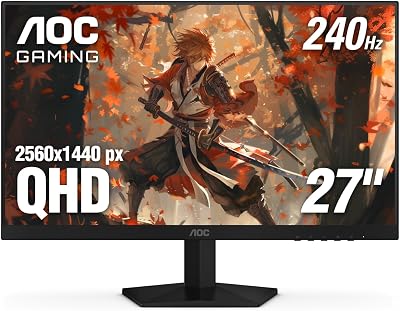
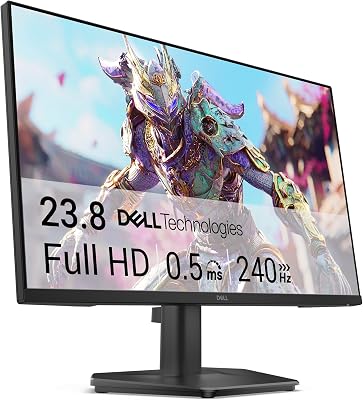


How to Choose a Gaming PC for 240Hz Gaming — The Definitive Buyer’s Guide
This guide may contain affiliate links. We may earn a small commission on purchases made through these links at no extra cost to you. Our recommendations are based on detailed research and independent analysis.
By Alex Rivera, Senior PC Hardware Editor · Updated May 2026
Twelve years of building, benchmarking, and breaking gaming systems. Reviews informed by real-world long-term use and current 2026 hardware testing.
Quick Answer: What to Buy Right Now
For sustained 240 Hz competitive gaming at 1080p or 1440p, pair an RTX 5070 Ti or RX 9070 XT with a Ryzen 7 9800X3D, 32 GB of DDR5-6000 CL30, a fast NVMe SSD, and a 240 Hz OLED or fast IPS monitor with low-latency mode. Budget 2,000-2,600 USD for a build that holds 240 fps in modern esports titles and most AAA titles at competitive settings.
The Five Criteria That Actually Matter
Most buying guides for a gaming PC for 240 Hz gaming list ten or twelve specs to consider. In practice, the difference between a satisfying purchase and a regretted one usually comes down to five decisions. The rest are details you can adjust later or simply do not notice.
1. CPU single-thread performance
240 Hz gaming is overwhelmingly CPU-bound. The 9800X3D is the current king because its V-Cache and high boost clock together deliver the best frame-time consistency at very high refresh rates. Anything less than a current X3D chip leaves frames on the table.
2. GPU at competitive settings
Esports titles run easily above 240 fps on midrange GPUs at low settings. AAA-esports hybrids like Marvel Rivals and Apex Legends need a 70-class GPU to sustain 240 fps at 1440p high. Buy GPU based on the most demanding title you play, not the easiest.
3. Display latency and motion clarity
A 240 Hz monitor with 1ms gray-to-gray response and dedicated low-latency mode beats a 360 Hz monitor with mediocre response. OLED panels (LG OLED 240/480 Hz, Samsung QD-OLED 240/360 Hz) currently deliver the best motion clarity by a wide margin.
4. Memory and platform tuning
DDR5-6000 CL30 on AM5 with EXPO enabled is the sweet spot. Pushing to DDR5-6400 CL30 with tuned subtimings gains another 2-3% in CPU-bound scenarios. Intel 285K platforms benefit from CUDIMM DDR5-8000 if you want every last frame.
5. Input chain end-to-end
240 fps is wasted with a slow mouse, a high-DPI wireless adapter with polling jitter, or USB hubs introducing latency. Wired or premium wireless mouse (Razer Viper V3 Pro, Logitech G Pro X Superlight 2) on a direct USB port matters as much as the PC itself.
The Buying Checklist
Print this, save it, or screenshot it on your phone. Walk through it before you commit to a purchase – every one of these is a real mistake we have seen people make and regret.
- Pick a CPU with X3D cache for highest minimum FPS
- Match GPU tier to the demanding side of your game library
- Buy a 240 Hz or higher monitor with sub-1ms response
- Use a wired or high-quality wireless mouse plugged directly to the motherboard
- Set in-game frame caps slightly below your monitor’s refresh rate (e.g. 236 fps on 240 Hz)
- Enable G-Sync or FreeSync to eliminate tearing without latency cost
- Update GPU drivers monthly during the first three months of ownership
- Verify your USB controller is current-generation – avoid USB hubs in the chain
Spec Primer: What the Numbers Actually Mean
240 Hz means a new frame every 4.17 milliseconds. To sustain that consistently, your CPU must produce game-state updates in under 4 ms – which is why single-thread performance and cache dominate. Frame pacing (the variation between successive frame times) matters more than average FPS at very high refresh rates: a stable 240 fps feels smoother than an erratic 280 fps with 8-12 ms spikes. Modern Reflex and Anti-Lag 2 reduce render-queue latency by 10-20 ms on supported titles – always enable them on competitive games. OLED response time is essentially instant (under 0.1 ms gray-to-gray), making OLED at 240 Hz visibly clearer than IPS at 360 Hz.
Common Mistakes Buyers Make
These are the patterns we see most often in support forums, return reviews, and our own past mistakes. Avoiding them is more valuable than chasing the top of the spec sheet.
- Buying a 360 Hz monitor with mediocre response time and seeing less motion clarity than a 240 Hz OLED
- Capping FPS at 240 exactly and getting tearing on the seam between frames
- Pairing a 9800X3D with DDR5-5200 and leaving 5% performance on the table
- Using a USB 2.0 hub for the mouse and introducing 4-8 ms of input delay
- Ignoring Reflex/Anti-Lag and complaining the game feels less responsive than benchmarks suggest
Frequently Asked Questions
Is 240 Hz noticeably better than 144 Hz?
Yes for fast-motion competitive gaming – the smoother camera motion and lower input lag is immediately visible to most players within an hour. For single-player AAA games, the difference is subtle and not worth the GPU cost.
Do I need a 4K 240 Hz monitor or 1440p 240 Hz?
1440p 240 Hz is the sweet spot today. 4K 240 Hz panels exist but demand a flagship GPU at upscaled settings to hit the refresh. For pure competitive play, many pros still prefer 1080p 240/360 Hz for visual clarity at distance.
Will my old CPU bottleneck a 240 Hz setup?
If your CPU is older than the 7000-series Ryzen or 13th-gen Intel, almost certainly yes for modern titles. CPU bottlenecks at high refresh rates show as inconsistent frame times more than low average FPS – the game feels stuttery even when the FPS counter looks fine.
Does HDR or SDR matter for competitive gaming?
SDR with maximum brightness usually wins for competitive titles because HDR processing adds 1-2 frames of latency on most displays. Use HDR for single-player; switch to SDR mode for ranked play.
Game-Specific Recommendations for 240 Hz
Valorant, CS2, Apex Legends (Esports Core)
Ryzen 7 9800X3D + RTX 5060 Ti or 5070 + 1080p or 1440p OLED 240/360 Hz. These titles hit 240 fps minimum on midrange GPUs at competitive settings. The CPU is the only meaningful upgrade vector. Total budget 1,600-2,000 USD including monitor.
Overwatch 2, Marvel Rivals, Fortnite (Mixed AAA-Esports)
Ryzen 7 9800X3D + RTX 5070 Ti + 1440p 240 Hz OLED. These run 240+ fps on midrange settings but benefit from a stronger GPU at higher fidelity. Budget 2,000-2,500 USD including monitor.
Sim Racing, MSFS, X-Plane (VR-Adjacent)
Ryzen 9 9950X3D + RTX 5080 + ultrawide 240 Hz IPS or curved OLED. Sim titles are heavily CPU-bound and benefit from the highest-end X3D chip. VR setups need GPU power for resolution per eye. Budget 3,000-4,500 USD including hardware.
What You Actually Notice at 240 Hz
The biggest perceptual jump is from 60 Hz to 120 Hz – obvious to almost everyone. From 120 to 240 Hz, the difference is real but more subtle: smoother camera tracking, lower input lag, less motion blur on small fast-moving objects. From 240 to 360 Hz, the difference is only visible in lab tests for most users – the human visual system simply does not resolve individual frames at that rate. Money spent past 240 Hz typically returns less than money spent on display quality (OLED panel, better HDR, faster response time at the same refresh).
Final Take
240 Hz is the modern standard for competitive PC gaming, and the hardware to drive it consistently is well-defined: X3D CPU, midrange-to-high GPU, fast tuned memory, OLED or premium IPS display, and a clean input chain. Spend a thousand dollars more for a 360 Hz upgrade only if you genuinely notice the difference – most do not.


