

A workstation gaming PC has to do two jobs well: power through demanding professional applications and still deliver a great gaming experience. For pro work — 3D rendering, CAD, simulation, compiling, heavy multitasking — what matters most is core count, abundant fast memory, and a reliable, well-built system that stays stable under sustained load. This guide rounds up the best workstation gaming PCs in 2026, leading with the most capable multi-core, high-memory builds and ranging down to strong value picks, so professionals and prosumers can match horsepower to their workload and budget.
- Best Workstation Gaming PCs at a Glance
- 1. HP OMEN 45L Gaming Desktop PC, Intel Core Ultra 9 285K, GeForce RTX 5090
- 2. ASUS ROG Strix G700 Desktop, 128GB DDR5 RAM, 24TB Storage + SSD, Win 11 Pro
- 3. ZOTAC MEK Gaming PC Desktop, AMD Ryzen 7 9800X3D, NVIDIA RTX 5080 16GB
- 4. DELL XPS 8960 Desktop, Intel i7-14700 20 Cores, NVIDIA RTX 4060 Ti
- 5. iBUYPOWER Element Gaming PC Desktop, AMD Ryzen 9 7900X, NVIDIA GeForce
- 6. Skytech Gaming O11 Vision Gaming PC, AMD Ryzen 7 7700X, NVIDIA RTX 5070
- How to Choose a Workstation Gaming PC
- Frequently Asked Questions
- Related Guides
- Related Articles
Our picks were chosen on what genuinely defines a workstation-class machine: CPU core and thread count for parallel professional tasks, RAM capacity and speed for large projects and multitasking, storage, build quality and reliability, and value. We have included a wide price spread — from around $1,999 up to around $5,899 — because the right workstation is the one whose cores, memory and stability match the professional apps you actually run. Below is an at-a-glance comparison of all six, then a closer look at each build and a buyer’s guide built around cores, memory and reliability — the criteria that separate a true workstation from an ordinary gaming PC.
🛒 Best Price Today on Amazon
Prime members get fast, free shipping on everything above, plus member-only deals. New members get a 30-day free trial — cancel anytime.
Quick answer: For most people in 2026, the best workstation gaming pcs is the HP OMEN 45L (Ultra 9 285K, RTX 5090) — our #1 rated choice. See the full ranked comparison, alternatives and buying advice below.
Best Workstation Gaming PCs at a Glance
| PC | Best For | Standout Spec | Approx Price |
|---|---|---|---|
| HP OMEN 45L (Ultra 9 285K, RTX 5090) | Top-tier pro workloads | Core Ultra 9 285K, RTX 5090 | around $5,899 |
| ASUS ROG Strix G700 (128GB, 24TB) | Massive memory and storage | 128GB DDR5, 24TB + SSD | around $4,299 |
| ZOTAC MEK (Ryzen 7 9800X3D, RTX 5080) | Balanced pro-and-play | Ryzen 7 9800X3D, RTX 5080 | around $3,149 |
| DELL XPS 8960 (i7-14700, RTX 4060 Ti) | Reliable brand workstation | 20-core i7-14700, Dell build | around $2,939 |
| iBUYPOWER Element (Ryzen 9 7900X) | Multi-core value | 12-core Ryzen 9 7900X | around $2,300 |
| Skytech O11 Vision (Ryzen 7 7700X, RTX 5070) | Entry workstation value | Ryzen 7 7700X, RTX 5070 | around $2,000 |
1. HP OMEN 45L Gaming Desktop PC, Intel Core Ultra 9 285K, GeForce RTX 5090
The HP OMEN 45L is the top-tier workstation pick and leads this list because it pairs one of the most powerful consumer CPUs with a flagship GPU. The Intel Core Ultra 9 285K brings a high core and thread count for heavily parallel professional work, while the GeForce RTX 5090 accelerates GPU-bound tasks like rendering, AI and viewport work. At around $5,899 it is the premium workstation here and the choice for the most demanding professionals.
For a workstation this is the no-compromise option. The many cores of the Ultra 9 285K chew through multi-threaded jobs — 3D rendering, simulation, compiling, batch processing — while the RTX 5090 handles GPU-accelerated workloads and, of course, top-tier gaming when work is done. HP’s OMEN 45L chassis is engineered for serious cooling and sustained load, which is exactly what a workstation under prolonged stress needs for reliability. If your professional apps demand the most cores and GPU power available, the OMEN 45L is the clear leader.
Pros: Many-core Ultra 9 285K, flagship RTX 5090, serious cooling, built for sustained pro load.
Cons: Highest price here; flagship power is overkill for lighter pro tasks.
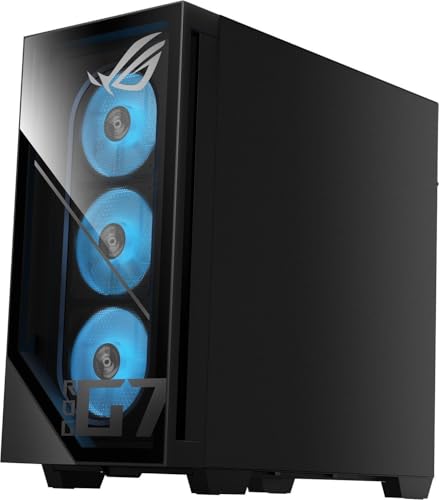
2. ASUS ROG Strix G700 Desktop, 128GB DDR5 RAM, 24TB Storage + SSD, Win 11 Pro

ASUS ROG Strix G700 Desktop 24TB Storage + SSD 128GB DDR5 RAM Win 11 Pro NVIDIA GeForce 4060 Ti RTX 16GB GDDR6 (Intel 15th gen Core Ultra 9 285K Processor Turbo to 6.00GHz) Gaming PC Computer G700TF



As an Amazon Associate we earn from qualifying purchases. Product prices and availability are accurate as of the date/time indicated.
The ASUS ROG Strix G700 is the memory-and-storage monster of this list. Its headline figures are a vast 128GB of DDR5 RAM and a combined 24TB of storage plus SSD, all under Windows 11 Pro — exactly the configuration heavy professional projects crave. At around $4,299 it is built for workflows where huge datasets, large scenes and many simultaneous applications are the norm.
This is the workstation for the professional whose work is gated by memory and storage rather than raw clock speed. 128GB of DDR5 lets you hold enormous 3D scenes, massive video timelines, virtual machines and dozens of applications in memory at once without thrashing, while 24TB of storage keeps entire project libraries on hand. Windows 11 Pro adds the management and security features pros expect. For data-heavy professional work — and serious gaming on the side — the ROG Strix G700’s enormous memory and storage make it a standout.
Pros: Huge 128GB DDR5 memory, 24TB plus SSD storage, Windows 11 Pro, ideal for data-heavy pro work.
Cons: Storage-and-memory focus carries a high price; overkill for light users.
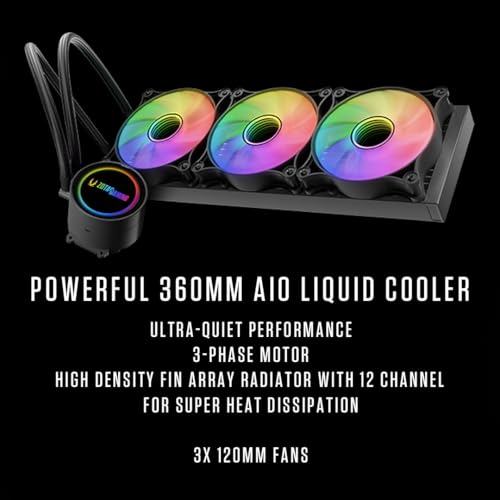
3. ZOTAC MEK Gaming PC Desktop, AMD Ryzen 7 9800X3D, NVIDIA RTX 5080 16GB

ZOTAC MEK Gaming PC Desktop, GeForce RTX 5080 16GB, AMD Ryzen 7 9800X3D




As an Amazon Associate we earn from qualifying purchases. Product prices and availability are accurate as of the date/time indicated.
The ZOTAC MEK is the balanced pro-and-play pick. It combines AMD’s Ryzen 7 9800X3D — a CPU prized for its blend of strong multi-core and excellent per-core performance — with a powerful RTX 5080 16GB GPU, hitting a sweet spot between professional capability and gaming prowess. At around $3,149 it offers high-end performance without the flagship price.
This is the workstation for someone who wants serious professional performance and top-tier gaming in equal measure. The Ryzen 7 9800X3D handles multi-threaded professional apps well while its strong single-thread speed keeps responsive, latency-sensitive tasks snappy, and the RTX 5080 accelerates GPU work and runs demanding games beautifully. It is a more focused, better-value machine than the flagship OMEN for those who do not need 32 cores or 128GB of RAM. For a balanced, high-performance workstation that games hard too, the ZOTAC MEK is an excellent middle-ground choice.
Pros: Strong Ryzen 7 9800X3D, powerful RTX 5080, well-balanced for pro work and gaming, good value.
Cons: 8-core CPU trails the highest core counts for the heaviest parallel jobs.
4. DELL XPS 8960 Desktop, Intel i7-14700 20 Cores, NVIDIA RTX 4060 Ti
The Dell XPS 8960 is the reliable brand-workstation pick. It pairs a 20-core Intel i7-14700 with an RTX 4060 Ti in Dell’s well-engineered XPS chassis, backed by the build quality, support and stability that make Dell a fixture in professional environments. At around $2,939 it is the choice for buyers who value dependability and serviceability as much as raw specs.
This is the workstation for the professional who wants a machine they can trust to just work, day after day. The 20-core i7-14700 provides plenty of multi-threaded muscle for productivity, content work and multitasking, the RTX 4060 Ti handles GPU-accelerated tasks and capable gaming, and Dell’s engineering and support give peace of mind that matters in a work setting. It leans more on CPU cores than GPU power, making it ideal for CPU-bound professional apps. For a reliable, well-supported workstation from a trusted brand, the XPS 8960 is a sensible, stable pick.
Pros: 20-core i7-14700, dependable Dell build and support, capable RTX 4060 Ti, strong reliability.
Cons: RTX 4060 Ti is modest for heavy GPU rendering or high-end gaming.
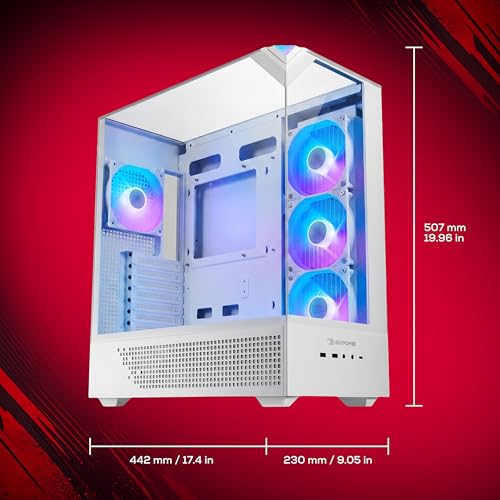
5. iBUYPOWER Element Gaming PC Desktop, AMD Ryzen 9 7900X, NVIDIA GeForce

iBUYPOWER Element Gaming PC Desktop Computer AMD Ryzen 9 7900X CPU, NVIDIA GeForce RTX 5070 12GB GPU, 32GB DDR5 RAM, 1TB NVMe SSD, Windows 11 Home, Gamer Keyboard and Mouse - EWA9N5702






As an Amazon Associate we earn from qualifying purchases. Product prices and availability are accurate as of the date/time indicated.
The iBUYPOWER Element is the multi-core value pick. Built around AMD’s 12-core Ryzen 9 7900X, it brings genuine workstation-class core counts to a more accessible price of around $2,300. For professionals whose work scales with CPU threads but whose budget will not stretch to a flagship, it is a smart, high-value entry point.
This is the workstation for the prosumer who needs strong multi-threaded performance without overspending. The 12-core, 24-thread Ryzen 9 7900X excels at parallel tasks — rendering, encoding, compiling, heavy multitasking — that reward more cores, giving you real productivity headroom for the money. iBUYPOWER pairs it with a capable GPU for gaming and GPU-accelerated work. It is less specialised than the 128GB ROG Strix or flagship OMEN, but for core-hungry professional workloads on a sensible budget, the Element delivers exceptional value.
Pros: 12-core Ryzen 9 7900X, strong multi-threaded value, capable for pro tasks and gaming.
Cons: Mid-tier memory and GPU versus the flagships; not configured for extreme datasets.
6. Skytech Gaming O11 Vision Gaming PC, AMD Ryzen 7 7700X, NVIDIA RTX 5070
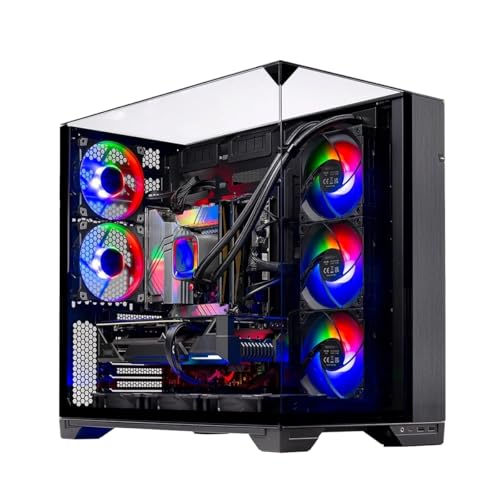
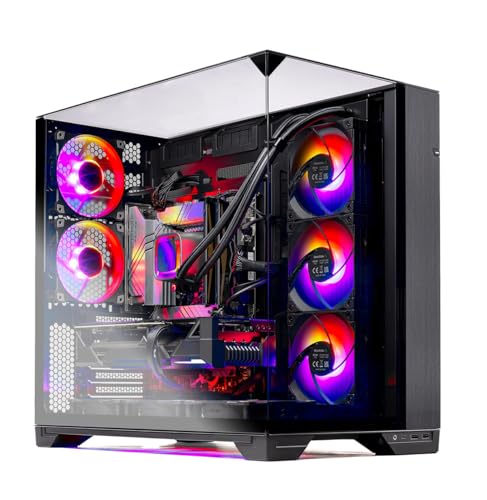
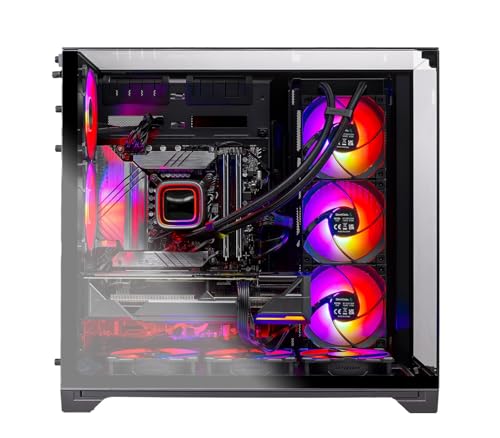
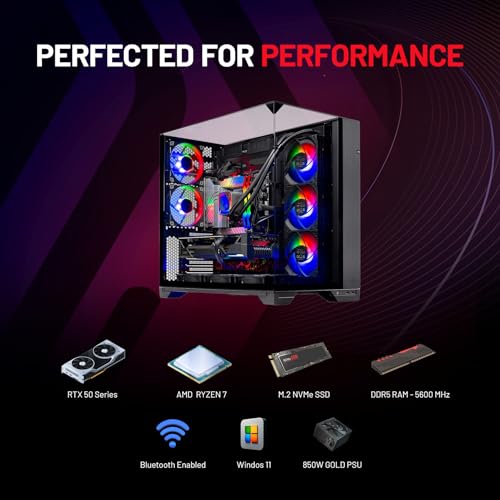
Skytech Gaming O11 Vision Gaming PC, AMD Ryzen 7 7700X 4.5GHz, NVIDIA RTX 5070 12GB, X670 Board, 1TB Gen4 NVMe SSD, 32GB DDR5 RAM 5600, 850W Gold ATX 3 PSU, 360 ARGB AIO, Wi-Fi, Win 11, Desktop





As an Amazon Associate we earn from qualifying purchases. Product prices and availability are accurate as of the date/time indicated.
Rounding out the list is the Skytech O11 Vision, the entry-workstation value pick. It pairs an 8-core AMD Ryzen 7 7700X with an RTX 5070 in Lian Li’s striking O11 case, delivering solid professional and gaming performance at around $2,000 — the most affordable build here. For a capable workstation on a tighter budget, it is the natural starting point.
This is the machine for someone entering professional-grade work without a large budget. The 8-core Ryzen 7 7700X handles everyday content creation, lighter rendering, coding and multitasking comfortably, while the RTX 5070 provides good GPU acceleration and strong gaming performance. The well-built O11 Vision chassis adds excellent airflow and a clean look. It does not match the core counts or memory of the pricier builds, so it suits lighter professional workloads, but as an affordable, well-rounded entry workstation that games well, the O11 Vision is a strong-value pick to close the list.
Pros: 8-core Ryzen 7 7700X, capable RTX 5070, well-built O11 chassis, lowest price here.
Cons: 8 cores and mid memory suit lighter pro work, not the heaviest multi-threaded jobs.
How to Choose a Workstation Gaming PC
For a workstation, CPU core and thread count is the first thing to weigh, because professional applications love parallelism. Tasks like 3D rendering, video encoding, simulation, compiling and heavy multitasking scale across cores, so a higher core count finishes them faster. A flagship like the OMEN 45L’s Core Ultra 9 285K or the iBUYPOWER’s 12-core Ryzen 9 7900X delivers far more multi-threaded muscle than a typical gaming CPU. Match the core count to how parallel your real workload is — if your apps are heavily threaded, prioritise cores.
Memory is the next critical decision, and workstations need more of it than pure gaming rigs. Large 3D scenes, high-resolution video timelines, virtual machines and dozens of open applications all consume RAM, and running out forces the system to slow down. 32GB is a sensible workstation floor, but data-heavy professionals benefit from far more — the ASUS ROG Strix G700’s 128GB of DDR5 exists precisely for enormous projects and aggressive multitasking. Buy the memory your largest projects actually demand, with headroom to spare.
Reliability and build quality matter more in a workstation than almost anywhere else, because downtime costs you real work. A well-engineered chassis with strong cooling — like the HP OMEN 45L’s or Dell’s XPS design — keeps components stable under the sustained, hours-long loads professional tasks impose, and a trusted brand with solid support, as Dell offers, reduces the risk and cost of problems. Look for generous cooling, quality components and dependable support rather than chasing peak benchmark numbers alone.
Finally, balance storage, GPU and budget against your discipline. Creative and data-heavy work benefits from large, fast storage like the ROG Strix’s 24TB plus SSD, while GPU-accelerated rendering, AI and CAD viewports reward a stronger GPU such as the RTX 5090 or 5080. CPU-bound work can lean on a modest GPU like the XPS’s RTX 4060 Ti and put the budget into cores and memory. Decide what your professional apps stress most — cores, memory, GPU or storage — set your budget, and pick the workstation on this list that lands on your priorities while still gaming well after hours.
Frequently Asked Questions
What makes a gaming PC a ‘workstation’?
A workstation gaming PC is built to handle demanding professional applications as well as games. The defining traits are a high CPU core count for parallel tasks like rendering and compiling, generous fast memory for large projects, ample storage, and reliable build quality that stays stable under sustained load. Machines like the HP OMEN 45L and ASUS ROG Strix G700 here are configured with exactly those professional priorities in mind.
How many CPU cores do I need for professional work?
It depends on how parallel your applications are. Heavily multi-threaded work — 3D rendering, video encoding, simulation, large compiles — scales with cores, so a high-core CPU like the Core Ultra 9 285K or 12-core Ryzen 9 7900X finishes faster. Lighter or single-threaded tasks benefit less. Match the core count to your real workload rather than buying the maximum by default.
How much RAM should a workstation have?
32GB is a reasonable floor for a workstation, but data-heavy professionals often need much more. Large 3D scenes, high-resolution timelines, virtual machines and aggressive multitasking all consume memory, and running out slows everything down. The ASUS ROG Strix G700’s 128GB of DDR5 targets exactly those demanding projects. Buy what your largest workloads require, with headroom to spare.
Is reliability really more important than raw speed for a workstation?
For professional use, reliability is essential because downtime costs real work and money. A well-cooled chassis that stays stable under hours-long load, quality components, and dependable support — as Dell offers with the XPS 8960 — matter as much as benchmark numbers. Raw speed is valuable, but a fast machine that is unstable under sustained load is a poor workstation. Prioritise both, not speed alone.
Related Guides
- Best Gaming PCs
- Best Gaming PCs for Video Editing
- Best NVMe SSDs
- Best RAM for Gaming
- Best Gaming Monitors
- Best Power Supplies
Affiliate Disclosure: As an Amazon Associate, we earn from qualifying purchases. If you click a link and make a purchase, we may earn a small commission at no extra cost to you. Prices and availability are accurate as of publication and may change.
Ready to decide? Our #1 pick for 2026 is the HP OMEN 45L (Ultra 9 285K, RTX 5090).
Live price & availability on Amazon.


