Our Short List of 3

- Best for: Readers and commuters who want the smallest, lightest tablet.
- Display: 7-inch, 1024 x 600
- RAM: 2GB
- Storage: 16GB or 32GB, microSD up to 1TB
- Processor: quad-core, 2.0 GHz

- Best for: Everyday carry when a slightly larger screen beats the smallest size.
- Display: 8.7-inch, 1340 x 800
- RAM: 2GB
- Storage: 32GB, microSD expandable
- Processor: MediaTek Helio P22T octa-core

- Best for: Video watching and long reading sessions away from a charger.
- Display: 8-inch, 1280 x 800
- RAM: 2GB
- Storage: 32GB or 64GB, microSD expandable
- Processor: quad-core, 2.0 GHz
All 4 Picks at a Glance
| Product | Specs | Action |
|---|---|---|
| Amazon Fire 7 (2022) |
| Check price on Amazon |
| Samsung Galaxy Tab A7 Lite |
| Check price on Amazon |
| Amazon Fire HD 8 (2020) |
| Check price on Amazon |
 Lenovo Tab M8 (2nd Gen) |
| Check price on Amazon |
A tablet with 2GB of RAM is a deliberate trade: it costs far less than a mid-range slate, yet it handles reading, video, web browsing and light apps without complaint, and the real decision is which corners are acceptable. Screen size, battery life and storage expansion matter far more than raw speed at this level, because a small screen strains the eyes and a short battery ends a reading session early. Choosing well means picking the model whose strengths line up with how the tablet will actually be used, rather than the one with the longest feature list.
This guide is for readers, commuters, parents buying a first tablet for a child, and anyone who wants a simple media device without paying for power they will never use. The four tablets below were chosen from the names and specifications shown on their Amazon pages, with attention to display size, memory, storage and battery life.
Quick Picks
As an Amazon Associate we earn from qualifying purchases.
| Product | Best for | Key spec from title |
|---|---|---|
| Amazon Fire 7 (2022) | Smallest bag and lightest reading | 7-inch display, 2GB RAM |
| Samsung Galaxy Tab A7 Lite | Slim everyday carry | 8.7-inch display, 2GB RAM |
| Amazon Fire HD 8 (2020) | Longest battery for video | 8-inch display, 2GB RAM |
| Lenovo Tab M8 (2nd Gen) | Simple all-round use | 8-inch display, 2GB RAM |
How to Choose
Pick the screen size first
A 7-inch tablet slips into a jacket pocket and is easy to hold one-handed on a train, while an 8-inch or 8.7-inch screen is kinder to the eyes for longer reading and video sessions. The trade is portability against comfort, and it is worth holding a similar size in a store before deciding. Resolution matters too: a sharper panel keeps text crisp, which is the difference between comfortable reading and squinting at small print. A larger screen also shows more of a web page at once, which means less scrolling through articles and documents. A brighter panel also helps outdoors, where a dim screen washes out in sunlight.
Check storage and expansion
Most 2GB tablets ship with 16GB or 32GB of storage, and the operating system takes a share of that before a single app is installed. A microSD slot changes the picture completely, because it lets the owner add room for books, films and music without paying for a larger model. If the tablet has no expansion slot, step up to the larger storage option, since running out of space mid-trip is a common frustration. It is also worth checking how much free space remains after the system and the essential apps are installed. Downloaded films take far more space than books, so video fans should favour larger storage.
Weigh battery life honestly
Battery figures on a listing describe light use, so treat them as a ceiling rather than a promise. A tablet rated for ten hours of reading may manage far less with video streaming over Wi-Fi, and an older battery holds less charge than a new one. For travel and long days away from a charger, favour the model with the larger battery and the longer stated runtime, and carry a USB cable that matches its port. Screen brightness has a large effect too, so keeping it moderate stretches the battery noticeably. Charging with a standard USB cable also means the same charger can top up a phone.
Match the software to the apps
Some tablets run a full app store with every major streaming and reading app, while others use a curated store with a narrower selection. Before buying, check that the apps the household actually uses are available on that tablet, including the reading app, the video service and any school or work tool. A cheap tablet that cannot run the one app that matters is not a bargain at all. Parental controls and the ability to create a child profile are also worth checking for a family tablet.
The 4 Best Options
Amazon Fire 7 (2022)
- Best for: Readers and commuters who want the smallest, lightest tablet.
- Display: 7-inch, 1024 x 600
- RAM: 2GB
- Storage: 16GB or 32GB, microSD up to 1TB
- Processor: quad-core, 2.0 GHz
Readers and commuters who want the smallest, lightest tablet.
The 7-inch screen is cramped for split-screen work, so keep expectations to one app at a time.
The Fire 7 is the smallest and lightest tablet here, and it suits readers and commuters who want a device that disappears into a bag. Its 7-inch display is easy to hold one-handed, the 2GB of RAM keeps reading and video apps running smoothly, and the microSD slot expands storage far beyond the built-in 16GB. It is the pick for anyone who reads daily and wants the cheapest way into a modern tablet, and its USB-C port means the same cable charges the tablet and most modern phones.
Watch out for: The 7-inch screen is cramped for split-screen work, so keep expectations to one app at a time.
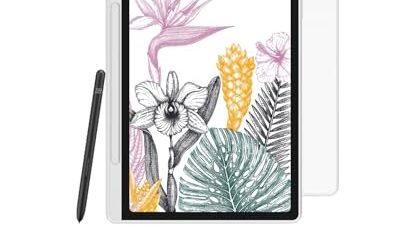
Samsung Galaxy Tab A7 Lite
- Best for: Everyday carry when a slightly larger screen beats the smallest size.
- Display: 8.7-inch, 1340 x 800
- RAM: 2GB
- Storage: 32GB, microSD expandable
- Processor: MediaTek Helio P22T octa-core
Everyday carry when a slightly larger screen beats the smallest size.
The base model ships with 2GB of RAM, so check the configuration before ordering, as other memory options exist.
The Galaxy Tab A7 Lite is the slim everyday option, with an 8.7-inch display that is roomier than the Fire 7 while the metal body still feels light in the hand. Its 2GB of RAM and 32GB of storage cover reading, streaming and browsing, and the 5,100mAh battery carries it through a full day of light use. It suits anyone who wants a straightforward Android tablet from a major maker without stepping up to a higher tier, and the full app store means every major streaming and reading app is available.
Watch out for: The base model ships with 2GB of RAM, so check the configuration before ordering, as other memory options exist.
Amazon Fire HD 8 (2020)
- Best for: Video watching and long reading sessions away from a charger.
- Display: 8-inch, 1280 x 800
- RAM: 2GB
- Storage: 32GB or 64GB, microSD expandable
- Processor: quad-core, 2.0 GHz
Video watching and long reading sessions away from a charger.
This is the 2020 model, so confirm the listing is for the same generation before ordering.
The Fire HD 8 is the video pick of this group, with an 8-inch high-definition display and the longest stated battery life here at up to 12 hours. Its 2GB of RAM handles streaming and reading apps comfortably, and storage comes in 32GB or 64GB with microSD expansion for downloaded films. It suits households that watch video in bed or on the sofa and want a tablet that lasts through a long evening without a charger, and the larger screen makes subtitles and menus easier to read.
Watch out for: This is the 2020 model, so confirm the listing is for the same generation before ordering.
Lenovo Tab M8 (2nd Gen)
- Best for: A first tablet or a shared family device for light everyday use.
- Display: 8-inch, 1280 x 800
- RAM: 2GB
- Storage: 32GB, microSD expandable
- Processor: MediaTek Helio A22 quad-core
A first tablet or a shared family device for light everyday use.
The display resolution is modest, so fine text looks softer than on sharper panels.
The Lenovo Tab M8 is the simple all-rounder, with an 8-inch display, 2GB of RAM and 32GB of storage in a compact body that suits a first tablet or a shared family device. Its 5,100mAh battery covers a day of light use, and the straightforward Android setup keeps things simple for owners who do not want to manage settings. It is a solid choice for browsing, reading and video calls with family, and the microSD slot leaves room for a growing collection of books and films.
Watch out for: The display resolution is modest, so fine text looks softer than on sharper panels.
Which One Fits Your Situation
You read every day and carry the tablet everywhere
Choose the Amazon Fire 7 (2022). Its 7-inch body is the easiest to hold one-handed on a train or in bed, and the microSD slot means a large library fits in a pocket-sized device. The smaller screen is a fair trade for a tablet that is always within reach, and the low weight means it never feels like a burden. A cheap case protects the screen in a crowded bag.
You want a slightly larger screen for video
Choose the Samsung Galaxy Tab A7 Lite or the Amazon Fire HD 8. The Tab A7 Lite gives a roomier 8.7-inch display in a slim metal body, while the Fire HD 8 offers the longest battery life here. Either one makes video and reading more comfortable than the 7-inch model.
You need the longest battery life
Choose the Amazon Fire HD 8 (2020). Its stated runtime of up to 12 hours is the longest in this group, which matters on long flights, train journeys and evenings away from a charger. Keep brightness moderate to get closer to that figure in real use, and download films in advance so streaming does not drain the battery faster.
You are buying a first tablet for the family
Choose the Lenovo Tab M8 (2nd Gen). It covers reading, browsing and video calls in a simple package, and its 8-inch display is a comfortable size for both adults and children. Add a case and a microSD card and it is ready for shared use, with the plain Android setup keeping things easy to manage. The plain Android setup also keeps things easy to manage for the whole family.
Common Mistakes
- Expecting a 2GB tablet to run heavy games or many apps at once without slowing down, when it is built for one light app at a time.
- Buying the smallest storage option and then running out of room for downloads, books and films halfway through a trip.
- Ignoring the app store and discovering later that a favourite app is missing from the tablet’s curated selection.
- Judging battery life from the headline figure instead of planning for video use, which drains the battery far faster than reading.
- Choosing the cheapest screen size and then finding text too small to read comfortably for more than a few minutes.
Frequently Asked Questions
Is 2GB of RAM enough for a tablet in 2026?
Yes, for reading, streaming, browsing and light apps, 2GB is enough when expectations stay realistic. The tablet will handle one app at a time comfortably, though switching between several heavy apps can cause reloads. Owners who edit video, play demanding games or multitask heavily should look at tablets with more memory instead.
Can I add storage to these tablets?
Yes, all four models support microSD cards, which is one of the main reasons they work well as budget tablets. A card adds room for books, films and music without replacing the device. Check the maximum card size the listing states, and buy a card from a known maker to avoid slow or unreliable storage.
Which tablet is best for a child?
The Fire 7 and the Fire HD 8 are the usual picks, because their size suits small hands and their app stores include reading and learning apps. Add a sturdy case and set up the parental controls before handing the tablet over. The Tab M8 is also a good option when a plain Android setup is preferred.
Do these tablets work for video calls?
Yes, all four have a front camera and support video calling apps, though the camera quality is basic and best suited to family calls rather than professional meetings. Good lighting and a stable Wi-Fi connection matter more than the camera itself. For frequent calls, a small stand helps keep the tablet steady and the framing natural.