A tablet becomes a work machine the moment a keyboard is attached, and the real decision is whether the keyboard comes in the box or has to be bought separately. Bundled keyboards keep the total cost clear and the fit exact, while tablets that only support a keyboard leave the buyer to choose between first-party covers and cheaper third-party cases. Screen size, weight and battery life decide whether the combination is pleasant to type on for hours or merely tolerable for short notes, and those factors matter more than the tablet’s raw speed.


This guide is for students, note-takers, remote workers and anyone who wants one device for both reading and typing. The four tablets below were chosen from the names and specifications shown on their Amazon pages, with attention to whether the keyboard is included, how the tablet pairs with it, and how long the battery lasts.
Quick Picks
As an Amazon Associate we earn from qualifying purchases.
| Product | Best for | Key spec from title |
|---|---|---|
| Lenovo Tab P11 (2nd Gen) Bundle | Keyboard and pen in one box | 11.5-inch 2K display, keyboard included |
| Lenovo Tab P11 Pro (2nd Gen) | Bright OLED screen for long typing | 11.2-inch 2.5K OLED, folio keyboard included |
| Samsung Galaxy Tab S6 Lite 2022 | Note-taking with S Pen | 10.4-inch display, S Pen included |
| Microsoft Surface Go 3 | Full Windows with Type Cover | 10.5-inch PixelSense, 8GB RAM |
How to Choose
Check whether the keyboard is included
A bundle that includes the keyboard and pen is the simplest buy, because the price on the listing is the full price of the working setup. When the keyboard is sold separately, add its cost before comparing models, and check that the exact keyboard fits the exact tablet generation, since covers are rarely interchangeable between generations. A tablet that looks cheap can cost more than a bundle once the keyboard is added, so the honest comparison always includes the keyboard in the total. A bundle also avoids the risk of buying a keyboard that does not fit the tablet.
Think about typing comfort
Keyboard covers vary widely: some have full-size keys with decent travel, while others use cramped keys that tire the fingers quickly. A detachable keyboard that can sit flat on a desk suits long writing sessions, while a folio case that props the tablet at one angle is better for short notes. If typing is the main job, favour a keyboard with a trackpad and a stable hinge, and try the layout in a store when possible. Key spacing matters as much as key travel, and a keyboard that forces the hands into an awkward position will slow every session. A built-in trackpad also removes the need for a separate mouse.
Weigh screen size against portability
An 11-inch or larger tablet gives room for a document and a keyboard side by side, but it is heavier to carry all day. A 10-inch tablet is lighter and easier to hold as a reader, though the keyboard feels tighter and the screen shows less of a page. Students who carry the tablet between classes often prefer the smaller size, while desk-based workers benefit from the larger display. The right size is the one that matches where the tablet will be used most, not the largest screen available.
Check battery life and charging
A tablet that dies mid-lecture is no use, so look at the battery capacity and the stated runtime, and remember that a keyboard with a backlight draws extra power. Tablets with larger batteries last longer through a working day, and USB-C charging means the same charger can serve the tablet and a phone. Keep a cable in the bag, and check whether the keyboard charges from the tablet or needs its own power. Brightness is the other big drain, so a tablet used outdoors will need charging sooner. A tablet that supports fast charging recovers more quickly during a short break between classes, which can save a day when the battery was forgotten overnight.
The 4 Best Options
Lenovo Tab P11 (2nd Gen) Keyboard and Pen Bundle
The Tab P11 bundle is the most complete package here, because the keyboard and the Precision Pen 3 are both in the box. Its 11.5-inch 2K display gives plenty of room for documents, the octa-core processor and 4GB of RAM handle study apps and browsing, and the 7,700mAh battery carries it through a long day. It suits students and note-takers who want to open the box and start typing without buying anything else, and the pen adds handwriting and annotation without an extra purchase.
Specs
- Display: 11.5-inch 2K LCD
- RAM: 4GB
- Storage: 128GB
- Processor: MediaTek Helio G99 octa-core, 2.3 GHz
- Battery: 7,700mAh
- Cameras: 8MP front, 13MP rear
- Operating system: Android 12L
- Included: keyboard and Precision Pen 3
Best for: Students who want the keyboard and pen included in one purchase.
Watch out for: The keyboard attaches to this specific generation, so confirm the model before buying a replacement.
Lenovo Tab P11 Pro (2nd Gen) with Folio Keyboard and Pen
The Tab P11 Pro is the premium typing option, with an 11.2-inch 2.5K OLED display that refreshes at 120Hz and stays sharp and smooth during long reading and writing sessions. The folio keyboard and pen are included, the 6GB of RAM keeps more apps open at once, and the faster processor handles heavier multitasking. It suits anyone who types for hours and wants the best screen in this group, and the OLED panel makes text and images look richer than on the other tablets here.
Specs
- Display: 11.2-inch 2.5K OLED, 120Hz
- RAM: 6GB
- Storage: 128GB
- Processor: MediaTek Kompanio 1300T, 2.6 GHz
- Included: folio keyboard and pen
Best for: Long typing sessions where a bright, smooth OLED display matters.
Watch out for: OLED screens draw more power at high brightness, so battery life depends heavily on the brightness setting.
Samsung Galaxy Tab S6 Lite 2022
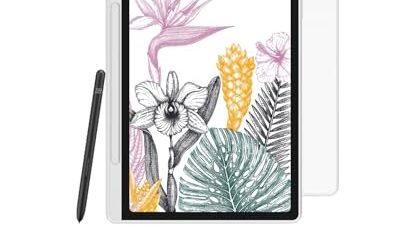
The Galaxy Tab S6 Lite is the note-taking pick, because the S Pen is included and feels natural for handwriting, sketching and annotating documents. Its 10.4-inch display is a comfortable size for carrying, the 7,040mAh battery is rated for up to 13 hours, and the Snapdragon processor handles study apps smoothly. The keyboard case is sold separately, so budget for it when comparing the total cost with the bundled Lenovo models, and check that the case fits this 2022 model.
Specs
- Display: 10.4-inch, 2000 x 1200 LCD
- RAM: 4GB
- Storage: 128GB
- Processor: Qualcomm Snapdragon 720G, 2.3 GHz
- Battery: 7,040mAh, up to 13 hours
- Camera: 8MP rear
- Included: S Pen
- Keyboard: case sold separately
Best for: Handwritten notes and annotation with the included S Pen.
Watch out for: The keyboard case is sold separately, so the total cost is higher than the listing figure alone.
Microsoft Surface Go 3
The Surface Go 3 is the only full Windows tablet here, which makes it the pick for anyone who needs desktop apps, a real file system and a proper browser. Its 10.5-inch PixelSense display is sharp, the 8GB of RAM and 128GB SSD keep Windows 11 Home running smoothly, and at 1.2 pounds it is light enough to carry all day. The Type Cover is sold separately, so add it to the budget before comparing with the bundled Android tablets, and note that Windows needs more storage headroom than Android.
Specs
- Display: 10.5-inch PixelSense, 1920 x 1280
- RAM: 8GB
- Storage: 128GB SSD
- Processor: Intel Pentium Gold, 1.1 GHz
- Battery: up to 11 hours
- Operating system: Windows 11 Home
- Weight: 1.2 lb
- Keyboard: Type Cover sold separately
Best for: Windows desktop apps in a tablet that can also take a keyboard.
Watch out for: The Type Cover is sold separately, and Windows needs more storage headroom than Android, so check free space after setup.
Which One Fits Your Situation
You want everything in one box
Choose the Lenovo Tab P11 (2nd Gen) Keyboard and Pen Bundle. The keyboard and pen are included, so there is nothing else to buy, and the 11.5-inch display is large enough for comfortable typing. It is the simplest path from unboxing to a working setup, and the large battery keeps it going through a full day.
You type for hours and want the best screen
Choose the Lenovo Tab P11 Pro (2nd Gen). Its OLED display is brighter and smoother than the other panels here, and the folio keyboard and pen are included. The extra memory also helps when several apps are open at once, which matters during long writing sessions. The smooth display also reduces eye strain during long sessions, and the included pen is handy for annotating documents without switching apps.
You take handwritten notes as well as typed ones
Choose the Samsung Galaxy Tab S6 Lite 2022. The included S Pen is the best handwriting tool in this group, and the long battery life suits a full day of classes. Remember to budget for a keyboard case, since it is not in the box. The pen also works for annotating documents without switching to a keyboard.
You need Windows apps, not just mobile apps
Choose the Microsoft Surface Go 3. Full Windows means desktop software, proper file management and a real browser, which Android tablets cannot match. Add the Type Cover to turn it into a small laptop for writing and study, and keep an eye on free storage.
Common Mistakes
- Comparing tablet prices without adding the cost of a keyboard sold separately, which makes a cheap tablet look better than it is.
- Buying a keyboard cover made for a different tablet generation that does not fit, since covers are rarely interchangeable.
- Choosing the smallest screen and then finding the keyboard too cramped to type on for more than a few minutes.
- Ignoring battery life and running out of power halfway through a lecture or a meeting.
- Assuming every tablet keyboard has a trackpad, when many covers are keyboard-only and need a separate mouse.
Frequently Asked Questions
Is a tablet with a keyboard a good laptop replacement?
It can be, for writing, browsing, email and study, but it depends on the software needed. A Windows tablet runs desktop apps, while Android tablets run mobile apps, so check that every essential program is available first. For heavy multitasking, large spreadsheets or specialist software, a laptop still has the edge.
Do keyboard covers drain the tablet battery?
Most keyboard covers draw a small amount of power from the tablet, and backlit keyboards draw more. The effect is modest on a tablet with a large battery, but it is worth keeping brightness low and turning the backlight off when it is not needed. Keyboards with their own battery avoid the drain entirely, though they need separate charging.
Can I use a Bluetooth keyboard instead of a fitted cover?
Yes, any Bluetooth keyboard works with these tablets, and it can be a better choice for desk use because the keys are full-size. The trade is portability: a separate keyboard means carrying two items and finding a stand for the tablet. A fitted cover keeps everything in one package for travel.
Which tablet is best for students?
The Lenovo Tab P11 bundle is the strongest student pick, because the keyboard and pen are included and the large display suits documents. The Galaxy Tab S6 Lite is the better choice for handwritten notes, while the Surface Go 3 suits students who need Windows software for their course.