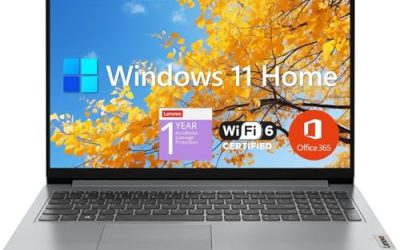
Our Short List of 3

- Best for: A business laptop that survives years of daily travel and heavy typing.
- Processor: AMD Ryzen 7 PRO 8840U
- Memory: 32GB
- Storage: 1TB SSD
- Display: 14-inch WUXGA touch

- Best for: A business laptop that handles daily office use and stays reliable for years.
- Processor: Intel Core Ultra 7 155U
- Memory: 16GB
- Storage: 512GB SSD
- Display: 14-inch WUXGA

- Best for: A silent, rigid aluminum laptop that stays solid and quiet for years of travel.
- Chip: Apple M2, 8-core CPU, up to 10-core GPU
- Memory: 16GB unified
- Storage: 256GB SSD
- Display: 13.6-inch Liquid Retina, 500 nits, P3 wide colour
All 3 Picks at a Glance
| Product | Specs | Action |
|---|---|---|
| Lenovo ThinkPad T14 Gen 5 |
| Check price on Amazon |
| HP EliteBook 840 G11 |
| Check price on Amazon |
| Apple MacBook Air M2 16GB |
| Check price on Amazon |
A laptop’s build quality decides how it feels on day one and how it holds up after three years of daily use. A stiff chassis, a solid hinge and a keyboard that does not flex under your fingers are not luxuries; they are what keep a machine pleasant to work on when it travels in a bag, gets opened a dozen times a day and survives the occasional knock. Cheap-feeling laptops often share the same processor as premium ones, yet they age far worse and become unpleasant long before the hardware is obsolete.
This guide is for buyers who want a laptop that stays solid over years of real use, from commuters and students to professionals who carry their machine everywhere. Every laptop below was chosen from the processor, memory, storage and chassis details shown on its Amazon listing, so you can judge the build as well as the performance before ordering.
Quick Picks
As an Amazon Associate we earn from qualifying purchases
| Product | Best for | Key spec from title |
|---|---|---|
| Lenovo ThinkPad T14 Gen 5 | Toughest business build with a great keyboard | Ryzen 7 PRO 8840U, 32GB |
| Dell XPS 13 9340 | Premium compact aluminum body | 13.4-inch 2.8K touch |
| HP EliteBook 840 G11 | Secure business laptop for daily handling | Core Ultra 7 155U, 16GB |
| Apple MacBook Air M2 16GB | Silent fanless aluminum unibody | M2 chip, 2.7 lb |
How to Choose
Judge the chassis material and stiffness
The chassis is the first thing to judge, because it carries every other part. Aluminum and magnesium bodies resist flex and dents far better than thin plastic shells, and a lid that barely twists when you pick the laptop up by a corner is a good sign. Press gently on the keyboard deck and the palm rests; a solid deck stays flat under pressure, while a weak one bows and creaks. Check the listing for the material and any durability testing the maker mentions before you decide, since the chassis is the part you touch every time you use the machine.
Check the hinge and the lid
The hinge takes more cycles than any other moving part, since it opens and closes every time you use the laptop. A good hinge holds the screen steady at any angle without wobble, and it opens smoothly with one hand without lifting the base. Look for metal hinges and a lid that feels rigid rather than floppy, because a lid that twists will stress the screen over time. If the listing mentions hinge design or a durability standard, weigh it alongside the screen size, because a loose hinge ruins an otherwise fine machine within a year or two.
Test the keyboard and trackpad by reputation
A laptop lives or dies by its keyboard, since you touch it for hours every day. Deep, consistent key travel and a firm deck make typing comfortable, while a shallow, rattly keyboard tires your hands and slows you down. Spill resistance is a real plus for a machine that travels, and a large glass trackpad with a firm click beats a small plastic one. Read the listing for keyboard details and check whether the model line is known for a strong keyboard before ordering, since a bad keyboard cannot be fixed later.
Look for durability testing and serviceability
Military-standard testing, often listed as MIL-STD, signals a machine that survived drop, vibration and temperature checks before it shipped. It is not a guarantee against damage, yet it separates laptops built for rough handling from ones built only for a desk, and it is worth weighing when the laptop will travel every day. Serviceability matters too: a laptop with upgradeable memory or storage lasts longer, while a fully sealed machine locks you into the configuration you buy. Check both points on the listing, and favour a machine that can grow with your needs rather than one that is fixed from day one.
The 4 Best Options
Lenovo ThinkPad T14 Gen 5
- Best for: A business laptop that survives years of daily travel and heavy typing.
- Processor: AMD Ryzen 7 PRO 8840U
- Memory: 32GB
- Storage: 1TB SSD
- Display: 14-inch WUXGA touch
A business laptop that survives years of daily travel and heavy typing.
The 14-inch screen is smaller than a workstation display, so a second monitor helps for big layouts.
The Lenovo ThinkPad T14 Gen 5 is the toughest business laptop here, pairing an AMD Ryzen 7 PRO 8840U processor with 32GB of memory and a 1TB solid-state drive in a 14-inch body built for daily travel. ThinkPads are known for their rigid chassis, spill-resistant keyboards and hinges that stay tight after years of opening and closing, and this model carries that reputation forward. Its WUXGA touch display suits signing forms and scrolling documents, while Windows 11 keeps the software current. It is the right laptop when the machine will be carried, opened and typed on all day, every day, for years.
Dell XPS 13 9340
The Dell XPS 13 9340 is the premium compact pick, built around a 13.4-inch aluminum body with a sharp 2.8K touchscreen and a near-borderless display. Its Snapdragon X Elite chip runs cool and delivers long battery life, which keeps the slim chassis comfortable on a lap, and the backlit keyboard and fingerprint reader cover the daily basics. With 16GB of memory, a 512GB SSD and Wi-Fi 7, it is a modern machine in the smallest possible package. It suits a commuter who wants a laptop that feels expensive every time it comes out of the bag.
Specs
- Display: 13.4-inch 2.8K touchscreen
- Processor: Snapdragon X Elite
- Memory: 16GB LPDDR5X
- Storage: 512GB PCIe SSD
- Graphics: Qualcomm Adreno
- Keyboard: Backlit, fingerprint reader
- Wireless: Wi-Fi 7
- Operating system: Windows 11 Pro
Best for: A compact premium Windows laptop with a sharp touchscreen and a slim aluminum body.
Watch out for: Some older Windows apps may need time to adapt to the Snapdragon chip.
HP EliteBook 840 G11
- Best for: A business laptop that handles daily office use and stays reliable for years.
- Processor: Intel Core Ultra 7 155U
- Memory: 16GB
- Storage: 512GB SSD
- Display: 14-inch WUXGA
A business laptop that handles daily office use and stays reliable for years.
The 14-inch display is a practical size rather than a large one, so check it suits your work.
The HP EliteBook 840 G11 is a business laptop built for the kind of daily handling that comes with office work, pairing an Intel Core Ultra 7 155U processor with 16GB of memory and a 512GB solid-state drive in a 14-inch body. Its fingerprint reader and two Thunderbolt 4 ports make it easy to secure and to dock at a desk between rounds, and Wi-Fi 6E keeps it connected in crowded buildings. The 14-inch WUXGA display is a practical size for reading records, and the machine is built for reliability over flash. It is a steady, professional choice for a worker who wants a laptop that simply lasts.
Apple MacBook Air M2 16GB
- Best for: A silent, rigid aluminum laptop that stays solid and quiet for years of travel.
- Chip: Apple M2, 8-core CPU, up to 10-core GPU
- Memory: 16GB unified
- Storage: 256GB SSD
- Display: 13.6-inch Liquid Retina, 500 nits, P3 wide colour
A silent, rigid aluminum laptop that stays solid and quiet for years of travel.
The 256GB drive fills fast with large files, so plan storage before ordering.
The Apple MacBook Air M2 16GB is the fanless unibody pick, a 2.7 lb laptop machined from a single piece of aluminum with no fan inside to wear out or collect dust. Its 13.6-inch Liquid Retina display reaches 500 nits and covers the P3 wide colour range, while the Apple M2 chip, with an 8-core CPU and up to a 10-core GPU, handles demanding work in silence. With 16GB of unified memory, 256GB of SSD storage and up to 18 hours of battery life, it edits and works all day without a charger. The rigid unibody and silent design make it feel solid for years.
Which One Fits Your Situation
You travel constantly and type all day
Pick the Lenovo ThinkPad T14 Gen 5. Its rigid chassis, spill-resistant keyboard and 32GB of memory handle heavy daily use, and the 1TB drive holds a large library of files. The WUXGA touch display suits signing forms on the move, and the machine is built to shrug off a commute for years without loosening up.
You want the smallest premium machine
Pick the Dell XPS 13 9340. Its 13.4-inch aluminum body and 2.8K touchscreen pack a premium feel into the smallest bag, and the Snapdragon chip keeps it cool and long-lasting. It suits a commuter who values size and finish above all, and who wants a laptop that feels expensive every time it comes out.
You need a dependable office laptop
Pick the HP EliteBook 840 G11. Its business build, fingerprint reader and Thunderbolt 4 docking suit a desk-and-meeting routine, and Wi-Fi 6E keeps it connected in crowded buildings. It is the steady choice for office work, and the 14-inch display is a practical size for reading records all day.
You want silence and a rigid unibody
Pick the Apple MacBook Air M2 16GB. Its fanless aluminum body has no moving fan to wear out, and the 18-hour battery means it works all day away from a socket. The P3 display keeps colours true, and the silent design makes it the quietest laptop here by a clear margin.
Common Mistakes
- Judging build quality from the processor alone instead of the chassis, hinge and keyboard.
- Choosing a thin plastic laptop for a rough commute, then watching it flex and creak within a year.
- Ignoring hinge quality, which is the part most likely to loosen with daily opening and closing.
- Buying the smallest storage option and running out of room within months.
- Forgetting to check whether memory and storage can be upgraded later.
Frequently Asked Questions
What is the most important part of laptop build quality?
The chassis and hinge matter most, because they carry every other part and take the most physical stress. A rigid aluminum or magnesium body resists flex and dents, while a solid hinge keeps the screen steady after thousands of openings. Check the keyboard deck too, since a deck that bows makes typing unpleasant.
Does a metal body always mean better build quality?
Not always, but it is a strong sign. Aluminum and magnesium resist flex far better than thin plastic, and they spread heat more evenly across the body. A well-built plastic laptop can still be solid, so check the deck stiffness and hinge feel rather than judging by the material name alone.
How long should a well-built laptop last?
A well-built laptop usually stays pleasant to use for four to five years of daily work, provided the processor, memory and storage still meet your needs. Battery wear and software demands matter too, so a machine with upgradeable storage or generous memory ages more gracefully than one that is sealed from day one.
Is a spill-resistant keyboard worth looking for?
Yes, if the laptop travels with you or sits near drinks. A spill-resistant keyboard channels liquid away from the internals and can save the machine from a single accident. It does not make a laptop waterproof, so it is a safety net rather than an invitation to test it, yet it is worth having on a machine that leaves the desk.