

- Top Pick: Dell Optiplex 7050 SFF Desktop PC Intel i7-7700 4-Cores 3.60GHz 32GB DDR4 1TB SSD WiFi BT HDMI Duel Monitor Support Windows 11 Pro Excellent Condition(Renewed)
- Best Value: HPIKVAR 15.6″Windows11 Home Laptop RAM 16GB SSD 512GB Office 2024
- Premium Choice: HP 15.6" FHD Laptop, Win 11 Pro, Intel 8 Core i3-N305, 16GB RAM, 512GB SSD
For a home office, the best SSD is rarely the fastest or the most expensive — it is the one that quietly delivers reliable everyday performance and good value. Most home-office work is documents, spreadsheets, email, browser tabs, video calls and light multitasking, with the occasional large file or backup. That workload does not need extreme throughput; it needs a drive that boots quickly, opens apps snappily, stores your files dependably, and does not cost a fortune. This guide rounds up the best SSDs for the home office in 2026 with value and reliability front of mind, across the formats people actually buy: affordable internal SATA drives, a couple of larger volumes for storage, and portable options for backups and moving work between machines.
- Best Home-Office SSDs at a Glance
- 1. Kingston 480GB A400 SATA 3 2.5″ Internal SSD – HDD Replacement
- 2. Crucial BX500 1TB 3D NAND SATA 2.5-Inch Internal SSD, up to 540MB/s
- 3. Samsung 860 EVO 500GB 2.5 Inch SATA III Internal SSD (MZ-76E500B/AM)
- 4. SANDISK 2TB Extreme Portable SSD – Up to 1050MB/s, USB-C, USB 3.2
- 5. SANDISK 2TB SSD Plus 2.5″ SATA SSD, Read speeds up to 545 MB/s
- 6. SAMSUNG 970 EVO Plus SSD 2TB NVMe M.2 with V-NAND
- How to Choose an SSD for the Home Office
- Frequently Asked Questions
- Related Guides
- Related Articles
Our picks were chosen on home-office priorities: dependable everyday performance, value for money, sensible capacities for typical work and backups, and reliability from trusted brands. We have included a deliberate spread of formats and prices — from a budget 480GB SATA upgrade up to a 2TB NVMe drive — so you can match the SSD to your machine and your budget. We are honest about each one: this list mixes internal SATA drives, an M.2 NVMe stick, and a portable USB SSD, and which is right depends on your computer and how you work. Below you will find an at-a-glance comparison, then a closer look at each drive and a buyer’s guide covering value, reliability and picking the right capacity for home-office life.
As an Amazon Associate we earn from qualifying purchases at no extra cost to you.





🛒 Best Price Today on Amazon
Prime members get fast, free shipping on everything above, plus member-only deals. New members get a 30-day free trial — cancel anytime.
Best Home-Office SSDs at a Glance
| Drive | Best For | Standout Spec | Approx Price |
|---|---|---|---|
| Kingston A400 480GB SATA | Affordable everyday upgrade | 480GB SATA, low-cost | around $115 |
| Crucial BX500 1TB SATA | Value 1TB workhorse | 1TB SATA, up to 540MB/s | around $170 |
| Samsung 860 EVO 500GB SATA III | Reliable mid-capacity boot | 500GB SATA, proven EVO | around $111 |
| SanDisk 2TB Extreme Portable SSD | Fast backups on the go | 2TB, up to 1050MB/s, USB-C | around $294 |
| SanDisk 2TB SSD Plus SATA | Bulk internal storage | 2TB SATA, up to 545MB/s | around $399 |
| Samsung 970 EVO Plus 2TB NVMe | High-capacity fast NVMe | 2TB M.2 NVMe, V-NAND | around $365 |
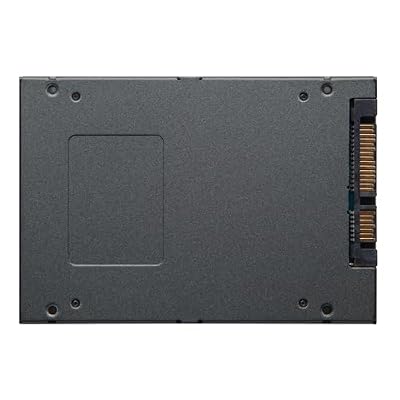
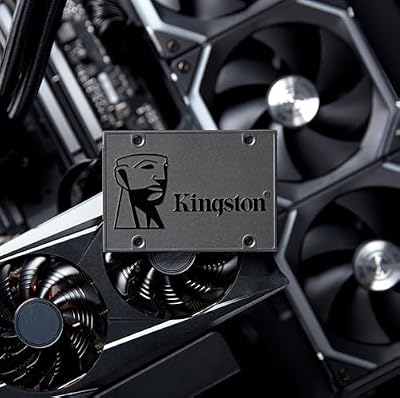
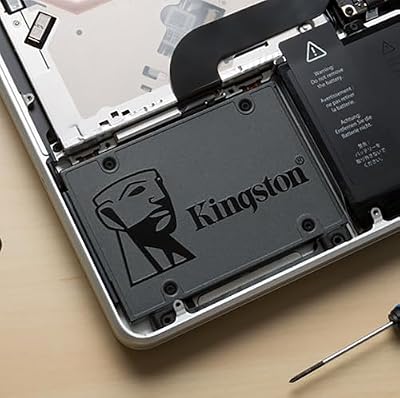
1. Kingston 480GB A400 SATA 3 2.5″ Internal SSD – HDD Replacement

Kingston 480GB A400 SATA 3 2.5" Internal SSD SA400S37/480G - HDD Replacement for Increase Performance




As an Amazon Associate we earn from qualifying purchases. Product prices and availability are accurate as of the date/time indicated.
The Kingston A400 480GB is the affordable everyday upgrade pick, and at around $115 it is the easiest way to make a home-office machine feel quick. It is a 2.5-inch SATA drive designed as a straightforward HDD replacement, and Kingston’s A400 has a long reputation as a reliable, low-cost SATA SSD for exactly this kind of job.
This is the drive for the home worker who wants the single biggest everyday-speed boost for the least money: swapping a slow hard drive (or adding an SSD to an older PC) transforms boot times, app launches and general responsiveness. The 480GB capacity comfortably holds Windows and your everyday documents, apps and files, SATA keeps it compatible with virtually any laptop or desktop bay, and the A400’s value is hard to beat. As a low-cost, dependable everyday SSD for typical office work, it is the obvious starting point.
Pros: Very affordable, broadly compatible SATA, dependable Kingston reliability, easy drop-in upgrade.
Cons: Entry-tier SATA speeds; 480GB is fine for an OS but modest for large libraries.
2. Crucial BX500 1TB 3D NAND SATA 2.5-Inch Internal SSD, up to 540MB/s

Crucial BX500 1TB 3D NAND SATA 2.5-Inch Internal SSD, up to 540MB/s - CT1000BX500SSD1, Solid State Drive


As an Amazon Associate we earn from qualifying purchases. Product prices and availability are accurate as of the date/time indicated.
The Crucial BX500 1TB is the value 1TB workhorse of this list. It is a 2.5-inch SATA drive built on Crucial’s 3D NAND with read speeds up to 540MB/s and a roomy 1TB capacity, all at a friendly price. At around $170 it offers a great balance of capacity, dependability and cost for everyday home-office use.
This is the drive for the home worker who wants more room than an entry SSD without overspending — a single, reliable 1TB volume for an OS, applications, documents and a healthy local store of files and photos. SATA keeps it broadly compatible, the 1TB capacity is a sensible everyday size that you will not outgrow quickly, and Crucial (a Micron brand) has a solid reputation for dependable consumer storage. As a well-priced 1TB SATA drive that just works for office life, the BX500 is a smart, value-focused pick.
Pros: Roomy 1TB capacity, good value, broadly compatible SATA, dependable Crucial 3D NAND.
Cons: Value-tier SATA performance; not for throughput-heavy or professional workloads.
3. Samsung 860 EVO 500GB 2.5 Inch SATA III Internal SSD (MZ-76E500B/AM)

Samsung 970 EVO Plus SSD 500GB - M.2 NVMe Interface Internal Solid State Drive with V-NAND Technology (MZ-V7S500B/AM)


As an Amazon Associate we earn from qualifying purchases. Product prices and availability are accurate as of the date/time indicated.
The Samsung 860 EVO 500GB is the reliable mid-capacity boot pick. It is a 2.5-inch SATA III drive on Samsung’s well-proven EVO platform and V-NAND, with the reputation for consistency and longevity the EVO line is known for. At around $111 it is one of the most affordable drives here and a dependable choice for a home-office system.
This is the drive for the home worker who prioritises reliability and a trusted brand for their main system drive. The 500GB capacity is a sensible size for an OS plus everyday applications and documents, the mature EVO platform delivers steady, dependable everyday performance, and Samsung’s track record means it is a drive people trust for years of daily use. As a reliable, sensibly priced SATA boot drive for an office machine, the 860 EVO is an easy recommendation — and a step up in pedigree from entry-tier options.
Pros: Proven Samsung EVO reliability, consistent everyday performance, sensible 500GB boot capacity.
Cons: SATA speeds, not NVMe; 500GB is modest if you store large local libraries.
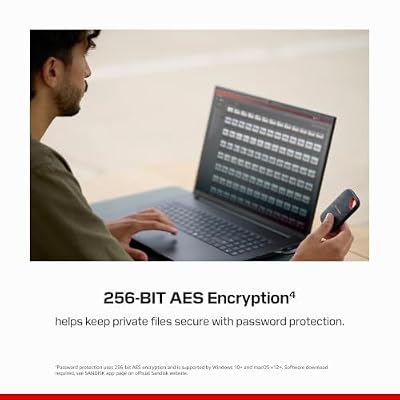
4. SANDISK 2TB Extreme Portable SSD – Up to 1050MB/s, USB-C, USB 3.2

Sandisk 4TB Extreme Portable SSD, Up to 2000MB/s Transfer Speeds-New Model






As an Amazon Associate we earn from qualifying purchases. Product prices and availability are accurate as of the date/time indicated.
The SanDisk 2TB Extreme Portable is the fast-backups-on-the-go pick. It pairs 2TB of capacity with USB-C speeds up to 1050MB/s in SanDisk’s rugged, weather-resistant Extreme shell. At around $294 it is a versatile external drive for a home office that needs reliable backups and easy file portability between machines.
This is the drive for the home worker who wants a dependable place to back up their files and carry work between a laptop and a desktop, or to and from a client site. The 2TB capacity holds substantial backups and project archives, the fast USB-C performance makes copying large folders quick, and the rugged build means it survives being tossed in a bag. As a fast, durable portable drive for home-office backups and on-the-go storage, the Extreme Portable is a practical, reliable choice — just note it is an external USB drive rather than an internal upgrade.
Pros: Fast 1050MB/s USB-C, rugged build, roomy 2TB for backups, easy portability between machines.
Cons: External USB drive, not an internal volume; pricier than the internal SATA picks.
5. SANDISK 2TB SSD Plus 2.5″ SATA SSD, Read speeds up to 545 MB/s

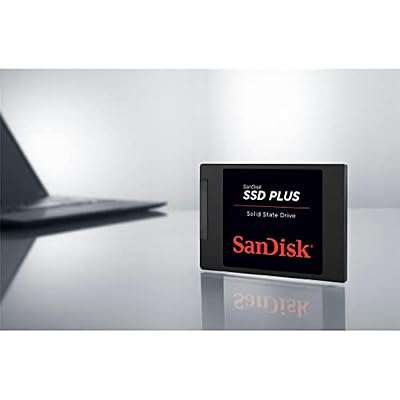
SANDISK 2TB SSD Plus 2.5" SATA SSD, Internal SSD, Read speeds up to 545 MB/s, SATA III 6GB/s, Easy Upgrade


As an Amazon Associate we earn from qualifying purchases. Product prices and availability are accurate as of the date/time indicated.
The SanDisk 2TB SSD Plus is the bulk internal storage pick. It is a 2.5-inch SATA drive with read speeds up to 545MB/s and a generous 2TB capacity, giving a home office plenty of internal room for files, archives and a large local library. At around $399 it is the most expensive drive here, with capacity as the reason.
This is the drive for the home worker who needs a large internal volume — a second drive packed with documents, photos, project files and local backups alongside a faster boot disk, or a single roomy SATA drive for an office machine. SATA keeps it compatible with almost any drive bay, the 2TB capacity means you are unlikely to run short, and SanDisk’s NAND is well proven. As a spacious, dependable internal SATA drive for home-office storage, it does its job — bear in mind it is a value-tier SATA drive prioritising capacity over raw speed, so for everyday boot duties one of the smaller, cheaper drives may suit better.
Pros: Generous 2TB internal capacity, broadly compatible SATA, dependable SanDisk reliability.
Cons: Highest price here; value-tier SATA speeds, capacity-focused rather than fast.
6. SAMSUNG 970 EVO Plus SSD 2TB NVMe M.2 with V-NAND

SAMSUNG (MZ-V7E500BW) 970 EVO SSD 500GB - M.2 NVMe Interface Internal Solid State Drive with V-NAND Technology, Black/Red


As an Amazon Associate we earn from qualifying purchases. Product prices and availability are accurate as of the date/time indicated.
Rounding out the list is the Samsung 970 EVO Plus 2TB, the high-capacity fast NVMe pick. It is a 2TB M.2 NVMe drive built on Samsung’s V-NAND, combining large capacity with the high sequential throughput that PCIe NVMe delivers — far beyond any SATA drive here. At around $365 it is a premium drive that brings both speed and space to a capable machine.
This is the drive for the home worker who wants the snappiest possible experience and has an M.2 NVMe slot to use it — a power user juggling large files, big spreadsheets, light creative work or many open applications, who appreciates fast load and copy times. NVMe over PCIe leaves SATA well behind on throughput, the 2TB capacity is generous enough to be a single fast everything-drive, and Samsung’s 970 EVO Plus platform is long-trusted for reliability. It is more drive than a basic office needs, but for a high-end home-office machine that wants speed and space in one, it is the standout — just confirm your system has an M.2 NVMe slot.
Pros: Fast NVMe throughput, generous 2TB capacity, proven Samsung V-NAND, single fast everything-drive.
Cons: Premium price; requires an M.2 NVMe slot; more performance than basic office work needs.
How to Choose an SSD for the Home Office
Choosing a home-office SSD starts with value and reliability, not chasing the fastest drive. Typical office work — documents, email, browsing, video calls and light multitasking — does not stress an SSD the way gaming or content creation can, so the priority is a dependable drive from a trusted brand at a sensible price. Any modern SSD will transform an older machine’s responsiveness; the affordable Kingston A400, Crucial BX500 and Samsung 860 EVO here all deliver the everyday snappiness that matters far more in an office than a high benchmark score.
Interface and compatibility come next, because they determine which drives even fit your computer. The 2.5-inch SATA drives here — the A400, BX500, 860 EVO and SanDisk SSD Plus — install in a standard drive bay and work in almost any laptop or desktop, making them the safe, universal choice for upgrading an existing machine. The Samsung 970 EVO Plus is an M.2 NVMe stick that needs an NVMe slot and offers more speed than office work typically requires. The SanDisk Extreme Portable is an external USB-C drive for backups and portability. Confirm what your machine accepts before you buy.
Capacity should match how you actually work. For a machine used mainly for an OS, office apps and documents, a 480GB or 500GB drive like the A400 or 860 EVO is plenty and keeps costs down. If you keep larger local libraries of files, photos or archives, a 1TB BX500 or a 2TB SSD Plus gives more breathing room. And if your need is backups and moving work between machines rather than internal storage, a portable like the 2TB Extreme is the better fit. Buy the capacity your real usage calls for rather than overspending on space you will not fill.
Finally, weigh whether you genuinely need extra speed, and back up regardless. For most home offices a reliable SATA SSD is the sweet spot of value and performance; the fast 2TB 970 EVO Plus NVMe is excellent but is more drive than basic office tasks require, so save it for a power-user machine with an M.2 slot. Whatever internal drive you choose, a portable SSD like the Extreme makes backups quick and painless — and an office’s files are worth protecting. Prioritise reliability and value, match the interface and capacity to your machine and workload, and pick the home-office SSD here that fits how you work.
Frequently Asked Questions
What kind of SSD is best for a home office?
For most home offices, a dependable, value-focused SATA SSD from a trusted brand is the sweet spot — drives like the Kingston A400, Crucial BX500 or Samsung 860 EVO here. Office work does not need extreme throughput; it needs quick boots, snappy app launches and reliable storage at a sensible price. A fast NVMe drive is great if you want maximum speed and have an M.2 slot, but it is more than basic office tasks require.
How much storage do I need for a home-office SSD?
It depends on what you keep locally. For a machine used mainly for an OS, office apps and documents, 480GB to 500GB — as on the Kingston A400 or Samsung 860 EVO — is plenty. If you store larger libraries of files, photos or archives, step up to a 1TB drive like the Crucial BX500 or a 2TB drive. Match the capacity to your real usage rather than paying for space you will not fill.
Is a SATA SSD fast enough for working from home?
Yes, comfortably. A SATA SSD is dramatically faster than a hard drive and delivers all the everyday responsiveness a home office needs — quick boots, fast app launches and snappy file access. The difference between SATA and NVMe is most noticeable in heavy throughput tasks like large file work or content creation, not in typical documents, email and browsing. For most home workers, a reliable SATA drive is the value sweet spot.
Do I need a portable SSD for a home office?
Not strictly, but it is very useful for backups and moving work between machines. A portable drive like the SanDisk 2TB Extreme makes backing up your files quick over fast USB-C and lets you carry work between a laptop, a desktop, or a client site. Your internal SSD handles day-to-day storage; a portable adds a convenient, durable layer of backup and portability that an office’s important files are well worth.
Related Guides
- Best NVMe SSDs
- Best SSDs for Heavy-Duty Use
- Best External Hard Drives
- Best Monitors for Working From Home
- Best Office Chairs
- Best PCs for Work and Play
Affiliate Disclosure: As an Amazon Associate, we earn from qualifying purchases. If you click a link and make a purchase, we may earn a small commission at no extra cost to you. Prices and availability are accurate as of publication and may change.
Ready to decide? Our #1 pick for 2026 is the Kingston A400 480GB SATA.
Live price & availability on Amazon.


