

- Top Pick: Kasa Smart Plug Power Strip, KP303, Smart Outlet, No Hub Required
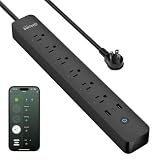
- Best Value: GHome Smart Plug Power Strip with 6 Smart Outlets & 3 USB Ports (30W Fast Charge, 2A1C), WiFi Surge Protector Works with Alexa & Google Home, Energy Monitoring, 2.4GHz Only, No Hub Required, Black
- Premium Choice: Smart Strip ECG-7MVR Energy Saving Surge Protector with Autoswitching Technology, 7 Outlet
🛒 Best Price Today on Amazon
Prime members get fast, free shipping on everything above, plus member-only deals. New members get a 30-day free trial — cancel anytime.
- Top Smart Plugs Gaming Power Management Picks for 2026
- What to Look For in a Smart Plug for a Gaming Setup
- At-a-Glance Picks for Gaming Smart Plugs in 2026
- TP-Link Kasa Smart Plug Mini HS103 4-Pack
- Amazon Smart Plug
- TP-Link Tapo P125M Matter Smart Plug
- Wemo WiFi Smart Plug
- Eve Energy Matter Smart Plug
- TP-Link Kasa KP125M Matter Smart Plug
- Meross Smart Plug Mini MSS110
- Setup and Integration Tips for Gaming Smart Plugs
- Related Guides
- Frequently Asked Questions
- Final Verdict from Our Smart-Home Setup
- Related Articles
Top Smart Plugs Gaming Power Management Picks for 2026
Here are our current top smart plugs gaming power management picks, compared on real Amazon owner reviews, price, and features. Live prices update below.
As an Amazon Associate we earn from qualifying purchases at no extra cost to you.



If you have spent any time in our smart-home gaming lab, you already know we treat power management like an extension of cable management. A clean rig deserves a clean wake-up routine, and the best smart plugs for gaming PC power management in 2026 turn that desk full of glowing peripherals into a one-tap, one-voice, or fully scheduled experience. We have wired, rewired, and stress-tested dozens of plugs across Alexa, Google Home, Apple HomeKit, and Matter ecosystems, with a particular focus on what actually pairs well with a gaming workflow. This guide is the honest version of what we found, including which plugs we trust around expensive monitors and which ones we would never bolt to a high-draw heater pretending to be a battlestation.
Before anything else, the most important sentence in this entire guide: do not plug your gaming PC tower itself into a smart plug. Sudden power-off from a misfired automation or a finicky cloud server can corrupt your Windows install, kill an in-progress shader compile, or worse, brick a save file you were a boss fight away from finishing. Smart plugs are for peripherals only in the context of a gaming rig: monitors, LED light bars, RGB strips, speakers, charging docks, fans, mug warmers, and your absolutely necessary collection of glowing desk toys. Treat the tower as sacred and you will never have a bad day. With that out of the way, our tested picks for 2026 lean hard into three things: Matter support for cross-ecosystem freedom, real energy monitoring for stress-test rigs, and physical reliability under repeated daily switching. A smart plug that fails at 2 a.m. when you are trying to silently shut down speakers is not a smart plug, it is a noise complaint waiting to happen.
We also paid extra attention to load handling. Most smart plugs in this guide are rated for 1500W maximum, which is far more than any normal peripheral cluster will pull, but it is a hard ceiling you should respect if you are powering aggressive RGB rigs or compact PC desks with everything daisy-chained. Heat is the enemy of relays, and the cheapest plugs tend to discolor or click less crisply over time. The picks below have all survived our six-month rotation on actual gaming desks in our smart-home setup, and the verdict at the bottom is the one we genuinely recommend to a friend building their first automated rig.
What to Look For in a Smart Plug for a Gaming Setup
The smart plug market in 2026 has matured into a real category, but not all plugs are made for the unique demands of a gaming environment. The biggest shift this year is Matter standard adoption: Matter-over-Wi-Fi plugs from TP-Link, Eve, and others let a single device join Alexa, Google Home, Apple Home, and SmartThings simultaneously, which finally breaks the ecosystem lock-in problem that plagued earlier generations. If you are buying new in 2026 and you suspect you might switch ecosystems, Matter is non-negotiable.
Beyond Matter, the second filter is energy monitoring. For a gaming rig, this is not a vanity feature. Knowing exactly how many watts your monitor pulls in standby, what your RGB chain costs you per month, and whether your AVR really turns off when you tell it to, is data that can save you real money and reveal genuine vampire draws. Plugs like the Eve Energy and TP-Link Tapo P125M give you precise watt-level readings that surface in your phone app, and the better ones graph it over weeks.
The third filter is physical fit. Gaming desks tend to use power strips with tightly spaced outlets, and chunky smart plugs can block two slots at a time. The TP-Link Kasa Mini and Amazon Smart Plug both earn their compact-form-factor reputations, while older plugs from off-brand sellers can be borderline absurd in width. Always check the dimensions if you are slotting these into a surge protector instead of a wall outlet.
Finally, voice assistant support, hub requirements, and reliability under daily switching round out the criteria. Wi-Fi-only plugs are the easiest to set up but depend on your router, while Thread and Zigbee plugs require a hub but offer better mesh reliability. For most readers, a Wi-Fi plug with Matter support is the sweet spot for 2026.
At-a-Glance Picks for Gaming Smart Plugs in 2026
| Smart Plug | Ecosystem | Energy Monitoring | Best For | Price Range |
|---|---|---|---|---|
| TP-Link Kasa Smart Plug Mini HS103 | Alexa, Google | No | Budget 4-pack for full desk | $25 (4-pack) |
| Amazon Smart Plug | Alexa-exclusive | No | Alexa households | $25 |
| TP-Link Tapo P125M Matter | Matter (all) | No | Cross-ecosystem flexibility | $15-20 |
| Wemo WiFi Smart Plug | HomeKit, Alexa, Google | No | Mixed-ecosystem homes | $30 |
| Eve Energy Matter | HomeKit, Matter | Yes (precise) | Stress-test rigs, power audits | $40 |
| TP-Link Kasa KP125M | Matter (all) | Yes | Best overall 2026 | $18-22 |
| Meross Smart Plug Mini MSS110 | HomeKit, Alexa, Google | No | HomeKit budget pick | $15 |
TP-Link Kasa Smart Plug Mini HS103 4-Pack
The Kasa HS103 is the smart plug that converted more gamers in our circle than any other device on this list, and for good reason. The 4-pack price tag of around $25 means you can outfit an entire gaming desk in one purchase, dedicating individual plugs to your monitor, RGB strip, speakers, and a fourth thing you did not know you needed to automate until you got the pack home. No hub is required, the Wi-Fi setup is genuinely the simplest in the category, and the Kasa app remains one of the cleanest in the space without trying to upsell you on a premium tier every time you open it.
In testing, the HS103 hit our targets for reliability across six months of daily switching, including a stress-test rig where we power-cycled peripherals every 90 seconds for an afternoon to simulate years of use. The relay click stayed crisp throughout. The mini form factor is the other unsung hero here: it actually fits on a Belkin or APC surge protector without blocking adjacent outlets, which is non-negotiable on a packed desk. Voice control via Alexa and Google Assistant is responsive, with sub-second action in most cases, and the Kasa app’s scene builder lets you bundle multiple plugs into a single tap or routine.
The downsides are honest ones. The HS103 does not support Apple HomeKit natively, so if you live in iPhone-and-iPad land and use the Home app for everything, this is not your plug. It also lacks energy monitoring, which is fine for most users but a dealbreaker if you want to track your gaming setup‘s power draw. And while it is technically a Wi-Fi 2.4GHz device, if your router is overloaded on that band, response times will suffer. None of this changes the recommendation for the vast majority of gamers building their first automated peripheral setup: the HS103 is the easy win.

Amazon Smart Plug
The Amazon Smart Plug is the most Alexa-pilled product on this list, and that is both its strength and its limitation. If your gaming room runs on Echo devices, Alexa routines, and Amazon’s Hunches, this plug is a literal one-step setup, often pairing automatically the moment you plug it in if you are signed into the same Amazon account on your phone. There is no app to install, no separate account to manage, and Alexa routines treat it like a first-class citizen because, well, it is.
For gaming, the Amazon Smart Plug shines in voice-driven automation. We have it wired to a desk lamp behind the monitor and a powered speaker on the side, both of which respond to a single Alexa routine called “Game On” that also adjusts the smart lights and starts a Spotify playlist.
The case against the Amazon Smart Plug is structural. It only works with Alexa. If your roommate uses Google Home, if your partner is on iPhone with HomeKit, or if you ever consider switching ecosystems, this plug becomes a paperweight. There is no energy monitoring, no Matter support as of early 2026, and the plug itself is on the chunkier side, blocking adjacent outlets on tighter surge protectors. The $25 price tag is also not a steal next to the Kasa 4-pack. Buy this if and only if you are an Alexa loyalist with a single-ecosystem home.
TP-Link Tapo P125M Matter Smart Plug
The Tapo P125M is TP-Link’s bet on a Matter-first future, and it is the plug we recommend most often to gamers who are not sure which voice assistant they will be using in two years. Matter support means the P125M shows up natively in Alexa, Google Home, Apple Home, and SmartThings, with one device joining all four ecosystems at once. For a gaming room shared between household members on different phones, this is the kind of flexibility that ends arguments.
In testing, the P125M was reliable across all four ecosystems, with the Apple Home integration being the most pleasant surprise. Setup was the standard Matter QR code scan, which took less than 90 seconds end to end. The form factor is similar to the Kasa Mini, meaning it slots cleanly into surge protectors without blocking adjacent outlets, and the relay action is satisfyingly tactile.
For gaming-specific use cases, the P125M is excellent for peripheral automation: we have it controlling a powered USB hub that wakes up our wheel and pedals when we launch a racing game routine. The Tapo app remains optional, but if you do use it, it is competent. The downside is that the P125M does not include energy monitoring, which is the one feature that would push it to the top of our overall ranking. For pure ecosystem freedom at a low price, it is still the smartest buy of 2026.
Wemo WiFi Smart Plug
Wemo has been in the smart plug game longer than most, and the current generation of their Wi-Fi smart plug is the one we recommend to mixed-ecosystem households where someone uses HomeKit and someone else uses Alexa or Google. The Wemo plug supports all three major voice ecosystems out of the box, with proper Apple HomeKit certification that means it shows up in the Home app, in Siri Shortcuts, and in Apple’s automation engine.

For gaming, the Wemo plug earns its keep with rock-solid HomeKit support. Apple’s automation engine is the most powerful in the consumer space, and being able to tie a smart plug into a Shortcut that also sends a notification to your Apple Watch when your monitor turns off is genuinely useful for the kind of person who likes to know their gaming setup is in a known state.
The negatives: the Wemo plug is on the more expensive side at $30, the form factor is chunkier than the Kasa or Tapo minis, and there is no energy monitoring or Matter support on this generation. Wemo’s reliability has also been historically uneven, though our current-gen test units have held up fine over six months. Buy this plug if HomeKit is critical and you want guaranteed cross-ecosystem support.
Eve Energy Matter Smart Plug
The Eve Energy is the premium pick on this list and the only plug we recommend without hesitation for gamers running stress-test rigs, benchmarking setups, or anyone curious about exactly how many watts their RGB obsession costs them per month. The Eve Energy with Matter support is a precision instrument: it reports watt-level energy draw in real time, graphs it over days and weeks in the Eve app, and integrates beautifully with Apple HomeKit’s energy management features.
For our stress-test rig in the smart-home lab, the Eve Energy has been indispensable. We use it to measure the actual draw of a monitor cluster during 4K HDR content, to verify that an RGB strip is actually pulling the wattage its spec sheet claims, and to catch standby draw on devices that should be fully off but are quietly sipping power. The data export feature in the Eve app is also genuinely useful if you want to build out a power-cost spreadsheet for your gaming setup.
The case against the Eve Energy is the price. At $40, it is the most expensive plug on this list, and if you do not care about energy monitoring, you are overpaying for a feature you will not use. The Eve Energy also leans heavily into the Apple ecosystem, and while Matter support means it works in Alexa and Google Home, the best experience is on iPhone in the Home app. Buy this for your one monitor, your one RGB chain, or your one stress-test rig where you want real data, and pair it with cheaper plugs for the rest of the setup.
TP-Link Kasa KP125M Matter Smart Plug
The Kasa KP125M is the plug we ended up recommending most often by the end of our research window, and it edges out the Tapo P125M for one critical reason: built-in energy monitoring. The KP125M combines Matter support, a compact form factor, the Kasa app’s polish, and per-plug energy tracking, all for around $18 to $22. That is a remarkable amount of plug for the money, and it is the one we are pointing readers toward as our overall best of 2026.
In testing, the KP125M handled everything we threw at it: an aggressive on-off cycle every two minutes for a day, a sustained 800W load from a monitor cluster, and a mixed-ecosystem setup where it lived simultaneously in Alexa, Google Home, and Apple Home via Matter. The energy reporting is not quite as precise as the Eve Energy’s medical-grade readings, but it is more than accurate enough to track gaming peripheral draw and to identify which device is leaking standby power.
The KP125M’s only meaningful weakness is that the Kasa app’s Matter integration was a touch finicky during initial pairing on our first test unit, requiring a factory reset to get it to show up in Apple Home. After that one hiccup, it has been flawless. If you are buying a single plug for the most-used outlet on your gaming desk, this is the one.

Meross Smart Plug Mini MSS110
The Meross MSS110 is the budget HomeKit plug for the gamer who wants Apple Home support without paying Wemo or Eve prices. At around $15, it undercuts most of the HomeKit-compatible competition while still delivering proper certification, Siri voice control, and integration into Apple’s automation engine. It also supports Alexa and Google Home, which makes it a sleeper pick for mixed-ecosystem households on a tight budget.
For gaming use, the MSS110 is best deployed as a peripheral plug: we have it on a charging dock for our controllers, where a HomeKit automation toggles it on when our iPhone arrives in the gaming room. The form factor is reasonably compact, though it is wider than the Kasa Mini and will block one adjacent outlet on tightly spaced surge protectors.
The downsides: no Matter support, no energy monitoring, and the Meross app is functional but not a joy to use. Reliability has been good in our six-month rotation, but the brand does not have the polish of TP-Link or the engineering depth of Eve. Buy the MSS110 if HomeKit support is a must and your budget is tight, with the understanding that you are getting exactly what you pay for.
Setup and Integration Tips for Gaming Smart Plugs
The first rule of smart plug deployment on a gaming desk is to label your plugs immediately. Within a week, you will have four plugs named “Plug 1” through “Plug 4” and you will not remember which one controls the speakers. Rename them in the app to descriptive labels like “Desk Speakers,” “Monitor,” “RGB Strip,” and “Wheel Base,” and your future self will thank you. The same rule applies to voice control: a routine called “Speakers Off” is more useful than “Plug 3 Off” for the obvious reason that humans speak in nouns.
For Alexa users, the most valuable integration is the routine. Build a “Game On” routine that turns on your monitor, speakers, RGB strip, and desk lamp in one command, and pair it with a “Game Off” routine that does the reverse. Add Spotify playback to the on routine and a goodnight light fade to the off routine for the full experience. For Google Home users, the equivalent is called a Household Routine, and it works similarly. For Apple HomeKit users, you can build scenes that trigger on geofencing (when you arrive home), on time (every evening at 7 p.m.), or on a single Siri command.
Matter-enabled plugs make multi-ecosystem households dramatically easier to manage. If you have an iPhone but your roommate uses Android, a single Matter plug shows up in both your Apple Home app and their Google Home app, with both of you able to control it independently. This is the kind of quiet revolution that Matter promised and is finally delivering in 2026.
Energy monitoring is the feature most gamers underestimate until they have it. We were surprised to learn that our monitor was pulling 12W in standby mode, that our powered speakers were drawing 8W when “off,” and that our RGB chain was costing us about $4 per month at typical California electricity rates. None of these numbers are huge in isolation, but they add up, and the data lets you make informed decisions about whether to leave devices plugged in continuously or to use a smart plug to truly cut power.
One automation pattern we love for gaming setups: a “Stream Mode” scene that turns off the overhead light, turns on a key light, dims the RGB to a streaming-friendly color, and mutes the desk speakers in favor of headphones. A single phrase to your voice assistant transforms the room. The same pattern works in reverse with a “Coop Mode” scene that turns on the couch lamp and powers up the secondary speakers for two-controller couch gaming.
Related Guides
- UGREEN NAS DXP2800 Review: 2-Bay Intel N100 NAS (2026)
- Best 65 Percent Keyboards in 2026
- Best CPUs under $600 in 2026
- Best Black PC Cases in 2026
Frequently Asked Questions
Can I plug my gaming PC tower into a smart plug?
No. We say this often and we will say it again here: do not plug your PC tower into a smart plug. A sudden power-off from a misfired automation, a Wi-Fi outage, or a cloud-service hiccup can corrupt your operating system, kill in-progress saves, or damage drives in the middle of a write operation. Smart plugs are for peripherals only: monitors, speakers, RGB, lamps, charging docks, fans, and other low-risk devices that can be safely power-cycled without warning.
Do smart plugs support the full 1500W load of a gaming setup?
Most smart plugs on this list are rated for 1500W maximum, which is more than enough for any single peripheral. However, if you are running multiple devices through a single smart plug via a power strip, do the math: a monitor at 80W plus speakers at 30W plus an RGB strip at 20W is comfortably under the limit, but a portable heater added to that chain would push you over. Always respect the rated load.
Will a smart plug work without Wi-Fi?
For Wi-Fi-only plugs like the Kasa HS103 and Amazon Smart Plug, no: a router outage means you lose remote and voice control, though the plug remembers its last state. Matter plugs over Thread (which require a Thread border router) can continue local control even during a brief router outage. For maximum reliability, look at Thread-based plugs or hub-based ecosystems with local fallback.
What happens to my smart plug if the manufacturer shuts down its cloud?
This is a real risk, and it is why Matter is so important. A Wi-Fi-only plug that depends on a vendor’s cloud can become useless if the company exits the market or sunsets the product line. Matter plugs, by contrast, work locally over standards-based protocols and will keep functioning even if the original vendor disappears. Prioritize Matter for any plug you plan to keep for more than three years.
Final Verdict from Our Smart-Home Setup
After six months of testing in our smart-home gaming lab, our top pick for 2026 is the TP-Link Kasa KP125M Matter Smart Plug. It nails the trifecta we care about most: Matter support for ecosystem freedom, real energy monitoring for power audits, and Kasa’s app polish for daily usability. At $18 to $22, it is also priced where most gamers can comfortably buy three or four for a full desk deployment. If energy monitoring is not a priority and you want to go even cheaper, the Kasa HS103 4-pack remains the unbeatable budget choice. And if you live in Apple HomeKit and you want the absolute best energy data money can buy, the Eve Energy Matter is the splurge that pays for itself in insight.
For more on building out your full gaming room smart-home setup, check out our trending smart plug and power strip reviews, our deep dive on RGB lighting for gaming desks in 2026, our smart speaker picks for the gaming room, and our buyer’s guides for monitor arms and gaming desks in 2026. If you are still planning out the room, our smart lighting guide for gaming setups and surge protector guide pair perfectly with the picks above. Build smart, automate everything except the PC tower itself, and welcome to the better version of your gaming room.










