

As an Amazon Associate we earn from qualifying purchases


Choosing the best PC laptop for audio production is different from choosing a gaming laptop, even though many of the strongest candidates look similar on a spec sheet. A digital audio workstation (DAW) such as Ableton Live, FL Studio, Cubase, Studio One, or Reaper stresses a machine in a specific way: single-core performance decides how much processing you can put on one live track or software instrument, multi-core performance decides how many tracks, plug-ins, and virtual instruments can run at once, and system latency decides whether you can monitor through effects while recording without a distracting delay.
RAM and storage matter just as much. Sample libraries load into memory, so 16GB is a workable starting point for moderate projects, while 32GB or more is safer for orchestral templates and large drum libraries. A fast NVMe SSD shortens load times, and a large or second drive helps because audio projects grow quickly.
Cooling and noise also matter: fans audible in a quiet room will frustrate vocal and acoustic sessions. Ports matter too — reliable USB for an interface, MIDI controllers, and dongles, plus ideally Thunderbolt or USB4 for high-channel-count interfaces. If you are comparing this Windows-focused shortlist with a wider set of options, our guide to the best laptops for music production covers the broader category.
Below are four Windows laptops currently listed on Amazon US, each with its verified ASIN so you can check the exact configuration — sellers often list several variants under similar model names.
Quick comparison
| Laptop | ASIN | Best for | Memory type |
|---|---|---|---|
| ASUS ProArt P16 (H7606WP) | B0FVCVY7KH | Creator-first production and mixing | Soldered LPDDR5X |
| Lenovo Legion Pro 5i Gen 9 | B0F5B9KGHX | Maximum CPU power and upgrades | Socketed DDR5 |
| ASUS ROG Zephyrus G14 (2024, GA403UV) | B0D9JH9CW3 | Portable production and recording on the move | Soldered LPDDR5X |
| Dell XPS 16 (9640) | B0G75TL4V2 | Large-screen mixing in a slim chassis | Soldered LPDDR5X |
1. ASUS ProArt P16 (H7606WP) — best creator-first pick
Product: HIDevolution ASUS ProArt P16 H7606WP, 16-inch — ASIN: B0FVCVY7KH
The ProArt P16 is the model in this list designed from the start for creators rather than adapted from a gaming line. The Amazon US listing for ASIN B0FVCVY7KH specifies an AMD Ryzen AI 9 HX 370 processor, NVIDIA GeForce RTX 5070 graphics, 32GB of LPDDR5X RAM, a 4TB PCIe SSD in this seller configuration, Windows 11 Home, and a 16-inch 3K 120Hz OLED touch display. The underlying ProArt P16 (H7606) platform from ASUS pairs that Ryzen AI 9 HX 370 — a 12-core processor that boosts up to 5.1 GHz according to ASUS — with Studio-oriented graphics drivers and an OLED panel aimed at accurate colour work, which is useful if the same laptop also handles video for releases and social clips.
For audio work, the attraction is balance: multi-core performance for large track counts, strong single-core boost for low-buffer recording, and a chassis tuned for sustained creator workloads rather than short gaming bursts. Its port selection is broader than on many slim laptops, which helps when an interface, control surface, dongle, and external storage are all connected at once.
Upgradeability is the main limitation. Memory is LPDDR5X soldered to the board, so for sample-heavy work choose a 32GB or higher configuration from the outset. Confirm the exact storage slot configuration for the H7606 variant you order. Warranty comes through ASUS and, for seller-configured listings like this HIDevolution model, through the seller as well, so check which party covers upgraded storage before ordering.
Choose the ProArt P16 if you want one Windows laptop for production, mixing, and visual content, and you are willing to buy the memory you need on day one.
2. Lenovo Legion Pro 5i Gen 9 — best for raw power and upgrades
Product: Lenovo Legion Pro 5i Gen 9 Gaming Laptop, Intel Core i9-14900HX, GeForce RTX 4070 — ASIN: B0F5B9KGHX
The Legion Pro 5i Gen 9 is the opposite philosophy: a full-power gaming chassis whose strengths map directly onto demanding DAW work. The Amazon US listing for ASIN B0F5B9KGHX specifies an Intel Core i9-14900HX processor boosting up to 5.80 GHz, NVIDIA GeForce RTX 4070 graphics, a 16-inch WQXGA 240Hz display, DDR5 memory, SSD storage, Wi-Fi 6E, and Windows 11 in this seller configuration. The Core i9-14900HX is a 24-core HX-series chip, and HX processors in a chassis of this size are allowed far higher sustained power limits than the thin-and-light chips in the other machines here. In practice that means more headroom for dense plug-in chains, software instruments, and large mixes before you need to freeze tracks.
That power comes with trade-offs. This is a larger, heavier machine whose cooling moves a lot of air under full load. For tracking in the same room, cap fan behaviour during takes, keep the laptop away from the microphone, and raise buffer sizes for mixing, when latency matters less.
Where the Legion earns its place is upgradeability, and this is model-specific: unlike the soldered-memory machines here, it uses socketed DDR5 SO-DIMM memory and offers M.2 SSD expansion, so you can add RAM or a second drive for sample libraries later. Ports are generous for a production desk, covering an interface, MIDI keyboard, and external drives without a permanent hub. Warranty is Lenovo’s standard cover, with seller terms applying to seller-upgraded configurations.
Choose the Legion Pro 5i Gen 9 if your sessions are large, your plug-in chains are heavy, and you value the option to upgrade memory and storage yourself.
3. ASUS ROG Zephyrus G14 (2024, GA403UV) — best portable pick
Product: ASUS ROG Zephyrus G14 2024, 14-inch OLED, AMD Ryzen 9 8945HS, GeForce RTX 4060, 1TB SSD — ASIN: B0D9JH9CW3
The Zephyrus G14 is the travel option: a 14-inch laptop that still carries a genuinely fast processor. The Amazon US listing for ASIN B0D9JH9CW3 specifies an AMD Ryzen 9 8945HS processor, NVIDIA GeForce RTX 4060 graphics, a 1TB SSD, Windows 11 Home, and a 14-inch OLED display with a 2880 x 1800 resolution and 120Hz refresh rate. The Ryzen 9 8945HS provides strong single-core and multi-core performance for its class, which suits songwriting, beat production, podcast editing, and mid-size mixes away from the main studio, and the compact chassis makes it realistic to carry with an interface and headphones every day.
The 14-inch OLED screen is sharp, although producers who keep many mixer channels visible may prefer to dock to an external monitor at home via USB-C or HDMI. Its ports cover a mobile rig: USB-C, USB-A, HDMI, microSD, and a headphone jack. For recording, the efficient Ryzen chip allows modest sessions at low fan speeds on a balanced profile.
Upgradeability needs the same caution as the ProArt. On the 2024 Zephyrus G14 (GA403UV), LPDDR5X memory is soldered, so buy the capacity you need — heavier sample-library users should look for a higher-memory variant rather than planning a later upgrade. The M.2 SSD can be replaced with a larger drive. ASUS warranty applies to the base machine; check the seller’s listing terms.
Choose the Zephyrus G14 if portability is non-negotiable and your projects are small to mid-size, or if it will be a second, mobile machine alongside a studio desktop.
4. Dell XPS 16 (9640) — best large-screen slim pick
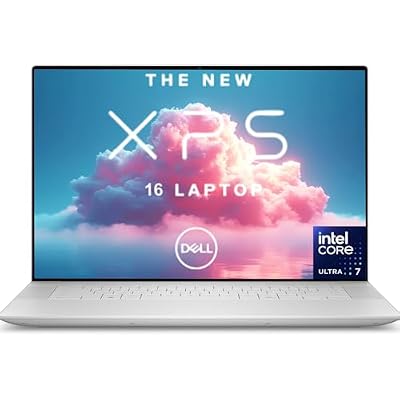
Product: Dell XPS 16 9640 Laptop, Intel Core Ultra 7 155H, GeForce RTX 4050, 16.3-inch WUXGA — ASIN: B0G75TL4V2
The XPS 16 (9640) suits producers who want a large, high-quality display and a slim aluminium chassis, and who mostly record through an external interface while mixing on the go. The Amazon US listing for ASIN B0G75TL4V2 specifies an Intel Core Ultra 7 155H processor, NVIDIA GeForce RTX 4050 graphics, a 16.3-inch WUXGA (1920 x 1200) display, 16GB of DDR5 RAM, SSD storage, and Windows 11. The Core Ultra 7 155H is an efficient chip with strong everyday responsiveness, well matched to recording, editing, arranging, and mixing projects of moderate size, and the 16.3-inch screen gives a DAW timeline and mixer room to breathe without an external display.
Be realistic about its limits. This thin machine is not the choice for the largest orchestral templates or many power-hungry instruments at the lowest buffer sizes. Connectivity is the other compromise: the XPS 16 (9640) relies on Thunderbolt 4 / USB-C, with no full-size USB-A or built-in HDMI. A USB-C dock becomes part of the studio setup, so confirm your interface and its cable or adapter are compatible before the first session.
Memory on the XPS 16 (9640) is LPDDR5X soldered, so the configuration you buy is fixed; 32GB is the sensible target for long-term production use. The SSD is replaceable. Dell warranty options vary by seller, so confirm the term shown for ASIN B0G75TL4V2 at checkout.
Choose the XPS 16 if screen space, build, and portability matter more to you than maximum track counts, and your interface setup is comfortably USB-C based.
How to choose among these four
Start with your session size. If you regularly mix dozens of tracks with multiple plug-ins per channel, or compose with large sampled instruments, the Legion Pro 5i Gen 9 offers the most CPU headroom and the only socketed-memory upgrade path here. If your work mixes audio with video and artwork, the ProArt P16 is the most creator-focused design, provided you buy enough RAM at purchase. If you write and record everywhere, the Zephyrus G14 is the easiest to carry without giving up real performance. If you mainly record a few sources at a time and mix on a big, beautiful screen, the XPS 16 fits that workflow in the slimmest body.
Then check three details on the exact ASIN listing: the fitted RAM, because on three of these four models it can never be changed; the SSD capacity and whether a seller configuration is what the ASIN describes; and the warranty provider and term.
Finally, think about latency properly. A fast CPU helps, but stable low-latency recording on Windows also depends on your interface and its ASIO driver, buffer settings, and keeping background tasks under control. None of these laptops can compensate for a poor driver. Buy interface and laptop as a system, and choose the model whose size, noise, ports, and upgrade path match how you actually make music.

















