- Top Pick: ARCTIC Fan Controller – 10 Ports with Individual PWM Control, Windows & Linux (Kernel 7.2+) Support, 2 A per Port, 4.5 A Total, Magnetic or Adhesive mounting
- Best Value: Noctua NA-FH1, 8-Port PWM Fan Hub, Magnetic with Short Circuit Protection | Supports Up To Eight 12V and 5V Fans, SATA Power Input, Up To 54W Output, Toolless Magnetic Installation, Status LEDs
- Premium Choice: Thermalright ARGB and Fan HUB X12 IR Black Hub Controller Support 12 Groups of CPU Fans,3Pin PC ARGB Controller and 4Pin PWM Fan,SATA Power Cord Direct Input(12V 4pin RGB is Not Supported)
Run out of fan headers and a case with six or eight fans suddenly becomes a puzzle. A PC fan controller solves it, but the keyword hides a split that matters: some products are true controllers that let software or sensors set the speed, while others are simple hubs that only multiply headers and pass along whatever the motherboard sends. Knowing which one you are buying decides whether you get real control or just more ports.
This guide is for builders in 2026 filling a case with radiators, intake fans and RGB strips, and wondering how to power and manage them all. Ten products are compared using only what their listings state, with notes on port counts, power input, PWM support and lighting compatibility.
Quick Picks
As an Amazon Associate we earn from qualifying purchases at no extra cost to you.


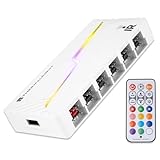


| Product | Best for | Key spec from the title |
|---|---|---|
| ARCTIC 10-Port Controller | Per-fan PWM control | 10 ports, 2A per port, 4.5A total |
| Noctua NA-FH1 | Clean, protected fan hub | 8 ports, short circuit protection, 54W |
| Thermalright X12 IR (Black) | Big fan counts with ARGB | 12 fan groups, SATA input |
| Thermalright 8-Port ARGB Hub | Mid-size builds | 8 ports, magnetic mount |
| Thermalright X12 IR (White) | White builds | 12 fan groups, SATA input |
| Thermalright X12 IR with Remote | Remote lighting control | 12-port PWM, remote for lighting |
| OwlTree 6-Fan Hub | USB-C powered setups | 6 fans, Type-C PD, 60W max |
| VWEICYY 1-to-5 Hub | Simple header splitting | 3/4-pin splitter, 1 to 5 |
| CORSAIR Commander Duo | iCUE users with temperature sensing | 12 daisy-chained fans, 2 sensors |
| Thermalright X8 Hub | Compact 8-port builds | 8 ports, SATA power |
How to Choose
Hub versus real controller
A hub splits one motherboard header into several, and all fans follow the same speed signal. A controller adds its own logic, such as individual port control, temperature sensors or software. Read the title for words like individual control, sensors or software support before assuming a box can do more than split. If the title lists only ports and connector types, treat it as a hub, and expect the motherboard curve to decide how fast every fan on it spins.
Power budget per port and in total
Fans draw current, and a hub must supply it. A listing that states amps or watts, such as 2A per port with 4.5A total, or up to 54W or 60W, lets you add up your fans against the fan labels. The fan spec sheet normally shows the current each fan draws. As a rough check, divide the total by the amps of your fans and leave margin. Budget splitters often skip these numbers entirely.
Connectors and power source
Check for 4-pin PWM and 3-pin ARGB support, and whether power comes from a SATA connector, USB-C or a DC jack. Several Thermalright listings state that 12V 4-pin RGB is not supported, so match your lighting type. Also note when a SATA cable is not included, and buy one if needed.
Mounting and compatibility
Magnetic or adhesive mounting makes hiding a hub behind the motherboard tray easier. If you use Linux, look at the stated kernel support, and for software-driven models confirm your operating system. Ignore claims you cannot verify, such as unspecified silent operation.
The 10 Best Options
ARCTIC Fan Controller (10 Ports)
For builders who want control over each fan rather than one shared speed, in a case with many fans.
- Strength: Ten ports with individual PWM control and 2A per port, 4.5A total.
- Strength: Windows and Linux support, plus magnetic or adhesive mounting.
- Trade-off: The Linux support note names a specific kernel version, so check that your setup meets it.
Skip it if you only need to split one header for a couple of fans. A ten-port controller with software dependence is more than a small build requires, and a simpler hub would cost less and ask less of your operating system.
Noctua NA-FH1 8-Port PWM Fan Hub
Suited to quiet-minded builders who want a protected, tool-free hub that mounts magnetically.
- Strength: Eight ports for 12V and 5V fans, short circuit protection and up to 54W output.
- Strength: Toolless magnetic installation and status LEDs.
- Trade-off: It is a hub, so fans share the speed signal rather than getting individual control.
Skip it if you want per-fan speed settings or RGB features. This product is about clean power distribution, not lighting or software tuning. Builders who want sensors or lighting scenes should look at the controllers further down this list.
Thermalright ARGB and Fan HUB X12 IR (Black)
For big builds with up to twelve fan groups and ARGB lighting that need one central hub.
- Strength: Supports 12 groups of fans and handles both 3-pin ARGB and 4-pin PWM.
- Strength: SATA power cord direct input.
- Trade-off: The title states 12V 4-pin RGB is not supported.
Skip it if your lighting uses 12V 4-pin RGB. Also verify the cabling before ordering, since not every fan connector type will plug straight in. With this many ports, plan your cable routes first so the hub sits where every lead can reach it.
Thermalright ARGB Fan HUB (8 Groups)
A mid-size hub for builds that do not need twelve ports but still want ARGB support.
- Strength: Eight 4-pin ports and a 5V 3-pin ARGB hub.
- Strength: Paste and magnetic mounting for flexible placement.
- Trade-off: The title notes 12V 4-pin RGB is not supported.
Skip it if you plan to add more than eight fans later. Twelve-port models give room to grow, and a hub that fills up is annoying to replace behind a built-in tray. Eight ports are plenty for a typical case with a radiator and a few case fans.
Thermalright ARGB and Fan HUB X12 IR (White)
The white version of the twelve-group hub, for builds with white components where a black board would stand out.
- Strength: 12 fan groups with 3-pin ARGB and 4-pin PWM support.
- Strength: Direct SATA power input.
- Trade-off: As with its black sibling, 12V 4-pin RGB is not supported.
Skip it if color does not matter to you and a cheaper black version would do. The hub is mostly hidden behind the tray in many cases anyway, so the finish only pays off in builds with visible cable-management cutouts or a glass-sided layout that exposes it.
Thermalright X12 IR 12-Port PWM Controller (with Remote)
For builders who want a remote to change lighting without opening software.
- Strength: Twelve 4-pin PWM ports and 5V 3-pin ARGB support.
- Strength: A remote control for lighting comes with it.
- Trade-off: The title says the SATA cable is not included.
Skip it if you do not want to track down a SATA power cable separately. Make sure you have a spare connector from your power supply before ordering. The same remote-and-lighting idea appeals most to builds whose fans are visible through a glass panel.
OwlTree 12V 4-Pin PWM Fan Hub (6 Fans)
Interesting for setups powered outside the PC, with USB-C PD or a DC jack as the source.
- Strength: Supports six fans with up to 60W total output.
- Strength: Powered by Type-C PD3.0, QC 3.0 or DC 5521.
- Trade-off: Only six fans, and the title names no software or sensor features.
Skip it if you want ARGB control or more than six fans. Powering from USB-C also requires a suitable charger, which is another item to buy, so confirm what power source you have on hand before choosing it over a SATA-fed hub.
VWEICYY Fan Hub (1 to 5)
A basic splitter for 3-pin and 4-pin PWM fans on a desktop, aimed at budget DIY builds.
- Strength: One header feeds five fans.
- Strength: Compatible with both 3-pin and 4-pin fans.
- Trade-off: No power input or amperage limits are stated.
Skip it if you plan to connect many high-draw fans to one motherboard header. Without a stated power budget, it is safest for light loads, and builders who want clear current limits will prefer one of the hubs that publish them.
CORSAIR Commander Duo iCUE Link
For people already in the iCUE Link ecosystem who want temperature-based fan control.
- Strength: Controls up to twelve daisy-chained PWM fans plus ARGB.
- Strength: Two flexible temperature sensors are included.
- Trade-off: Designed around the iCUE Link system, so it makes the most sense with compatible parts.
Skip it if your fans and lighting are from other brands. A mixed-brand build will not get the full benefit of a system built around one ecosystem, and the title does not say which fans it supports, so check compatibility on the product page.
Thermalright Fan and ARGB HUB X8
A compact eight-port hub for builders who want ARGB and PWM management without twelve ports.
- Strength: Eight groups of fans with ARGB and PWM management.
- Strength: SATA power supply input.
- Trade-off: The title states the SATA cable is not included.
Skip it if you want a remote or a larger port count. Verify the cable situation before ordering, since the title says a SATA cable is not part of the package, and consider a twelve-port model if your fan count may grow.
Which One Fits Your Situation
You want per-fan control
The ARCTIC 10-port controller lists individual PWM control, and the CORSAIR adds temperature sensors for its own ecosystem.
You have a big build with lots of ARGB
The Thermalright X12 IR models handle up to twelve fan groups, with the remote version adding lighting control.
You want protection and a tidy install
The Noctua NA-FH1 lists short circuit protection, toolless magnetic installation and status LEDs.
You just need extra headers cheaply
The VWEICYY 1-to-5 splitter is the simplest option, best for a few low-draw fans. The OwlTree six-fan hub is the other budget-minded route, particularly if you would rather feed it from USB-C than from the power supply.
Common Mistakes
- Assuming every hub offers individual control when many only split a signal.
- Ignoring the amp and watt limits stated in the listing.
- Buying a hub without a SATA cable when the listing says it is not included.
- Pairing a 12V 4-pin RGB strip with a hub that does not support it.
- Plugging a large fan array into a single motherboard header.
Related guides
- Aio Liquid Coolers For High Performance Gaming
- Wireless Gaming Headsets Under 100 For Pc
- Ssds For Large Video And Raw Photo Files
Frequently Asked Questions
Do I need a fan controller or just a hub?
If all your fans can run at the same speed, a hub is enough. If you want separate speeds or temperature-based behavior, look for a controller with sensors or per-port control.
How many fans can one header power?
That depends on the header’s current limit and the fans. Check the amps in your motherboard manual and add up your fans’ draw before splitting. This is why hubs with their own SATA or DC power input exist: they take the load off the header and leave it only the speed signal.
Can I mix PWM and ARGB on one hub?
Several Thermalright listings support both 4-pin PWM and 5V 3-pin ARGB. Confirm the exact connectors your fans and strips use.
Do these need special software?
Some do and others do not. The ARCTIC lists Windows and Linux support, the CORSAIR is built for its own ecosystem, and simple hubs need nothing.