

- Top Pick: GIGABYTE B550 Eagle WIFI6 AMD AM4 ATX Motherboard, Supports Ryzen 5000/4000/3000 Processors, DDR4, 10+3 Power Phase, 2X M.2, PCIe 4.0, USB-C, WIFI6, GbE LAN, PCIe EZ-Latch, EZ-Latch, RGB Fusion
- Best Value: ASUS Prime B550M-A WiFi II AMD Micro ATX DDR4 Motherboard with PCIe 4.0, WiFi 6, ECC Memory, HDMI 2.1, RGB Header
- Premium Choice: Asus ROG Strix B550-F Gaming WiFi II AMD AM4 (3rd Gen Ryzen) ATX DDR4 Gaming Motherboard (PCIe 4.0,WiFi 6E, 2.5Gb LAN, BIOS Flashback, HDMI 2.1, Addressable Gen 2 RGB Header and Aura Sync)
🛒 Best Price Today on Amazon
Prime members get fast, free shipping on everything above, plus member-only deals. New members get a 30-day free trial — cancel anytime.
Top Motherboards Beginners Picks for 2026
Here are our current top motherboards beginners picks, compared on real Amazon owner reviews, price, and features. Live prices update below.
As an Amazon Associate we earn from qualifying purchases at no extra cost to you.


Your first PC build can feel intimidating, and the motherboard is where a lot of that anxiety lives — it is the board everything else plugs into, so a clear, sensible layout and the right features make the whole project far less daunting. For a beginner, the best motherboard is not the one with the most exotic specs; it is the one that is easy to work with, widely documented, reliably compatible with popular CPUs, and forgiving if you are still learning where everything goes. A well-chosen board turns a stressful first build into a smooth, satisfying one.
This guide rounds up the best motherboards for beginners in 2026, focused on value-friendly, clearly laid-out boards with strong reputations and broad compatibility. Our picks were chosen on what genuinely helps a newcomer: an approachable, well-organised layout, a popular and well-supported socket, useful beginner features like built-in Wi-Fi and clear connector labelling, and sensible value. Prices run from around $99 to around $200. Most boards here use AMD’s beginner-friendly AM4 platform, with one Intel option included for context. Below is an at-a-glance comparison of all six, then a closer look at each and a buyer’s guide to picking your first board with confidence.
Best Motherboards for Beginners at a Glance
| Motherboard | Best For | Standout Spec | Approx Price |
|---|---|---|---|
| MSI B550M PRO-VDH WiFi (Micro-ATX) | Easiest first build with Wi-Fi | Built-in Wi-Fi, compact, value | around $99 |
| MSI B550-A PRO (ATX) | Roomy beginner-friendly layout | Full ATX, clear layout, AM4 | around $110 |
| MSI MAG B550 Tomahawk (ATX) | Grow-into value board | Strong VRM, popular AM4 board | around $160 |
| ASUS ROG Strix B550-F Gaming (ATX) | Polished features + guidance | ROG features, robust AM4 board | around $160 |
| ASUS ROG Strix B450-F Gaming (ATX) | Budget AM4 starter | Mature B450, DP/HDMI, M.2 | around $130 |
| ASUS Prime Z390-A (ATX, Intel) | Intel 8th/9th-gen builds | Intel LGA1151, DDR4, M.2 | around $200 |
1. MSI B550M PRO-VDH WiFi ProSeries Motherboard (AMD Ryzen 5000, AM4, DDR4)

MSI B550M PRO-VDH WiFi ProSeries Motherboard (AMD Ryzen 5000, AM4, DDR4, PCIe 4.0, SATA 6Gb/s, M.2, USB 3.2 Gen 1, Wi-Fi, Bluetooth, D-SUB/HDMI/DP, Micro-ATX)


As an Amazon Associate we earn from qualifying purchases. Product prices and availability are accurate as of the date/time indicated.
The MSI B550M PRO-VDH WiFi is the easiest-first-build pick and the best value on this list. It is a compact Micro-ATX board on AMD’s hugely popular AM4 socket, supporting Ryzen 5000 processors and DDR4 memory, with built-in Wi-Fi so a beginner does not need a separate network card or a cable run. At around $99 it is an affordable, fuss-free foundation for a first PC.
This is the board to choose if you want the simplest possible start. The smaller Micro-ATX size fits a wide range of cases and keeps the layout approachable, the integrated Wi-Fi gets you online immediately, and the B550 chipset supports modern features like PCIe 4.0 and an M.2 slot for a fast SSD. MSI’s clear connector labelling and broad AM4 compatibility make installation forgiving for newcomers. For a beginner who wants built-in Wi-Fi and a clean, low-cost board that just works, the B550M PRO-VDH WiFi is the standout starting point.
Pros: Built-in Wi-Fi, beginner-friendly Micro-ATX layout, AM4 with PCIe 4.0 and M.2, lowest price here.
Cons: Micro-ATX has fewer expansion slots than full ATX boards.
2. MSI B550-A PRO ProSeries Motherboard (AMD Ryzen 5000, AM4, DDR4, PCIe 4.0)
The MSI B550-A PRO is the roomy-layout pick, a full-size ATX board that gives beginners more space to work and clearer separation between components. It supports Ryzen 5000 processors on AM4 with DDR4 memory, PCIe 4.0 and an M.2 slot, all on MSI’s dependable ProSeries platform. At around $110 it is an affordable step up to a larger, easier-to-build-in board.
This is the board for the newcomer who wants a little more elbow room than a compact model and finds a full-size layout easier to navigate. The ATX form factor spaces out the connectors and slots so it is simpler to see what goes where, the AM4 socket keeps CPU choice and documentation plentiful, and PCIe 4.0 with M.2 covers modern graphics cards and fast storage. It skips built-in Wi-Fi to hit its price, so plan for a cable or an adapter. For a spacious, beginner-friendly ATX board at a sensible price, it is an easy recommendation.

Pros: Roomy full-ATX layout, clear connector spacing, AM4 with PCIe 4.0 and M.2, good value.
Cons: No built-in Wi-Fi; you will need a cable or a separate adapter.
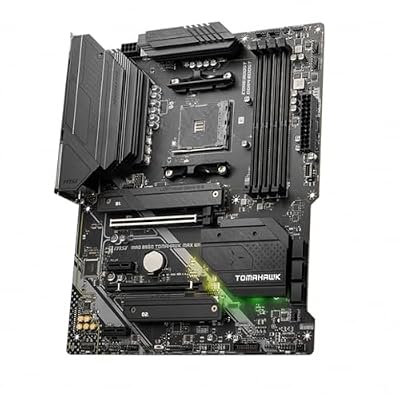
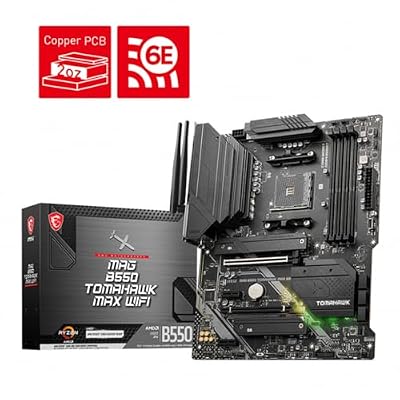
3. MSI MAG B550 Tomahawk Gaming Motherboard (AMD Ryzen 5000, AM4, DDR4, PCIe 4.0)

MSI MAG B550 Tomahawk MAX WiFi Gaming Motherboard (AMD Ryzen 5000 Series, AM4, DDR4, PCIe 4.0, SATA 6Gb/s, M.2, USB 3.2 Gen 2, HDMI/DP, Wi-Fi 6E, Bluetooth 5.2, 2.5Gbps LAN, ATX)



As an Amazon Associate we earn from qualifying purchases. Product prices and availability are accurate as of the date/time indicated.
The MSI MAG B550 Tomahawk is the grow-into pick, one of the most popular and widely recommended AM4 boards for good reason. It is a full ATX board supporting Ryzen 5000 on DDR4, with a notably strong VRM (the power delivery that feeds the CPU), robust build quality and extensive PCIe 4.0 and M.2 support. At around $160 it is a mid-range board that a beginner will not outgrow quickly.
This is the board for the newcomer who wants room to grow and the confidence of a community favorite. The strong VRM comfortably supports even the higher core-count Ryzen chips, so you can start modest and upgrade the CPU later without changing the board, and the abundant documentation and online guides make troubleshooting easy thanks to its popularity. The layout is clean and well-labelled, and the feature set is generous. For a beginner who wants a dependable board that scales with their ambitions, the Tomahawk is a superb choice.
Pros: Strong VRM for any AM4 chip, very popular with abundant guides, robust build, room to grow.
Cons: No Wi-Fi on the base model; pricier than entry boards.
4. ASUS ROG Strix B550-F Gaming Motherboard, AMD AM4 Zen 3 Ryzen 5000
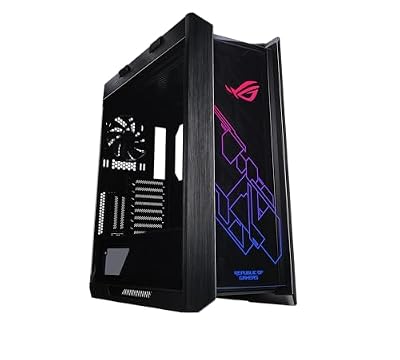
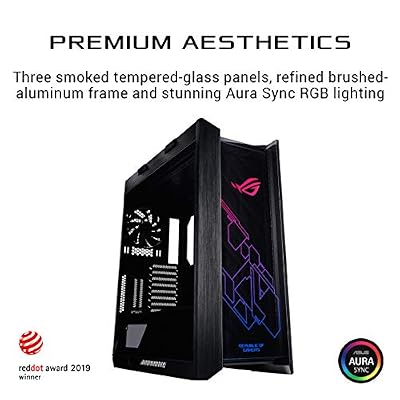
ASUS ROG Strix Helios RGB EATX Mid-Tower Gaming PC Case | Tempered Glass Panels, Supports Radiators up to 420mm long & Graphics Card up to 450mm long, Aluminum Frame, Aura Sync


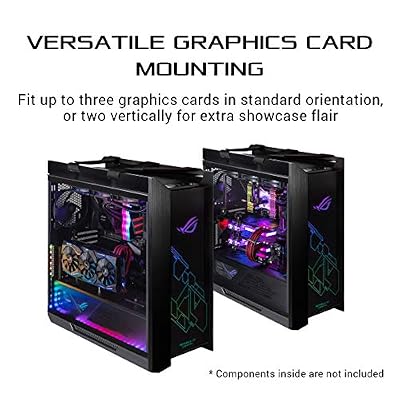
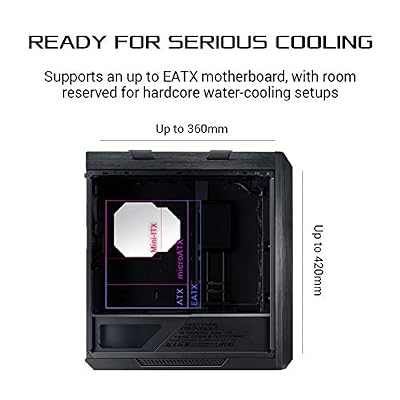


As an Amazon Associate we earn from qualifying purchases. Product prices and availability are accurate as of the date/time indicated.
The ASUS ROG Strix B550-F Gaming is the polished-features pick, bringing ASUS’s well-regarded ROG quality and helpful tools to a beginner-friendly AM4 board. It is a full ATX board supporting Ryzen 5000 on DDR4, with PCIe 4.0, M.2 heatsinks, sturdy reinforced slots and ASUS’s clear BIOS and setup guidance. At around $160 it pairs a premium feel with newcomer-friendly usability.
This is the board for the beginner who wants a more refined experience and appreciates extra guidance while learning. ASUS’s UEFI BIOS is famously approachable with an EZ Mode that simplifies setup, the robust slot reinforcement helps protect against mistakes when fitting a heavy GPU, and the ROG build quality inspires confidence. PCIe 4.0 and M.2 support keep it modern, and the AM4 socket means plenty of CPU options. For a newcomer who values polish, durability and helpful software on a solid AM4 platform, the Strix B550-F is an excellent pick.

Pros: Refined ROG build, beginner-friendly ASUS BIOS, reinforced slots, PCIe 4.0 and M.2.
Cons: Around the same price as the Tomahawk; base model lacks Wi-Fi.
5. Asus ROG Strix B450-F Gaming Motherboard (ATX) AMD Ryzen 2 AM4 DDR4 DP HDMI M.2

ASUS ROG Strix Scope II 96 Wireless Mechanical Gaming Keyboard – 96% Full-Size, Tri-Mode Connectivity, Hot Swappable Pre-lubed ROG NX Snow Linear Switches, PBT Keycaps, RGB, PC/Mac Support-Black
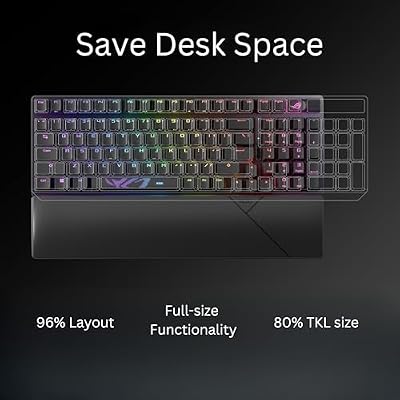


As an Amazon Associate we earn from qualifying purchases. Product prices and availability are accurate as of the date/time indicated.
The ASUS ROG Strix B450-F Gaming is the budget AM4 starter pick, built on the older but very mature B450 chipset. It is a full ATX board supporting AM4 Ryzen processors with DDR4, DisplayPort and HDMI outputs, and an M.2 slot for fast storage, all with ASUS’s ROG quality. At around $130 it is a wallet-friendly way onto a proven, well-documented platform.
This is the board for the beginner who wants ROG build quality and a clear layout at a lower price, and is happy on the established B450 platform. B450 is extremely mature, so compatibility and online guidance are abundant — reassuring when you are learning — and the board’s M.2 slot and video outputs cover the essentials. Note that some Ryzen 5000 CPUs may require a BIOS update on B450 boards, so it is worth checking, but many ship ready to go. For an affordable, well-supported first board with a trusted name, the Strix B450-F is a sensible choice.
Pros: Affordable ROG board, mature and well-documented B450 platform, M.2 and video outputs.
Cons: Older chipset; some newer CPUs may need a BIOS update first.
6. Asus Prime Z390-A Motherboard LGA1151 (Intel 8th and 9th Gen) ATX DDR4 DP HDMI M.2

Asus ROG Strix Z390-E Gaming Motherboard LGA1151 (Intel 8th 9th Gen) ATX DDR4 DP HDMI M.2 USB 3.1 Gen2 802.11AC Wi-Fi


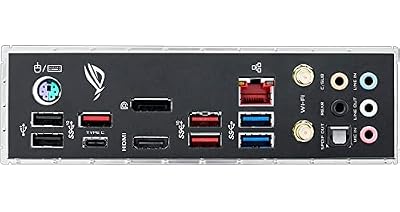
As an Amazon Associate we earn from qualifying purchases. Product prices and availability are accurate as of the date/time indicated.
Rounding out the list is the ASUS Prime Z390-A, the Intel pick included for context. It is a full ATX board on Intel’s LGA1151 socket, supporting 8th and 9th generation Intel Core processors with DDR4 memory, M.2 storage and DisplayPort and HDMI outputs. At around $200 it is the most expensive board here, and it targets a specific, older Intel platform rather than the AM4 ecosystem most of this list uses.
Within a beginners’ guide, the honest role for the Prime Z390-A is narrow: it makes sense if you specifically have, or are buying, an Intel 8th or 9th-gen Core CPU and want a reliable, clearly laid-out ASUS Prime board for it. The Prime series is known for a clean, beginner-approachable design and a straightforward BIOS, and the board covers the essentials with M.2 and video outputs. For most new builders choosing fresh, the AM4 boards above offer better value and broader current support — but if your build is centred on a compatible Intel chip, this is a dependable, newcomer-friendly option.

Pros: Clean beginner-friendly ASUS Prime layout, Intel LGA1151, DDR4, M.2 and video outputs.
Cons: Older Intel-only platform; most expensive here and narrower fit than the AM4 boards.
How to Choose a Motherboard for Beginners
For a first build, start with the socket and chipset, because they decide which CPUs the board accepts and how much you will spend overall. Most boards here use AMD’s AM4 socket, which is ideal for beginners: it is hugely popular, exceptionally well-documented, and pairs with affordable, capable Ryzen processors. The B550 chipset (as on most of these MSI and ASUS boards) is the sweet spot, adding modern PCIe 4.0 support, while the older B450 keeps costs down. Pick your CPU and socket together so the two always match.
Form factor is the next decision and it directly affects how easy the build feels. A full-size ATX board, like the B550-A PRO, Tomahawk or Strix models, spreads connectors and slots out so it is easier to see what plugs in where — genuinely helpful when you are learning. A smaller Micro-ATX board like the B550M PRO-VDH WiFi fits compact cases and costs less, at the expense of a few expansion slots. For most first builds in a standard case, ATX is the more forgiving choice, but Micro-ATX is great for small, tidy systems.
Beginner-friendly features can make a real difference to your first experience. Built-in Wi-Fi, as on the B550M PRO-VDH WiFi, saves you buying a separate card or running a cable. Clear connector labelling, a simple UEFI BIOS with an easy mode (ASUS boards are well known for this), reinforced PCIe slots that resist damage from a heavy GPU, and at least one M.2 slot for a fast, cable-free SSD all smooth the process. Decide which of these matter to you, and lean toward boards that include them.
Finally, balance value against room to grow. The cheapest board that fits your CPU will get you running, but a slightly better board can save money later: the MSI MAG B550 Tomahawk, for instance, has a strong VRM that supports even high-core-count chips, so you can upgrade the CPU later without replacing the board. Check compatibility carefully — some B450 boards need a BIOS update for the newest CPUs, and the Intel Z390-A only fits 8th and 9th-gen Core chips. Match the socket to your processor, choose a form factor and feature set that suit you, and pick the beginner board on this list that fits your build and budget.
Frequently Asked Questions
What is the easiest motherboard chipset for a first-time builder?
AMD’s B550 chipset on the AM4 socket is an excellent beginner choice, used by most boards here. It is widely documented, pairs with affordable Ryzen CPUs, and supports modern features like PCIe 4.0 and M.2 storage. The older B450 is a cheaper alternative on the same socket. Both are forgiving and well-supported, with abundant online guides to help when you get stuck.
Should a beginner choose ATX or Micro-ATX?
Either works, but full-size ATX boards like the MSI MAG B550 Tomahawk or ASUS Strix models are often easier for a first build because the connectors and slots are spread out and simpler to navigate. Compact Micro-ATX boards like the MSI B550M PRO-VDH WiFi fit smaller cases and cost less, at the expense of a few expansion slots. Choose ATX for room to work, Micro-ATX for a tidy, small build.
Do I need a motherboard with built-in Wi-Fi?
It is convenient but not essential. A board with built-in Wi-Fi, like the MSI B550M PRO-VDH WiFi, gets you online immediately with no extra card or cable run, which is great for a beginner. If your board lacks it, you can use a wired Ethernet connection or add an inexpensive Wi-Fi adapter later. Decide based on whether running a cable to your PC is practical.
Will these motherboards work with any CPU?
Only with CPUs that match their socket. The AM4 boards here accept AMD Ryzen processors (the B450 model may need a BIOS update for the newest Ryzen 5000 chips), while the Intel Z390-A fits only 8th and 9th-generation Intel Core CPUs. Always pair the motherboard’s socket with your chosen processor, and check the board’s CPU support list before buying to avoid compatibility surprises.
Related Guides
- Best CPUs Under $700
- Best RAM for Gaming
- Best CPU Coolers
- Best NVMe SSDs
- Best Power Supplies
- Best Pre-Built Gaming PCs
Affiliate Disclosure: As an Amazon Associate, we earn from qualifying purchases. If you click a link and make a purchase, we may earn a small commission at no extra cost to you. Prices and availability are accurate as of publication and may change.













