The real decision is not raw gaming speed. It is whether one machine can sit through a workday of documents, calls and browser tabs without sounding like a hair dryer, then still run modern games properly in the evening, all without weighing down a bag like a desktop replacement. Buyers who pick on GPU name alone often end up with a loud, heavy brick they resent carrying, while buyers who pick on thinness alone end up with integrated graphics that cannot game.


This guide serves commuters, students, home workers and anyone replacing both an everyday laptop and a separate gaming machine with a single purchase. If your mix leans more towards office work than play, the companion guide to the best laptop for business and personal use is worth reading alongside this one. Every pick below was chosen from the model names and specifications stated on its Amazon product page.
Quick Picks
As an Amazon Associate we earn from qualifying purchases
| Product | Best for | Key spec from title |
|---|---|---|
| ASUS ROG Zephyrus G14 (2024) | Daily carry with serious gaming after hours | 14-inch OLED 3K 120Hz, Ryzen 9 8945HS, RTX 4060, 1TB SSD |
| ASUS TUF Gaming A14 FA401WV-WB94 | Fast screen gaming in the smallest TUF body | 14-inch WQXGA 165Hz, Ryzen AI 9 HX 370, RTX 4060, 1TB SSD |
| Lenovo Legion 5 Gen 10 | One larger screen for desk work and play | 15.1-inch WQXGA OLED 165Hz, Ryzen 7 260, RTX 5060, 1TB SSD |
| Acer Swift X 14 AI SFX14-61G-R1HV | Personal use first, gaming second, in a slim shell | 14.5-inch 3K OLED 120Hz touch, Ryzen AI 7 350, RTX 5060, 32GB RAM |
How to Choose
Graphics class and power limit decide what you can play
A laptop RTX 4060 or RTX 5060 is the practical floor for a machine that must game credibly for several years, because both carry 8GB of video memory and support modern upscaling. The same GPU name can perform differently between models, since makers set different power limits to protect thin chassis and battery life. Check whether the listing mentions a MUX switch, which routes the display directly to the discrete GPU. Before buying, confirm the exact GPU and memory size in the title, because some ranges mix RTX and integrated-only versions under one model name.
Processor, cooling and fan behaviour shape the workday
Everyday work rewards a processor that sips power during documents and calls, then boosts when a game or a large spreadsheet arrives. Ryzen HS and Core Ultra H chips are built for that pattern, pairing strong multi-core performance with capable integrated graphics for unplugged tasks. Cooling design matters just as much: a dual-fan slim gaming laptop stays audible under full game load, yet should drop to near silence once the discrete GPU idles. If you work in shared spaces, favour models whose listings emphasise vapour chambers or liquid-metal cooling over headline clock speeds.
Display, battery and weight decide whether you carry it
A 14-inch OLED panel at 120Hz or faster serves both halves of this purchase: sharp text and rich colour for daily work, plus smooth motion once a game starts. Resolution cuts both ways, because a 3K screen pushes the GPU harder than a 1600p one at native settings. Battery capacity in watt-hours and total weight tell you whether the machine travels daily or mostly lives on a desk. Anything much above five pounds with its charger becomes a deliberate carry, so match the size class to your routine rather than to the biggest screen available.
Memory, storage, ports and upgrade paths protect the purchase
Sixteen gigabytes of RAM is the working minimum for a combined personal and gaming laptop, and 32GB is the comfortable choice if you keep many tabs, chat apps and a game open together. The catch is construction: LPDDR5X memory is soldered, so the amount fitted at purchase is final, while SODIMM designs such as the Legion below can grow later. Storage is easier, since most of these models accept a larger M.2 SSD. Finally, count the ports you actually use, including HDMI for a monitor, USB-C with display output, and a card reader if you move photos often.
The 4 Best Options
ASUS ROG Zephyrus G14 (2024)
This is the closest thing here to a normal premium laptop that happens to game properly. The Ryzen 9 8945HS and RTX 4060 sit in a chassis barely over three pounds with a 76Wh battery, so it behaves during meetings and commutes, then still drives its 120Hz OLED at native resolution in most current titles with sensible settings. The listing states a MUX configuration in the title, and the aluminium build suits buyers who would never carry a typical gaming brick. It suits professionals and students who game most evenings.
Specs
- Processor: AMD Ryzen 9 8945HS, up to 5.2 GHz, 8 cores
- Graphics: NVIDIA GeForce RTX 4060, 8GB GDDR6
- Display: 14-inch OLED, 2880 x 1800, 120Hz, glossy
- Memory: 16GB LPDDR5, maximum listed as 16GB
- Storage: 1TB SSD, one M.2 slot listed
- Battery: 76Wh lithium ion
- Weight and size: 3.31 pounds, 12.26 x 8.66 x 0.63 inches
- Connectivity: Wi-Fi 802.11ax, Bluetooth 5.3, HDMI, DisplayPort, USB-C, MicroSD slot
- Operating system: Windows 11 Home
- Warranty: 1 year manufacturer, limited
Best for: buyers who carry their laptop daily and want genuine gaming power without gaming-laptop bulk.
Watch out for: memory is capped at the listed 16GB maximum, so there is no RAM upgrade path; the listing also states no webcam capability, so confirm the camera arrangement before relying on it for video calls.
ASIN: B0D9JH9CW3
ASUS TUF Gaming A14 FA401WV-WB94
The TUF A14 takes the same 14-inch idea and aims it harder at frame rates. Its Ryzen AI 9 HX 370 brings twelve cores for multitasking, the RTX 4060 works through a dedicated MUX switch, and the 165Hz WQXGA panel is the fastest screen in this guide, which competitive players will feel immediately. The 73Wh battery and slim 0.67-inch profile keep it portable enough for classes, offices and trains. Choose it if your personal use involves fast-paced titles where refresh rate matters more than OLED contrast, and you accept a gaming brand’s styling at your desk.
Specs
- Processor: AMD Ryzen AI 9 HX 370, up to 5.1 GHz, 12 cores
- Graphics: NVIDIA GeForce RTX 4060, 8GB, dedicated MUX switch
- Display: 14-inch WQXGA IPS, 2560 x 1600, 165Hz
- Memory: 16GB LPDDR5X, maximum listed as 16GB
- Storage: 1TB PCIe Gen 4.0 SSD
- Battery: 73Wh lithium ion
- Size: 12.24 x 8.94 x 0.67 inches
- Connectivity: Wi-Fi 6E, Bluetooth, HDMI output
- Operating system: Windows 11 Home
- Warranty: 1 year, limited
Best for: players of fast competitive games who still need a laptop that fits a small bag and a classroom desk.
Watch out for: RAM is fixed at 16GB with no upgrade path in the listing, and the listing states no webcam capability, so plan an external camera if your daily work is call-heavy.
ASIN: B0DNJJPF6Q
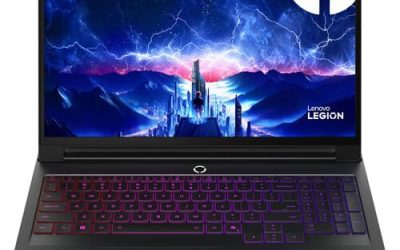
Lenovo Legion 5 Gen 10

The Legion is the desk-first option: a 15.1-inch OLED running at 165Hz, an RTX 5060 with 8GB of GDDR7, and an 80Wh battery inside a body the listing puts at roughly five pounds. That extra size buys the best everyday experience here, including a 5MP camera with an electronic shutter for calls, wired Ethernet for stable downloads, and the only socketed memory in this guide. Its DDR5 SODIMM can grow to the listed 32GB maximum later, which extends the machine’s useful life. Pick it when the laptop travels between rooms or buildings rather than across town daily.
Specs
- Processor: AMD Ryzen 7 260, 3.8 GHz up to 5.1 GHz
- Graphics: NVIDIA GeForce RTX 5060 Laptop GPU, 8GB GDDR7
- Display: 15.1-inch WQXGA OLED, 2560 x 1600, 165Hz, 500 nits, 100% DCI-P3
- Memory: 16GB DDR5-5600 SODIMM, maximum listed as 32GB
- Storage: 1TB SSD M.2 2242 PCIe Gen4
- Battery: 80Wh
- Camera: 5MP with dual microphone and E-Shutter
- Ports: 3x USB-A, 1x USB-C with Power Delivery and DisplayPort 2.1, 1x USB-C USB4, HDMI 2.1, Ethernet RJ-45, audio combo jack
- Connectivity: Wi-Fi 7, Bluetooth 5.4
- Operating system: Windows 11 Home
- Warranty: 1 year courier or carry-in
Best for: buyers who want one larger screen for work and gaming, plus a real RAM upgrade path.
Watch out for: at roughly five pounds before its power adaptor, it is the heaviest carry here; also note the fitted SSD uses the shorter M.2 2242 format when planning a storage upgrade.
ASIN: B0FXMY8FYW
Acer Swift X 14 AI SFX14-61G-R1HV
The Swift X reverses the usual gaming formula: it looks and behaves like a slim personal laptop first, with a touchscreen OLED, a haptic touchpad and 32GB of memory fitted as standard, then adds an RTX 5060 for gaming in the evening. That memory amount matters for personal use, because browsers, photo libraries and office suites stay fluid for years without any upgrade decision. The Ryzen AI 7 350 keeps everyday work efficient, while the 120Hz 3K panel suits strategy, simulation and story games especially well. Choose it if gaming is a regular hobby rather than the machine’s main job.
Specs
- Processor: AMD Ryzen AI 7 350
- Graphics: NVIDIA GeForce RTX 5060
- Display: 14.5-inch 3K OLED touch, 2880 x 1800, 120Hz, Gorilla Glass
- Memory: 32GB LPDDR5X
- Storage: 1TB SSD
- Input: haptic touchpad
- Model: Acer Swift X 14 AI SFX14-61G-R1HV
- Operating system: Windows 11
Best for: personal-use buyers who want generous memory and a touch OLED, with proper gaming ability on top.
Watch out for: the LPDDR5X memory is an onboard design, so the 32GB fitted is what the machine keeps for life; also confirm the exact port selection on the listing, since slim creator models often drop wired Ethernet.
ASIN: B0FNXXC728
Which One Fits Your Situation
You commute or travel with the laptop every day
Take the Zephyrus G14. At 3.31 pounds with a 76Wh battery, it is the only pick here that disappears into a work bag, and its OLED screen keeps documents and media looking sharp on the move. The trade is fixed memory, so decide now that 16GB covers your workload for the machine’s life, including the games you expect to play in two or three years.
You play competitive games several nights a week
Take the TUF Gaming A14. The 165Hz panel and MUX switch serve fast shooters and racing titles better than any other configuration in this guide, and the twelve-core processor keeps voice chat, launchers and recording tools from stealing resources. It still fits a lecture hall or office desk, which slower, larger gaming laptops cannot claim, so your evening hobby does not dictate your daytime carry.
The laptop mostly lives on one desk, with occasional trips
Take the Legion 5 Gen 10. The bigger OLED, full port set with Ethernet, and proper webcam make a home desk feel complete without a dock, and the RTX 5060 has the headroom to drive the 1600p screen well. Socketed memory means a later upgrade to 32GB is a small job rather than a new laptop, which suits a machine bought to serve for many years.
Your days are documents, photos and family admin, gaming is secondary
Take the Acer Swift X 14 AI. Its 32GB of memory, touch OLED and haptic touchpad serve everyday personal computing better than the gaming-first models, and nothing about its appearance announces a gaming machine. The RTX 5060 still runs modern games at settings the integrated graphics in ordinary slim laptops cannot approach, so the evening option stays open without compromising the daytime one.
Common Mistakes
- Choosing by GPU name alone and ignoring the power limit and cooling, which decide how that GPU actually performs in a slim chassis.
- Buying soldered 16GB memory for a machine meant to last five years, then discovering there is no upgrade path when workloads grow.
- Assuming every gaming laptop has a good webcam, when some listings state no camera capability at all; check before a call-heavy job depends on it.
- Judging battery life by gaming figures, or judging gaming ability by battery figures; the two modes draw power completely differently.
- Forgetting the charger in the carry weight, which can turn a manageable laptop into a tiring daily load.
Frequently Asked Questions
Can one laptop really handle both daily work and modern games?
Yes, provided it pairs a discrete RTX-class GPU with an efficient processor, as all four picks here do. The integrated graphics handle documents and video quietly on battery, while the discrete GPU takes over when a game launches. The compromise is fan noise under full gaming load and shorter unplugged gaming time, neither of which affects ordinary work.
Is 16GB of RAM enough, or should I insist on 32GB?
Sixteen gigabytes runs current games and normal multitasking comfortably today. The deciding factor is construction: on SODIMM models such as the Legion you can upgrade later, while soldered LPDDR5X models freeze the decision at purchase. If you keep machines for many years, run many applications at once, or edit large photo and video files, buying 32GB from the start is the safer choice.
Why do two laptops with the same GPU perform differently?
Makers set different power limits for the same GPU to balance heat, noise and thickness, so a chip in a slim chassis may run below the same chip in a thicker one. A MUX switch also helps by sending the discrete GPU’s output directly to the screen. Compare the full listing, including cooling and switch details, rather than the GPU name alone.
Should I choose a 14-inch or a larger screen for a dual-use laptop?
Choose 14 inches if the laptop leaves the house most days, because weight and battery matter more than screen area on the move. Choose a 15-inch or 16-inch model if it mainly sits on one desk, where the larger panel improves both spreadsheets and games. Either way, prioritise a refresh rate of 120Hz or higher and a resolution the fitted GPU can drive at native settings.