A gaming laptop bought for rendering is judged by a different decision than one bought for frame rates: whether your heaviest scene still fits in the graphics memory at 2 a.m. on a deadline. If the scene spills out of VRAM, the render falls back to system memory or fails outright, and no refresh rate fixes that. Core counts, memory capacity and cooling that holds up for hours matter more here than a few extra hertz.

This guide is for Blender and V-Ray freelancers, Unreal Engine developers who bake lighting on the road, and students whose coursework has outgrown an entry-level machine. Every pick below was chosen from the processor, graphics card, memory and storage named on its Amazon product page, and each one is a gaming laptop that can double as a render node.
Quick Picks
As an Amazon Associate we earn from qualifying purchases
| Product | Best for | Key spec from title |
|---|---|---|
| ASUS ROG Strix Scar 18 (G835LX) | Studio scenes that need maximum VRAM and memory | RTX 5090 24GB, 64GB DDR5 RAM, 2TB NVMe SSD |
| Lenovo Legion Pro 7i Gen 10 | Long overnight renders with room to upgrade RAM later | RTX 5080 16GB, 32GB DDR5-6400, 1TB Gen 5 SSD |
| Razer Blade 16 (2025) | Rendering work that travels between client sites | RTX 5090, Ryzen AI 9 HX 370, 32GB LPDDR5x, 2TB SSD |
| Lenovo Legion Pro 5i Gen 10 | Mid-size scenes and look-development on a tighter spend | RTX 5070 Ti 12GB at 140W, 32GB RAM, 2TB SSD |
How to Choose
Start with VRAM and the CUDA ecosystem
For GPU rendering, the graphics memory ceiling decides which scenes you can finish at all. Cycles, V-Ray GPU and Redshift all load geometry, textures and render buffers into VRAM, and a scene that exceeds it either fails or drops to much slower system-memory rendering. NVIDIA cards also unlock CUDA and OptiX acceleration in Blender and V-Ray, plus the widest plug-in support in tools like Redshift and Octane. Treat 12GB as the working floor for production scenes, 16GB as comfortable, and 24GB as the tier where large environments and high-resolution texture sets stop being a negotiation.
Check the GPU power limit, not just the chip name
Two laptops with the same RTX 5080 can render at meaningfully different speeds because makers set different total graphics power limits. A card capped near 100W in a thin chassis will finish a long Cycles job later than the same chip allowed 175W in a thicker one, and the gap widens over multi-hour renders where cooling saturates. Look for the wattage in the listing or the maker’s spec sheet before comparing model names, and favour machines whose cooling is built for sustained load: rendering pins the GPU near full utilisation for hours, unlike the spiky load of a game.
Count CPU cores and plan the memory upgrade path
GPU renderers get the headlines, but the processor still carries CPU render modes in V-Ray and Arnold, shader compiling in Unreal Engine, simulation baking and scene export. A 24-core HX chip chews through those jobs far faster than a thin-and-light processor. Memory matters just as much: 32GB is the practical starting point, and heavy scenes or compositing alongside the render push you toward 64GB. Before buying, check whether the exact model uses slotted DDR5 you can swap later, like the Legions below, or soldered LPDDR5X that fixes your capacity forever, like the Razer.
Weigh the display, ports, storage and warranty
You will judge colour and lighting on this screen, so resolution and panel quality matter more than refresh rate; the OLED and Mini LED panels below are chosen with that in mind. Fast external storage and a Thunderbolt or USB4 port help when project drives follow you between machines, and if your workload is really desktop-class, our guide to the best gaming PCs for 3D rendering shows what a tower buys you instead. Finally, read the warranty line on the listing: a machine that renders overnight for clients is a work tool, and support terms differ between these picks.
The 4 Best Options
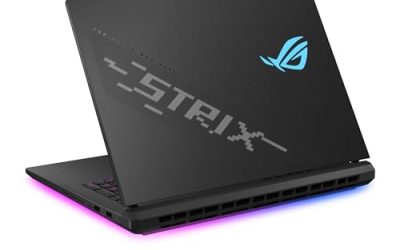
ASUS ROG Strix Scar 18 (G835LX)
This is the pick for artists whose scenes already strain 16GB cards. The RTX 5090’s 24GB of GDDR7 is the largest graphics memory in this roundup, and Blender Open Data’s published medians put the RTX 5090 Laptop GPU at the top of the laptop chart, ahead of the 5080 below. The 64GB of system memory and the big 18-inch Mini LED panel suit long look-development sessions, and the memory sits in two DDR5 slots, so the configuration is serviceable rather than sealed. It is a desk-bound machine, but rendering output per hour is the point here.
Specs
- Processor: Intel Core Ultra 9 275HX, 24 cores (2.7GHz–5.4GHz, 36MB Intel Smart Cache)
- Graphics: NVIDIA GeForce RTX 5090, 24GB GDDR7
- Memory: 64GB (2x 32GB) DDR5 5600MHz
- Storage: 2TB PCIe 4.0 NVMe SSD
- Display: 18-inch 240Hz Mini LED
- Operating system: Windows 11 Pro
- Warranty: 1-Year ASUS USA + Global Warranty Parts & Labor
Best for: Freelancers and small studios rendering large Cycles or V-Ray scenes that need 24GB of VRAM and 64GB of RAM in one machine.
Watch out for: This listing is a seller-upgraded configuration, so confirm the exact memory and storage fitted before ordering, and note the 18-inch chassis is a desktop replacement, not a commuter laptop.
ASIN: B0F7KYKLH7
Lenovo Legion Pro 7i Gen 10
Lenovo’s flagship Legion pairs the 24-core Ultra 9 275HX with an RTX 5080 carrying 16GB of GDDR7, a combination aimed squarely at overnight production renders. Blender Open Data’s published laptop medians score the RTX 5080 Laptop GPU at roughly 6,517 against about 7,891 for the 5090, so expect a real but not dramatic step down from the Scar. The deciding detail for many buyers is underneath: the listing confirms two memory slots, and the platform is documented with two SSD slots, so the 32GB starting memory is a waypoint rather than a ceiling.
Specs
- Processor: Intel Core Ultra 9 275HX, 24 cores
- Graphics: NVIDIA GeForce RTX 5080, 16GB GDDR7
- Memory: 32GB DDR5-6400, 2 RAM slots listed
- Storage: 1TB Gen 5 NVMe SSD
- Display: 16-inch WQXGA OLED, 240Hz, 500 nits
- Operating system: Windows 11 Home
- Warranty: One Year Legion Ultimate Support
Best for: Artists who render daily and want an upgrade path to more memory and storage over the machine’s life.
Watch out for: The listing’s title and spec table disagree on storage in some configurations of this model, so verify the exact capacity on the configuration you select.
ASIN: B0FL4HLJ56
Razer Blade 16 (2025)
The Blade 16 is the answer when the render machine also has to fit in a carry-on. It keeps the RTX 5090 and its 24GB of graphics memory but wraps them in the thinnest chassis here, and Notebookcheck’s published testing of this model measured the 5090 at a 160W power limit including Dynamic Boost, respectable for the size. The trade is fixed hardware: the 32GB of LPDDR5x memory is soldered, so what you order is what you keep. For artists who present on site and render moderate scenes between meetings, that compromise buys genuine portability.
Specs
- Processor: AMD Ryzen AI 9 HX 370
- Graphics: NVIDIA GeForce RTX 5090 Laptop GPU
- Memory: 32GB LPDDR5x RAM
- Storage: 2TB SSD, PCIe Gen4
- Display: QHD+ 240Hz OLED
- Operating system: Windows 11
- Keyboard: Chroma RGB
Best for: Consultants and art directors who render and present at client sites and cannot carry a desktop replacement.
Watch out for: Memory is soldered and cannot be upgraded after purchase, so order the capacity your heaviest scene needs, and expect the slim chassis to run its fans hard on long renders.
ASIN: B0DYLFFLK8
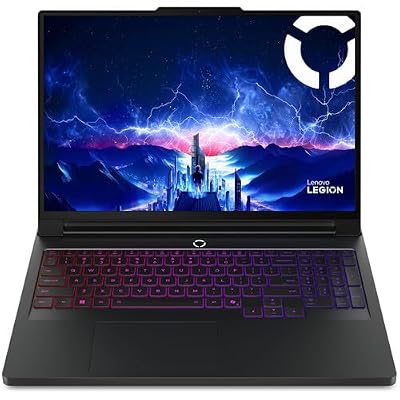
Lenovo Legion Pro 5i Gen 10
The Pro 5i is where the sensible money lands for mid-size production work. Its RTX 5070 Ti runs at a stated 140W with 12GB of GDDR7, enough VRAM for most product-visualisation and arch-viz scenes, and the same 24-core Ultra 9 275HX as the flagship keeps CPU renders, baking and Unreal shader compiles moving. The listing spells out slotted CSODIMM memory and a two-drive storage layout, which makes the 32GB and 2TB starting point easy to grow. Windows 11 Pro also suits freelancers who need its remote and security features for client work.
Specs
- Processor: Intel Core Ultra 9 275HX, 24 cores (8P + 16E), up to 5.4GHz, 36MB cache
- Graphics: NVIDIA GeForce RTX 5070 Ti, 12GB GDDR7, TGP 140W
- Memory: 32GB DDR5-6400 CSODIMM (2 x 16GB)
- Storage: 2TB NVMe SSD (2 x 1TB) M.2 2280 PCIe Gen4
- Display: 16-inch WQXGA OLED, 240Hz, 500 nits
- Operating system: Windows 11 Pro
Best for: Freelancers handling product and arch-viz scenes who want slotted memory, two SSDs and a full-power mid-tier GPU.
Watch out for: The 12GB of VRAM is the ceiling on scene size here, so test your heaviest production scene against that limit before committing.
ASIN: B0F9XSW5HB
Which One Fits Your Situation
Your scenes keep running out of graphics memory
Choose the ASUS ROG Strix Scar 18. Its 24GB of VRAM is the largest allocation in this group, and the 64GB of system memory gives compositing and scene assembly room to breathe beside the render. The Razer Blade 16 matches the VRAM figure if the Scar’s size rules it out, but its memory is fixed at 32GB, so the Scar is the safer long-term answer for growing scenes.
You render overnight, every night, for paying clients
Choose the Lenovo Legion Pro 7i Gen 10. The RTX 5080 at a high power limit, the 24-core processor and Legion Ultimate Support suit a machine that works while you sleep, and the two memory slots plus second SSD slot mean a mid-life upgrade can extend it instead of replacing it. Sustained-load cooling is the design brief of this chassis, which is exactly what deadline rendering demands.
Your studio is wherever the client is
Choose the Razer Blade 16. It is the only pick here that pairs top-tier graphics memory with a genuinely portable chassis, and its OLED panel holds up for client-facing reviews. Accept the soldered memory as the price of the size, order the configuration your scenes need today, and let the 2TB drive carry your active project library between sites.
You are equipping a first serious freelance setup
Choose the Lenovo Legion Pro 5i Gen 10. The 140W RTX 5070 Ti covers the scene sizes most early freelance work involves, the slotted memory and twin SSDs let the machine grow with your client list, and Windows 11 Pro covers the basics of working with studio clients. Spend the savings on storage and a colour-checked external monitor later.
Common Mistakes
- Buying by GPU name alone and ignoring the power limit, so a low-wattage version of the same chip renders far slower than expected.
- Choosing 8GB of VRAM for production scenes, then discovering that hero assets and 8K textures simply will not fit.
- Ordering a laptop with soldered memory at 16GB or 32GB when your scenes already need more, with no upgrade path later.
- Rendering long jobs on battery or a low-power profile instead of the full-performance mode on mains power.
- Ignoring the warranty and support terms on a machine that earns its keep rendering overnight for clients.
Frequently Asked Questions
Is a gaming laptop good enough for professional 3D rendering?
For most freelance and small-studio work, yes. The RTX cards in these machines support CUDA and OptiX acceleration in Blender and V-Ray, and their VRAM sizes cover typical production scenes. What you give up versus a workstation is certified drivers for some CAD tools, ECC memory and longer standard support contracts, not raw render speed.
How much VRAM do I actually need for Blender and V-Ray?
Simple product scenes render comfortably in 8GB, but that leaves little headroom. Interiors, environments and high-resolution texture sets regularly pass 12GB, which is why this guide treats 12GB as the floor and 16GB as comfortable. If your scenes already push past that, the 24GB cards above remove the ceiling rather than postponing it.
Does CPU core count still matter if I render on the GPU?
Yes, just for different jobs. CPU render modes in V-Ray and Arnold scale with cores, and Unreal Engine shader compiling, simulation baking, scene export and compositing all lean on the processor. A 24-core HX chip also keeps the machine responsive while the GPU is saturated, which matters when you are art-directing between test renders.
Can I upgrade the RAM and storage in these laptops later?
It depends on the exact model, which is why this guide states it per pick. Both Lenovo models use slotted DDR5 and offer a second SSD position, so they can grow. The Razer Blade 16 solders its LPDDR5x memory, so only storage can change after purchase. Always confirm the slot layout on the exact configuration before ordering.