

An internal SSD is the single most impactful upgrade you can make to most computers. Swapping a mechanical hard drive — or an aging older SSD — for a modern internal solid state drive transforms how the machine feels: faster boots, near-instant app launches, and snappier everyday use. This guide rounds up the best internal SSDs in 2026, focused squarely on the drives that live inside your PC as a boot or storage drive, in the two form factors that matter: 2.5-inch SATA drives that fit virtually any desktop or laptop, and M.2 NVMe drives that slot directly onto the motherboard for far higher speeds.
- Best Internal SSDs at a Glance
- 1. Crucial MX500 500GB 3D NAND SATA 2.5-Inch Internal SSD (CT500MX500SSD1)
- 2. SAMSUNG 970 EVO Plus SSD 2TB NVMe M.2 Internal SSD (V-NAND)
- 3. Kingston 480GB A400 SATA 3 2.5″ Internal SSD (SA400S37/480G)
- 4. Crucial BX500 2TB 3D NAND SATA 2.5-Inch Internal SSD (CT2000BX500SSD1)
- 5. Samsung 860 EVO 500GB 2.5-Inch SATA III Internal SSD (MZ-76E500B/AM)
- 6. SanDisk 2TB SSD Plus 2.5″ SATA Internal SSD (up to 545MB/s)
- How to Choose an Internal SSD
- Frequently Asked Questions
- Related Guides
- Related Articles
Our picks were chosen on what genuinely matters for an internal drive: real-world responsiveness, capacity for the money, reliability from trusted brands, and value across the SATA and NVMe categories. We have spread the list from an affordable 480GB boot drive up to spacious 2TB options, with prices from around $85 to around $399, because the right internal SSD depends on whether you need a simple drop-in upgrade or a fast, high-capacity system drive. Below is an at-a-glance comparison of all six, then a closer look at each and a buyer’s guide built around SATA versus NVMe, form factor and capacity — the decisions that actually shape an internal SSD purchase.
As an Amazon Associate we earn from qualifying purchases at no extra cost to you.


🛒 Best Price Today on Amazon
Prime members get fast, free shipping on everything above, plus member-only deals. New members get a 30-day free trial — cancel anytime.
Best Internal SSDs at a Glance
| Internal SSD | Best For | Standout Spec | Approx Price |
|---|---|---|---|
| Crucial MX500 500GB SATA 2.5″ | Best-value boot drive | 3D NAND, up to 560MB/s SATA | around $85 |
| Samsung 970 EVO Plus 2TB NVMe M.2 | Fast high-capacity NVMe | NVMe M.2, V-NAND, 2TB | around $365 |
| Kingston A400 480GB SATA 2.5″ | Cheapest HDD replacement | SATA, up to 500MB/s, 480GB | around $115 |
| Crucial BX500 2TB SATA 2.5″ | Budget 2TB SATA storage | 3D NAND, up to 540MB/s, 2TB | around $240 |
| Samsung 860 EVO 500GB SATA 2.5″ | Reliable SATA workhorse | V-NAND SATA III, 500GB | around $111 |
| SanDisk SSD Plus 2TB SATA 2.5″ | Large simple SATA drive | SATA, up to 545MB/s, 2TB | around $399 |
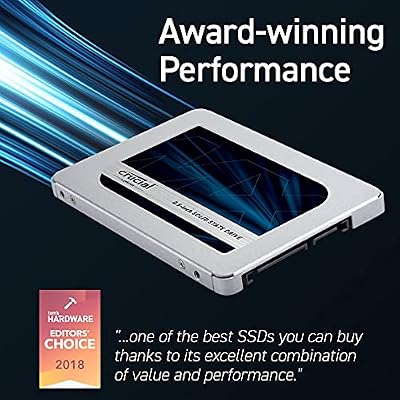
1. Crucial MX500 500GB 3D NAND SATA 2.5-Inch Internal SSD (CT500MX500SSD1)

Crucial MX500 1TB 3D NAND SATA 2.5 Inch Internal SSD, up to 560MB/s - CT1000MX500SSD1



As an Amazon Associate we earn from qualifying purchases. Product prices and availability are accurate as of the date/time indicated.
The Crucial MX500 500GB is our pick for the best-value internal SSD, and it is the drive we would put in most everyday upgrades. It is a 2.5-inch SATA drive using Crucial’s 3D NAND, with read speeds up to around 560MB/s — about the ceiling of the SATA interface — and a strong reputation for reliability and endurance. At around $85 for 500GB it hits the sweet spot of price, capacity and dependability for a boot drive.
As an internal system drive, the MX500 is exactly what most people need: enough space for Windows, your core apps and a healthy library, at a price that makes upgrading a no-brainer. The 2.5-inch SATA form factor fits virtually any desktop bay or laptop drive slot, so compatibility is rarely a concern. It will not match an NVMe drive’s raw throughput, but for a responsive, reliable internal SSD that makes an old machine feel new, the MX500 is the standout value pick and a long-time favorite.
Pros: Excellent value, reliable 3D NAND, up to 560MB/s SATA, fits almost any system.
Cons: SATA speeds, not NVMe; 500GB fills up if you store large libraries.
2. SAMSUNG 970 EVO Plus SSD 2TB NVMe M.2 Internal SSD (V-NAND)

SAMSUNG (MZ-V7E500BW) 970 EVO SSD 500GB - M.2 NVMe Interface Internal Solid State Drive with V-NAND Technology, Black/Red


As an Amazon Associate we earn from qualifying purchases. Product prices and availability are accurate as of the date/time indicated.
The Samsung 970 EVO Plus 2TB is the high-performance internal pick, and it plays in a different league from the SATA drives here. It is an M.2 NVMe drive using Samsung’s V-NAND, slotting directly onto the motherboard’s M.2 connector and communicating over the much faster PCIe/NVMe interface rather than SATA. That delivers throughput several times higher than any 2.5-inch SATA SSD can reach. At around $365 for 2TB it is the premium option on this list.
As an internal drive, this is the one to choose when you want both speed and space — a fast NVMe boot drive that also holds large games, projects and libraries. The 2TB capacity gives serious headroom, the NVMe interface makes boots, loads and file transfers noticeably quicker than SATA, and Samsung’s track record for endurance and reliability is excellent. The one requirement: your motherboard needs a free M.2 slot that supports NVMe. If it does, the 970 EVO Plus is the fastest, most capacious pick here.
Pros: Fast NVMe M.2 interface, spacious 2TB, reliable V-NAND, far quicker than SATA.
Cons: Needs an M.2 NVMe slot; priced well above SATA drives of similar size.
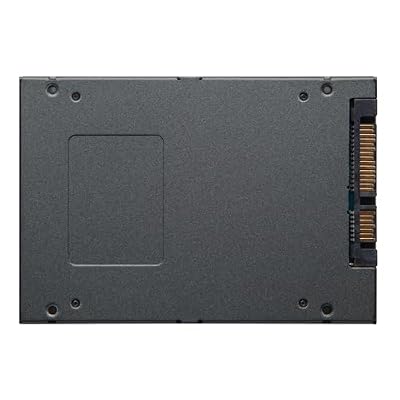
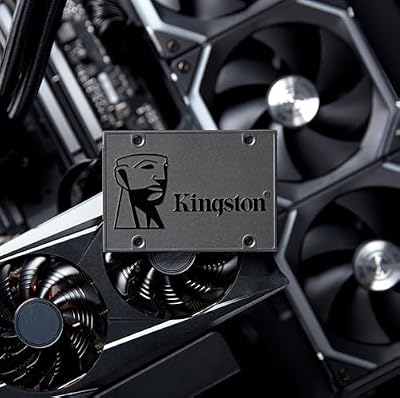
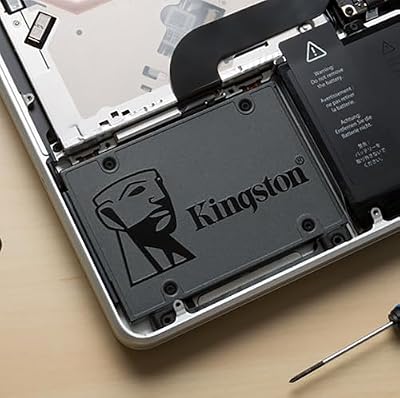
3. Kingston 480GB A400 SATA 3 2.5″ Internal SSD (SA400S37/480G)

Kingston 480GB A400 SATA 3 2.5" Internal SSD SA400S37/480G - HDD Replacement for Increase Performance




As an Amazon Associate we earn from qualifying purchases. Product prices and availability are accurate as of the date/time indicated.
The Kingston A400 480GB is the budget HDD-replacement pick. It is a no-frills 2.5-inch SATA drive with read speeds up to around 500MB/s, designed to be the drop-in upgrade that retires a slow mechanical hard drive. At around $115 it offers a meaningful real-world speed boost over a spinning disk in an accessible, widely compatible package.
As an internal drive, the A400 is about transformation on a budget: replacing a hard drive with even an entry SATA SSD like this dramatically improves boot and load times and makes an old laptop or desktop feel responsive again. The 480GB capacity covers an operating system and a sensible set of apps and files, and the standard 2.5-inch SATA form factor drops into nearly any machine. It is an entry-level drive rather than a performance champion, but as an affordable, reliable way to ditch a hard drive, the Kingston A400 does the job well.
Pros: Affordable HDD upgrade, standard 2.5″ SATA, up to 500MB/s, broad compatibility.
Cons: Entry-level SATA performance; 480GB is modest for large libraries.
4. Crucial BX500 2TB 3D NAND SATA 2.5-Inch Internal SSD (CT2000BX500SSD1)

Crucial BX500 SATA SSD 4TB, 2.5", Up to 540MB/s, Laptop and Desktop (PC) Compatible, 3D NAND, Dynamic Write Acceleration, Internal Solid State Drive - CT4000BX500SSD101
As an Amazon Associate we earn from qualifying purchases. Product prices and availability are accurate as of the date/time indicated.
The Crucial BX500 2TB is the budget high-capacity SATA pick. It is a 2.5-inch SATA drive built on Crucial’s 3D NAND, with read speeds up to around 540MB/s and a generous 2TB of space, all at around $240. For anyone who wants lots of fast internal storage without paying NVMe prices, it is an appealing balance of capacity and cost.
As an internal drive, the BX500 2TB suits people who value space over peak speed — a large game library, a media collection or a roomy secondary storage drive. The 2TB capacity is the headline, the SATA interface keeps everyday use snappy and quick to fit any 2.5-inch bay, and Crucial’s reliability reputation applies here too. It is an entry-tier SATA drive rather than a performance model, so for a fast boot drive an NVMe option is better — but for affordable, spacious internal storage, the BX500 2TB is a smart buy.
Pros: Spacious 2TB at a fair price, 3D NAND, up to 540MB/s SATA, easy to install.
Cons: Entry-tier SATA speeds; better as bulk storage than a peak-performance boot drive.
5. Samsung 860 EVO 500GB 2.5-Inch SATA III Internal SSD (MZ-76E500B/AM)

Samsung 970 EVO Plus SSD 500GB - M.2 NVMe Interface Internal Solid State Drive with V-NAND Technology (MZ-V7S500B/AM)


As an Amazon Associate we earn from qualifying purchases. Product prices and availability are accurate as of the date/time indicated.
The Samsung 860 EVO 500GB is the reliable SATA workhorse of this list. A 2.5-inch SATA III drive built on Samsung’s V-NAND, it earned a strong reputation for consistency and endurance, with read speeds at the SATA ceiling of around 550MB/s. At around $111 for 500GB it is a dependable, well-regarded choice for a boot or storage drive.
As an internal drive, the 860 EVO is the safe, trusted pick when reliability is your priority. The 500GB capacity comfortably holds an operating system and your main apps, the V-NAND and Samsung’s firmware give it a solid endurance record, and the 2.5-inch SATA form factor fits practically any desktop or laptop. It is a SATA drive, so it will not match NVMe throughput, but for a long-lasting, proven internal SSD that just keeps working, the Samsung 860 EVO remains a dependable recommendation.
Pros: Trusted reliability, Samsung V-NAND, SATA III up to ~550MB/s, fits any system.
Cons: SATA speeds rather than NVMe; 500GB is moderate capacity.
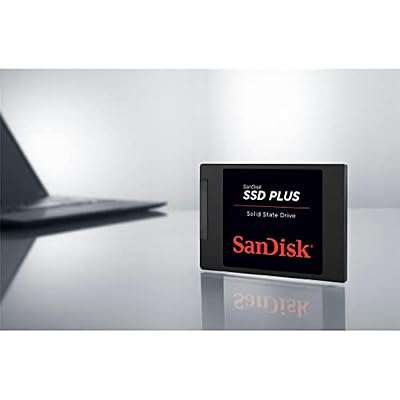
6. SanDisk 2TB SSD Plus 2.5″ SATA Internal SSD (up to 545MB/s)

SANDISK 2TB SSD Plus 2.5" SATA SSD, Internal SSD, Read speeds up to 545 MB/s, SATA III 6GB/s, Easy Upgrade


As an Amazon Associate we earn from qualifying purchases. Product prices and availability are accurate as of the date/time indicated.
Rounding out the list is the SanDisk SSD Plus 2TB, a large, simple internal SATA drive. It is a 2.5-inch SATA SSD with read speeds up to around 545MB/s and a roomy 2TB capacity, from the well-known SanDisk brand. At around $399 it sits at the top of the SATA price range here, offering plenty of space in a straightforward, widely compatible package.
As an internal drive, the SSD Plus 2TB is for the user who wants a big, no-complications SATA drive for storage or a capacious boot-and-everything drive. The 2TB gives ample room for apps, games and files, the SATA interface keeps the system responsive and slots into any 2.5-inch bay, and SanDisk’s name brings familiarity. It is an everyday SATA drive rather than a performance NVMe model, and at this price an NVMe drive of similar size is worth comparing — but as a simple, spacious internal SATA SSD, it does its job dependably.
Pros: Roomy 2TB, up to 545MB/s SATA, simple install, trusted SanDisk brand.
Cons: Priced high for SATA; an NVMe drive of similar size is worth comparing.
How to Choose an Internal SSD
The first and biggest decision with an internal SSD is the interface: SATA versus NVMe. SATA drives — like the Crucial MX500 and BX500, Kingston A400, Samsung 860 EVO and SanDisk SSD Plus here — top out at around 550MB/s, which is already a huge leap over a mechanical hard drive and plenty for everyday responsiveness. NVMe drives, like the Samsung 970 EVO Plus, communicate over PCIe and run several times faster. If your motherboard supports NVMe and you want peak speed, choose NVMe; if you want the widest compatibility and great value, SATA still makes an excellent boot drive.
Form factor goes hand in hand with the interface. A 2.5-inch SATA drive is the universal upgrade: it fits the drive bay of nearly any desktop and most laptops, and connects with a standard SATA data and power cable in a desktop. An M.2 NVMe drive is a small stick that slots directly onto a dedicated M.2 connector on the motherboard, needing no cables — but your board must have a free M.2 slot that supports NVMe. Check which slots and connectors your machine has before buying, since that determines which form factor you can actually use.
Capacity is the next call, and it depends on the drive’s job. For a boot drive holding your operating system and core apps, 480-500GB — as on the MX500, A400 and 860 EVO — is a comfortable, affordable starting point. If you want to store a large game or media library on the same drive, or you are building a roomy storage volume, a 2TB option like the BX500, SSD Plus or 970 EVO Plus gives real headroom. Buy a little more than you think you need; SSDs perform best with some free space, and libraries only grow.
Finally, weigh brand reliability and value together. Crucial, Samsung, Kingston and SanDisk are all established names with solid endurance reputations, and every drive here comes from one of them. For most people, a SATA drive like the MX500 is the value sweet spot for a system drive, while the NVMe 970 EVO Plus is the pick when speed and capacity both matter and your board supports it. Match the interface to your motherboard, the form factor to your slots and the capacity to your needs, and any drive on this list will make your PC feel markedly faster.
Frequently Asked Questions
What is the difference between a SATA and an NVMe internal SSD?
SATA and NVMe describe how the drive connects and how fast it can go. SATA SSDs, like most drives here, top out around 550MB/s and use either a 2.5-inch form factor with cables or, sometimes, an M.2 SATA slot. NVMe SSDs, like the Samsung 970 EVO Plus, plug into an M.2 PCIe slot and run several times faster. Both vastly outpace a hard drive; NVMe is quicker, while SATA offers wider compatibility and great value.
Will a 2.5-inch SATA SSD fit my computer?
Almost certainly. The 2.5-inch SATA form factor is the universal standard for desktops and most laptops, so drives like the Crucial MX500, Kingston A400 and Samsung 860 EVO drop into nearly any machine using a standard SATA data and power connection. Just confirm you have a free 2.5-inch bay or slot and a SATA port, which virtually all systems provide.
Do I need an M.2 slot to use the Samsung 970 EVO Plus?
Yes. The 970 EVO Plus is an M.2 NVMe drive, so your motherboard must have a free M.2 slot that supports NVMe (PCIe) drives. Most recent motherboards do, but older boards may not, in which case a 2.5-inch SATA SSD from this list is the right choice. Check your motherboard’s specifications for an NVMe-capable M.2 slot before buying.
What capacity internal SSD should I buy?
For a boot drive with your operating system and core apps, 480-500GB like the MX500, A400 or 860 EVO is a sensible, affordable starting point. If you want to keep a large game or media library on the drive, step up to a 2TB option like the BX500, SSD Plus or 970 EVO Plus. Buy slightly more than you think you need, since SSDs run best with free space and storage demands keep growing.
Related Guides
- Best NVMe SSDs
- Best SSDs for Video Production
- Best External SSDs
- Best RAM for Gaming
- Best Gaming PCs
- Best Budget Gaming Setup
Affiliate Disclosure: As an Amazon Associate, we earn from qualifying purchases. If you click a link and make a purchase, we may earn a small commission at no extra cost to you. Prices and availability are accurate as of publication and may change.










