At this tier, the real decision is not simply which card runs fastest in one game. It is whether the card holds up at 1440p when textures get heavier, whether ray tracing stays smooth enough to leave switched on, and whether your power supply and case can live with the card for years. A card with too little memory can force you to lower texture settings long before its processor runs out of pace, while a card that draws more power than your system can feed will never show its best side.
This guide is for players moving up from 1080p, builders putting together a first 1440p system, and anyone replacing an older card that struggles with newer releases. Each card was chosen from its Amazon product page, using the name and specifications listed there, so you can check the exact model before you order.
Quick Picks
As an Amazon Associate we earn from qualifying purchases.
| Product | Best for | Key spec from title |
|---|---|---|
| Sapphire Pulse AMD Radeon RX 9060 XT Gaming OC Graphics Card with 16GB GDDR6, AMD RDNA 4 | 1440p gaming with large texture loads | 16GB GDDR6, AMD RDNA 4 |
| ASUS Dual GeForce RTX 5060 8GB GDDR7 OC Edition | Ray tracing and upscaling features | 8GB GDDR7 OC Edition |
| ASRock Radeon RX 7700 XT Challenger 12GB GDDR6 Graphics Card | Balanced 1440p gaming with 12GB of memory | 12GB GDDR6, 192-bit |
How to Choose
Start With VRAM and Resolution
Memory capacity decides how much texture and scene data a card can hold close at hand, and that matters more at 1440p than at 1080p. A card with 8GB can still run many games well, but newer titles with high-resolution texture packs can fill that memory quickly, which leads to stutter as the card swaps data in and out. A 12GB or 16GB card gives you more headroom for those settings and for the next few years of releases. Check your monitor resolution first, then look at the memory figure in the product title. If you play at 1440p with settings turned up, treat memory as a first filter, and only then compare the processor underneath.
Weigh Ray Tracing Against Raw Speed
Ray tracing adds realistic light, shadows and reflections, but it asks a lot of the graphics processor, and cards in this tier handle it differently. NVIDIA cards generally pair ray tracing with DLSS upscaling, which rebuilds a lower-resolution image and recovers much of the lost speed. AMD cards lean on strong raw performance and their own upscaling support, and they often shine in games where ray tracing is switched off or set to a lighter level. Decide how often you will switch ray tracing on. If it is a priority in the games you play most, favour the card whose feature set supports it best; if you usually leave it off, raw speed and memory matter more.
Check Power Draw and Your Power Supply
Every card in this guide needs a power supply with enough wattage and the right connector, and that check should happen before you settle on a model. Compare the recommended supply wattage and board power figure for the card with the label on your own unit and the other parts in your system. A card needing an 8-pin connector will not run from a supply offering only a 6-pin lead, and an older or low-capacity unit can shut a system down under load. Leave some headroom above the minimum, because a supply running near its limit runs hotter and louder. If your current unit falls short, factor a replacement into your plan before you commit to a card.
Measure Cooling, Length and Slot Width
A graphics card has to fit your case and breathe once it is inside, so physical size is a genuine buying criterion rather than a detail. Check card length against the clearance in front of your drive cages or front fans, and check slot width, because a 2.5-slot cooler can block the slot below it. Dual-fan designs are usually shorter and easier to fit in compact cases, while larger coolers can run quieter. Also look at where the fans draw air from and whether your case has intake fans feeding that area. A card that fits on paper but sits against a solid panel with no airflow will run hotter and noisier than the same card in a ventilated case.
The 3 Best Options
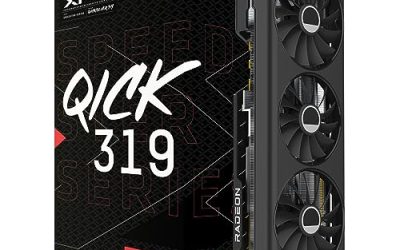
Sapphire Pulse AMD Radeon RX 9060 XT Gaming OC Graphics Card with 16GB GDDR6, AMD RDNA 4

This is the card to look at first if your main worry is memory headroom at 1440p. Its 16GB of GDDR6 memory gives large texture loads room to breathe, and its RDNA 4 design brings modern ray tracing hardware and upscaling support to this tier. The dual-fan cooler uses an AeroCurve blade design and a Free Flow layout to move air through the heatsink, and the card is a sensible length for most mid-tower cases. It suits players who keep settings high and want a card that stays useful as newer games ask for more memory.
Specs
- Graphics coprocessor: AMD Radeon RX 9060 XT
- Memory: 16GB GDDR6, 128-bit interface, 20 Gbps effective
- Boost clock: up to 3290 MHz; game clock: up to 2700 MHz
- Stream processors: 2048; compute units: 32
- Architecture: AMD RDNA 4
- Interface: PCI Express 5.0 x16
- Outputs: 2 HDMI and 1 DisplayPort 2.1a
- Cooling: Dual-X cooling, AeroCurve fan blade, Free Flow design
- Maximum resolution: 7680 x 4320
Best for: Players who want 16GB of memory for high settings at 1440p.
Watch out for: The 128-bit memory interface is narrower than the 192-bit design on the ASRock card below, so check how it behaves in the specific games you play most.
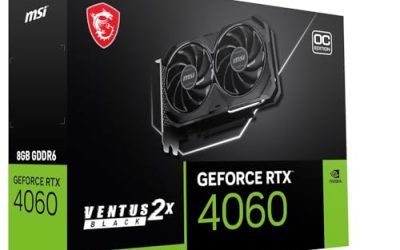
ASUS Dual GeForce RTX 5060 8GB GDDR7 OC Edition
This ASUS card is the pick for players who value NVIDIA features above raw memory capacity. It pairs the Blackwell architecture with DLSS 4, which can lift frame rates in supported games, and its GDDR7 memory moves data quickly even on a 128-bit interface. The dual-fan Axial-tech cooler uses a 2.5-slot design and 0dB technology, so the fans can stop entirely during light desktop work. It is a compact two-fan card that fits a wide range of cases, and it makes the most sense for 1080p and lighter 1440p play where upscaling and ray tracing features carry real weight.
Specs
- Graphics coprocessor: NVIDIA GeForce RTX 5060
- Memory: 8GB GDDR7
- Interface: PCI Express 5.0
- OC mode clock speed: 2565 MHz
- Features: DLSS 4, NVIDIA Blackwell architecture
- Outputs: HDMI 2.1b and DisplayPort 2.1b
- Cooling: Axial-tech fan design, 0dB Technology
- Design: 2.5-slot, dual-fan
- Model number: DUAL-RTX5060-O8G
Best for: Players who want DLSS 4 and ray tracing features in a compact card.
Watch out for: 8GB of memory is the smallest amount in this guide, so heavy texture settings at 1440p may need to be turned down sooner than on the 12GB and 16GB cards here.
ASRock Radeon RX 7700 XT Challenger 12GB GDDR6 Graphics Card
The ASRock Challenger sits between the other two cards, pairing 12GB of GDDR6 memory with a 192-bit interface and a straightforward dual-fan cooler. That combination gives it more memory than the RTX 5060 card above and a wider memory path than the 9060 XT, which helps when games stream large textures at 1440p. Its 0dB silent cooling lets the fans stop under light loads, and the LED indicator on the card is a small but useful touch for spotting power issues at a glance. It is a solid middle-ground choice for players who want generous memory without stepping to the largest card in this guide.
Specs
- Graphics coprocessor: AMD Radeon RX 7700 XT
- Memory: 12GB GDDR6, 192-bit interface
- Memory speed: 18 Gbps, 18000 MHz
- Maximum resolution: 7680 x 4320
- Cooling: Dual fan cooling with 0dB silent cooling
- Outputs: DisplayPort and HDMI
- Features: LED indicator
- Series: RX7700XT CL 12GO
- Item model number: RX7700XT CL 12GO
Best for: Players who want 12GB of memory and a wide memory interface for 1440p.
Watch out for: This is an RDNA 3 card, so its ray tracing and upscaling features are a generation behind the RDNA 4 card above; confirm it fits your case, as it measures 10.5 inches long.
Which One Fits Your Situation
You Play at 1440p With Settings Turned Up
Choose the Sapphire Pulse RX 9060 XT. Its 16GB of memory is the largest amount in this guide, and that headroom matters most when texture quality and draw distance are set high. The RDNA 4 architecture also brings current upscaling support, so you are not relying on older feature sets to keep frame rates smooth in newer releases.
You Want Ray Tracing and Upscaling Features
Choose the ASUS Dual RTX 5060. DLSS 4 is its strongest argument, recovering speed in supported games when ray tracing is switched on. The trade-off is 8GB of memory, so pair it with a monitor and settings where that capacity is enough, and lean on upscaling rather than maximum texture settings in the heaviest titles.
You Want a Balance of Memory and Raw Speed
Choose the ASRock RX 7700 XT Challenger. Its 12GB of memory and 192-bit interface give it room for large textures, while its RDNA 3 processor delivers strong raw performance at 1440p with ray tracing off or at modest levels. It is the middle path when neither maximum memory nor the newest feature set is your single priority.
You Are Upgrading a Compact Case
Choose the ASUS Dual RTX 5060 first, and measure before you order either AMD card. The ASUS card is a compact dual-fan design that fits more cases, while the Sapphire card is 9.45 inches long and the ASRock card is 10.5 inches long. Check length, slot width and fan clearance against your case, and confirm your power supply has the connector each card needs.
Common Mistakes
- Buying on the graphics processor name alone and ignoring memory capacity, which decides how high you can set textures at 1440p.
- Forgetting to check power supply wattage and the connector type before ordering, then finding the card cannot be powered properly.
- Measuring case length but not slot width, so a 2.5-slot cooler blocks a slot you still need.
- Turning ray tracing to maximum on every game and then blaming the card, instead of testing lighter ray tracing levels with upscaling switched on.
- Choosing the 8GB card for heavy 1440p texture loads, when the 12GB or 16GB cards in this guide would handle those settings with more headroom.
Frequently Asked Questions
Is 8GB of VRAM enough for 1440p gaming?
It depends on the games and settings you choose. Many titles run well at 1440p on 8GB with sensible texture settings, especially with upscaling switched on. Newer games with large texture packs can fill 8GB more quickly, which may force you to lower texture quality. If you play those titles often and keep settings high, a 12GB or 16GB card gives you more headroom.
Which card in this guide is best for ray tracing?
The ASUS Dual RTX 5060 is the strongest choice for ray tracing in this group, because it pairs the Blackwell architecture with DLSS 4 upscaling. That combination recovers frame rates that ray tracing takes away in supported games. The Sapphire RX 9060 XT also supports modern ray tracing through RDNA 4, while the ASRock RX 7700 XT is better suited to games where ray tracing is off or set low.
Do I need a new power supply for one of these cards?
Not always, but you must check before you order. Compare the recommended supply wattage and board power for the card with your own unit, and confirm it has the connector the card needs. Leave headroom above the minimum rather than running a supply at its limit. If your unit is old, low capacity or short of the right connector, replace it before installing the card.
Can these cards run games at 4K?
They can run many games at 4K with reduced settings, but none of them is aimed at high-refresh 4K play with everything turned up. All three list a maximum resolution of 7680 x 4320, which covers display output rather than smooth gaming at that resolution. For comfortable 4K gaming you would need a stronger tier of card, so treat these as 1080p and 1440p cards first.