

- Top Pick: AULA WIN68 HE Mechanical Gaming Keyboard 60%, Hall Effect Magnetic Switch, Fast Trigger Mode Adjustable Actuation, 8000Hz Polling Rate, RGB Backlit, Wired Black Keyboard for Laptop/PC Gamer
- Best Value: Logitech G PRO X TKL Rapid Tenkeyless Gaming Keyboard (Hall-Effect) – Black
- Premium Choice: ATTACK SHARK X68 HE RT Mechanical Gaming Keyboard 60% Wired TKL-Black
Affiliate disclosure: As an Amazon Associate we earn from qualifying purchases. This post contains affiliate links — if you buy through them we may earn a small commission at no extra cost to you. This never affects our recommendations.
📌 Part of our Wooting Keyboards Review 2026: Every Model Tested & Compared guide — see the full breakdown, comparisons, and top picks.
Hall effect keyboards have moved from niche competitive tool to mainstream gaming essential in 2025. Unlike traditional mechanical switches that rely on physical contact points, hall effect switches use magnetic sensors to detect keystrokes — meaning zero debounce delay, infinite adjustable actuation points, and the rapid trigger feature that competitive CS2 and Valorant players now consider essential.
Rapid trigger allows the key to reset the moment you release it — even fractionally — rather than waiting for the key to travel back to a fixed reset point. In Counter-Strike 2, this translates directly to faster stop-and-shoot accuracy. In Valorant, it enables more precise peeking mechanics. The advantage is real, measurable, and legal in all major esports tournaments.
The best part? Hall effect keyboards have dropped dramatically in price. You can now get genuine rapid trigger functionality for under $40. We compared the top picks across actuation adjustability, build quality, software, and competitive game feel to bring you this 2025 guide.
In a hurry? See the top-rated Hall Effect Gaming Keyboards deals available right now:
🛒 Check Hall Effect Gaming Keyboards Prices on Amazon →🛒 Best Price Today on Amazon
Prime members get fast, free shipping on everything above, plus member-only deals. New members get a 30-day free trial — cancel anytime.
Start 30-Day Prime Free Trial →See Today’s Amazon DealsTop Picks at a Glance
| Product | Layout | Rapid Trigger | Connectivity | Best For |
|---|---|---|---|---|
| Aula WIN68 HE | 60% | Yes (0.1mm) | Wired USB-C | Best overall value |
| Redragon K617 GB HE | 60% | Yes | Wired USB-C | Best software ecosystem |
| Aula WIN60 HE | 60% | Yes (0.1mm) | Wired USB-C | Best compact alternative |
| RisoPhy Wireless Combo | TKL | Yes | Wireless + Wired | Best wireless option |
| Redragon K668 RGB | Full Size | Yes | Wired USB-C | Best full-size layout |
As an Amazon Associate we earn from qualifying purchases at no extra cost to you.


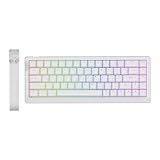

Aula WIN68 HE — Best Overall Value
The Aula WIN68 HE delivers the complete hall effect experience at a price point that was impossible 18 months ago. Its magnetic switches support actuation adjustment from 0.1mm to 4.0mm and rapid trigger sensitivity down to 0.1mm — matching keyboards costing three times as much. The 60% layout removes the numpad and function row to minimize mouse travel distance, a genuine advantage in FPS play. Aula’s companion software is functional, if not flashy. Hot-swappable switches mean you can experiment with different magnetic switch weights over time. For CS2 and Valorant players on a budget, this is the keyboard to buy.
- Pros: 0.1mm rapid trigger precision, hot-swappable HE switches, sub-$40 price, compact 60% layout
- Cons: No wireless option, software UI is basic, limited keycap material quality at this price
Redragon K617 GB Rapid Trigger HE — Best Software Ecosystem
Redragon’s K617 GB brings hall effect rapid trigger to the established Redragon platform — which matters because Redragon’s software suite is among the most polished in the budget gaming peripheral space. The K617 GB maintains the 60% compact form factor ideal for FPS gaming while adding Redragon’s per-key RGB configuration, macro support, and profile saving that syncs across devices. Actuation and rapid trigger settings are accessible through an intuitive interface. If you’re already in the Redragon ecosystem or value a smoother software experience over raw minimalism, this competes directly with the Aula WIN68 at identical pricing.
- Pros: Redragon’s polished software, per-key RGB, rapid trigger support, established brand warranty
- Cons: 60% layout loses arrow keys, wired only, switch feel slightly heavier than Aula’s option
Aula WIN60 HE — Best Compact Alternative
The WIN60 HE is Aula’s alternate 60% hall effect offering, sharing most of the WIN68’s core specifications with slight variations in keycap profile and switch tuning. Where the WIN68 leans slightly heavier in actuation feel, the WIN60 is tuned a touch lighter — a preference some players have for rapid tap mechanics in titles requiring fast crouch-jump inputs. Both share identical pricing and rapid trigger resolution, making this largely a feel and layout choice. If you’ve tried the WIN68 and want a slightly different switch response character, the WIN60 is worth the comparison.

- Pros: Lighter actuation variant of WIN68, identical rapid trigger specs, same sub-$40 price
- Cons: Very similar to WIN68 — minimal differentiation, same software limitations, wired only
RisoPhy Wireless Gaming Combo — Best Wireless Option
RisoPhy’s wireless gaming combo is the standout pick for players who refuse to deal with cable drag but still want hall effect rapid trigger capability. The TKL layout retains arrow keys and function row — useful for players who use function keys for voice chat, media, or macros during games. Wireless performance uses a 2.4GHz dongle for low-latency transmission that competitive players report as indistinguishable from wired in real-world play. The combo bundle includes a matched mouse, making this a strong dual-purchase for players setting up a new wireless desk configuration. Battery life is rated at approximately 40 hours per charge.
- Pros: Wireless 2.4GHz with rapid trigger, TKL layout retains arrow keys, bundle value with mouse, 40-hour battery
- Cons: Bundle mouse is basic, wireless adds slight complexity to setup, TKL larger than 60% for travel
Redragon K668 RGB Gaming — Best Full-Size Layout
For players who need a numpad for non-gaming work, use function keys extensively, or simply prefer a traditional keyboard footprint, the Redragon K668 brings hall effect technology to a full-size layout. The K668 maintains rapid trigger adjustability and Redragon’s software support while adding the number pad and full function row that TKL and 60% boards omit. Full-size hall effect keyboards at this price tier are rare — most brands focus compact form factors for the competitive FPS market. If your workflow demands a full-size keyboard and you want hall effect in gaming hours, the K668 is your practical pick.
- Pros: Full-size layout with numpad, hall effect rapid trigger, Redragon software support, complete key access
- Cons: Larger footprint reduces desk space, full-size less ideal for low-sensitivity FPS play, heavier to transport
Buying Guide
What Is a Hall Effect Keyboard?
Hall effect keyboards use magnetic sensors beneath each key to detect switch position, rather than the physical contact points in traditional mechanical switches. Because magnetic detection is contactless, there is no debounce delay — the keyboard registers the key’s position continuously and precisely. This enables two key features: adjustable actuation points (where the keystroke registers) and rapid trigger (where the key resets the instant you release it, regardless of position).

Why Rapid Trigger Matters for CS2 and Valorant
In Counter-Strike 2, movement accuracy is fundamentally tied to stopping. The moment you stop moving, your crosshair tightens and your shots land precisely. With a traditional keyboard, releasing the movement key has a debounce delay before the input registers as released — meaning your character keeps moving fractionally longer than your finger intends. With rapid trigger, the key reset happens at the exact moment of release. This translates to tighter stop-and-shoot mechanics and measurably faster counter-strafing. Valorant players use it similarly for peek timing and ability cancels.
Actuation Point Adjustability
Beyond rapid trigger, hall effect keyboards let you customize the depth at which each key registers. A lighter actuation (0.1–1.0mm) means faster input registration — useful for movement keys. A deeper actuation (2.0–3.5mm) prevents accidental keypresses — useful for ability keys you don’t want triggering from incidental pressure. Many competitive players set WASD to light actuation and ability keys to deeper actuation, creating a custom-feel keyboard profile optimized for their specific game.

Layout Considerations for FPS Gaming
The 60% layout (removing numpad, function row, and navigation cluster) is the competitive FPS standard because it allows more mousepad space to the right of the keyboard. If you play at low sensitivity — common in professional CS2 play — the extra centimeters matter for full-range mouse sweeps. If you use function keys for push-to-talk, music control, or other productivity tasks, a TKL or full-size layout may serve your workflow better. Consider how you use your keyboard outside gaming hours when choosing layout.
Wireless Hall Effect: Is It Viable?
In 2025, 2.4GHz wireless keyboards have polling rates and latency that are effectively indistinguishable from wired in competitive play. The RisoPhy wireless combo and similar options use low-latency wireless protocols that deliver sub-1ms effective input delay. The main trade-offs are battery management and the wireless dongle occupying a USB port. For casual and semi-competitive players, wireless hall effect is completely viable. Professional esports players at LAN events will generally still use wired due to zero-tolerance for any potential wireless interference.
Frequently Asked Questions
Are hall effect keyboards legal in competitive CS2 and Valorant?
Yes — hall effect keyboards and rapid trigger are permitted in all major competitive CS2 and Valorant tournaments as of 2025, including ESL, BLAST, and VCT events. Valve and Riot have not restricted the technology. Rapid trigger is considered a peripheral feature, not software cheating, since it operates entirely within the keyboard hardware and does not interact with game code.
How do hall effect switches compare to optical switches?
Both hall effect and optical switches offer contactless detection, but they work differently. Optical switches use a light beam broken by the key stem, while hall effect uses magnetic field detection. Hall effect switches offer more precise position data (enabling true adjustable actuation), while optical switches typically have fixed actuation points similar to traditional mechanical switches. For rapid trigger and actuation customization, hall effect is the more capable technology.
What rapid trigger sensitivity do I actually need?
Most competitive players set rapid trigger sensitivity between 0.2mm and 0.5mm. Going too low (0.1mm) can cause unintended key re-registers from minor finger vibration. Going too high negates the rapid trigger advantage. Start at 0.3mm and adjust based on your play style — heavier-fingered players often prefer 0.4–0.5mm for stability, while light-touch typists may prefer 0.2mm.
Do I need software to configure a hall effect keyboard?
Yes — adjusting actuation points and rapid trigger sensitivity requires the manufacturer’s companion software. All keyboards on this list include downloadable configuration software. Some boards allow saving profiles onboard, meaning the software is only needed for initial configuration. Check whether your chosen board supports onboard memory profiles if you switch between computers or want to avoid running background software during gameplay.
Verdict
Hall effect keyboards have democratized competitive-grade input technology in 2025, and you no longer need to spend $100+ to access it. The Aula WIN68 HE is the best starting point — 0.1mm rapid trigger resolution, hot-swap support, and a genuine 60% competitive layout at around $39. Players wanting a more refined software experience should look at the Redragon K617 GB, while wireless players should go straight for the RisoPhy combo. Any of these five keyboards will give you a measurable competitive edge over traditional mechanical keyboards in CS2 and Valorant.
Related Articles
Looking for more on this topic? Browse the hand-picked guides below — each one applies the same scoring rubric used in this review.









