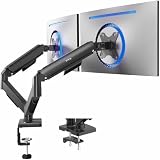
- Top Pick: ErGear Dual Monitor Arm, Full Adjustable Monitor Mount for 13–32″ Screens, Fast Install Computer Monitor Stand with Tool-Free VESA Mount, Load Range from 4.84 to 19.8 lbs, Max VESA 100x100mm
- Best Value: WALI Adjustable Dual Monitor Arm for 13-32 inch Screens, 22 lbs per Arm | Dual Monitor Stand for Desk, Full Motion with Tilt, Swivel, Rotation, C-Clamp & Grommet Base, VESA 75/100mm (GSMP002N), Black
- Premium Choice: VIVO Dual Monitor Stand, for 17" to 32" Screens, Holds up to 19.8 lbs | Fully Adjustable Arms, Mechanical Articulating Desk Mount, VESA 75×75 and 100×100, Black, STAND-V002O
Two monitors on stock feet eat a desk alive. Each stand claims a wide footprint, the bezels never quite line up, and the gap between screens drifts wider every time someone bumps the desk. A dual monitor mount fixes all three problems at once, but only if the arms match the screens you actually own. This guide is built around that one question: which two-screen arm fits your panel size, your panel weight, and your desk edge.
The list below is aimed at gamers who run a main display plus a second screen for chat, guides, or streaming software. Every option is a clamp or grommet desk mount with VESA brackets, so the choice comes down to weight rating, supported screen sizes, and the type of movement mechanism. Prices swing from budget to premium, but the listed specs matter more than the tier. VESA patterns have barely changed in years, so a panel bought long before 2026 will usually still bolt on, provided four holes sit on the back at 75×75 or 100×100 millimeters.
Quick Picks
As an Amazon Associate we earn from qualifying purchases at no extra cost to you.




| Product | Best for | Key spec from the title |
|---|---|---|
| ErGear Dual Monitor Arm | Quick setup | 13-32 inch screens, tool-free VESA mount |
| WALI Dual Monitor Arm | Heavier panels | 22 lbs per arm, tilt, swivel, rotation |
| VIVO Dual Monitor Stand | Lighter screens on a budget | 17-32 inch, up to 19.8 lbs |
| HUANUO Full Adjustable Stand | Flexible mounting | C clamp or grommet base, 13-32 inch |
| Acer Dual Monitor Arm | Smooth height changes | Gas spring, VESA 75×75/100×100 |
| VIVO Heavy Duty Desk Mount | Steel build | 22 lbs each, up to 30 inches |
| HUANUO 13-40 Inch Mount | Larger screens | 13 to 40 inch range, USB |
| ErGear 33 Inch Stand | Big 32-inch panels | Up to 33 inches, 22 lbs per arm |
| EVEO Premium Mount | Full-motion gas spring | 14-32 inch, gas spring |
| HUANUO Stacked Mount | Vertical stacking | 17-32 inch, max 19.8 lbs |
How to Choose
Match the weight rating to the heavier monitor
The two numbers on the spec sheet that matter most are the per-arm load rating and the screen size range. The listings here cluster around 19.8 lbs and 22 lbs per arm. A typical 27-inch gaming panel without its stand falls well inside that, but a large premium panel with a thick back can push it. Add the weight of any webcam or light you plan to hang off the arm, and leave a margin. An arm running at its limit sags over time.
Check VESA before you check looks
Most arms here advertise VESA 75×75 and 100×100 patterns, which covers the large majority of monitors. Confirm the mounting holes on the back of your panel before ordering, because a few curved or ultra-thin models use a proprietary back plate that needs an adapter. If the back is flat and the four holes are visible, you are fine.
Gas spring versus mechanical articulation
Gas spring arms, such as the Acer and EVEO listings, let you push the screen up or down with one finger and it stays put. Mechanical arms rely on tightening bolts for tension, which costs a few minutes at setup but is usually cheaper. If you shift between sitting and standing or swap screen heights often, gas spring is worth the step up. If the screens sit at one position all day, mechanical is perfectly adequate.
Desk edge and clearance
C-clamps need a solid desk edge with open space beneath it, while grommet mounts need a pre-drilled hole or one you are willing to drill. Look for the maximum desk thickness in the listing and measure yours. Skip any mount that does not list one, and ignore marketing words like premium or heavy-duty on their own. Budget arms usually cut corners on joint tension: the screen drifts after a few weeks.
One more habit pays off: plan cable routing before you tighten anything. Run the power and video leads along the arm sections with a little slack at every joint, because a cable pulled taut at full extension will slowly drag a screen out of position. Also decide which monitor is the primary one and mount it on the arm closest to your natural line of sight, with the secondary screen angled inward by a modest amount so your neck does most of the turning rather than your eyes.
The 10 Best Options
ErGear Dual Monitor Arm
This ErGear arm targets buyers who want a mount up and running without a toolbox. The title highlights a tool-free VESA mount and fast installation, plus a 13-32 inch screen range.
- Strength: tool-free VESA attachment keeps the swap simple when you change monitors.
- Strength: the 13-32 inch window covers almost every common gaming size.
- Trade-off: the load range line is cut off in the listing, so confirm the per-arm figure before buying.
Skip it if you own a very heavy panel and want a stated limit above 20 lbs per arm.
WALI Dual Monitor Arm
WALI states 22 lbs per arm and full motion with tilt, swivel, and rotation, for screens from 13 to 32 inches. That makes it a sensible match for two 27-inch gaming panels.
- Strength: a clearly stated 22 lbs per arm leaves headroom over lighter models.
- Strength: rotation allows one screen in portrait for chat or code.
- Trade-off: the title does not mention gas spring, so height changes likely involve a tool.
Skip it if you want one-finger height adjustment.
VIVO Dual Monitor Stand
VIVO lists a 17 to 32 inch range, a 19.8 lbs limit, and a mechanical articulating design with VESA 75×75 and 100×100 support. It suits lighter office-style and mid-size gaming panels.
- Strength: the mechanical design avoids gas-spring wear and usually keeps cost low.
- Strength: both common VESA patterns are named.
- Trade-off: 19.8 lbs is the lowest rating in this group, so check heavy panels carefully.
Skip it if either monitor is large and dense.
HUANUO Full Adjustable Stand
This HUANUO model offers swivel VESA brackets and both C clamp and grommet base options for 13 to 32 inch screens. It reads as a flexible, general-purpose mount.
- Strength: two mounting styles help with unusual desk edges.
- Strength: broad 13-32 inch compatibility.
- Trade-off: the listed text gives no weight limit, so confirm it independently.
Skip it if you need a published load figure before purchase.
Acer Dual Monitor Arm
Acer positions this as a gas spring VESA mount for 17-32 inch screens, fully adjustable, supporting 75×75 and 100×100 patterns with C-clamp and grommet options.
- Strength: gas spring movement makes height changes effortless.
- Strength: clamp and grommet both supported.
- Trade-off: the 17-inch minimum rules out small portable displays.
Skip it if your second screen is smaller than 17 inches.
VIVO Heavy Duty Desk Mount
VIVO describes a steel stand holding two screens up to 30 inches and 22 lbs each, with C-clamp and grommet mounting. The steel construction aims at stability.
- Strength: 22 lbs each is a solid rating for most 27-inch gaming screens.
- Strength: steel construction suits buyers who dislike wobble.
- Trade-off: the 30-inch ceiling excludes 32-inch panels.
Skip it if you plan to move to a 32-inch screen soon.
HUANUO 13-40 Inch Mount
The widest size range here: 13 to 40 inches, with USB, height adjustment, and clamp or grommet mounting. It is the only listing that explicitly stretches to 40 inches.
- Strength: size range covers small side screens and large main displays.
- Strength: USB support is listed, handy for a headset or dongle.
- Trade-off: a very large panel will need a weight check that the title does not provide.
Skip it if you only use two mid-size screens and want a simpler arm.
ErGear 33 Inch Stand
This ErGear version reaches 33 inches, rates 22 lbs per arm, and uses a steel build with VESA support. It is the better ErGear pick for 32-inch panels.
- Strength: stated 22 lbs per arm and 33-inch ceiling.
- Strength: steel is mentioned as the material.
- Trade-off: the title lists no gas spring, so movement is likely manual.
Skip it if you prefer the tool-free design of the other ErGear.
EVEO Premium Mount
EVEO lists 14-32 inch support, gas spring height adjustment, and full motion. It targets buyers who want a premium feel in a dual arm.
- Strength: gas spring plus full motion.
- Strength: a 14-inch minimum accommodates smaller secondary displays.
- Trade-off: no load rating appears in the visible title.
Skip it if a published weight limit is a must.
HUANUO Stacked Mount
Unlike the side-by-side arms, this HUANUO is a stacked design, with one monitor above the other. It handles 17-32 inch screens up to 19.8 lbs and offers tilt, swivel, and rotate.
- Strength: stacking saves horizontal desk space.
- Strength: tilt, swivel, and rotation are all listed.
- Trade-off: the upper screen sits high, which can strain the neck for long sessions.
Skip it if you want two screens at the same eye level.
Which One Fits Your Situation
Two 27-inch gaming panels
The WALI arm and the VIVO heavy duty mount both state 22 lbs per arm and cover the size comfortably. The WALI adds rotation for portrait use.
A main screen that moves a lot
For frequent height changes, the Acer gas spring arm is the cleaner fit, with the EVEO as the alternative if you want full motion on top.
A big 32-inch monitor next to a smaller one
The ErGear 33 inch stand has the highest explicit screen ceiling among the standard arms. The HUANUO 13-40 inch mount is the option when you outgrow even that.
A small desk
The HUANUO stacked mount reclaims width by going vertical. Just position the lower screen as your main view and treat the upper one as a reference display for maps, builds, or chat. Budget buyers with light panels can also stay within the 19.8 lbs rating of the VIVO stand and spend the difference elsewhere in the build, while owners of heavier screens should move up to a stated 22 lbs per arm.
Common Mistakes
- Buying on screen size alone and ignoring the per-arm weight rating.
- Forgetting that curved or ultra-thin monitors may need a VESA adapter plate.
- Clamping to a hollow or thin desk edge without checking maximum thickness.
- Choosing a mechanical arm when you adjust height daily, then fighting the bolts.
- Overtightening joints at setup, which wears the plastic washers early.
Related guides
- Aio Liquid Coolers For High Performance Gaming
- Wireless Gaming Headsets Under 100 For Pc
- Ssds For Large Video And Raw Photo Files
Frequently Asked Questions
Do these mounts fit ultrawide monitors?
The listed ranges stop at 32 inches for most, 33 for one, and 40 for the widest. Ultrawides are heavier and wider, so look at the weight rating before you commit. Most dual arms are intended for two standard-ratio screens.
Is a gas spring arm worth it?
If you reposition screens often, yes, because the movement is smooth and the screen stays where you leave it. For a set-and-forget setup, a mechanical arm does the same job for less.
Clamp or grommet?
A clamp needs no drilling and suits most desks. A grommet mount looks cleaner and can be more stable, but requires a hole through the desktop.
Can I mix a large and a small screen on one mount?
Yes, as long as each screen sits inside the size range and under the per-arm weight rating. Because each arm moves on its own, you can hold a 32-inch main display at eye level and drop a smaller side screen lower. Cable length and desk depth matter more than the mismatch itself.