

- Top Pick: Thermalright Assassin X120 Refined SE CPU Air Cooler, 4 Heat Pipes, TL-C12C PWM Fan, Aluminium Heatsink Cover, AGHP Technology, for AMD AM4/AM5/Intel LGA 1150/1151/1155/1200/1700/1851(AX120 R SE)
- Best Value: Cooler Master Hyper 212 Black CPU Air Cooler, 4 Heat Pipes, PWM Fan
- Premium Choice: Thermalright Peerless Assassin 120 Vision MAX ARGB White CPU Air Cooler, Twin Tower Radiator 2150RPM,480×854 Resolving Power IPS Screen with 5’’,Computer Cooler for Intel lga1851/1700/115x,AM4/AM5
🛒 Best Price Today on Amazon
Prime members get fast, free shipping on everything above, plus member-only deals. New members get a 30-day free trial — cancel anytime.
- Top Cpu Coolers Beginners Picks for 2026
- Best CPU Coolers for Beginners at a Glance
- 1. Cooler Master Hyper 212 Black CPU Air Cooler, 120mm PWM Fan
- 2. Vetroo V5 CPU Air Cooler, 5 Heat Pipes, 120mm PWM, RGB
- 3. be quiet! Pure Rock 3 LX CPU Air Cooler, 4 Heat Pipes
- 4. Noctua NH-U12A Premium CPU Cooler with NF-A12x25 PWM Fan
- 5. ID-COOLING FROSTFLOW X 240 AIO CPU Water Cooler, LGA1700 Compatible
- 6. Cooler Master MasterLiquid ML240L RGB V2 240mm AIO, Gen3 Pump
- How to Choose a CPU Cooler as a Beginner
- Frequently Asked Questions
- Related Guides
- Related Articles
- Related Guides
Top Cpu Coolers Beginners Picks for 2026
Here are our current top cpu coolers beginners picks, compared on real Amazon owner reviews, price, and features. Live prices update below.
As an Amazon Associate we earn from qualifying purchases at no extra cost to you.




For a first-time builder, the CPU cooler can feel like the most intimidating part of the build — it is the component that sits directly on your processor, and getting it wrong feels high-stakes. The good news is that the most beginner-friendly coolers are simple, reliable air coolers that bolt on with a screwdriver and just work, with no liquid, no pump and very little to go wrong. This guide rounds up the best CPU coolers for beginners in 2026, leading with the easiest-to-install air coolers and being clear about which picks are all-in-one liquid coolers that, while approachable, ask a little more of a newcomer.
Our picks were chosen on what actually helps a beginner succeed: ease of installation, broad socket compatibility for Intel and AMD, quiet and reliable operation, and value. We have included a spread from a sub-$30 air cooler to a premium air flagship and a couple of beginner-friendly AIOs, with honest notes on where liquid cooling adds steps and considerations. For most first builds a good air cooler is the stress-free, recommended choice; an AIO can look great and cool well but introduces a pump and radiator mounting. Below is an at-a-glance comparison of all six, then a closer look at each and a buyer’s guide built around installation, compatibility and the air-versus-liquid decision.
Best CPU Coolers for Beginners at a Glance
| CPU Cooler | Best For | Standout Spec | Approx Price |
|---|---|---|---|
| Cooler Master Hyper 212 Black | Easiest first air cooler | 120mm PWM, proven easy install | around $25 |
| Vetroo V5 Air Cooler | Budget RGB air pick | 5 heat pipes, 120mm PWM, RGB | around $25 |
| be quiet! Pure Rock 3 LX | Quiet beginner air | 4 heat pipes, quiet operation | around $29 |
| Noctua NH-U12A | Premium fit-and-forget air | NF-A12x25 fan, top-tier air | around $110 |
| ID-COOLING FROSTFLOW X 240 | First AIO on a budget | 240mm AIO, beginner-friendly | around $54 |
| Cooler Master ML240L RGB V2 | Approachable 240mm AIO | 240mm AIO, RGB, Gen3 pump | around $89 |
1. Cooler Master Hyper 212 Black CPU Air Cooler, 120mm PWM Fan

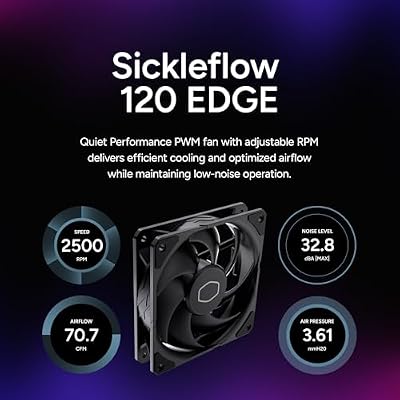
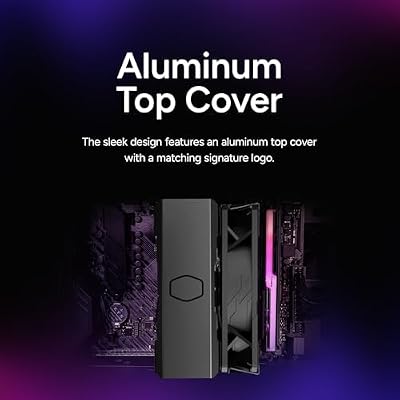
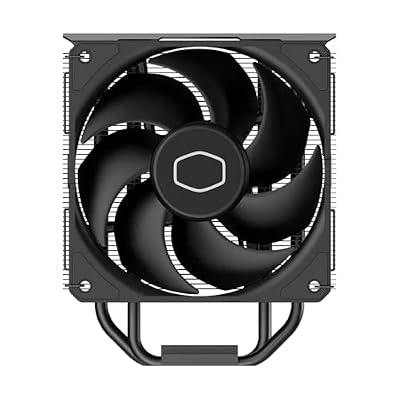
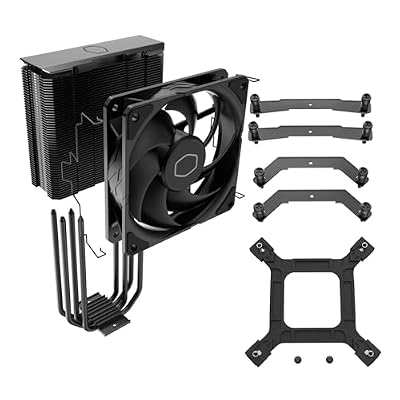
Cooler Master Hyper 212 Black CPU Air Cooler, 4 Heat Pipes, PWM Fan | AMD AM5/AM4 & Intel LGA1851/1700 Support Cooler, Quiet Cooling,120mm PWM Fan, 152mm, Easy Installation








As an Amazon Associate we earn from qualifying purchases. Product prices and availability are accurate as of the date/time indicated.
The Cooler Master Hyper 212 is the lead pick for beginners, and quite simply one of the most recommended CPU coolers ever made. This black edition pairs four direct-contact heat pipes with a quiet 120mm PWM fan, and it is famous for a straightforward installation that countless first-time builders have completed successfully. At around $25 it is affordable, capable, and reassuringly foolproof.
For a newcomer this is the stress-free choice. The Hyper 212’s mounting hardware and instructions are well documented across the internet, so if you ever get stuck a video walkthrough is a search away, and the air-cooler design means there is no pump or liquid to worry about. It cools mainstream Intel and AMD processors comfortably and runs quietly. If you want the safest, best-supported first cooler that simply works, start here.
Pros: Easy proven installation, quiet 120mm PWM fan, affordable, hugely well documented.
Cons: Tower height — check case clearance; not for extreme overclocking.
2. Vetroo V5 CPU Air Cooler, 5 Heat Pipes, 120mm PWM, RGB
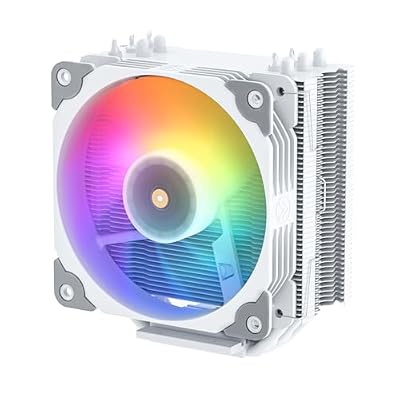
Vetroo V5 White CPU Air Cooler with 5 Heat Pipes | 120mm FDB PWM Processor Cooling for Intel LGA 1851/1700/1200/115X AMD AM5/AM4, Addressable RGB Lights Sync


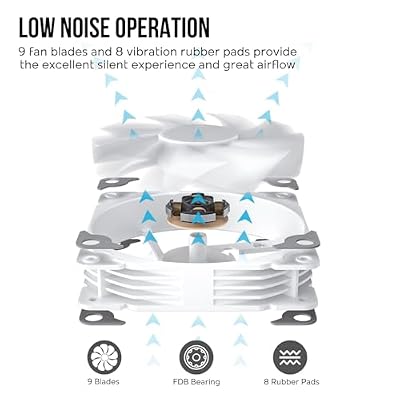


As an Amazon Associate we earn from qualifying purchases. Product prices and availability are accurate as of the date/time indicated.
The Vetroo V5 is the budget RGB air pick for beginners who want a little flair. It packs five copper heat pipes and a 120mm PWM fan into an affordable tower, and tops it with addressable RGB lighting on the cap. At around $25 it delivers more cooling hardware and a flashier look than you might expect at the price, while remaining a simple air cooler to fit.
This is the cooler for a first build that wants some color without the complexity of liquid cooling. The five heat pipes give it solid thermal performance for mainstream CPUs, the air-cooler format keeps installation approachable, and the RGB ties into a colorful build without any pump to manage. As with any tower cooler, check the height fits your case, but for an inexpensive, good-looking and beginner-friendly air cooler, the V5 is a strong value choice.

Pros: Five heat pipes for the price, addressable RGB, simple air-cooler installation.
Cons: Tower height needs clearance check; budget mounting feel.
3. be quiet! Pure Rock 3 LX CPU Air Cooler, 4 Heat Pipes

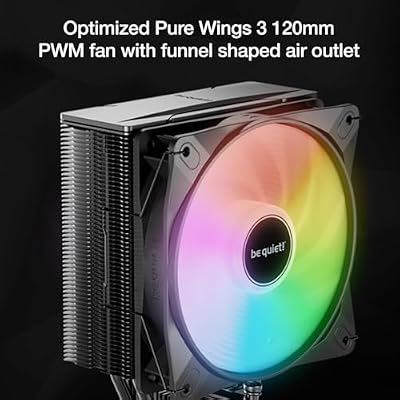
be quiet! Pure Rock 3 LX Black AMD and Intel Air CPU Cooler, 190W TDP, ARGB | Silent 120mm PWM ARGB Fan, 4 High Performance 6mm Heatpipes, HDT Technology, High RAM/VRM Compatibility, Easy Installation




As an Amazon Associate we earn from qualifying purchases. Product prices and availability are accurate as of the date/time indicated.
The be quiet! Pure Rock 3 LX is the quiet beginner air pick. True to the brand’s name, it is engineered for low-noise operation, pairing four high-performance 6mm heat pipes with a quiet fan in a tidy tower. At around $29 it offers be quiet!’s reputation for silence and build quality at an accessible price for a first build.
This is the cooler for the beginner who values a near-silent PC and a well-made, fuss-free component. The four heat pipes handle mainstream processors comfortably, the emphasis on quiet operation keeps the system unobtrusive, and as a straightforward air cooler there is no pump or liquid to think about. be quiet!’s mounting has become simpler over generations, making it approachable for newcomers. If quiet, clean and dependable matters more to you than RGB or extreme cooling, the Pure Rock 3 LX is an excellent pick.
Pros: Quiet operation, solid build quality, four heat pipes, approachable air design.
Cons: No RGB; check tower clearance in compact cases.
4. Noctua NH-U12A Premium CPU Cooler with NF-A12x25 PWM Fan

Noctua NH-U12A, Quiet High-Performance Single Tower CPU Cooler | 158mm Height, High-End Low-Noise Cooling, For Intel & AMD, Dual 120mm Fans, 100% RAM Compatibility, Rich Accessory Kit


As an Amazon Associate we earn from qualifying purchases. Product prices and availability are accurate as of the date/time indicated.
The Noctua NH-U12A is the premium fit-and-forget air pick. It is one of the most respected air coolers in the world, pairing Noctua’s acclaimed NF-A12x25 fan with a dense heatsink for top-tier air-cooling performance and famously low noise. At around $110 it is by far the priciest cooler here, and it earns that with quality, performance and Noctua’s renowned support.
This is the cooler for a beginner who wants to buy once and never think about cooling again. Noctua’s SecuFirm mounting system is widely praised as one of the easiest and most secure to install, the long warranty and excellent support add peace of mind, and the cooler keeps even demanding CPUs cool and quiet. It is a lot to spend on a first build and overkill for a modest processor, but if budget allows and you value the best air cooling with a hassle-free install, the NH-U12A is the standout.

Pros: Top-tier air cooling, very quiet, superb SecuFirm mounting, long warranty and support.
Cons: Expensive for a beginner; overkill for low-power CPUs; tan fan styling.
5. ID-COOLING FROSTFLOW X 240 AIO CPU Water Cooler, LGA1700 Compatible

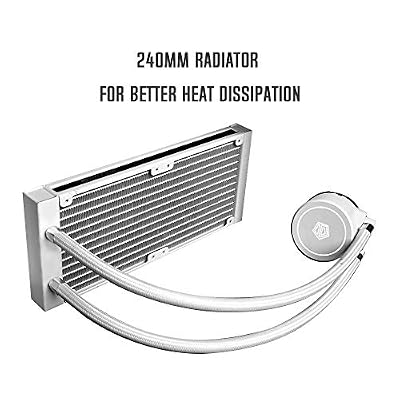
ID-COOLING FROSTFLOW X 240 Snow 240mm AIO CPU Cooler, Intel & AMD | White LED pump, 2×120mm PWM fans, supports Intel LGA1700/1200/115X and AMD AM5/AM4.



As an Amazon Associate we earn from qualifying purchases. Product prices and availability are accurate as of the date/time indicated.
The ID-COOLING FROSTFLOW X 240 is the budget first-AIO pick — and the point where this list moves from air to liquid, with an honest note. It is a 240mm all-in-one liquid cooler with broad socket support including modern LGA1700, and at around $54 it is an inexpensive way to try liquid cooling. It is approachable as AIOs go, but it is not as simple as bolting on an air cooler.
Choose this if you specifically want the look and cooling potential of a 240mm AIO on a tight budget and are comfortable following a few extra steps. An AIO requires mounting a radiator and its fans to the case, routing the pump cable, and being mindful of orientation — manageable for a careful beginner, but more involved than air. The reward is strong cooling and a clean look on the CPU. If you would rather avoid any added complexity on a first build, an air cooler above is the safer call; if you want to take the AIO plunge affordably, this is a sensible entry.
Pros: Affordable 240mm AIO, broad socket support including LGA1700, strong cooling potential.
Cons: More involved than air — radiator mounting and pump; liquid-cooling considerations.
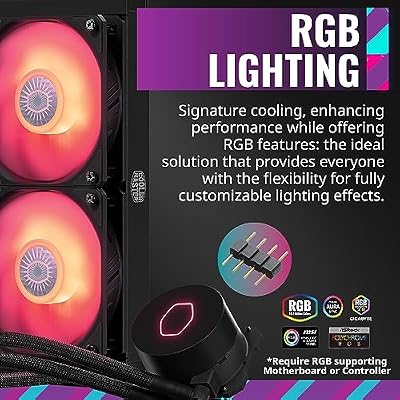
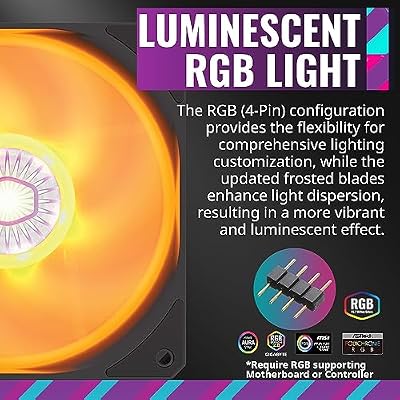
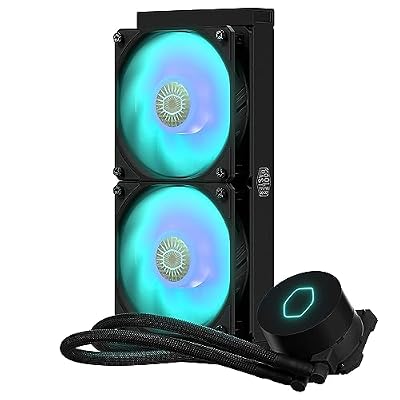
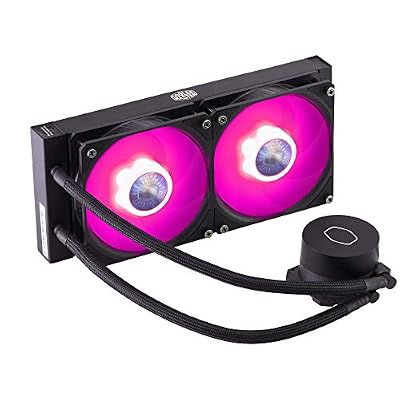
6. Cooler Master MasterLiquid ML240L RGB V2 240mm AIO, Gen3 Pump

CoolerMaster MasterLiquid ML240L RGB V2, Close-Loop AIO CPU Liquid Cooler, Gen3 Dual Chamber Pump, 240mm Radiator, SickleFlow 120 PWM ARGB, AMD Ryzen AM5/AM4, Intel LGA1700/1200 (MLW-D24M-A18PC-R2)




As an Amazon Associate we earn from qualifying purchases. Product prices and availability are accurate as of the date/time indicated.
Rounding out the list is the Cooler Master MasterLiquid ML240L RGB V2, an approachable 240mm AIO from a major brand — included with the same honest liquid-cooling caveat. It is a closed-loop all-in-one with a third-generation pump, RGB lighting and broad socket compatibility, and at around $89 it offers a polished, colorful liquid-cooling experience.
This is the AIO for a beginner who wants the striking look of RGB liquid cooling backed by Cooler Master’s support and documentation, and is willing to do a little more than an air install. As with any AIO you will mount a radiator and fans, connect the pump, and plan cable routing and lighting, which is more than an air cooler asks but well within reach with the included guide. The payoff is excellent cooling and a centrepiece RGB look. For a first liquid-cooling build with brand backing, it is a solid choice — but if simplicity is your top priority, an air cooler remains the easier route.

Pros: Polished 240mm AIO, RGB lighting, Gen3 pump, broad socket support, good documentation.
Cons: Liquid cooling adds installation steps over air; pump is a long-term wear part.
How to Choose a CPU Cooler as a Beginner
For a beginner, the single most important decision is air versus liquid, and for most first builds the honest recommendation is air. An air cooler like the Hyper 212, Vetroo V5, Pure Rock 3 LX or Noctua NH-U12A bolts onto the CPU with a screwdriver, has no pump or liquid, and has very little that can go wrong — it is the lowest-stress, most reliable path. An AIO such as the FROSTFLOW X 240 or ML240L can cool brilliantly and looks fantastic, but it asks you to mount a radiator, connect a pump and plan orientation. Start with air unless you specifically want the liquid look and feel comfortable with the extra steps.
Socket compatibility is the next thing to confirm, and it is non-negotiable. Every cooler must include the correct mounting bracket for your CPU’s socket — an AMD AM4 or AM5, or an Intel socket such as the modern LGA1700. The coolers here support a broad range of sockets, but always check the product’s compatibility list against your exact CPU and motherboard before buying. A great cooler that does not fit your socket is no use, so verify this first and make sure the required bracket is in the box.
Clearance and case fit catch out many first builders, so measure before you commit. Tower air coolers have a height that must clear your case’s side panel, and tall coolers can also overlap tall RAM modules. AIO radiators need a case with the right mounting spot and enough room for a 240mm radiator and its fans. Check your case’s stated CPU-cooler height limit and radiator support against the cooler you want — these numbers are easy to find and save you the frustration of a part that physically will not fit.
Finally, balance performance, noise and budget against your actual CPU. A modest mainstream processor does not need a flagship cooler — an affordable air cooler like the Hyper 212 or Pure Rock 3 LX keeps it cool and quiet for under $30, while the premium NH-U12A is overkill unless you have a hot, high-end chip or simply want the best. If quiet operation matters, lean toward be quiet! or Noctua; if you want color, the Vetroo V5 or an RGB AIO delivers. Decide air or liquid, confirm the socket fits, check clearance, then pick the cooler on this list that matches your CPU and comfort level.
Frequently Asked Questions
Is air or liquid cooling better for a beginner?
For most first builds, air cooling is the better starting point. Air coolers like the Hyper 212 or Pure Rock 3 LX install with a screwdriver, have no pump or liquid, and leave very little to go wrong. AIOs such as the ML240L or FROSTFLOW X 240 cool well and look great but require mounting a radiator, connecting a pump and planning orientation. Choose air for the lowest-stress experience; pick an AIO only if you want the liquid look and are comfortable with the extra steps.
How do I know a cooler fits my CPU socket?
Check the cooler’s compatibility list against your exact CPU socket — an AMD AM4 or AM5, or an Intel socket like LGA1700 — and confirm the correct mounting bracket is included. The coolers in this guide support a broad range of sockets, but compatibility is non-negotiable: a cooler that lacks your socket’s bracket cannot be installed. Verify this before buying, matching it to both your processor and motherboard.
Will a CPU cooler fit in my case?
Not always, so measure first. Tower air coolers have a height that must clear your case’s side panel, and tall coolers can also overlap tall RAM. AIO radiators need a compatible mounting location and room for the radiator and fans. Check your case’s stated CPU-cooler height limit and radiator support against the cooler you want — these figures prevent the common mistake of buying a cooler that physically will not fit.
Do I need an expensive cooler for a first build?
No. A modest mainstream CPU is well served by an affordable air cooler like the Hyper 212 or be quiet! Pure Rock 3 LX for under $30, both of which install easily and run quietly. A premium cooler such as the Noctua NH-U12A is excellent but overkill unless you have a hot, high-end processor or simply want the best. Match the cooler to your CPU rather than overspending on your first build.
Related Guides
- Best CPU Coolers
- Best CPU Air Coolers
- Best AIO Liquid Coolers
- Best Gaming PC Builds
- Best PC Cases for Small Spaces
- Best Budget Gaming Setup
Affiliate Disclosure: As an Amazon Associate, we earn from qualifying purchases. If you click a link and make a purchase, we may earn a small commission at no extra cost to you. Prices and availability are accurate as of publication and may change.










