The best competitive monitor for PS5 is not the panel with the biggest refresh number on the box. The PS5 tops out at 120 frames per second, so a 240Hz badge buys nothing on console, while the right 4K 120Hz display with HDMI 2.1, variable refresh rate and low input lag buys a real edge in ranked matches. This guide explains the 120Hz ceiling, the specs that matter for competitive play, and five monitors that make the most of the console.


Every pick below is a 4K panel with HDMI 2.1 and a refresh rate above 120Hz, plus a game mode that cuts processing delay and support for the variable refresh rate signal the PS5 sends when frame rates dip. The result is a shortlist built for shooters, fighting games and battle royales, where a single frame can decide a duel.
The PS5 120Hz Ceiling: What It Really Means
The PS5 outputs a maximum of 120 frames per second. No monitor, cable or setting changes that limit, because the console itself renders at most 120 frames each second. A 144Hz, 160Hz or 165Hz panel still helps: it accepts the full 120Hz signal without strain, but on PS5 the extra hertz above 120Hz sit idle. The practical goal is a monitor that runs 4K at 120Hz cleanly, not one that chases a bigger number.
HDMI 2.1 is the key that unlocks 4K 120Hz. The older HDMI 2.0 connection caps out at 4K 60Hz, so a monitor without HDMI 2.1 forces a choice between sharp resolution and high frame rate. With HDMI 2.1, the PS5 sends the full 4K 120Hz signal in one stream. Every display in this guide has at least one HDMI 2.1 port, and most have two, which leaves room for a second console or a PC alongside the PS5.
Variable refresh rate, known as VRR, is the second feature that matters. When a game drops below its frame-rate target, VRR lets the monitor match its refresh to the console frame by frame, which removes tearing and keeps motion smooth during chaotic moments. The PS5 supports VRR over HDMI 2.1, and all five monitors below support it. A dedicated game mode rounds out the essentials by bypassing heavy image processing, which keeps input lag low.
What Makes a Monitor Competitive on PS5
Refresh rate and resolution. Aim for 4K at 120Hz as the baseline. A 1080p 120Hz mode exists on the PS5 and suits players who value frame rate above all else, but 4K keeps distant enemies readable, which matters in shooters with long sightlines. A panel rated above 120Hz is fine as long as its HDMI 2.1 port carries the full 4K 120Hz signal.
Response time. The grey-to-grey figure describes how quickly a pixel changes colour. A 1ms figure is the standard claim on gaming panels, and all five picks below carry one. Real-world motion clarity also depends on overdrive tuning, so a well-tuned 1ms IPS panel often looks cleaner than a poorly tuned panel with the same headline number.
Input lag. Input lag is the delay between a button press and the result on screen, and it comes from the console, the display processing and the panel itself. A game mode that switches off extra processing is the most effective way to keep it low. Every monitor here has one, and it should stay on during competitive play.
Panel type. IPS panels lead on viewing angles and colour consistency, which helps when the screen is viewed slightly off centre. VA panels lead on contrast, which makes dark corners easier to read, though some VA panels show more motion smearing. The list below mixes both, so the choice depends on whether colour accuracy or deep blacks matter more.
HDR and brightness. HDR adds depth to bright highlights and dark shadows, and it makes enemy outlines easier to pick out in mixed lighting. A DisplayHDR 400 badge is the entry point, while DisplayHDR 600 and brighter Mini LED backlights deliver a clearly stronger image. HDR never replaces refresh rate or response time in competitive play, but it is a welcome bonus.
Size and extras. A 27-inch screen fits most desks and keeps the whole image inside the field of view, while a 32-inch screen adds immersion. Built-in speakers, a USB hub and height adjustment are conveniences, not competitive essentials, but they matter for a setup that doubles as a workspace. For a broader look at how these traits rank across all platforms, the competitive gaming monitor guide on this site covers the same ideas without the console focus.
Sony INZONE M9 II
The Sony INZONE M9 II is the most console-aware monitor in this guide. It is a 27-inch 4K IPS display running at 160Hz with a 1ms grey-to-grey response, paired with a full array local dimming backlight and DisplayHDR 600 certification. The panel covers 95 percent of the DCI-P3 colour space, so game worlds look rich without oversaturation, and local dimming keeps dark scenes readable.
What sets it apart for PS5 players is the auto picture mode, which detects a connected PlayStation 5 and switches the display to settings tuned for console play. HDMI 2.1 carries 4K 120Hz and VRR, DisplayPort 2.1 covers PC use, and built-in speakers handle audio when a headset is not in use. The stand adjusts for height, tilt and swivel.
Specs
- 27-inch IPS panel; 3840 x 2160 resolution; 160Hz refresh rate; 1ms GtG response; 2 HDMI 2.1 ports; DisplayPort 2.1; DisplayHDR 600; 95% DCI-P3; full array local dimming; built-in speakers; model SDM27U9M2. ASIN: B0D9R8YPK3
Gigabyte M27UP
The Gigabyte M27UP is the value pick of the group, and it earns that spot with a dual-mode panel. In its native mode it runs 4K at 160Hz on a 27-inch SuperSpeed IPS screen with a 1ms grey-to-grey response. Switch to the second mode and it drops to Full HD at 320Hz, a PC feature, but the 4K 160Hz mode is the one that matters on PS5, where it delivers the full 4K 120Hz signal with room to spare.
Two HDMI 2.1 ports sit alongside DisplayPort 1.4 and a USB-C connection with KVM, so a keyboard and headset can stay plugged into the monitor while the PS5 and a PC share the desk. FreeSync Premium and G-Sync compatibility cover variable refresh, DisplayHDR 400 adds basic HDR, and the 95 percent DCI-P3 gamut keeps colours vivid. The stand adjusts for height, tilt, pivot and swivel.
Specs
- 27-inch SuperSpeed IPS panel; 3840 x 2160 resolution; 160Hz refresh rate; 1ms GTG response; dual mode 4K 160Hz or Full HD 320Hz; 2 HDMI 2.1 ports; DisplayPort 1.4; USB-C with KVM; DisplayHDR 400; 95% DCI-P3; model M27UP SA. ASIN: B0FR671G1H
LG UltraGear 27GP950-B

The LG UltraGear 27GP950-B has been a console favourite since launch, and the reason is simple: its two HDMI 2.1 ports run at the full 48 Gbps bandwidth, so the PS5 gets a clean 4K 120Hz signal. The 27-inch Nano IPS panel runs at 144Hz natively and overclocks to 160Hz, with a 1ms grey-to-grey response and VRR support up to 120Hz over HDMI.
Colour is a strong point here. The Nano IPS panel covers 98 percent of the DCI-P3 space, and DisplayHDR 600 certification means bright highlights carry real punch. The panel also handles 4K 120Hz with 4:2:2 chroma subsampling, how the PS5 sends its highest-quality signal. A joystick under the bezel makes the on-screen menu quick to navigate.
Specs
- 27-inch Nano IPS panel; 3840 x 2160 resolution; 144Hz refresh rate, overclockable to 160Hz; 1ms GtG response; 2 HDMI 2.1 ports at 48 Gbps; DisplayPort 1.4 with DSC; DisplayHDR 600; 98% DCI-P3; VRR up to 120Hz over HDMI; model 27GP950-B. ASIN: B094RWMN8K
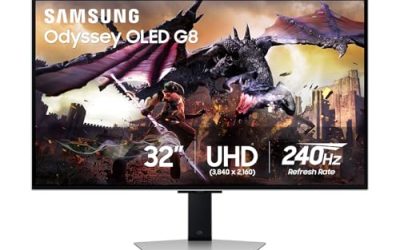
Samsung Odyssey Neo G7 S32BG75

The Samsung Odyssey Neo G7 S32BG75 is the big-screen option, and it brings Mini LED muscle to competitive play. Its 32-inch curved VA panel runs at 4K and 165Hz with a 1ms response, and the 1000R curve wraps the image around the field of view. Behind the panel sit 1,196 Mini LED dimming zones driving Quantum HDR 2000, the strongest HDR in this guide, which makes dark maps far easier to read.
For PS5 play, two HDMI 2.1 ports carry the 4K 120Hz signal, DisplayPort 1.4 covers PC, and FreeSync Premium Pro plus G-Sync compatibility handle variable refresh. The VA panel trades a little viewing-angle consistency for deep blacks, which suits players who spend their time in dark, atmospheric shooters. The adjustable stand rounds out a monitor that doubles as a showpiece when the match ends.
Specs
- 32-inch curved VA panel, 1000R; 3840 x 2160 resolution; 165Hz refresh rate; 1ms response; 1,196 Mini LED dimming zones; Quantum HDR 2000; 2 HDMI 2.1 ports; DisplayPort 1.4; FreeSync Premium Pro; G-Sync compatible; model S32BG75. ASIN: B09ZH1Q6TT
ASUS TUF Gaming VG28UQL1A
The ASUS TUF Gaming VG28UQL1A is the steady all-rounder of the five. Its 28-inch Fast IPS panel runs 4K at 144Hz with a 1ms grey-to-grey response, and HDMI 2.1 with Display Stream Compression carries the full 4K 120Hz signal. ELMB Sync combines blur reduction with variable refresh, keeps fast motion readable without giving up tear-free frames, and FreeSync Premium plus G-Sync compatibility cover the VRR side.
The extra inch over a 27-inch screen adds a little immersion, and the 90 percent DCI-P3 gamut with DisplayHDR 400 keeps colours natural. Variable Overdrive adjusts the pixel response to match the frame rate, which helps motion stay clean when a game dips below its target. It is a practical pick for a player who wants every competitive essential in one panel.
Specs
- 28-inch Fast IPS panel; 3840 x 2160 resolution; 144Hz refresh rate; 1ms GTG response; HDMI 2.1 with DSC; DisplayPort 1.4; ELMB Sync; FreeSync Premium; G-Sync compatible; DisplayHDR 400; 90% DCI-P3; model VG28UQL1A. ASIN: B09FP3J623
Setting Up Your PS5 for 120Hz
A capable monitor only helps if the console is set to use it. Open the PS5 settings, go to Screen and Video, then Video Output, and confirm that 120Hz output is set to Automatic. In the same menu, turn on VRR so the console can smooth out frame-rate dips. Then open Saved Data and Game Settings and set Performance Mode as the default, so supported games favour frame rate over resolution.
In each game, look for a performance or 120Hz mode in the display options, because many titles hide the high frame-rate option behind a separate toggle. Some games offer a 120Hz mode only at 1080p, so check the resolution the game reports after enabling it. Finally, switch the monitor to its game mode and disable extra image processing, motion smoothing or dynamic contrast that adds delay. A quick match in a familiar shooter is the quickest way to confirm that the setup feels right.
Which Monitor Fits Your Setup
The right pick depends on the desk and the games. The Sony INZONE M9 II suits a player who wants the most console-aware experience, with auto picture mode and the strongest all-round HDR of the 27-inch picks. The Gigabyte M27UP suits a player who wants the lowest outlay for a full 4K 120Hz setup, with dual-mode flexibility for PC play. The LG UltraGear 27GP950-B suits a player who values colour accuracy and full-bandwidth HDMI 2.1.
The Samsung Odyssey Neo G7 S32BG75 suits a player who wants the biggest, most immersive screen and the best HDR in the group, and who accepts a curved VA panel to get it. The ASUS TUF Gaming VG28UQL1A suits a player who wants a dependable 28-inch all-rounder with blur reduction and variable refresh working together. Any of the five clears the bar the PS5 sets; the choice comes down to size, panel character and budget priorities, because the console caps each one at 120 frames per second.
Frequently Asked Questions
Can the PS5 run at 144Hz or 165Hz?
No. The PS5 outputs a maximum of 120 frames per second, so a 144Hz or 165Hz monitor shows at most 120 frames from the console. The extra refresh headroom is useful for PC use and guarantees the panel never limits the 120Hz signal.
Is 4K 120Hz better than 1080p 120Hz for competitive play?
For most competitive games, yes. Both modes run at 120 frames per second, so motion smoothness is the same, but 4K keeps distant targets sharper and easier to identify. The 1080p mode suits players who prefer a smaller screen, but 4K is the stronger default for ranked play.
Do I need HDMI 2.1 for a competitive PS5 monitor?
Yes, for 4K 120Hz. HDMI 2.0 caps out at 4K 60Hz, so without HDMI 2.1 the choice is between sharp resolution and high frame rate. HDMI 2.1 carries both at once, plus the VRR signal that keeps motion smooth when frame rates dip.
Does VRR help in competitive PS5 games?
Yes. VRR lets the monitor match its refresh to the console frame by frame, which removes screen tearing and smooths out dips below the frame-rate target. The benefit shows most in chaotic fights, where frame rates swing the hardest. Enable it in the PS5 video output settings.
As an Amazon Associate we earn from qualifying purchases.