

🛒 Best Price Today on Amazon
Prime members get fast, free shipping on everything above, plus member-only deals. New members get a 30-day free trial — cancel anytime.
- Top Audio Interfaces Streaming Picks for 2026
- Best Audio Interfaces for Streaming at a Glance
- 1. Elgato Wave XLR MK.2 – USB Audio Interface and DSP Mixer for XLR Microphones
- 2. Focusrite Scarlett 2i2 4th Gen USB Audio Interface
- 3. Focusrite Scarlett Solo 3rd Gen USB Audio Interface
- 4. Elgato XLR Dock MK.2 – Audio Interface Accessory for Stream Deck +
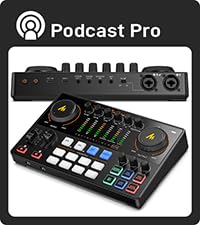
- 5. MAONO Podcast Equipment Bundle Audio Interface Mixer with Dual XLR
- 6. blueAVS (blueCaster TWO) USB-C Audio Interface 24-Bit/192kHz
- How to Choose an Audio Interface for Streaming
- Related Guides
- Frequently Asked Questions
- Related Guides
- Related Articles
Top Audio Interfaces Streaming Picks for 2026
Here are our current top audio interfaces streaming picks, compared on real Amazon owner reviews, price, and features. Live prices update below.
As an Amazon Associate we earn from qualifying purchases at no extra cost to you.




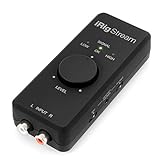
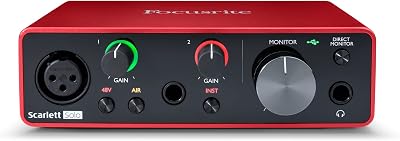


An audio interface is the box that takes a professional XLR microphone, supplies it with the power it needs, and feeds clean, low-noise audio into your PC over USB. For streamers it is the upgrade that finally makes the voice sound ‘broadcast’ — clear, controlled, without the hiss and harshness of a basic USB mic. For podcasters and content creators it is the foundation of any serious audio workflow. The market splits broadly into streaming-focused interfaces designed to integrate with OBS and software mixers, and traditional music-production interfaces that bring studio-grade conversion and preamps to your desktop.
This guide rounds up the best audio interfaces for streaming in 2026 across both camps. We lead with the streaming-focused Elgato Wave XLR MK.2 — the best single-box streamer interface from the company that defines the category — then cover the Stream Deck + accessory XLR Dock MK.2, the industry-standard Focusrite Scarlett 2i2 (4th gen) and Scarlett Solo (3rd gen) from the music production world, and value picks from MAONO and blueAVS. Every option confirmed below offers XLR input and USB output — the minimum bar for serious streaming audio. Prices range from around $99 to $224. Below is an at-a-glance comparison, then a closer look at each.
Best Audio Interfaces for Streaming at a Glance
| Interface | Best For | Standout Spec | Approx Price |
|---|---|---|---|
| Elgato Wave XLR MK.2 | Streaming flagship | 80dB gain, onboard DSP/effects, LED meter | around $169 |
| Focusrite Scarlett 2i2 (4th Gen) | Streaming + music production | 2 XLR/Line, 24-bit/192kHz, high-fidelity | around $224 |
| Focusrite Scarlett Solo (3rd Gen) | Single-mic streamers/podcasters | 1 XLR + 1 instrument, classic Solo | around $119 |
| Elgato XLR Dock MK.2 | Stream Deck + accessory | Adds XLR input to Stream Deck + | around $129 |
| MAONO PodcastCaster E2 Gen2 | Dual-XLR podcast bundle | Dual XLR mixer, podcast bundle | around $122 |
| blueAVS blueCaster TWO | Budget USB-C interface | 24-bit/192kHz, USB-C, 48V phantom | around $99 |
1. Elgato Wave XLR MK.2 – USB Audio Interface and DSP Mixer for XLR Microphones

13






As an Amazon Associate we earn from qualifying purchases. Product prices and availability are accurate as of the date/time indicated.
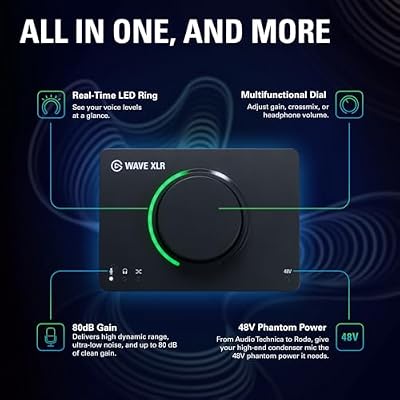
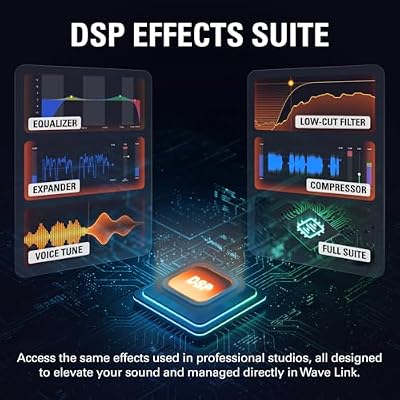
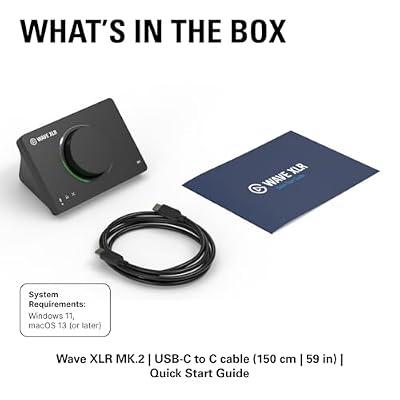
The Elgato Wave XLR MK.2 is the streaming flagship and the lead pick of this guide. It is a streaming-focused single-channel USB audio interface built specifically for XLR microphones, with 80dB of clean gain, switchable phantom power, onboard DSP effects (Clipguard, expander, noise reduction, EQ, compression), and an LED feedback meter on the front. At around $169 it is purpose-built for content creators in a way few other interfaces are.
This is the interface for the streamer who wants the cleanest single-XLR voice chain in the smallest footprint, with software that speaks fluent streaming. The 80dB gain comfortably drives dynamic broadcast microphones like the Shure SM7B without an inline booster, Clipguard automatically protects against shouting peaks, and Elgato’s Wave Link software gives you multi-channel virtual mixing for game, mic, chat and music streams independently. If your streaming setup revolves around one premium XLR mic, the Wave XLR MK.2 is the obvious choice.
Pros: Streaming-built 80dB gain, onboard DSP/Clipguard, Wave Link mixer, integrates with Stream Deck.
Cons: Single XLR input only; not suited if you need two mics or stereo inputs.
2. Focusrite Scarlett 2i2 4th Gen USB Audio Interface
9
Focusrite Scarlett 2i2 4th Gen USB Audio Interface for Recording, Songwriting, Streaming and Podcasting — High-Fidelity, Studio Quality Recording, and All the Software You Need to Record
In Stock




As an Amazon Associate we earn from qualifying purchases. Product prices and availability are accurate as of the date/time indicated.
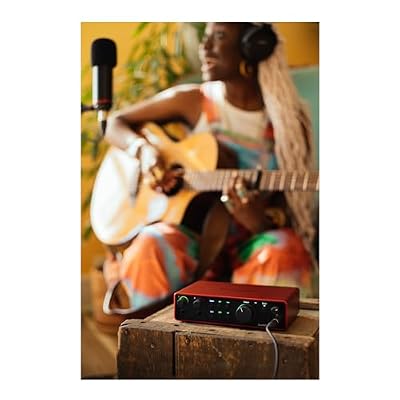
The Focusrite Scarlett 2i2 (4th Gen) is the music-production-standard interface that doubles brilliantly for streaming, and the pick for users who want studio-grade audio plus room for two inputs. It is a 2-in/2-out USB interface with two XLR/Line combo inputs, 48V phantom power, 24-bit at 192kHz conversion, and Focusrite’s high-fidelity preamps — features that have made the Scarlett line a long-time industry favorite for songwriters, podcasters and streamers alike. At around $224 it is the most expensive interface here for good reason.
This is the interface for the user whose streaming overlaps with music, podcasting or instrument recording — anyone who wants two XLR inputs (mic plus guest, or mic plus instrument), the headroom of 24-bit/192kHz conversion, and Focusrite’s track record. The 4th-gen revisions add improved gain ranges, Auto Gain to set levels in one button, and Clip-Safe to automatically prevent peaks. If you want one interface to stream, podcast and record music, the Scarlett 2i2 is the long-running answer.
Pros: Two XLR/Line inputs, 24-bit/192kHz, Focusrite preamps, Auto Gain, music-production standard.
Cons: Higher price; oriented to music as well as streaming, so feature set is broader.
3. Focusrite Scarlett Solo 3rd Gen USB Audio Interface
33
Focusrite Scarlett Solo 3rd Gen USB Audio Interface for Guitarists, Vocalists, Podcasters or Producers to record and playback studio quality sound
In Stock








As an Amazon Associate we earn from qualifying purchases. Product prices and availability are accurate as of the date/time indicated.
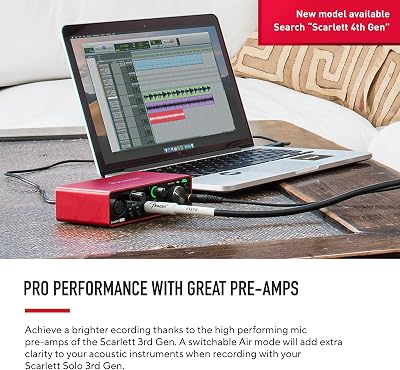
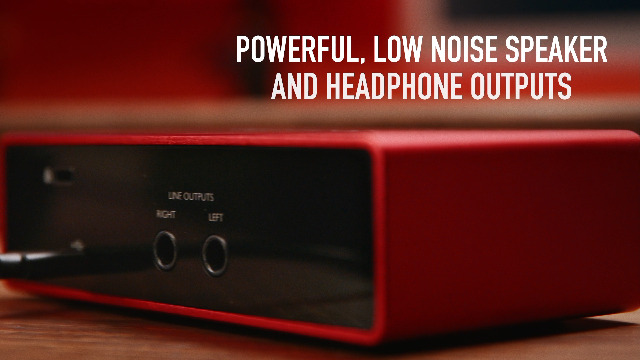
The Focusrite Scarlett Solo (3rd Gen) is the music-production interface for single-microphone streamers and podcasters, and one of the best-selling audio interfaces ever made. It is a 2-in/2-out USB interface with one XLR input, one instrument input, 48V phantom power and Focusrite’s signature preamp. At around $119 it is a long-standing value pick for users who only need one mic.
This is the pick for the solo streamer or podcaster who wants studio-production quality without paying for a second XLR channel they will never use. The Solo’s preamp is the same high-quality circuit found in the larger Scarlett 2i2, the headphone output and direct monitoring let you hear yourself with no latency, and Focusrite’s drivers are rock solid on PC and Mac. For a single-mic streamer who wants the trusted Focusrite name at a sensible price, the Scarlett Solo 3rd Gen is the classic recommendation.
Pros: Studio-grade single XLR preamp, instrument input, trusted Focusrite drivers, great value.
Cons: Single XLR input only; later 4th-gen revisions exist but cost more.
4. Elgato XLR Dock MK.2 – Audio Interface Accessory for Stream Deck +

14



As an Amazon Associate we earn from qualifying purchases. Product prices and availability are accurate as of the date/time indicated.
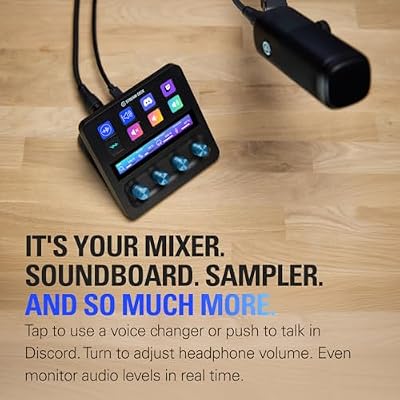
The Elgato XLR Dock MK.2 is a streaming-focused USB audio interface designed as an accessory for the Stream Deck +. It is a single-channel XLR input dock that snaps to or sits beside the Stream Deck +, offering 80dB of gain, phantom power, Clipguard and onboard effects — the same audio chain as the Wave XLR MK.2, but designed to integrate physically and visually with the Stream Deck + ecosystem. At around $129 it is the natural pairing for an Elgato-centric desk.
This is the interface for the streamer who already owns a Stream Deck + and wants their XLR mic chain to plug directly into the same console ecosystem — using the Stream Deck +’s dials and touch strip to control mic gain and effects live. It is a confirmed XLR-in/USB-out audio interface like the others on this list, just shaped as a Stream Deck + companion. For Elgato-loyal streaming desks where the Stream Deck + is already the centerpiece, the XLR Dock MK.2 is the obvious mic interface.

Pros: Streaming-focused XLR-to-USB interface, 80dB gain, Clipguard, Stream Deck + integration.
Cons: Sized as an accessory to the Stream Deck +; less appealing on its own.
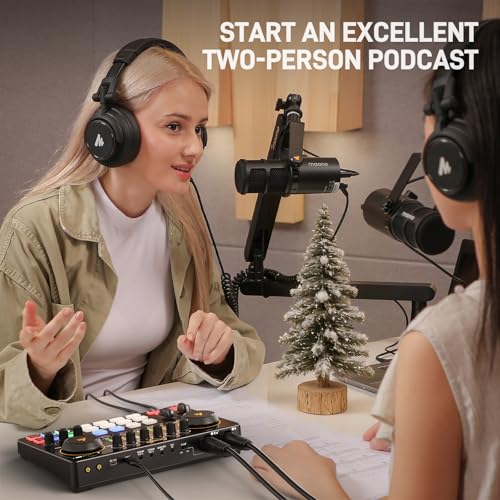
5. MAONO Podcast Equipment Bundle Audio Interface Mixer with Dual XLR

33
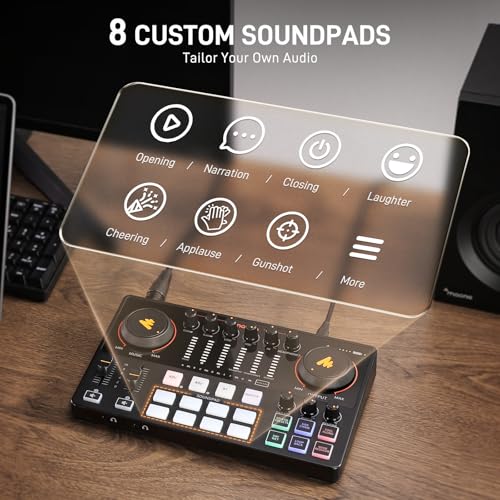
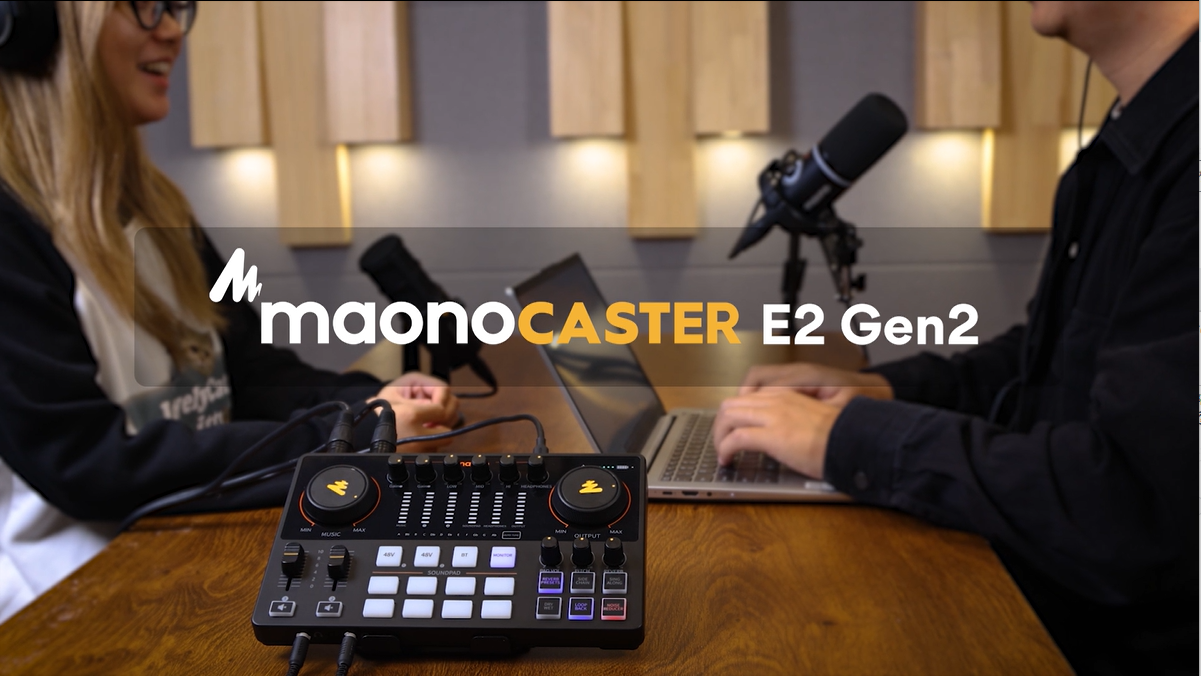
MAONO Podcast Equipment Bundle: Audio Interface mixer with Dual XLR Input for Podcast Streaming – MaonoCaster E2 Gen2
In Stock






As an Amazon Associate we earn from qualifying purchases. Product prices and availability are accurate as of the date/time indicated.
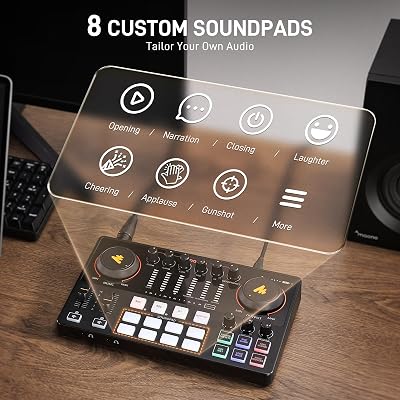
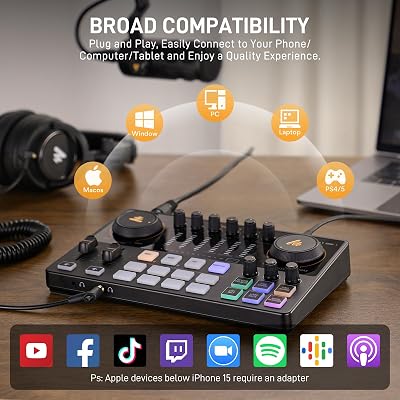
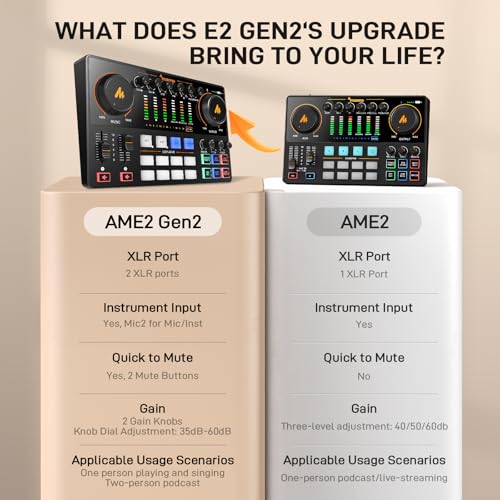
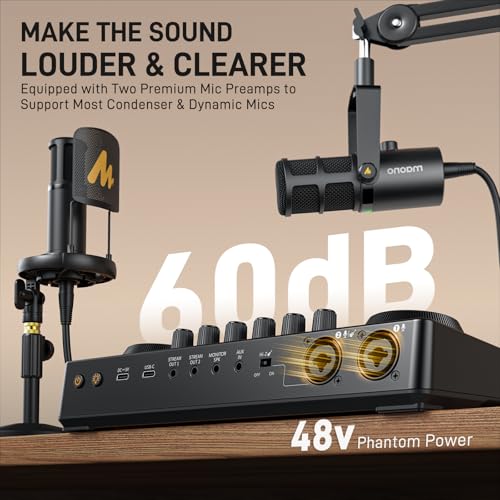
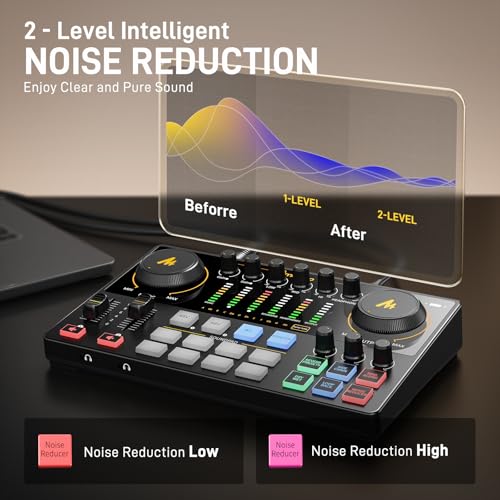
The MAONO MaonoCaster E2 Gen2 is the dual-XLR podcast and streaming pick. It is a USB audio interface mixer with two XLR microphone inputs (with phantom power), pad controls and integrated headphone monitoring — bundled in some configurations with accessories for a complete podcast starter kit. At around $122 it is the most affordable dual-XLR option on this list.
This is the interface for the streamer or podcaster who needs two mic inputs (interview-style podcast, co-stream with a guest in the room, vocalist plus instrument) and does not want to pay Focusrite Scarlett 2i2 money for them. Dual XLR with phantom power is genuinely useful for multi-person formats, the integrated mixer layout suits live podcasting, and at this price it is hard to beat for the feature mix. For a budget two-input streaming and podcasting interface from a brand growing in the creator space, the MAONO E2 Gen2 is a sensible value pick.
Pros: Dual XLR inputs with phantom power, podcast-mixer layout, affordable two-mic streaming setup.
Cons: Lower-tier preamps than Focusrite; less established brand than Elgato or Focusrite.
6. blueAVS (blueCaster TWO) USB-C Audio Interface 24-Bit/192kHz

9
BlueAVS USB Audio Interface, 2-In/4-Out Audio Interface with 2 XLR/TRS Combo Inputs, 24Bit/192kHz Recording, 48V Phantom Power, Zero Latency Monitoring, USB-C for PC, Mac, Podcast, Guitar, Streaming
In Stock




As an Amazon Associate we earn from qualifying purchases. Product prices and availability are accurate as of the date/time indicated.
The blueAVS blueCaster TWO is the budget USB-C interface pick. It is a USB-C audio interface offering 24-bit/192kHz studio recording resolution, 48V phantom power for XLR condenser microphones and ASIO driver support for low-latency monitoring. At around $99 it is the cheapest option on this list and a fair pick for users who want studio-grade conversion specs at an entry-level price.
This is the interface for the streamer or home studio user who wants the modern USB-C connection and the headline 24-bit/192kHz number without paying Focusrite or Elgato prices. The phantom power supports XLR condenser microphones for spoken-word and music applications, the ASIO driver path is what professional DAWs and OBS expect for low latency, and the price is hard to argue with. It is a less established brand than the leaders on this list, but at the budget tier it is a fair, capable entry point.
Pros: USB-C, 24-bit/192kHz, 48V phantom power, ASIO support, lowest-price interface here.
Cons: Less established brand than Focusrite or Elgato; build is value-tier.
How to Choose an Audio Interface for Streaming
Start by confirming the most important spec: XLR input and USB output. Every interface on this list meets that bar, but plenty of cheaper boxes labelled ‘audio interface’ do not — they are USB mixers, headphone amps or soundcards without a real microphone preamp. For streaming you need an interface that takes a balanced XLR microphone, provides switchable 48V phantom power if your mic needs it, and delivers clean low-noise audio into your computer over USB.
Decide between a streaming-focused interface and a music-production interface. Streaming-focused boxes like the Elgato Wave XLR MK.2 and the XLR Dock MK.2 are tuned for streamers — high mic gain, Clipguard, onboard effects and Wave Link software for virtual multi-channel mixing into OBS. Music-production interfaces like the Focusrite Scarlett 2i2 and Solo are tuned for studios — pristine preamps, instrument inputs and the broadest DAW compatibility, but with less streaming-specific software. Both work for streaming; choose based on whether you also record or play music.
Match the channel count to your format. Single-mic solo streamers need exactly one XLR input — the Wave XLR MK.2, Scarlett Solo or blueAVS blueCaster TWO are ideal. Dual-mic formats (interview podcasts, co-streams with a guest in the room) need two XLR inputs — the Focusrite Scarlett 2i2 or the MAONO E2 Gen2 cover that. Buying more channels than you need adds cost; buying fewer is a hard ceiling on your format, so be honest about your future plans.
Finally, weigh preamp quality, gain, and ecosystem. If you use a dynamic broadcast mic like a Shure SM7B, look for an interface with at least 60-80dB of clean gain — the Wave XLR MK.2 and Scarlett 4th Gen handle it comfortably, while older or cheaper interfaces may struggle. If you already use Stream Deck and Wave Link, the Elgato options integrate deeply; if you live in Pro Tools or Logic, Focusrite is the closer fit. Confirm the interface is genuinely XLR-to-USB, match the channels and preamps to your use, and pick the option that matches your ecosystem.
Frequently Asked Questions
Do I really need an audio interface for streaming?
Only if you want to use a professional XLR microphone. USB microphones plug directly into a PC without an interface and are fine starter options, but XLR mics — generally the higher-quality, more flexible choice — need an audio interface like the Elgato Wave XLR MK.2 or Focusrite Scarlett to supply phantom power, drive the preamp and deliver audio to your computer over USB. For serious streaming audio, an interface is the upgrade that unlocks the rest of the chain.
Should I pick a streaming-focused or music-production interface?
It depends on what else you do. Streaming-focused boxes like the Elgato Wave XLR MK.2 add features streamers care about — Clipguard, onboard effects, Wave Link multi-channel mixing into OBS. Music-production interfaces like the Focusrite Scarlett 2i2 and Solo deliver pristine preamps and broad DAW compatibility for recording vocals and instruments. Both work for streaming, so pick the one whose extra features you will actually use.
What is phantom power and do I need it?
Phantom power (usually 48V, labelled +48V on most interfaces) is the DC voltage your interface sends up the XLR cable to power condenser microphones. If your mic is a condenser — many studio and broadcast mics are — you need phantom power on the interface. Every option on this list provides switchable phantom power. Dynamic mics like the Shure SM7B do not need it but generally do not mind it being on.
How much mic gain do I need on the interface?
Depends on your microphone. Most condensers are loud and run happily on the 40-50dB of gain any interface here provides. Dynamic broadcast mics like the Shure SM7B are notoriously quiet and need substantial gain — ideally 60dB or more before noise. The Elgato Wave XLR MK.2’s 80dB rating and the Focusrite Scarlett 4th-Gen’s improved gain range comfortably drive demanding dynamic mics without an inline booster.
Related Guides
- Best Streaming Microphones
- Best Stream Deck Controllers
- Best Streaming Key Lights
- Best Podcast Microphones
- Best Streaming Cameras
- Best Streaming Camera Mounts
- Best Green Screens for Streaming
Affiliate Disclosure: As an Amazon Associate, we earn from qualifying purchases. If you click a link and make a purchase, we may earn a small commission at no extra cost to you. Prices and availability are accurate as of publication and may change.










