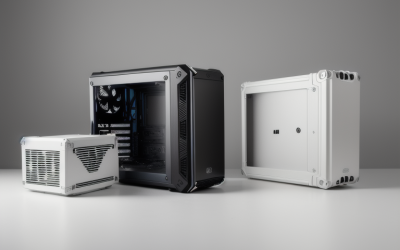
- Top Pick: MOROVOL MATX PC Case,270° Panoramic Tempered Glass Panel Gaming PC Case,3 Fans Pre-Installed Micro-ATX Computer Case,USB 3.0,Black(V3)
- Best Value: MUSETEX ATX PC Case 7 PWM ARGB Fans Pre-Installed, Type-C Mid Tower Computer Case with Full-View Dual Tempered Glass, Gaming PC Case, Black(K2)
- Premium Choice: DARKROCK EC2 ATX Mid Tower Gaming Computer PC Case, Type-C Ready | Supports 50 Series Graphics Cards, Tempered Glass Side Panel, up to 8 x 120mm Fans & 360mm Radiator, 1 x Pre-Installed Fan
A budget case lives or dies on one question: how easily can air get from the front of the chassis to the back? With a shopping limit of under 50 dollars, glass panels and RGB are easy to find, but mesh fronts, pre-installed fans and radiator room are the features that separate a case that breathes from a glass box that traps heat. This guide sorts ten listings by what their titles actually state about fans, form factor and cooling support.
It is written for first-time builders, upgraders swapping a worn-out tower, and anyone assembling a mid-range gaming PC in 2026 who would rather put effort into the graphics card than the shell. Some cases here arrive with several fans already mounted, some with one, and one with none at all, and that single detail changes how much you need to add before the first boot.
Quick Picks
As an Amazon Associate we earn from qualifying purchases at no extra cost to you.




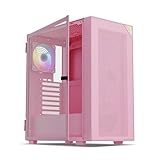
| Product | Best for | Key spec from the title |
|---|---|---|
| MOROVOL V3 | Compact micro-ATX builds | 3 fans pre-installed, 270-degree glass |
| MUSETEX K2 | Fan-heavy ATX builds | 7 PWM ARGB fans pre-installed |
| DARKROCK EC2 | Future radiator upgrade | Up to 8 x 120mm fans, 360mm radiator |
| Zalman CUBIX-G | Small desk setups | 3 x 120mm fans, up to 280mm GPU |
| NZXT H5 Flow | First airflow build | 2 x 120mm fans, 360mm front radiator |
| MUSETEX NN8 | Mesh-front looks | 6 PWM ARGB fans, polygonal mesh |
| Bgears b-Voguish | Large boards, own fans | E-ATX support, fans sold separately |
| Corsair 4000D RS ARGB Frame | Tidy modular builds | 3 fans, InfiniRail mounting |
| Cougar Airface 180 ES | Large-fan airflow | 2 x 180mm ARGB fans |
| Vetroo AL800 Pink | Colorful themed builds | Door-opening glass, ARGB strip |
How to Choose
Fans Included Versus Fans You Must Add
Count the fans in the title before anything else. Listings that state three, six or seven pre-installed fans let you plug in and go, while a title that says fans are sold separately means extra parts to source. A workable layout uses at least one intake at the front and one exhaust at the rear, and three intakes with one exhaust is a comfortable target. PWM fans let the motherboard adjust speed, which keeps idle noise down compared with fixed-speed designs.
Motherboard Size and Case Footprint
Match the case to the board. Micro-ATX cases save desk space but offer fewer expansion slots and less room behind the front panel. ATX mid towers hold full-size boards and usually allow more fan positions. If you may move to a larger board later, a case listing E-ATX support avoids a second purchase, though it will take up more of the desk.
Graphics Card and Radiator Clearance
Read the clearance lines. A listing with a maximum card length, such as 280mm, tells you whether a longer card will fit. Support for a 360mm radiator means a three-fan liquid cooler can mount at the front, and a 280mm or 240mm radiator is the realistic ceiling in smaller shells. Titles that mention 50 Series graphics card support point to current-generation clearance, but still compare the card length against the case before ordering.
What to Ignore and Where Corners Get Cut
Ignore the number of RGB modes; they add nothing to cooling. Entry-level cases tend to cut corners on dust filters, cable routing space and panel thickness, and a tempered glass front can choke intake air if it is solid. Prefer a mesh or ventilated front, and treat a glass-heavy design as a trade of looks for temperatures. Also check whether front ports include Type-C, since older headers are common at this tier. Finally, look at the power supply side of the listing: a standard ATX power supply fits most of these shells, but compact designs can limit its length, so measure before you commit.
The 10 Best Options
MOROVOL V3 Micro-ATX
This micro-ATX case pairs 270-degree panoramic glass with three fans already installed, aimed at builders who want a small, bright box without hunting for extra fans. USB 3.0 handles the front-panel connections.
- Three pre-installed fans cover basic intake and exhaust.
- Panoramic glass shows off the parts inside.
- Trade-off: the micro-ATX frame limits board size and expansion room.
Skip it if you own a full ATX board or plan to fit a large liquid cooler.
MUSETEX K2 ATX
The K2 is an ATX mid tower with seven PWM ARGB fans pre-installed and a Type-C front port. It suits buyers who want a fully populated case on arrival and a lighting-heavy look to match.
- Seven PWM fans give speed control without buying extras.
- Dual full-view glass panels suit a display build.
- Trade-off: full glass on multiple sides can restrict intake compared with a mesh front.
Skip it if you prefer a plain, low-glare chassis.
DARKROCK EC2 ATX
An ATX mid tower with Type-C ready ports and a glass side panel, the EC2 supports up to eight 120mm fans and a 360mm radiator. That makes it a fit for builders who plan to grow the cooling over time rather than fill it on day one.
- Room for a 360mm radiator and many fans.
- The title states support for 50 Series graphics cards.
- Trade-off: only one fan is pre-installed, so extra fans are needed.
Skip it if you want a ready-to-run fan setup.
Zalman CUBIX-G Micro-ATX
A compact mini tower with three 120mm FRGB fans and panoramic glass panels, the CUBIX-G targets small desks and modest builds. The listing says it handles graphics cards up to 280mm, which covers many compact cards.
- Three included 120mm fans.
- USB Type-C on the front panel.
- Trade-off: the 280mm card limit rules out longer graphics cards.
Skip it if you plan to install a long, high-end card.
NZXT H5 Flow
The H5 Flow is a compact ATX mid tower that its own listing calls a great first airflow build, with two 120mm fans included and a tempered glass panel. It fits newer builders who want a straightforward layout.
- 360mm front radiator support gives a cooling upgrade path.
- Two included 120mm fans cover the basics.
- Trade-off: a glass side panel puts cable routing on display.
Skip it if you want RGB fans straight from the box.
MUSETEX NN8 ATX
This ATX mid tower combines a polygonal mesh front with six pre-installed PWM ARGB fans and an opening glass side panel. It suits buyers who want ventilation and lighting in one package.
- Mesh front backed by six included fans.
- Two USB 3.0 ports on the front panel.
- Trade-off: no Type-C port is listed in the title.
Skip it if a modern front connector matters to you.
Bgears b-Voguish
A glass-paneled case supporting E-ATX, ATX, micro-ATX and ITX boards, the b-Voguish is for builders who already own fans or want to choose their own. It gives the widest board range in this list.
- E-ATX through ITX board support.
- USB 3.0 front connectivity.
- Trade-off: the title says fans are sold separately, so airflow is not ready on arrival.
Skip it if you want a case that ships with fans.
Corsair 4000D RS ARGB Frame
This customizable mid tower ships with three pre-installed fans and is built around high airflow, a modular layout and InfiniRail fan mounting that simplifies installs. It is aimed at buyers who want a tidy interior.
- InfiniRail mounting simplifies fan positioning.
- GPU anti-sag and reverse motherboard support are both listed.
- Trade-off: the open frame concept leans toward style over a plain look.
Skip it if you prefer a minimalist enclosure.
Cougar Airface 180 ES
The Airface pairs two 180mm ARGB fans with support for CEB, ATX, micro-ATX and ITX boards, and its title mentions space for up to seven 120mm fans. It suits builders who like moving air with large, slower fans.
- Two large 180mm fans are included.
- Type-C ready front I/O.
- Trade-off: large fans mean fewer standard-size replacements.
Skip it if you want standard 120mm fans only.
Vetroo AL800 Pink
A pink ATX mid tower with a door-opening glass panel, an ARGB LED strip and a pre-installed ARGB PWM fan, the AL800 is aimed at themed color builds. It also lists 50 Series GPU support.
- Door-style glass panel opens for access.
- Includes an ARGB strip for lighting.
- Trade-off: the title lists a single pre-installed fan.
Skip it if you want several fans included.
Which One Fits Your Situation
You Want the Most Fans Out of the Box
The MUSETEX K2 brings seven pre-installed fans and the MUSETEX NN8 brings six behind a mesh front. Either removes the shopping trip for extra fans and lets you start building right away.
You Plan to Add Liquid Cooling Later
The NZXT H5 Flow and the DARKROCK EC2 both list 360mm radiator support, so a cooling upgrade does not mean a new case. The EC2 leaves more fan positions open, while the H5 Flow comes with two fans mounted.
You Are Short on Desk Space
The Zalman CUBIX-G and the MOROVOL V3 are micro-ATX designs with three fans each, making them the natural pair for compact setups where a full tower would crowd the desk.
You Already Own Fans or Want Quieter Operation
The Bgears b-Voguish skips included fans, so reusing parts from an old build makes sense. The Cougar Airface 180 ES uses two large 180mm fans that suit slower, quieter airflow.
Common Mistakes
- Counting RGB fans as proof of strong airflow when they are all mounted in the same direction.
- Buying a micro-ATX case for an ATX board without reading the supported board list.
- Skipping the graphics card length limit and discovering the card will not fit.
- Assuming a solid glass front ventilates as well as mesh.
- Forgetting that some listings ship without any fans at all.
One more habit pays off with any of these cases: plan the airflow path on paper before building. Front fans pull cool air in, the rear fan and any top fans push warm air out, and the graphics card sits in the middle of that stream. Keep cables tied away from the front fans so the path stays clear, and wipe the dust filters every few months.
Related guides
- Battery Operated Smoke And Carbon Monoxide Detectors
- Combination Smoke And Carbon Monoxide Detectors
- Aio Liquid Coolers For High Performance Gaming
Frequently Asked Questions
How many fans does a budget airflow case need?
At least two: one intake at the front and one exhaust at the rear. Three or more lets you add a top exhaust or a second intake for better pressure balance and lower component temperatures.
Is a mesh front better than glass for cooling?
Generally yes, because mesh lets intake fans draw air freely. Glass fronts look striking but restrict the path, so check that the case has side or top vents if glass dominates the design.
Do I need Type-C on the front panel?
It is not required, but it is useful for current phones, drives and headsets. Cases that list Type-C ready need a matching motherboard header to use the port, so check your board before counting on it.
Can I use a liquid cooler in these cases?
Several list radiator support, including 360mm at the front for the NZXT H5 Flow and the DARKROCK EC2. Confirm the radiator length and tube clearance against the cooler you plan to buy.