

- Top Pick: Creative Sound Blaster Audigy Fx Pro Hi-Res PCIe Sound Card | Hi-Res, PCIe Sound Card, Hi-Res Audio, Surround Sound, Clean Audio, PC Upgrade
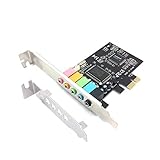
- Best Value: Padarsey PCIe 5.1 Internal Sound Card for PC, Windows 7, 3D Stereo Audio Card, CMI8738 Chip, PCI Express Adapter
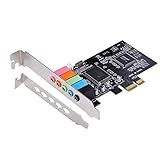
- Premium Choice: Optimal Shop PCIe Sound Card for PC Windows,5.1 Internal Sound Card with Low Profile Bracket, 3D Stereo PCI-e Audio Card,CMI8738 Chip 32/64 Bit for Windows 7/8/10
Motherboard audio has come a long way, yet plenty of desktops still hiss when the graphics card ramps up, run short of jacks, or cannot send Dolby or DTS signals to a receiver. A dedicated PCIe card is the usual fix, and the real question behind this search is how far a limited budget can stretch before the extras stop mattering. The nine cards below fall into three tiers: bare-bones 5.1 adapters, entry-level Sound Blaster models, and enthusiast boards with discrete headphone amplifiers.
This guide suits builders adding a card to an existing tower, owners whose onboard chip crackles or lacks a headphone driver, and anyone wiring a desktop to wired headphones or a surround receiver. Even in 2026, an internal card remains the cleanest route when you want analog output kept away from the motherboard’s noisy neighborhood. Everything below is judged from the specifications printed in each listing title, so treat the notes as a shortlist and confirm slot space and operating system support before ordering.
Quick Picks
As an Amazon Associate we earn from qualifying purchases at no extra cost to you.



| Product | Best for | Key spec from the title |
|---|---|---|
| Sound Blaster Audigy Fx Pro | Simple branded upgrade | Hi-Res PCIe, surround sound |
| Padarsey PCIe 5.1 | Basic multichannel output | CMI8738 chip, 5.1, 3D stereo |
| Optimal Shop PCIe 5.1 | Small cases | Low profile bracket, 32/64 bit Windows 7/8/10 |
| Sound Blaster AE-X | High sample rate on a trimmed feature set | 32-bit/384kHz, app support |
| Sound Blaster Z SE | Headphone-focused gaming | 24-bit/192 kHz, 116 dB SNR, 600 ohm amp |
| Sound BlasterX AE-5 Plus | Enthusiast headphone listening | Up to 122dB SNR, SABRE32-class DAC |
| MECCANIXITY PCIe 5.1 | Minimal 5.1 upgrade | 24 bit, internal 5.1 |
| Sound Blaster Audigy Fx V2 | Voice chat plus surround | 5.1 discrete and virtual surround, SmartComms Kit |
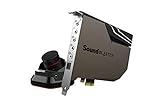
| Sound Blaster AE-7 | Desk-side control | Audio Control Module, Xamp headphone amp |
How to Choose
Match the slot and the bracket first
Every card here is PCIe, so you need a free slot, and a single lane is enough for audio. The bigger trap is the metal bracket: slim cases and small-form-factor desktops want a low profile bracket, and only one title here says it ships with one. Also leave a gap below your graphics card, because a sound card pressed against a hot GPU backplate can collect heat and reduce airflow.
Read the resolution and noise figures together
Bit depth and sample rate describe how much detail the card can carry, while signal-to-noise ratio describes how quiet the output stays. The listings span 24-bit/192 kHz with 116 dB SNR on one end and 32-bit/384 kHz with up to 122 dB SNR on the other. For ordinary headphones and speakers, the jump between those is smaller than the jump from a noisy onboard chip to any decent card, so do not chase numbers past your headphone quality.
Decide whether you need a headphone amplifier
Headphones above roughly 80 ohms often sound thin or quiet from weak onboard outputs. Cards that name a headphone amp, such as the 600 ohm unit on the Z SE or the Xamp bi-amp on the AE-5 Plus and AE-7, address that. If your headset is a low-impedance gaming model, a bare-bones card will do and the amplifier is an extra you can ignore.
Check drivers, operating system support, and what to ignore
Some listings spell out Windows 7/8/10 support, others name desktop app control, ASIO, or Dolby Digital Live and DTS output. Match those to your setup, particularly if you run a current Windows release or want to feed a receiver digitally. Ignore RGB lighting and marketing phrases like “3D stereo” unless a feature you need is attached. Budget models usually cut corners on analog output stages, software tuning, and driver polish.
The 9 Best Options
Creative Sound Blaster Audigy Fx Pro
The title presents this PCIe card as a plain PC upgrade with Hi-Res audio, surround sound, and clean audio. That suits builders who want a recognizable brand and an easy swap away from onboard audio.
- Strength: Hi-Res support on a PCIe card from an established audio maker.
- Strength: Surround sound is part of the pitch, fitting a tower feeding multichannel speakers.
- Trade-off: The title gives no signal-to-noise figure or amplifier detail, so demanding headphones remain an open question.
Skip it if documented headphone amplification matters to you.
Padarsey PCIe 5.1
This card is built around the CMI8738 chip and advertises 5.1 channels with 3D stereo, with Windows 7 named in the title. It targets someone who simply wants more output jacks or a second audio path for a spare machine.
- Strength: Plain 5.1 channel output for a basic speaker set.
- Strength: Standard PCI Express adapter format fits an ordinary desktop slot.
- Trade-off: Only Windows 7 is named, which raises doubts about driver support on newer systems.
Skip it if you run a current Windows release and want guaranteed driver coverage.
Optimal Shop PCIe 5.1
Another CMI8738 design, this one adds a low profile bracket and names 32/64 bit support for Windows 7, 8, and 10. The bracket is the real selling point for compact cases where a full-height plate will not fit, such as office-style mini towers that get repurposed for media duty.
- Strength: Low profile bracket for slim chassis.
- Strength: Broader operating system list than its sibling above.
- Trade-off: The same older chip class, and the title offers no noise or resolution figures.
Skip it if you want a headphone amplifier or a branded software suite.
Creative Sound Blaster AE-X
The AE-X lists 32-bit/384kHz playback, Hi-Res audio, and desktop app support. It sits between the simple Audigy models and the headphone-focused boards, which makes it a sensible middle step for upgraders who expect a control app.
- Strength: A high 32-bit/384kHz ceiling for lossless music libraries.
- Strength: Desktop app support for adjusting profiles without digging through menus.
- Trade-off: No amplifier or SNR numbers appear in the title.
Skip it if your decision hinges on driving high-impedance headphones.
Creative Sound Blaster Z SE
The Z SE is the most spec-rich of the mainstream cards here: 24-bit/192 kHz, 116 dB SNR, ASIO, a 600 ohm headphone amp, mic EQ, discrete 5.1 and virtual 7.1, plus Dolby Digital Live and DTS support.
- Strength: A named 600 ohm headphone amp and a stated 116 dB SNR.
- Strength: ASIO and Dolby Digital Live make it flexible for music and receivers.
- Trade-off: It carries more features than a casual listener needs.
Skip it if you only want extra jacks and plain stereo playback.
Creative Sound BlasterX AE-5 Plus
This is the enthusiast pick, with a SABRE32-class DAC, 32-bit/384 kHz playback, Dolby Digital and DTS, a Xamp discrete headphone bi-amp, up to 122dB SNR, and an RGB lighting system.
- Strength: The highest SNR figure in this group, with a discrete bi-amp design.
- Strength: SABRE32-class conversion aimed at critical headphone listening.
- Trade-off: It reaches the upper edge of what counts as budget-friendly.
Skip it if your headphones are entry-level and the lighting holds no appeal.
MECCANIXITY PCIe 5.1
The title describes an internal 5.1 stereo card running at 24 bit, built for desktops and standard cases. It looks aimed at someone repairing a dead onboard port rather than building an audio showcase.
- Strength: 24 bit audio with 5.1 output in a simple card.
- Strength: Clear desktop-only positioning, so no confusion about form factor.
- Trade-off: No chip, SNR, or driver details are given.
Skip it if you need verified software support or a named headphone amplifier.
Creative Sound Blaster Audigy Fx V2
The V2 is described as upgradable, with 5.1 discrete and virtual surround, Scout Mode, and a SmartComms Kit. The kit points at voice chat and calls, which suits someone who talks as much as they play.
- Strength: SmartComms Kit for communication-focused setups.
- Strength: Scout Mode targets footstep awareness in shooters.
- Trade-off: The title offers no headphone amp or SNR numbers.
Skip it if you plan to listen mostly to music through high-end headphones.
Creative Sound Blaster AE-7
The AE-7 pairs a Hi-Res PCIe DAC with a headphone amp, Xamp, and an Audio Control Module, a separate desk unit for volume and input control. It is for people who plug headphones in and out and dislike reaching behind the case.
- Strength: The Audio Control Module places controls within reach.
- Strength: Xamp amplification suits demanding headphones.
- Trade-off: The extra module needs desk space and cable routing.
Skip it if you prefer a card you install once and forget.
Which One Fits Your Situation
Small-form-factor build with a short bracket slot
Go with the Optimal Shop PCIe 5.1, since it is the one listing that names a low profile bracket. Confirm your case’s slot height first, and keep the original full-height plate in the box in case you later move the card to a larger tower. A compact build also rewards a card that needs no external module, which rules out the AE-7 here.
Wired gaming headset and heavy voice chat
The Sound Blaster Audigy Fx V2 fits here because of its SmartComms Kit and Scout Mode. It keeps the setup simple, skipping amplifier hardware you will not use, and the discrete plus virtual surround modes let you switch between competitive and casual play. Pair it with a headset that already has its own volume wheel and the card becomes almost invisible in daily use.
Demanding headphones and a music library
Choose the Sound Blaster Z SE if you want a 600 ohm amp and ASIO without the full enthusiast build, or step up to the AE-5 Plus for its 122dB SNR figure and SABRE32-class DAC.
Desk-mounted controls and frequent plug swaps
The Sound Blaster AE-7 is the natural choice, thanks to its Audio Control Module. You get volume and input changes without crawling under the desk.
Common Mistakes
- Ordering a card before measuring for a free slot and checking whether your case needs a low profile bracket.
- Buying for sample rate alone while ignoring whether the card has a headphone amplifier that suits your headphones.
- Assuming old chips such as the CMI8738 have drivers for your current operating system just because the listing names Windows 7.
- Leaving the onboard audio device active in Windows, so games keep sending sound to the wrong output.
- Chasing RGB lighting or virtual 7.1 modes when a plain stereo headset is all you own, since those features do nothing for two-channel listening.
Related guides
- Battery Operated Smoke And Carbon Monoxide Detectors
- Combination Smoke And Carbon Monoxide Detectors
- Aio Liquid Coolers For High Performance Gaming
Frequently Asked Questions
Is an internal sound card still worth adding to a modern PC?
It helps when onboard audio is noisy, lacks a headphone driver, or cannot send digital surround to a receiver. If your motherboard audio sounds clean with your headphones, the gain may be small.
Do I need a PCIe x16 slot?
No. These cards are PCI Express add-in boards, and a short x1 slot is the typical home for audio hardware. Just confirm the slot is free and not blocked by a graphics card.
Will the card improve gaming performance?
It handles audio processing and output, so frame rates are not the point. The benefit is cleaner output, extra features such as Scout Mode, and better microphone handling on models that include it.
What does the SNR number actually mean?
Signal-to-noise ratio compares the wanted signal with background hiss, expressed in decibels. A higher figure means a quieter noise floor, though differences between 116 dB and 122 dB are subtle with typical headphones.







