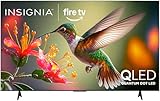
- Top Pick: INSIGNIA 70-inch Class F50 Series LED 4K UHD Smart Fire TV with Alexa Voice Remote (NS-70F501NA26)
- Best Value: INSIGNIA 75-inch Class QF Series LED 4K UHD QLED Smart Fire TV with Alexa Voice Remote (NS75-UQFL26)
- Premium Choice: Insignia 65" Class F50 Series LED 4K UHD Smart Fire TV, Voice Remote with Alexa, Stream Live TV Without Cable
Seventy inches is an awkward number. Panel makers cut screens at 65, 75 and 85 inches far more often, so a shopper who wants exactly 70 finds a short list. This guide treats 70 as a size class: two sets that are literally 70 inches, plus five 75-inch models that answer the same living-room question of how big the screen should be for a main seating spot. Smaller 65-inch listings were left out on purpose.
The buyer here is someone upgrading from a 55 or 60 and wants a clear jump without a wall-sized screen. Some will mostly stream, some will connect a console, some will watch sports with the lights on. In 2026 the real differences between these sets are panel type, the built-in streaming platform and the HDMI feature list, so the sections below sort the options along those lines.
Quick Picks
As an Amazon Associate we earn from qualifying purchases at no extra cost to you.




| Product | Best for | Key spec from the title |
|---|---|---|
| Insignia 70″ F50 | True 70-inch streaming | LED 4K UHD, Fire TV, Alexa Voice Remote |
| Insignia 75″ QF | Brighter-color streaming | QLED 4K UHD, Fire TV |
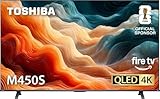
| Toshiba 75″ M450 | Cable cutters | QLED 4K UHD, Fire TV, live TV without cable |
| Hisense 75E6SR | Console gamers | Hi-QLED, Dolby Vision, VRR, ALLM, Game Mode Plus |
| Samsung 75″ M70H | Motion-heavy viewing | Mini LED, 4K, 120Hz with Motion Xcelerator |
| Sony BRAVIA 3 II 75″ | Bright rooms and movies | Anti-glare, Dolby Vision/Atmos, 4xHDMI 2.1 |
| LG 70UQ7590PUB | Bundle shoppers at 70 inches | 70 inch HDR 4K UHD, two HDMI 2.0 cables |
How to Choose
Size and Fit
A 16:9 screen measures roughly 61 inches wide at 70 diagonal and about 65 inches wide at 75, so check your stand or wall space before ordering. For 4K, a seating distance of about 6 to 10 feet suits this size class. Closer than that and you may notice panel structure; much farther and the jump from a 65 is wasted. Also check the doorway and the car: a 75-inch carton is noticeably longer, and a two-person carry is the norm at this size.
Panel Type
Plain LED sets are the baseline. QLED adds a quantum-dot layer aimed at color range, and Mini LED uses a denser backlight aimed at contrast control. Budget models usually stop at a basic LED panel, mid-range models move to QLED, and the premium end adds Mini LED or a stronger processor. Judge by the panel words in the title rather than by marketing names alone, and ignore vague phrases such as enhanced color that appear on nearly every listing.
Smart Platform and Apps
Fire TV, Roku, Google TV and Samsung’s own system all carry the major streaming apps, but the home screen and voice assistant differ. If your household already uses Alexa, Fire TV models fit naturally. If you prefer a simple grid of channels, look for Roku. Google TV models suit people who live inside Google accounts. Switching platforms later usually means an add-on streaming stick, which adds another remote and another input to manage. Also confirm that the apps you use daily, including any local channels, are offered on that platform.
Gaming and HDMI Features
Console players should look for 120Hz in the title, HDMI 2.1 ports, VRR and ALLM. Sets that list only basic HDMI 2.0 cables or no refresh figure are fine for cable, discs and streaming, but they will cap what a current console can output. Ignore dynamic contrast numbers; they are not comparable across brands. Budget sets tend to trim exactly this area, so if a title is silent on refresh rate and HDMI version, assume the basics.
The 7 Best Options
Insignia 70″ F50 (NS-70F501NA26)
This is the plainest way to land on an exact 70-inch screen. The title lists an LED 4K UHD panel, the Fire TV platform and an Alexa voice remote, which covers the daily streaming basics without extra boxes. It suits a family room where the TV is mostly for shows, news and kids’ movies.
- Strength: a literal 70-inch size in a Fire TV set with voice control.
- Strength: the 4K UHD LED panel and smart platform are all built in.
- Trade-off: the title mentions no QLED layer, 120Hz figure or HDMI 2.1, so it is not a gaming-first pick.
Skip it if you want richer color or a console-ready feature list.
Insignia 75″ QF (NS75-UQFL26)
Same brand, one step up in both size and panel. The QF label here comes with a QLED designation next to LED 4K UHD, still running Fire TV with an Alexa remote. It makes sense for someone who liked the idea of the F50 but wants a bigger picture and a color-focused panel.
- Strength: QLED panel and 75-inch screen in a budget-minded brand.
- Strength: Fire TV and Alexa remote keep setup familiar.
- Trade-off: the title lists no refresh rate or gaming features.
Skip it if your wall or stand cannot take a screen about 65 inches wide, or if gaming features matter most.
Toshiba 75″ M450
The Toshiba pairs a QLED 4K UHD panel with Fire TV and a voice remote with Alexa. Its title also highlights streaming live TV without cable, which speaks to households that dropped a cable box and rely on apps for news and sports. The 75-inch size gives plenty of presence, which helps in a larger room where a 65 would feel small from the back couch.
- Strength: QLED panel with a Fire TV interface.
- Strength: aimed squarely at cable-free living rooms.
- Trade-off: like the Insignia pair, no HDMI 2.1 or 120Hz is mentioned in the title.
Skip it if you need to confirm advanced game-console features before buying.
Hisense 75E6SR
This one has the longest feature line of the group. The title lists a Hi-QLED 4K UHD panel, Roku TV, Dolby Vision, Game Mode Plus, VRR, ALLM, DTS Virtual:X and Apple AirPlay, along with Alexa and Google Assistant compatibility. That mix suits a mixed household where one person streams, another plays console games and a third casts from an iPhone.
- Strength: gaming-related terms (VRR, ALLM, Game Mode Plus) are spelled out.
- Strength: broad voice and casting support, plus Dolby Vision.
- Trade-off: the title gives no refresh rate, so confirm the panel spec on the product page.
Skip it if you prefer the Fire TV or Google TV interface over Roku.
Samsung 75″ M70H
Samsung’s listing is built around a Mini LED panel with a Mini LED Processor 4K, Pure Spectrum Color and a 120Hz motion setup called Motion Xcelerator plus DLG. It also names the Vision AI Companion. That reads as a premium-leaning pick for people who watch fast sports and want the strongest panel technology in this list.
- Strength: Mini LED backlight with a 120Hz motion feature.
- Strength: Vision AI Companion and a Mini LED-specific processor sit in the same listing.
- Trade-off: the title does not list Dolby Vision or HDMI 2.1 counts.
Skip it if you want a Google TV or Fire TV home screen, or a lower tier of panel technology.
Sony BRAVIA 3 II (K-75XR30M2)
Sony frames this set around picture handling: an anti-glare screen, an XR processor with AI technology, Dolby Vision and Atmos, a 120Hz refresh rate and four HDMI 2.1 ports. It runs Google TV with Gemini and even includes 4K movie credits. It fits a bright living room where a movie fan also owns a console or two.
- Strength: four HDMI 2.1 ports and 120Hz for several devices.
- Strength: anti-glare screen with Dolby Vision and Atmos.
- Trade-off: the panel is standard LED rather than QLED or Mini LED, per the title.
Skip it if you want the most advanced backlight technology in the group.
LG 70UQ7590PUB
LG’s model is the other true 70-inch screen, offered as a bundle with two copper-conductor HDMI 2.0 cables and a 26-month protection plan. The title lists HDR 4K UHD and smart TV functions. It suits a buyer who wants a 70 and likes having cables and coverage handled at checkout, such as someone mounting the set in a spare room and wanting everything in one order.
- Strength: exact 70-inch size with extra cables in the box.
- Strength: protection plan is part of the bundle.
- Trade-off: HDMI 2.0 cables and no listed 120Hz limit it for newer consoles.
Skip it if you want a newer smart platform or advanced gaming support.
Which One Fits Your Situation
You want exactly 70 inches
Choose the Insignia 70″ F50 for a streaming-focused room, or the LG 70UQ7590PUB if the included cables and protection plan appeal. These are the only two true 70s here, so everything else on the page is a step up in size rather than a match.
You game on a current console
The Sony BRAVIA 3 II lists 120Hz and four HDMI 2.1 ports, and the Hisense 75E6SR spells out VRR and ALLM. Either gives a console owner solid footing, and the Sony has the extra ports for a soundbar, a console and a streaming box at once.
You dropped cable and live on apps
The Toshiba 75″ M450 states live TV without cable in its title and brings a QLED panel. The Insignia QF is a similar step if you prefer that brand, and both keep the Alexa voice remote.
You watch fast sports in a dim room
The Samsung 75″ M70H pairs a Mini LED panel with a 120Hz motion feature, which is the most relevant combination in this list for fast action. A matte or anti-glare screen like the Sony’s is the better answer if windows face the screen.
Common Mistakes
- Measuring only the diagonal and forgetting that a 75 is about 4 inches wider than a 70 on the wall.
- Assuming every 4K set has HDMI 2.1; the title or spec sheet must say so.
- Mixing up QLED and OLED. QLED is an LED-backlit panel, not self-lit pixels.
- Ignoring the smart platform and then buying a streaming stick to replace it.
- Treating bundles as better by default; extra HDMI 2.0 cables and a protection plan do not add picture features.
- Buying on size alone and skipping the platform, panel and port checks listed above.
Related guides
- Combination Smoke And Carbon Monoxide Detectors
- Aio Liquid Coolers For High Performance Gaming
- Graphics Cards For Low Wattage Power Supplies
Frequently Asked Questions
Is a 75-inch TV too big if I wanted a 70?
For a seating distance of 8 feet or more, usually not. Check the width of your wall or stand first, since a 75 is about 4 inches wider. Mounting hardware and doorway clearance are the usual surprises.
Do I need HDMI 2.1 for streaming?
No. Streaming, cable and discs work on HDMI 2.0. HDMI 2.1 matters mainly for 120Hz console modes and higher-bandwidth gaming features, so it is a decision for console owners rather than everyone.
What does Mini LED change compared with regular LED?
Mini LED uses many smaller backlight elements, which aims to give finer control over bright and dark areas. The listing wording on each model shows which type you are getting.
Why are 65-inch models missing?
They fall below the size class this guide targets. Anyone happy with a 65 has a wider field of choices than the seven here, and can apply the same checks on panel type, platform and HDMI.