

- Top Pick: Samsung 32" Odyssey (G55C) Series QHD 1000R Curved Gaming Monitor,
- Best Value: Sceptre New 22-Inch Gaming Monitor, FHD 1080p, Up to 144Hz, HDMI, DisplayPort, Built-in Speakers, Machine Black (E225W-FW144 Series, 2026)
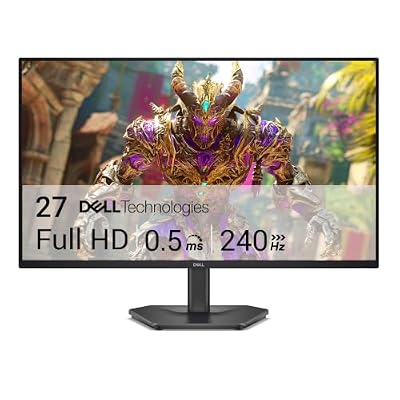
- Premium Choice: Dell 27 240Hz Gaming Monitor – SE2726HG – 27-inch FHD (1920×1080) Display, in-Plane Switching (IPS) Technology, AMD FreeSync Premium, TÜV 3-Star, 2X HDMI, DisplayPort 1.4, Tilt
360Hz sits at the extreme end of gaming monitors right now, and it’s a narrower category than it looks. If you’re not playing competitive shooters at a level where frame advantage actually matters, this tier is probably not worth the premium over a 240Hz or even 165Hz panel. Here’s what actually changes at 360Hz, what it costs you, and who should skip it.
As an Amazon Associate we earn from qualifying purchases at no extra cost to you.




Who actually benefits from 360Hz
The honest answer: competitive FPS players, mainly. Valorant, CS2, Overwatch 2, Apex — games where frame times under 3ms matter because you’re tracking fast flick shots and want the lowest possible input-to-photon delay. At 360Hz, each frame is displayed for about 2.78ms versus 4.17ms at 240Hz. That’s a real but small gap, and most players won’t consciously perceive it as “smoother.” What they will notice, with practice, is slightly more consistent target tracking and marginally reduced perceived latency in click-to-kill scenarios.
If you play single-player games, strategy titles, or even most team-based shooters casually, 360Hz buys you very little. A good 240Hz monitor will look nearly identical in motion to your eyes, and the money saved is significant.
Panel types at 360Hz
Almost everything at 360Hz is TN or fast IPS. TN used to dominate this refresh tier because it was the only panel tech that could hit the response times reliably, but fast IPS has mostly caught up and is now the better default choice for most buyers.
| Panel type | Response time | Color/viewing angles | Best for |
|---|---|---|---|
| TN | Fastest, least overshoot risk | Weak, washes out off-angle | Pure competitive play, tight budget |
| Fast IPS | Nearly as fast, some overshoot at max OD | Strong, good color for content too | Competitive play plus general use/content |
| VA | Too slow for 360Hz, rarely offered here | Best contrast | Not really applicable at this tier |
You won’t find real VA options at 360Hz because the pixel response can’t keep up without smearing in dark transitions. If someone offers you a VA panel at 360Hz, be skeptical of the actual achieved response time.
The resolution trade-off
Most 360Hz monitors are 1080p, and that’s not a coincidence. Driving 1440p or 4K at a sustained 360fps requires serious GPU horsepower — we’re talking a current-gen flagship card paired with a competitive game running at low-to-medium settings. If you’re not running an RTX 4080-class or better GPU, buying a 360Hz panel at anything above 1080p means you’ll rarely see the panel’s actual ceiling. You’d be paying for refresh rate headroom your hardware can’t fill.
1440p 360Hz monitors exist now, but they’re a different value proposition: sharper image, higher cost, and you need to be honest about whether your GPU and the games you play can actually push 300+ fps consistently. Esports titles like Valorant and CS2 can hit those framerates even at 1440p on strong hardware. Visually heavier games cannot.
What you give up to get there
Three practical trade-offs show up at this tier:
Size and resolution ceiling. You’re mostly choosing between 24-25 inch 1080p or a smaller selection of 1440p options. If you want a large, high-resolution monitor for everything else you do on your PC, 360Hz forces compromises there.
Price per Hz diminishes fast. The jump from 144Hz to 240Hz buys a noticeable, broadly useful improvement. The jump from 240Hz to 360Hz costs more and helps a much narrower slice of use cases. If budget is tight, a 240Hz monitor is usually the better buy, and the leftover money is better spent on the GPU that will actually drive high framerates.
Overshoot and ghosting at max overdrive. Some 360Hz panels push overdrive settings aggressively to hit their response time numbers, which can introduce visible overshoot (inverse ghosting, haloing around moving objects). It’s worth checking out individual overdrive settings and user reports rather than assuming “it’s 360Hz so it must be perfectly sharp.”
What to actually look for
If you’ve decided 360Hz is right for you, prioritize in this order: confirmed low input lag (not just marketed response time), G-Sync or FreeSync compatibility matching your GPU brand, and a panel type (TN vs fast IPS) based on whether you care about color and viewing angles outside of gaming. If you want the sharper image and don’t mind spending more, browsing 360Hz 1440p gaming monitors is reasonable as long as your GPU can keep up. For the more common and more affordable route, 360Hz 1080p gaming monitors are where most of the actual competitive-focused options live.
If you’re still deciding between tiers, it’s worth comparing against 240Hz gaming monitors directly — in side-by-side blind tests, a lot of players can’t reliably tell 240Hz from 360Hz without instrumentation, even though they can tell either apart from 60Hz instantly.
Is it worth it for you
Buy 360Hz if you play competitive shooters seriously, already have a GPU capable of hitting those framerates, and the difference between good and great reaction windows matters to your results or your enjoyment of ranked play. Skip it if your library is mixed, your GPU is mid-range, or you’d rather put the price difference toward a better graphics card, since raw framerate from the GPU matters more than the monitor’s ceiling if you can’t reach it anyway. The monitor only shows you frames your system can produce — it doesn’t make your PC faster.














