

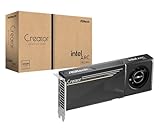
- Top Pick: ASRock Intel Arc Pro B60 Creator 24GB Graphics Card, Workstation GPU, Xe2-HPG, 2400MHz, 24GB GDDR6 192-bit, PCIe 5.0, 4X DP 2.1, Blower
- Best Value: ASRock Radeon RX 7900 XTX Phantom Gaming 24GB OC Graphics Card, 2615 MHz Boost Clock, 24GB GDDR6, DisplayPort 2.1, HDMI 2.1, Triple Fan Cooling
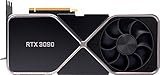
- Premium Choice: EVGA GeForce RTX 3090 FTW3 Ultra Gaming, 24GB GDDR6X, 10496 CUDA Cores, 1800MHz Boost Clock, 3x Fans, ARGB LED, Metal Backplate, PCIe 4, HDMI, DisplayPort, Desktop Compatible
🛒 Best Price Today on Amazon
Prime members get fast, free shipping on everything above, plus member-only deals. New members get a 30-day free trial — cancel anytime.
- Top 24Gb Gpus Picks for 2026
- Best 24GB GPUs at a Glance
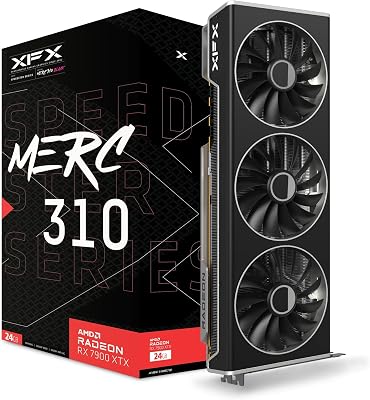
- 1. XFX Speedster MERC310 AMD Radeon RX 7900 XTX 24GB
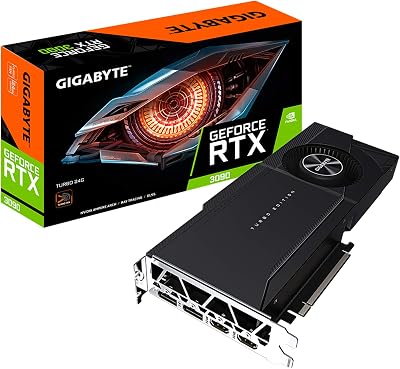
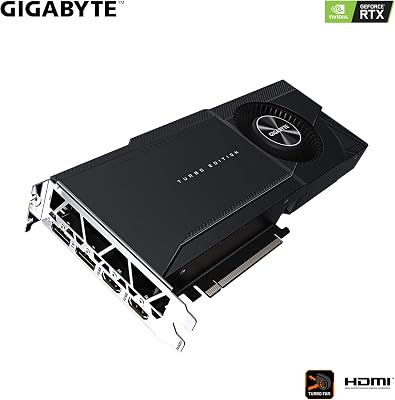
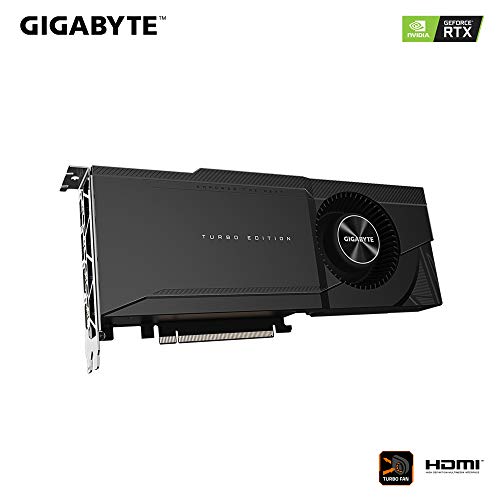
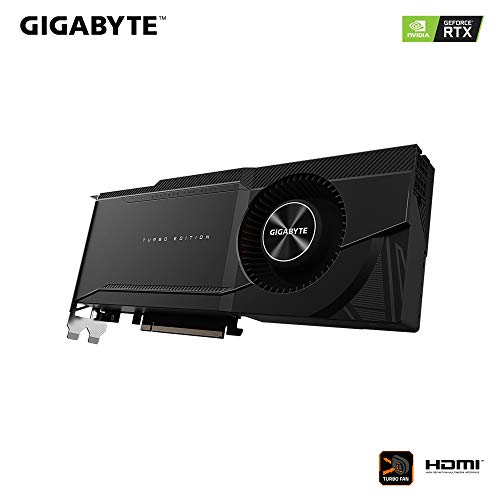
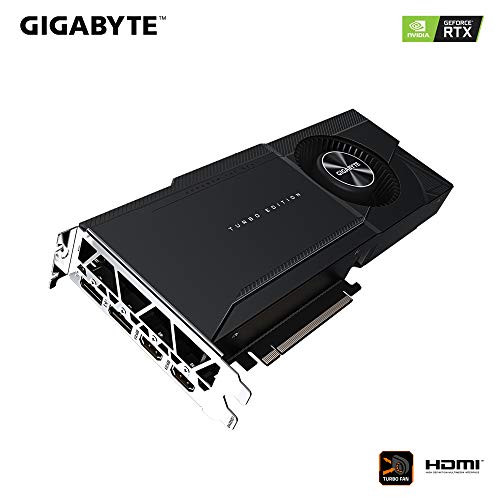
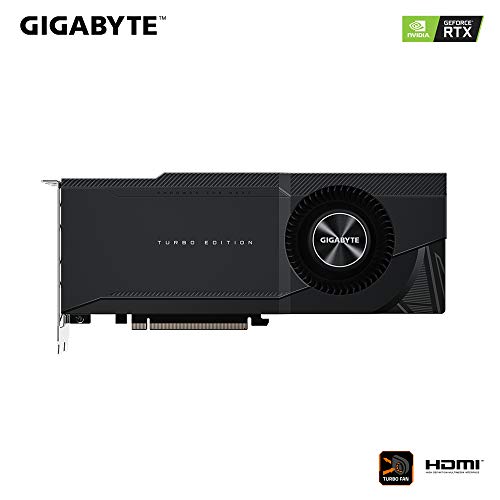
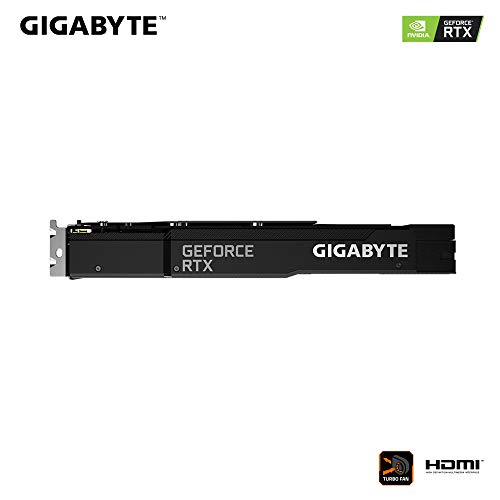
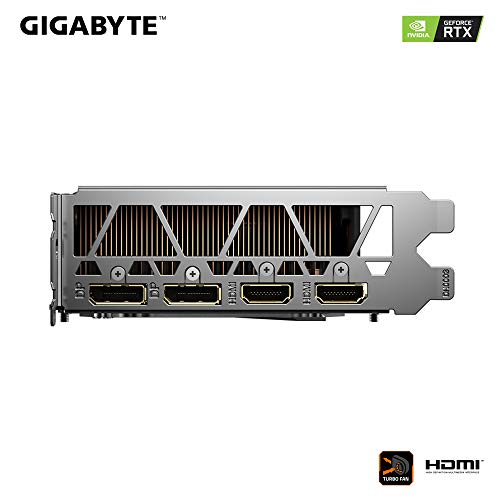
- 2. Gigabyte RTX 3090 Turbo 24GB GDDR6X (GV-N3090T)
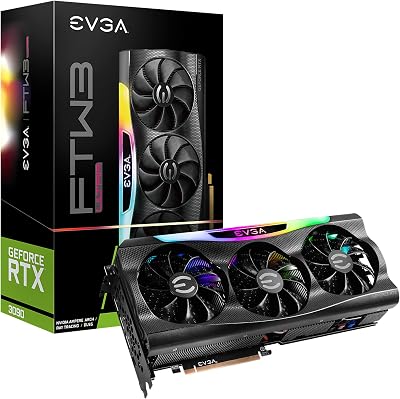
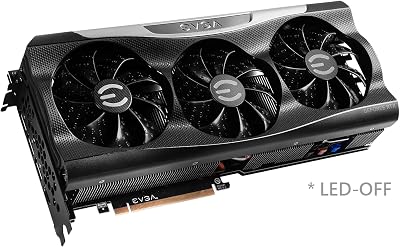
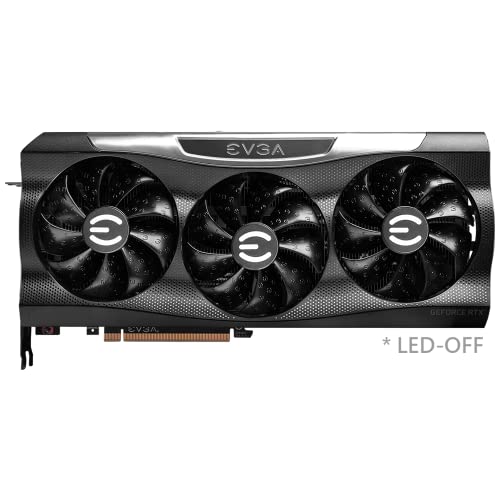
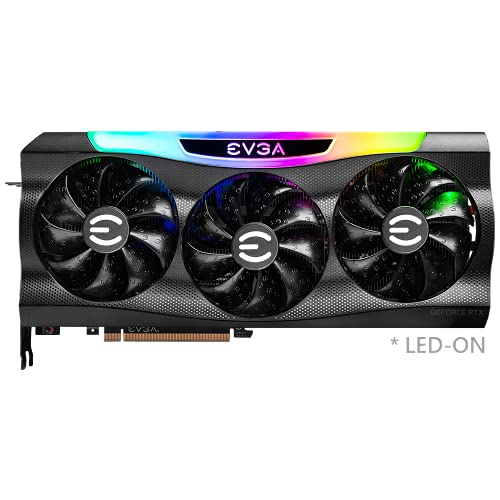
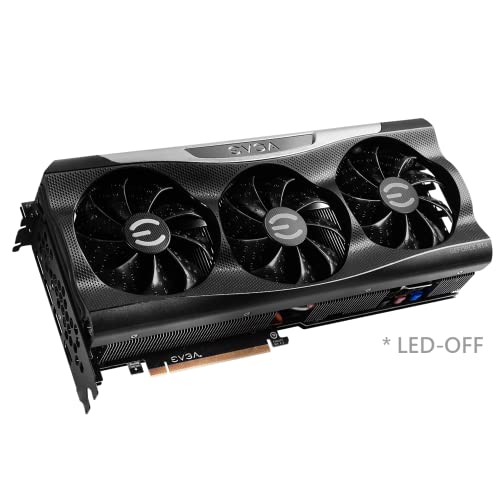
- 3. EVGA GeForce RTX 3090 FTW3 Ultra 24GB GDDR6X, iCX3
- 4. NVIDIA RTX 4500 Ada Generation 24GB (Retail)
- 5. NVIDIA RTX PRO 4000 SFF Blackwell 24GB GDDR7 ECC
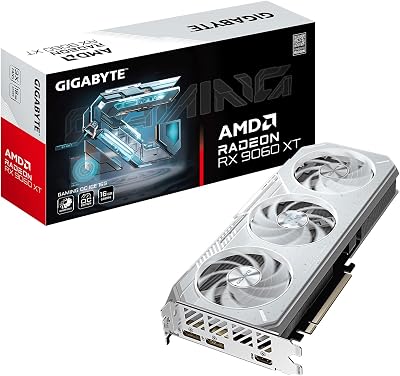
- 6. Gigabyte Radeon RX 9060 XT Gaming OC ICE 16GB (NOT a 24GB card)
- How to Choose a 24GB GPU (and Whether You Actually Need One)
- Related Guides
- Frequently Asked Questions
- Related Guides
- Related Articles
Top 24Gb Gpus Picks for 2026
Here are our current top 24gb gpus picks, compared on real Amazon owner reviews, price, and features. Live prices update below.
As an Amazon Associate we earn from qualifying purchases at no extra cost to you.






Twenty-four gigabytes of video memory is a hard, specific number, not a marketing flourish. A genuine 24GB GPU is one of a small club: NVIDIA’s RTX 3090 and 3090 Ti, the RTX 4090, AMD’s Radeon RX 7900 XTX, and a handful of professional Ada and Blackwell workstation cards. That huge frame buffer is what lets you push 4K textures, multi-monitor productivity, heavy video timelines, large 3D scenes and local AI models that simply will not fit on an 8GB or 12GB card. This guide rounds up the best 24GB GPUs in 2026 and, just as importantly, is honest about which cards on our shortlist actually carry 24GB and which do not.
Because 24GB is a strict requirement, we lead with the true 24GB cards and rank them by how relevant they are to a gaming and creator audience. We then cover the professional workstation cards, which do carry the full 24GB but are built for pro workloads rather than gaming value. And we are upfront about one pick that does NOT meet the 24GB bar at all — it is a 16GB card — because misrepresenting VRAM would defeat the entire point of this list. Prices here span from around $470 to around $2,700, reflecting the gulf between a consumer card and a professional GPU. Below is an at-a-glance comparison, then a closer look at each, and a buyer’s guide to deciding whether you genuinely need 24GB.
Best 24GB GPUs at a Glance
| Graphics Card | Best For | Standout Spec | Approx Price |
|---|---|---|---|
| XFX Speedster MERC310 RX 7900 XTX | True 24GB gaming value | 24GB GDDR6, big-cooler OC | around $1,200 |
| Gigabyte RTX 3090 Turbo 24GB | Blower-style 24GB build | 24GB GDDR6X, dual-slot blower | around $1,350 |
| EVGA RTX 3090 FTW3 Ultra 24GB | Premium 24GB gaming + AI | 24GB GDDR6X, iCX3, ARGB | around $1,850 |
| NVIDIA RTX 4500 Ada (24GB) | Pro workstation 24GB | 24GB GDDR6 ECC, Ada pro | around $2,700 |
| NVIDIA RTX PRO 4000 SFF Blackwell 24GB | Small-form pro 24GB | 24GB GDDR7 ECC, low-profile | around $2,050 |
| Gigabyte RX 9060 XT Gaming OC ICE 16GB | NOT 24GB (16GB card) | 16GB GDDR6 — below 24GB | around $470 |
1. XFX Speedster MERC310 AMD Radeon RX 7900 XTX 24GB
19
Prime
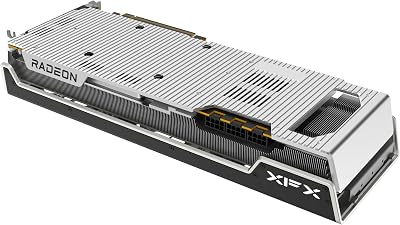
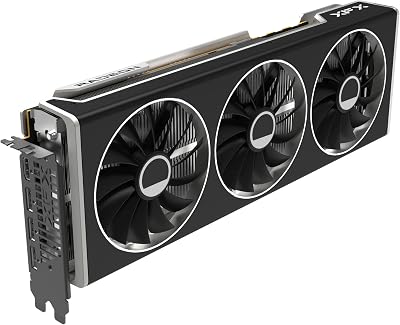
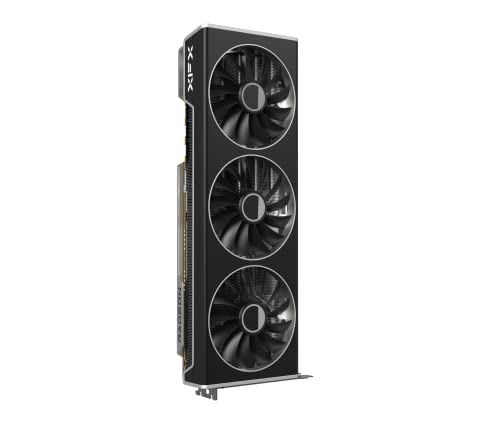
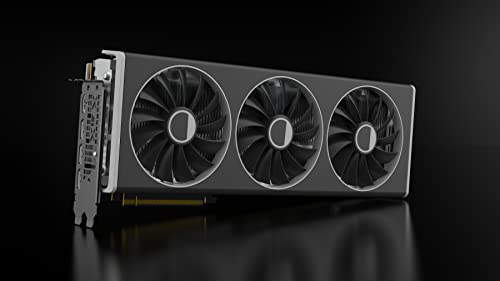
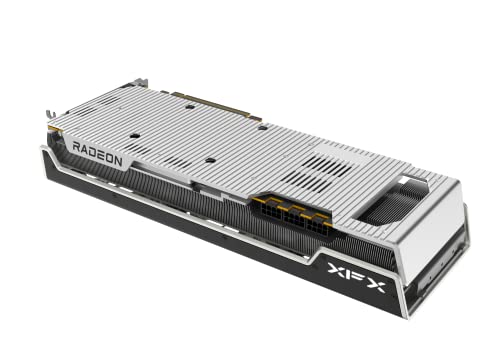
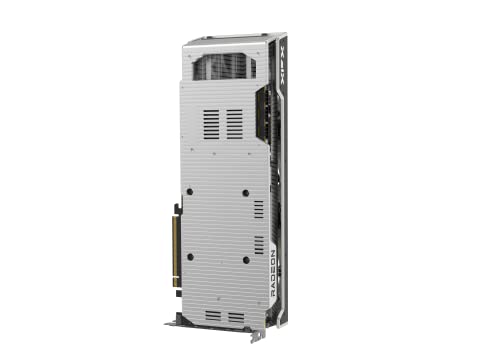
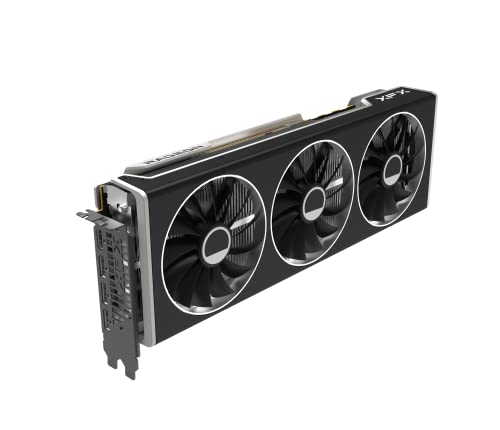
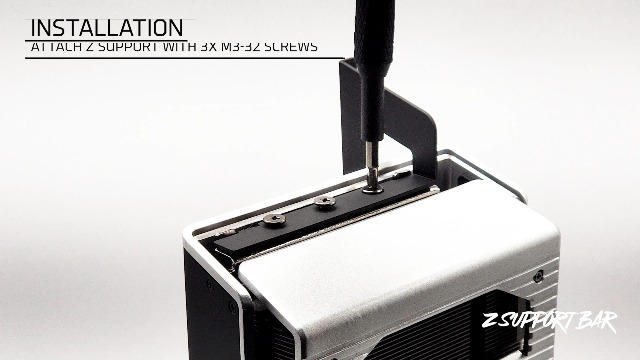
XFX Speedster MERC310 AMD Radeon RX 7900XTX Black Gaming Graphics Card with 24GB GDDR6, AMD RDNA 3 RX-79XMERCB9
In Stock







As an Amazon Associate we earn from qualifying purchases. Product prices and availability are accurate as of the date/time indicated.
The XFX Speedster MERC310 RX 7900 XTX is our top pick precisely because it is a true 24GB card aimed squarely at gamers and creators rather than workstations. AMD’s flagship RDNA 3 GPU carries a full 24GB of GDDR6 on a wide memory bus, and XFX’s MERC310 wraps it in a large triple-fan cooler with a factory overclock for quiet, sustained performance. At around $1,200 it is by far the most affordable way to put 24GB of gaming-class VRAM in your build.
This is the card to choose if you want the 24GB frame buffer for 4K gaming, high-resolution texture packs, content creation or local AI experimentation without paying professional-card prices. The 24GB capacity means you are far less likely to run out of memory in demanding modern titles at 4K or in heavy creative apps, and the MERC310’s beefy cooler keeps clocks high and noise low. If your priority is genuine 24GB capacity with the best value for a gaming audience, the 7900 XTX is the obvious starting point on this list.
Pros: Full 24GB GDDR6, gaming-focused, large quiet OC cooler, best 24GB value here.
Cons: Large triple-slot card; AMD ray tracing trails NVIDIA’s top cards.
2. Gigabyte RTX 3090 Turbo 24GB GDDR6X (GV-N3090T)
14
Gigabyte 24GB NVIDIA GeForce RTX 3090 Turbo GDDR6X Graphics Card Model GV-N3090TURBO-24GD (Renewed)
In Stock




As an Amazon Associate we earn from qualifying purchases. Product prices and availability are accurate as of the date/time indicated.
The Gigabyte RTX 3090 Turbo is a true 24GB card with a twist: it uses a blower-style ‘Turbo’ cooler that exhausts heat straight out the back of the case. Built on NVIDIA’s Ampere architecture, it carries the full 24GB of GDDR6X that made the 3090 a creator and early-AI favorite, but in a dual-slot, server-friendly form factor rather than a giant open-air design. At around $1,350 it offers that 24GB capacity in a uniquely compact, stackable package.
This is the 24GB pick for tight builds, multi-GPU rigs, or cases with limited airflow where a blower’s direct exhaust is an advantage. The 24GB GDDR6X frame buffer handles 4K gaming, GPU rendering and sizeable AI models, while the Turbo cooler’s slim profile fits where triple-fan cards will not and keeps hot air out of the chassis. Blowers run a little louder under load than big open-air coolers, but for a space-constrained 24GB build the trade-off is often worth it.
Pros: Full 24GB GDDR6X, slim blower exhaust design, fits tight or multi-GPU builds.
Cons: Blower coolers are louder and run hotter than large open-air designs.
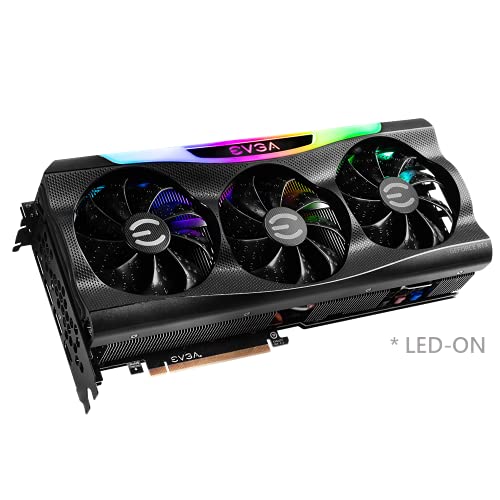
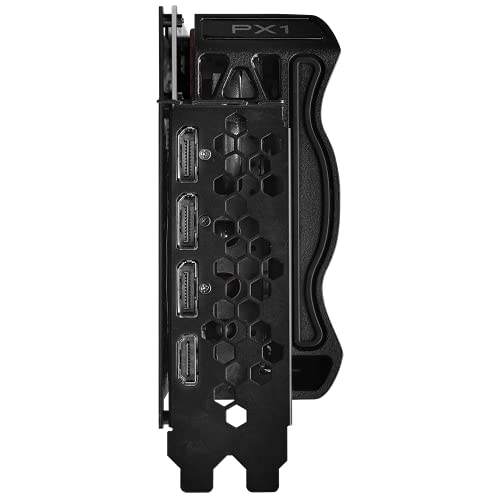
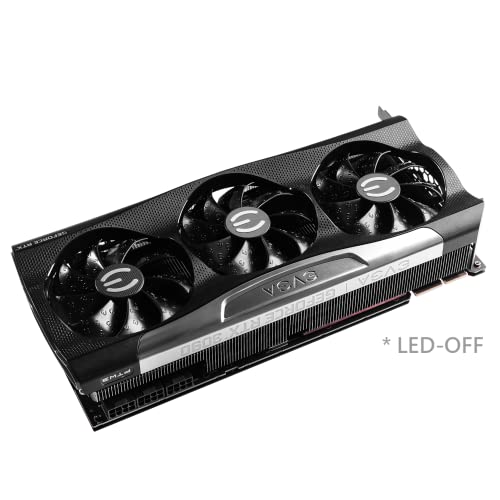
3. EVGA GeForce RTX 3090 FTW3 Ultra 24GB GDDR6X, iCX3
22
Prime
EVGA GeForce RTX 3090 FTW3 Ultra Gaming, 24GB GDDR6X, iCX3 Technology, ARGB LED, Metal Backplate, 24G-P5-3987-KR
In Stock




As an Amazon Associate we earn from qualifying purchases. Product prices and availability are accurate as of the date/time indicated.
The EVGA RTX 3090 FTW3 Ultra is the premium 24GB gaming card on this list, and a card EVGA fans still prize. It pairs the full 24GB of GDDR6X with EVGA’s top-tier FTW3 cooling, iCX3 temperature sensing across the board, and ARGB lighting, delivering high sustained clocks and a showpiece look. At around $1,850 it is priced as the flagship-class consumer 24GB option here.
This is the pick for the enthusiast who wants 24GB for 4K gaming and local AI and is happy to pay for a premium cooler and build quality. The 24GB GDDR6X capacity comfortably feeds 4K textures, large rendering scenes and AI models that overflow smaller cards, while the FTW3 Ultra’s iCX3 cooling holds high boost clocks quietly under sustained load. With EVGA having exited the GPU business, the FTW3 Ultra has also become something of a collector favorite — but first and foremost it is a powerful, true 24GB card.
Pros: Full 24GB GDDR6X, premium iCX3 cooling, high sustained clocks, ARGB, collectible.
Cons: Highest-priced consumer card here; large, power-hungry triple-slot design.
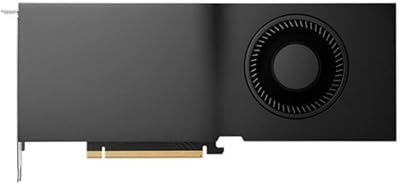
4. NVIDIA RTX 4500 Ada Generation 24GB (Retail)
7

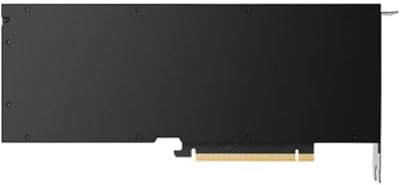

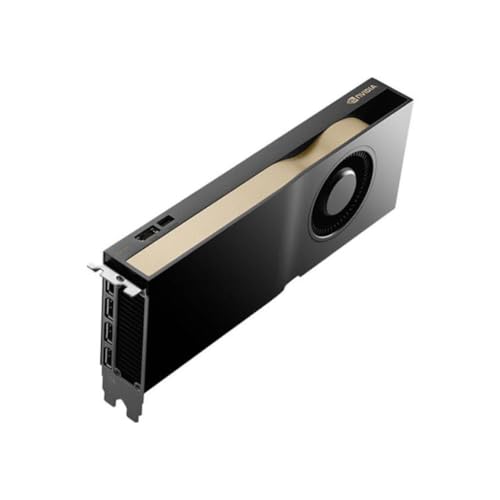
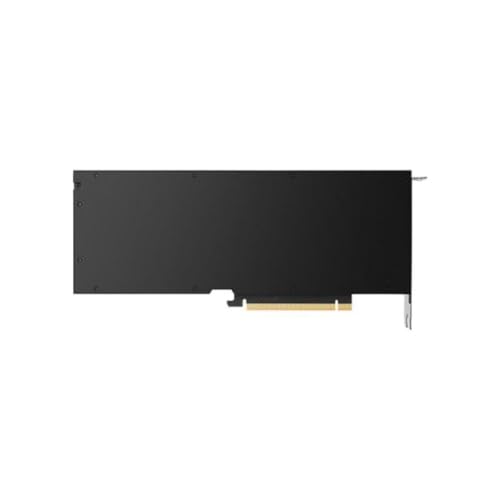
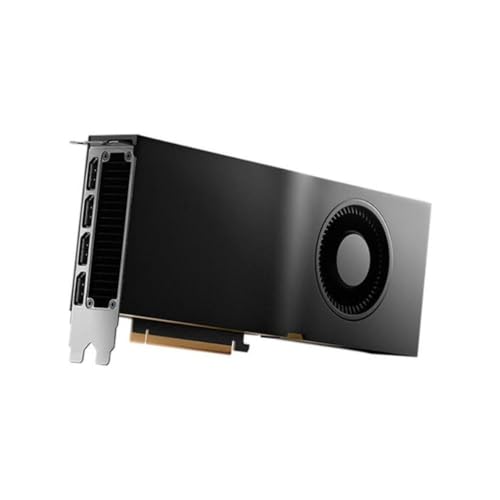
As an Amazon Associate we earn from qualifying purchases. Product prices and availability are accurate as of the date/time indicated.
The NVIDIA RTX 4500 Ada is a true 24GB card, but it is a professional workstation GPU rather than a gaming card, and it is important to be clear about that. It carries 24GB of GDDR6 with ECC (error-correcting) memory on the Ada Lovelace architecture, certified drivers, and a workstation-grade design tuned for reliability in CAD, simulation, rendering and AI development. At around $2,700 it is priced for professionals, not for gaming value.
This is the card to consider only if your work specifically calls for a certified professional 24GB GPU — engineering visualisation, scientific computing, large-model AI development, or studio content pipelines where ECC memory and ISV-certified drivers matter. For pure gaming, a consumer 24GB card like the 7900 XTX or an RTX 3090 delivers far more frames per dollar. We include the RTX 4500 Ada because it genuinely meets the 24GB requirement and serves a real audience, but gamers should look to the consumer picks above.
Pros: Full 24GB GDDR6 ECC, certified pro drivers, reliable Ada workstation design.
Cons: Professional GPU, not a gaming value pick; very high price for gaming use.
5. NVIDIA RTX PRO 4000 SFF Blackwell 24GB GDDR7 ECC

7
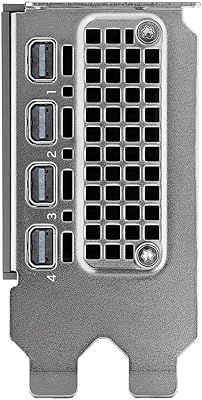
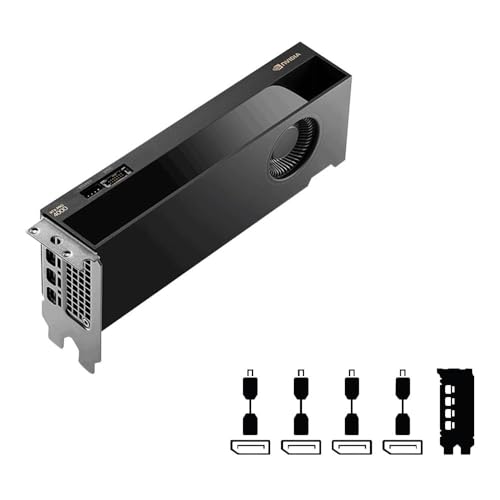
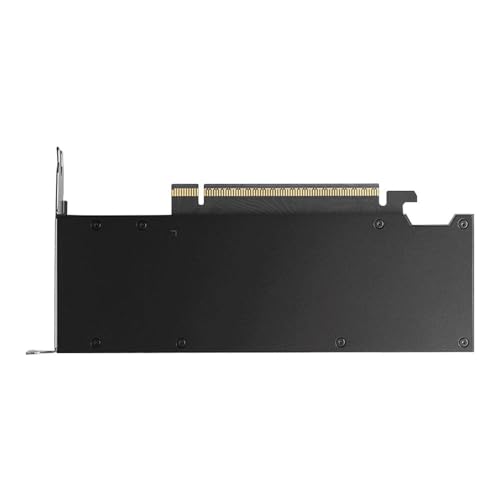
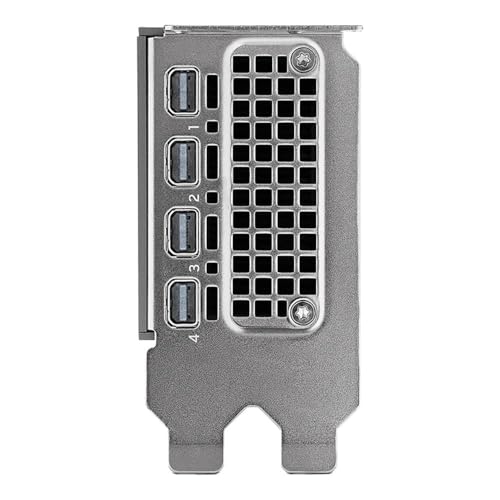
NVIDIA RTX PRO 4000 SFF Blackwell 24GB GDDR7 ECC – PCIe 5.0×8, 4X mDP 2.1b, Low-Profile Dual-Slot AI Workstation GPU Retail
In Stock


As an Amazon Associate we earn from qualifying purchases. Product prices and availability are accurate as of the date/time indicated.
The NVIDIA RTX PRO 4000 SFF Blackwell is another true 24GB card, and the most specialised entry here: a small-form-factor (SFF) professional GPU. It packs 24GB of next-generation GDDR7 with ECC into a low-profile, dual-slot card built on NVIDIA’s Blackwell architecture, with a PCIe 5.0 x8 interface and four Mini DisplayPort 2.1b outputs. At around $2,050 it is a pro card for compact workstations rather than a gaming purchase.
This is the pick for a very specific user: someone building a small or low-profile professional workstation who needs the full 24GB of VRAM plus certified drivers in a chassis that cannot fit a full-height card. The 24GB GDDR7 ECC frame buffer suits CAD, content creation and AI development, and the low-profile design and quad Mini DisplayPort outputs make it ideal for compact multi-display setups. As with the RTX 4500 Ada, it is a legitimate 24GB card but a professional tool — gamers are far better served by the consumer cards above.
Pros: Full 24GB GDDR7 ECC, low-profile SFF pro design, PCIe 5.0, quad Mini DP outputs.
Cons: Professional small-form GPU, not for gaming; premium professional pricing.
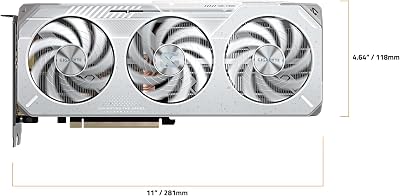
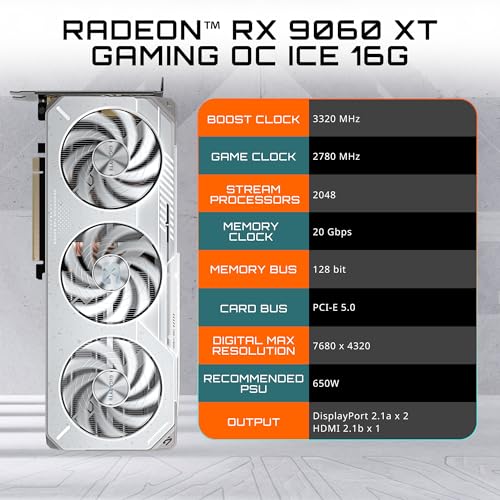
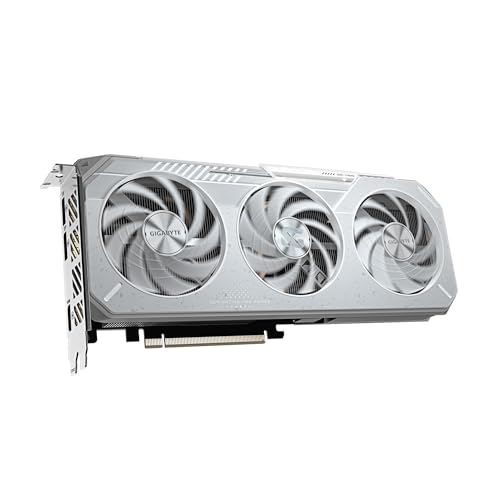
6. Gigabyte Radeon RX 9060 XT Gaming OC ICE 16GB (NOT a 24GB card)
19
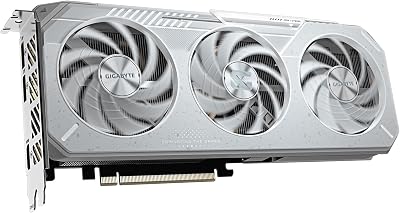
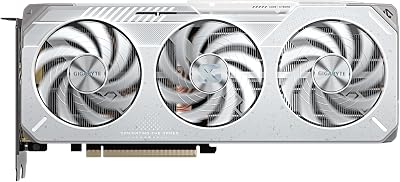
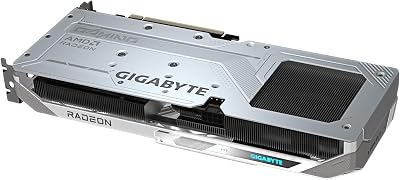
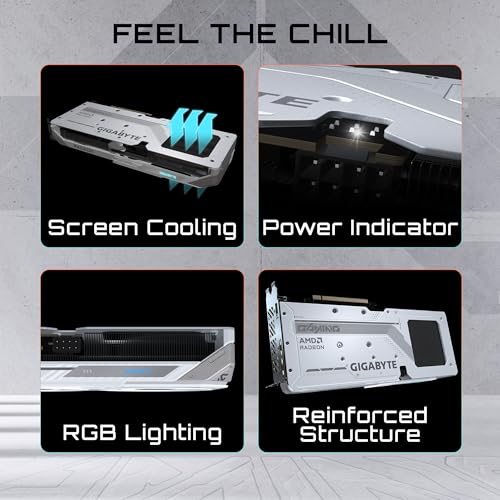
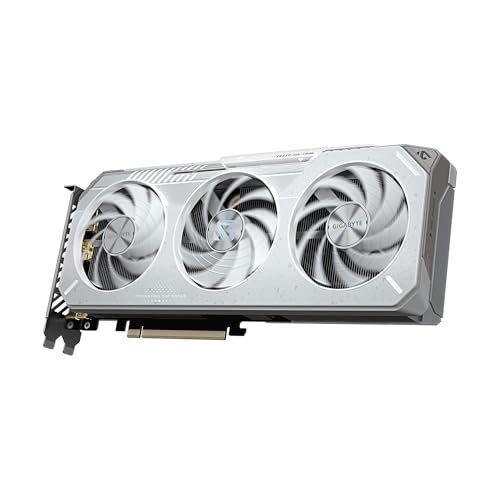
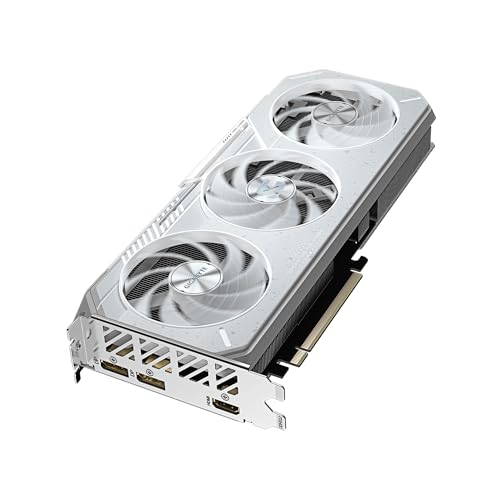
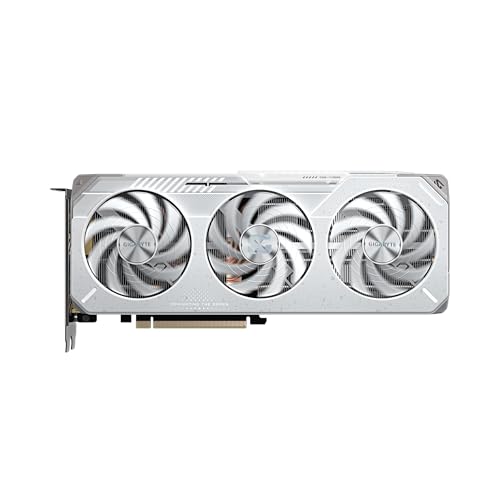
GIGABYTE Radeon™ RX 9060 XT Gaming OC ICE 16G Graphics Card (16GB GDDR6, 128-bit, PCIe 5.0, HDMI/DP 2.1, 2 Slot, Hawk Fan, Server-Grade Thermal Gel, Reinforced Structure)
In Stock







As an Amazon Associate we earn from qualifying purchases. Product prices and availability are accurate as of the date/time indicated.
We have to be straight about this one: the Gigabyte RX 9060 XT Gaming OC ICE is NOT a 24GB GPU. It is a 16GB card, with 16GB of GDDR6 on a 128-bit bus, and it appears here only so we can flag clearly that it does not meet this guide’s core requirement. If you specifically need 24GB of VRAM — for 4K texture packs, large AI models, or heavy creative scenes — this card cannot deliver it, and no amount of branding changes that hard number.
That said, taken honestly for what it is, the RX 9060 XT is a capable and well-priced 16GB mainstream gaming card at around $470, with Gigabyte’s attractive white ‘ICE’ cooler and a factory overclock. For 1080p and 1440p gaming, 16GB is plenty, and this card represents good value at its price. But value is not the question this list is asking. If your search for a ’24GB GPU’ is driven by a real 24GB workload, skip this card and choose one of the true 24GB options above; if 16GB actually covers your needs, it is a fine buy in its own right.
Pros: Honest note: only 16GB GDDR6 — does NOT meet the 24GB requirement; good 1440p value otherwise.
Cons: Fails the 24GB spec entirely (16GB card); included only to flag the shortfall.
How to Choose a 24GB GPU (and Whether You Actually Need One)
The first question with a 24GB GPU is not which one, but whether you truly need 24GB at all. VRAM capacity matters when your workload genuinely fills it: 4K gaming with ultra texture packs, multi-monitor productivity, GPU rendering, large 3D scenes, high-resolution video editing, and especially local AI models whose size is measured in gigabytes of memory. If you game at 1080p or 1440p and do little creative or AI work, 24GB is overkill and your money is better spent elsewhere — which is exactly why we flagged the 16GB RX 9060 XT rather than pretend it fits this list.
If you do need the full 24GB, the next decision is consumer versus professional. Consumer 24GB cards — the Radeon RX 7900 XTX and the GeForce RTX 3090 family here — give you that big frame buffer with the best gaming performance per dollar, standard gaming drivers and the strongest value. Professional cards like the RTX 4500 Ada and RTX PRO 4000 SFF also carry 24GB but add ECC memory and certified ISV drivers for engineering, scientific and studio workflows — features gamers will never use, at prices gamers should never pay. Match the card class to the actual job.
Form factor and cooling are the practical constraints once you have picked a class. A large triple-fan card like the XFX 7900 XTX or EVGA FTW3 Ultra needs real case clearance and good airflow, and rewards you with quiet, high sustained clocks. A blower design like the Gigabyte 3090 Turbo, or the low-profile RTX PRO 4000 SFF, fits tight or compact builds and exhausts heat directly out of the case, at the cost of some extra noise. Measure your case and plan your airflow before committing to a physically large 24GB card.
Finally, budget realistically and weigh power and platform. True 24GB cards range from around $1,200 for the 7900 XTX to around $2,700 for the RTX 4500 Ada, and the high-end consumer and pro cards draw substantial power — confirm your PSU has the wattage and connectors, and your case the room. Decide your budget, confirm your workload really needs 24GB, choose consumer for gaming value or professional for certified workflows, and pick the true 24GB card on this list that fits your build. If 24GB turns out to be more than you need, there is no shame in a 16GB card — just buy it knowing what it is.
Frequently Asked Questions
Which GPUs actually have 24GB of VRAM?
Only a small group of cards carry a genuine 24GB frame buffer: NVIDIA’s GeForce RTX 3090, RTX 3090 Ti and RTX 4090 on the consumer side, AMD’s Radeon RX 7900 XTX, and several professional cards such as the RTX 4500 Ada and RTX PRO 4000 SFF Blackwell on this list. Many mainstream cards top out at 8GB, 12GB or 16GB — the RX 9060 XT here, for example, is a 16GB card, so it does not qualify as a 24GB GPU no matter how it is marketed.
Do I really need 24GB of VRAM for gaming?
For most gamers, no. At 1080p and 1440p, 8GB to 16GB is plenty for current titles. A 24GB GPU earns its memory in specific scenarios: 4K gaming with ultra texture packs, multi-monitor setups, GPU rendering, large 3D scenes, high-resolution video editing, and running sizeable local AI models. If none of those apply to you, the extra VRAM sits unused, and a cheaper card with less memory is the smarter buy.
What is the most affordable true 24GB graphics card?
On this list, the XFX Speedster MERC310 Radeon RX 7900 XTX is the most affordable genuine 24GB card at around $1,200, and it is gaming-focused rather than a professional GPU. The RTX 3090 cards follow at around $1,350 to $1,850. The professional 24GB cards cost considerably more because they add ECC memory and certified drivers aimed at workstation use, not gaming value.
Why is the RX 9060 XT in a 24GB GPU guide if it only has 16GB?
We included it specifically to flag the mismatch honestly rather than bury it. The RX 9060 XT is a capable 16GB mainstream card and good value at around $470, but it does not meet the 24GB requirement this guide is about. If your reason for wanting a 24GB GPU is a real 24GB workload, you should choose one of the true 24GB cards instead; if 16GB actually covers your needs, the 9060 XT is a fine card — just not a 24GB one.
Related Guides
- Best GPUs for Your Build
- Best GPUs for 4K Gaming
- Best GPUs for Local AI and Machine Learning
- Best Power Supplies for High-End GPUs
- Best PC Cases with USB-C
- Best Pre-Built Gaming PCs
Affiliate Disclosure: As an Amazon Associate, we earn from qualifying purchases. If you click a link and make a purchase, we may earn a small commission at no extra cost to you. Prices and availability are accurate as of publication and may change.










