The Room is Fireproof Games’ first-person puzzle game, released on Steam on 28 July 2014. The whole game is one ornate puzzle box: you lean in close, rotate panels, slide hidden catches, fit keys into locks that were not visible a moment earlier, and work through the notes left by a researcher chasing a fifth element he called the Null. It is slow, tactile, mouse-driven play, closer to examining clockwork than to exploring a world.
That makes the Linux question simple to state and, unusually, simple to answer. The record is closed at almost every layer: the flags, the requirements fields and the depot table all describe a Windows game, and the only disagreement anywhere comes from a community page header the store record does not support. What follows reads each layer in turn.
As an Amazon Associate, we earn from qualifying purchases.
Quick answer
The Room has no native Linux build. Steam flags the game Windows only, its Linux requirements field is an empty list, and SteamDB lists a single Windows content depot. The Linux route is Proton: ProtonDB reads Platinum across 86 reports at strong confidence, and Valve rates the game Verified on Steam Deck.
What Steam’s own record shows
Start with the flags, because everything beneath them agrees. Steam’s record reads windows true, mac false, linux false. The developer and publisher fields both name Fireproof Games, and the categories are exactly: Single-player, Steam Achievements, Steam Trading Cards, Steam Cloud and Family Sharing.
The requirements fields are as one-sided as the flags. The Windows tab is genuinely populated, asking for a modest dual-core era machine. The Linux field, by contrast, is an empty list outright: no tab, no headings, no minimum tier, nothing. The Mac field is the same empty list under its own false flag, so neither secondary platform has even the paperwork of a port. Two absences round out the record: no DRM notice and no external account notice appear, stated here as gaps in the record rather than promises about the build.
One depot, and it is Windows
SteamDB’s depot table settles what the flags already say. The game ships exactly one content depot, configured for Windows, at 678.69 MiB on disk, accompanied only by the shared Windows redistributables. There is no Linux depot and no macOS depot in any branch. The public branch stands on a build set in July 2016 and has not moved since, which matters later for the Deck paperwork. SteamDB’s extracts publish no extended-OS value for this app, so none is claimed.
The family check is the shortest in this series, because there is barely a family. The record carries no add-on array at all: no soundtrack, no artbook, no expansion app exists to read. The recurring trap in these status pieces, where a music app flags Linux and store filters credit the flag to the game, cannot form when the only app in the family is the game itself, flagging false. Across the whole family, the Linux-flag tally is zero of one. The sequels are separate apps with their own records, not read here.
The Proton file, and a header that disagrees
With no native build, the practical question is the Proton file, and it is a strong one. ProtonDB’s summary record, read directly this session, is Platinum on all three tiers: headline, best-reported and trending, across 86 reports, at the confidence the service labels strong. The tiers describe the Windows build under Proton, the only build there is.
One check produced a disagreement worth naming. ProtonDB’s game page carries a classification header presenting the game as natively supported. Steam’s own record contradicts that header on every layer describing delivered software: a false Linux flag, an empty-list requirements field and a depot table with no Linux content. This article follows Steam, as this series always does when the two disagree, and treats the header as a labelling artefact rather than evidence of a build.
The report texture, taken at report weight, adds one practical note. The Windows build is a 32-bit program, and a minority of reporters describe setup work that follows from that: installing the host’s 32-bit graphics libraries, or stepping back to an older Proton build, before the game ran cleanly. Most reports describe no such work, and reports filed from the Steam Deck describe out-of-the-box play driven by the trackpads.
Anti-cheat: three sources, all negative
Anti-cheat is a three-source negative, as expected for a single-player puzzle game. Steam’s record names none. SteamDB’s detected technologies are the Unity engine and the Mono SDK: engine plumbing, not an anti-cheat product. The Are We Anti-Cheat Yet dataset, all 1,167 games of it, carries no entry for this title. Nothing in any of the three records stands between a Linux player and the game except the missing build.
Steam Deck: Verified, on paperwork that still matches
Valve rates The Room Verified on Steam Deck, the top category, and SteamOS separately Compatible. One evidence note: Valve’s own compatibility endpoint returned garbled responses this session, so the verdict, its checks and its paperwork were read through SteamDB’s republication of Valve’s compatibility data for this app.
All four Verified checks pass: the default controller configuration is fully functional, the game shows Steam Deck controller icons, in-game interface text is legible, and the default graphics configuration performs well. One note, not a deduction: the game does not default to external controllers on Deck, and may require manually switching the active controller through the Quick Access Menu. The test paperwork dates the check to 3 February 2022, on the July 2016 build, with the stable Proton runtime recommended. That build is exactly the one the public branch still serves today, so unlike most badges in this series, the paperwork describes the current download rather than a superseded version. And the runtime line is the honest one for this record: the badge certifies the Windows build under Proton, and since no native build exists, Proton is not the fallback here, it is the route.
The GOG question
There is no second storefront copy to weigh. The game’s natural product address on GOG resolves to that store’s general games catalogue, which is how GOG answers an address for a title it does not sell, and GOG’s own catalogue search returns no product for it either. Ruled from GOG’s own behaviour rather than any third-party listing: no GOG edition exists, and the Steam copy is the only PC edition of the two storefronts checked.
Gear that fits the record
The gear below follows the record’s shape: the handheld the badge was written for, two pads for docked play, a mouse for the close examination the game is built on, and library storage.
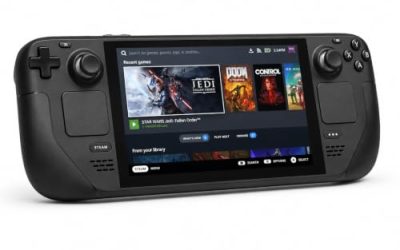
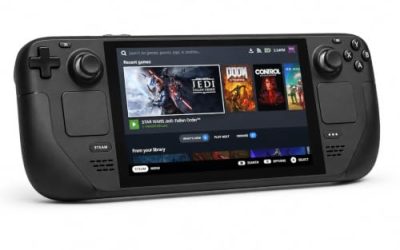
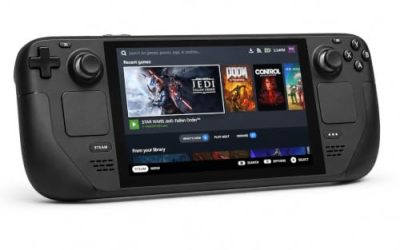
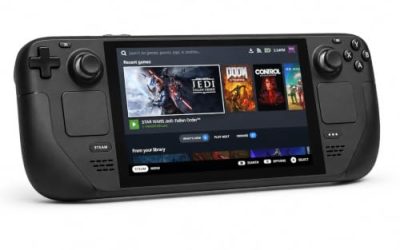
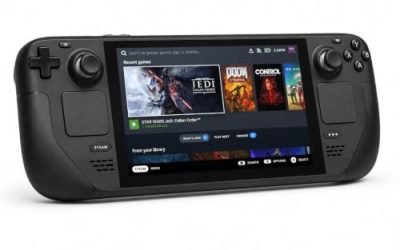
Valve Steam Deck OLED 512GB

The handheld the Verified badge was written for, and the rare case where the badge’s test build is still the build on sale. The trackpads suit a game played by leaning in and dragging.
Specs
- Display: 7.4-inch HDR OLED, 1280 by 800, up to 90 Hz
- Processor: AMD Zen 2 and RDNA 2 custom APU
- Memory: 16 GB LPDDR5
- Storage: 512 GB NVMe, plus a microSD slot
- Wireless: Wi-Fi 6E and Bluetooth
- Channel note: Valve sells the Deck mainly through its own store, so Amazon listings are third-party sellers
8BitDo Ultimate 2 Bluetooth Controller

The docked and desktop pad pick. The game’s pace is unhurried, and this pad covers the couch case with modern sticks and triggers plus back buttons.
Specs
- Connectivity: Bluetooth wireless and USB-C wired
- Joysticks: TMR electromagnetic, anti-drift design
- Triggers: Hall effect, with mode switching
- Extras: two remappable back buttons, motion control
- In the box: charging dock included
Xbox Wireless Controller, Carbon Black

The safest guest pad in PC gaming: Steam Input support is universal, the glyphs match what most games display, and it pairs over Bluetooth or its own wireless standard. On the handheld, the test sheet’s note applies: an external pad may need a manual Quick Access Menu switch first.
- Connectivity: Xbox Wireless and Bluetooth
- Port: USB-C for wired play
- Controls: hybrid D-pad, dedicated Share button
- Power: AA batteries or optional rechargeable pack
Logitech G502 HERO

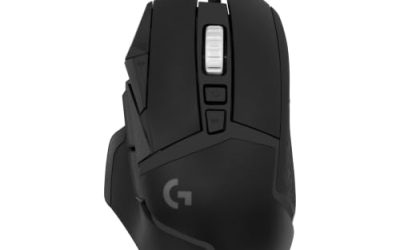
The Room is played with a pointer: circling the box, dragging drawers open, tracing a panel’s edge for a seam. At a desk, a precise wired mouse is the natural instrument for that work.
Specs
- HERO optical sensor, up to 25,600 DPI
- 11 programmable buttons
- Adjustable weight system
- Wired USB connection
- On-board memory profiles
Samsung T9 Portable SSD 2TB

For moving a Linux game library between a desktop and a laptop, or keeping an offline backup of installers, a fast USB-C drive is the simple answer. The headline figure needs a Gen 2×2 host port; on a lesser port the drive runs at that ceiling.
Specs
- Capacity: 2 TB portable SSD
- Interface: USB 3.2 Gen 2×2, USB-C connector
- Maker-rated speeds: up to 2,000 MB per second read, 1,950 MB per second write
- Features: Dynamic Thermal Guard, maker-rated drop resistance
How to choose
There is only one edition to choose, so the real choices are about how you run it. On a Steam Deck, install and play: the Verified paperwork covers the build still on sale, and the trackpads are the natural input. On a desktop or laptop, install under Proton and start with the default compatibility tool; the Platinum file says that is the expected route. If the game launches to a black screen or falls back to software rendering, the report file points at the 32-bit build: check that your distribution’s 32-bit graphics libraries are installed before changing Proton versions. The game is examination work, so a mouse or a trackpad earns its place over a stick.
Who should skip
Skip this one if you buy only native Linux builds: there is none here, and no family app suggests one is coming. Skip it if a store or community page labelled the game natively supported and that label is why you are buying; the label is wrong, and the game underneath is a Windows build. Skip it if you want sprawling exploration rather than a single object examined for hours, or if short games are not your shape: this is one puzzle box, solved over a few sittings.
FAQ
Is The Room native on Linux?
No. Steam flags the game Windows only, its Linux requirements field is an empty list outright, and SteamDB’s depot table holds a single Windows content depot. The Linux route is Proton.
Why does ProtonDB’s page call it natively supported?
Its game page carries a classification header to that effect, but Steam’s record contradicts it on flags, requirements fields and depots alike. The header is a labelling artefact; no native build is delivered by any layer of the record.
Is The Room Steam Deck Verified?
Yes. Valve rates it Verified, from a test dated February 2022, and unusually that test names the build the public branch still serves, so the rating describes today’s download.
Can I buy The Room on GOG instead?
No. GOG’s own store answers the game’s address with its general catalogue and lists no product for it, so no GOG edition exists.
Final verdict
The Room is one of the cleanest closed records in this series: a Windows-only game whose flags, empty Linux field and single Windows depot all agree, with no add-on apps to muddy the family tally, set against a Platinum ProtonDB file on 86 reports and a Verified Deck badge whose paperwork still matches the build on sale. The one false note, a community page header claiming native support, is contradicted by every layer of the store record. Buy the Steam copy and run it through Proton.
Product and ASIN Reference
| Product | ASIN |
|---|---|
| Valve Steam Deck OLED 512GB | B0CQ3RWQQZ |
| 8BitDo Ultimate 2 Bluetooth Controller | B0F194QFT2 |
| Xbox Wireless Controller, Carbon Black | B08DF248LD |
| Logitech G502 HERO | B07GBZ4Q68 |
| Samsung T9 Portable SSD 2TB | B0CHFS9K14 |