A console hooked up to a TV with built-in speakers sounds thin, especially in games with heavy bass or dialogue buried under explosions. A soundbar is the easiest fix that doesn’t involve wearing headphones every session. But gaming has different demands than movie night, and not every soundbar handles them the same way.
Why a soundbar makes sense for gaming
The main problem with TV speakers is directionality and dynamic range. Footsteps in a shooter, a door creaking behind you, a voice line that’s suddenly way quieter than the gunfire that follows it, all of that gets flattened on tiny TV drivers. A soundbar adds physical size and often a separate subwoofer, which does two things: it gives you actual low-end for explosions and impacts, and it widens the soundstage enough that you can tell left from right without guessing.
Where soundbars fall short compared to a surround setup or a good headset is precise positional audio. If you play competitive shooters and need to pinpoint exactly where a footstep came from, a soundbar is a sidegrade at best. For single-player, open-world, and story-driven games, though, the upgrade from TV speakers is immediately obvious.
What actually matters for gaming, specifically
Input lag is the one spec movie-focused reviews don’t talk about much, and it matters here. Some soundbars apply heavy audio processing that adds noticeable delay between what you see and what you hear. In most living rooms with modern TVs this is a non-issue because the TV’s game mode compensates, but if you notice audio trailing the action, check whether your soundbar has its own “game mode” or low-latency setting and turn it on.
HDMI eARC vs optical also matters more than people think. eARC passes higher-bandwidth audio formats and lets you control the soundbar’s volume with your TV remote, which sounds trivial until you’re juggling three remotes every time someone wants it quieter. If your TV has an HDMI eARC port, use it. Optical still works fine for basic stereo and compressed surround, but it can’t carry the newer object-based formats some games now support.
Dialogue clarity is the other sleeper feature. A lot of modern soundbars include a dedicated center channel or a “dialogue enhance” mode, originally built for TV and movies, but it helps a surprising amount with in-game NPC chatter and cutscenes that otherwise get swallowed by music and ambient noise.
Picking by budget and setup
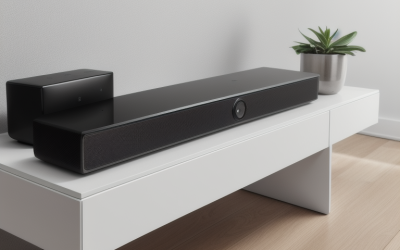
A basic two-channel soundbar is enough if your room is small, you mostly play alone, and you just want more presence than flat TV speakers. These are typically a single bar, sometimes with a small wireless sub, and they’re plug-and-play. If you’re shopping in this range, a general budget soundbar search will turn up solid options from the usual brands, and honestly, for a bedroom or secondary setup, this tier is genuinely fine. You’re not missing much that matters for single-player gaming.
A step up gets you a 3.1 or 5.1 system, meaning a center channel plus a subwoofer, sometimes rear satellite speakers. This is where gaming starts to feel noticeably better, because the subwoofer gives weight to impacts and the center channel keeps dialogue intact under music. If you want actual surround imaging without wearing headphones, look at a 5.1 surround soundbar system, which is the realistic ceiling for most living rooms before you’re into dedicated AV receiver territory.
At the high end you get Dolby Atmos soundbars with upward-firing drivers that bounce sound off the ceiling to simulate height. This works better than it sounds like it should in a well-shaped room, and some newer games do mix audio for height channels. In a room with a vaulted or oddly angled ceiling, though, the effect falls apart and you’re paying for a feature that does nothing. If your ceiling is a standard flat 8-9 feet and you want the most immersive option, an Dolby Atmos soundbar is worth the money. If your room geometry is unusual, it isn’t.
| Tier | Typical setup | Best for | Weak point |
|---|---|---|---|
| Basic stereo | Single bar, no sub or small built-in sub | Small rooms, casual single-player | Weak bass, no real surround |
| .1 | Bar + subwoofer, optional rear speakers | Living rooms, mixed single/multiplayer | Rear speaker wiring if not wireless |
| Dolby Atmos | Bar with upward-firing drivers | Standard flat ceilings, immersive single-player | Angled/vaulted ceilings kill the effect |
Where people get burned
The most common mistake is buying a soundbar sized for a movie-watching living room and expecting console-tier bass response at low volumes late at night. Subwoofers that sound great at normal volume often sound boomy and unfocused when turned down, because the port tuning that makes bass feel full needs some air moving. If you game late at night with others asleep, look specifically for a soundbar with a night/dialogue mode rather than relying on a volume knob.
Another one: buying based on channel count alone without checking HDMI version. Some older or budget soundbars only support HDMI ARC, not eARC, which caps the audio formats and resolution passthrough you can use. If you’re on a current-gen console doing 4K at high frame rates, confirm the soundbar’s HDMI port actually passes that through, or you’ll either lose video quality or have to run a separate HDMI cable straight to the TV and lose eARC’s benefits.
FAQ
Do I need a soundbar with Dolby Atmos for gaming specifically?
Not necessarily. Few games mix audio with height channels the way movies do, so the benefit is smaller than in film. It’s a nice-to-have in a room with a standard ceiling, not a requirement.
Will a soundbar help me hear footsteps better in competitive games?
Somewhat, mainly through clearer separation and more bass presence than TV speakers. For precise positional cues, a good gaming headset still outperforms a soundbar, since headphones put sound directly at each ear with no room reflections involved.
Does soundbar input lag actually matter for gaming?
It can, though most modern TVs and soundbars handle it fine once game mode is enabled on both. If dialogue or sound effects feel like they trail the action slightly, check for a low-latency or game mode setting on the soundbar itself.
Is a 2.1 soundbar enough, or should I go straight to 5.1?
If you mostly play solo and have a small to medium room, 2.1 is enough and you won’t feel shortchanged. 5.1 is worth the extra cost if you want real spatial separation or regularly have others in the room watching you play.