

- Top Pick: ASUS Dual GeForce RTX 4060 Ti EVO OC Edition 8GB GDDR6 (PCIe 4.0, 8GB GDDR6, DLSS 3, HDMI 2.1a, DisplayPort 1.4a, Axial-tech Fan Design, Auto-Extreme Technology), 3 Year Warranty
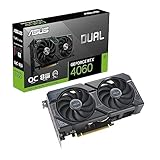
- Best Value: ASUS Dual GeForce RTX 4060 OC Edition 8GB GDDR6 (PCIe 4.0, 8GB GDDR6, DLSS 3, HDMI 2.1a, DisplayPort 1.4a, 2.5-Slot Design, Axial-tech Fan Design, 0dB Technology), 3 Year Warranty
- Premium Choice: ASUS Dual GeForce RTX 3050 6GB GDDR6 OC Edition Gaming Graphics Card
Sonic Frontiers is not a demanding PC game. Released on November 7, 2022 as an open-zone action-adventure set on the ancient Starfall Islands, it was built to run on PlayStation 4 and Xbox One hardware, and the PC release reflects those cross-generation roots: SEGA’s official minimum asks for a GeForce GTX 660 or Radeon HD 7870 with 2 GB of VRAM for 720p Low at 30 FPS, while the recommended tier targets 1080p High at 60 FPS with a GTX 1070 or RX Vega 56. Any modern budget-to-mid-range gaming PC clears both bars comfortably.
- Sonic Frontiers Official PC System Requirements
- How Demanding Is Sonic Frontiers Really?
- Best GPU for Sonic Frontiers by Resolution
- CPU, RAM and Storage: What Actually Matters for Sonic Frontiers
- Example PC Builds for Sonic Frontiers
- Laptop and Handheld Performance
- Best Settings to Raise FPS in Sonic Frontiers
- Final Verdict: What PC Do You Need?
- Frequently Asked Questions
As an Amazon Associate we earn from qualifying purchases at no extra cost to you.



Sonic Frontiers Official PC System Requirements
These are the requirements SEGA publishes for Sonic Frontiers on the game’s Steam store page, which is the authoritative source for this title.
| Component | Minimum (official) | Recommended (official) |
|---|---|---|
| OS | Windows 10 | Windows 10 |
| Processor | Intel Core i5-3470 or AMD Ryzen 5 1400 | Intel Core i5-6600 or AMD Ryzen 5 2600 |
| Memory | 8 GB RAM | 12 GB RAM |
| Graphics | NVIDIA GeForce GTX 660, 2 GB or AMD Radeon HD 7870, 2 GB | NVIDIA GeForce GTX 1070, 8 GB or AMD Radeon RX Vega 56, 8 GB |
| DirectX | Version 11 | Version 11 |
| Storage | 30 GB available space | 30 GB available space |
Source: the official Sonic Frontiers Steam store listing (app 1237320), checked October 2026. Publishers can update these specs after patches.
Two details in the official notes matter more than the component lists themselves. First, the targets are 720p Low at 30 FPS for the minimum and 1080p High at 60 FPS for the recommended build, so the specification is written around 1080p rather than 4K or high refresh rates. Second, the game requires a CPU that supports the AVX and SSE4 instruction sets, which rules out pre-2011 Intel chips and the older AMD FX and Phenom generations even if their clock speeds look adequate on paper. Both tiers ask for DirectX 11 rather than DirectX 12, and 30 GB of storage.
The minimum graphics cards are genuinely old – the GTX 660 dates from 2012, and the Radeon HD 7870 is from the same era – while the recommended GTX 1070 and RX Vega 56 now sit in the budget used-GPU class. The CPU side is just as modest: a Core i5-3470 or Ryzen 5 1400 at the bottom, and a Core i5-6600 or Ryzen 5 2600 for the recommended build. Nothing in the spec points to a game that punishes older hardware. SEGA also notes that Microsoft no longer supports Windows 10 or older versions, so Windows 11 is the sensible choice for a new build even though Windows 10 is what the spec lists.
How Demanding Is Sonic Frontiers Really?
Sonic Frontiers uses large open-zone islands with fast traversal, streaming foliage, distant geometry and a lot of particle effects during combat, but it is not a ray tracing showcase and it is not a CPU-bound simulation. It does not simulate large crowds of NPCs, complex physics or hundreds of AI units, and its recommended GPU – a GTX 1070 – is a mid-range card from 2016. That is the profile of a light, well-optimised cross-generation title, not a demanding one.
The main performance factor is streaming. Because Sonic moves so quickly, the engine constantly pulls in terrain and assets. On a mechanical hard drive or a CPU with weak single-thread performance you may notice traversal stutter or brief hitches when boosting across an island; on an SSD with a modern CPU the game feels noticeably smoother even when average framerate barely changes. This is why storage and CPU choice matter more here than they would in a game with a slower camera.
VRAM is not a major concern. The official minimum cards carry 2 GB and the recommended cards 8 GB, and the game’s texture footprint at 1080p and 1440p is small by modern standards, so 8 GB is comfortable and more than that brings no benefit in this title alone. If you are chasing 4K, VRAM matters more, but the game will not punish a mid-range card for having a modest buffer.
Best GPU for Sonic Frontiers by Resolution
The official specification already tells you what each target costs. The tiers below build outward from those two reference points – a GTX 1070 or RX Vega 56 for 1080p High at 60 FPS – and are described qualitatively, because the game’s own notes only promise 30 FPS at 720p Low and 60 FPS at 1080p High.
1080p (Full HD) – Meeting and Beating the Official Target
This is the resolution the spec is written for, and the recommended tier is the bar to clear:
- At the official recommended level: GeForce GTX 1070, Radeon RX Vega 56, and anything at or above that performance class – GTX 1660 Super, RTX 3050, RTX 2060, Radeon RX 6600, RX 7600, Arc A580 or A750. These deliver the intended 1080p High at 60 FPS with headroom to spare.
- Modern picks for 1080p high refresh: GeForce RTX 5060, RTX 5060 Ti and Radeon RX 9060 XT sit far above the recommended card, leaving plenty of room to raise settings or drive a high-refresh monitor.
- Budget and older builds: the official minimum – GTX 660 or HD 7870, 2 GB – is only rated for 720p Low at 30 FPS. Cards such as the GTX 1050 Ti, GTX 1650 or RX 570 sit clearly above it and will comfortably beat that floor, though you may want to lower a setting or two to hold the 60 FPS target at 1080p.
Integrated graphics do not meet the official minimum, which calls for a discrete card with 2 GB of VRAM. Modern iGPUs in Ryzen G-series or Intel Core Ultra chips may be able to launch the game at low resolution and low settings, but they are below spec and a dedicated card is strongly preferred.
1440p (QHD) – Comfortably Above Spec
1440p is still a light workload for this game, though it is well beyond anything the official requirements describe.
- 1440p at High settings: GeForce RTX 3060 Ti, RTX 4060 Ti, RTX 5060 Ti, Radeon RX 6700 XT, RX 7600 XT, RX 9060 XT, Arc B580 or A770. All of these are well above the recommended 1080p card and handle 1440p without upscaling.
- 1440p at high refresh rates: GeForce RTX 5070 and Radeon RX 9070, along with older RTX 3080 or RX 6800 XT class cards. At this level you are more likely to be limited by the game’s 60 FPS target and by CPU-side streaming than by raw GPU throughput.
4K (UHD) – Accessible With a Mid-Range or Better Card
Sonic Frontiers is a lighter 4K workload than most modern AAA releases, but 4K is still four times the pixel count of 1080p and sits well outside the official specification, which stops at 1080p High.
- 4K at High settings: GeForce RTX 5070, RTX 4070 Super or 4070 Ti Super, Radeon RX 9070, RX 7800 XT or RX 7900 XT. These are far above the recommended spec and are the sensible entry point for 4K in this game.
- 4K on a tighter budget: GeForce RTX 5060 Ti or 4060 Ti 16GB, Radeon RX 9060 XT – especially with upscaling enabled and shadow quality reduced a step. Below that class, 1440p is the better target.
The official spec makes no mention of ray tracing, and the game’s lighting and shadows are traditional rasterised effects, so ray tracing performance is irrelevant when choosing a card for Sonic Frontiers. Raster performance and a reasonable VRAM buffer are all that matter.
CPU, RAM and Storage: What Actually Matters for Sonic Frontiers
CPU
The official CPU requirements – Core i5-3470 or Ryzen 5 1400 minimum, Core i5-6600 or Ryzen 5 2600 recommended – are four-core parts from 2012 to 2017, and the game is not a simulation, strategy or large-scale multiplayer title, so it does not lean heavily on many cores. What it does require is AVX and SSE4 support, which every CPU from roughly 2011 onward provides; anything older will not run the game at all, regardless of how fast it looks on paper.
For smooth traversal while boosting across an island, single-thread performance and fast storage matter more than core count. A Core i3-12100F, Core i5-12400F / 13400F / 14400F, or Ryzen 5 5600 / 7600 is well beyond the recommended Ryzen 5 2600, and even a modest modern quad-core will not hold back a mid-range GPU at the game’s 60 FPS target. If you plan to push past 60 FPS on a high-refresh display, a faster gaming CPU such as a Ryzen 5 7600X, Ryzen 7 7700 or Core i5-13600K helps keep frame times consistent.
RAM
SEGA lists 8 GB as the minimum and 12 GB as recommended. In practice 16 GB is the sensible baseline for a new gaming PC and leaves headroom for the game plus Windows and background applications, which is exactly the pressure the 8 GB minimum runs into. There is no benefit to 32 GB for this title alone, though it is common in mid-range builds for other games and for multitasking. Memory speed makes very little difference here – DDR4-3200 or a standard DDR5 kit is fine.
Storage
The install is 30 GB, which is small by modern standards. An SSD is not part of the official requirements, but the game streams terrain and assets continuously as Sonic moves, so it is the upgrade you are most likely to actually notice. A mechanical drive means longer loads between islands and more visible hitches at top speed, while any SATA SSD largely removes them and an NVMe drive shortens loads further. Storage type has little effect on average framerate but a clear effect on smoothness.
Example PC Builds for Sonic Frontiers
Two reference builds: one aimed squarely at the official recommended experience, and one that goes well past it.
Budget 1080p Build
Target: the official recommended experience of 1080p High at 60 FPS, with headroom to spare.
- CPU: Intel Core i3-12100F or Core i5-12400F, or AMD Ryzen 5 5600
- GPU: GeForce RTX 5060 or Radeon RX 9060 XT, or an older RTX 4060 / RX 7600
- RAM: 16 GB DDR4-3200 (2×8 GB)
- Storage: 1 TB NVMe SSD
- Why it works: every part here is comfortably above the official recommended spec of a GTX 1070 and a Ryzen 5 2600, so the game runs at 1080p High with room to raise settings or unlock a higher refresh rate.
Mid-Range 1440p / 4K Build
Target: 1440p at high refresh rates, or 4K at High settings.
- CPU: AMD Ryzen 5 7600 / 7600X or Intel Core i5-14400F / 14600KF
- GPU: GeForce RTX 5070 or Radeon RX 9070
- RAM: 16 GB or 32 GB DDR5
- Storage: 1-2 TB NVMe PCIe 4.0 SSD
- Why it works: this is far beyond what Sonic Frontiers needs, which is precisely the point at 4K, and it leaves the machine ready for genuinely demanding releases.
Beyond this tier, cards such as the GeForce RTX 5080 or Radeon RX 7900 XTX bring no meaningful advantage in Sonic Frontiers itself – a game whose stated target is 1080p High at 60 FPS simply is not a heavy load for them.
Laptop and Handheld Performance
Gaming Laptops
Sonic Frontiers is an easy game for laptops precisely because the recommended desktop card is a GTX 1070. A laptop with an RTX 4050 Laptop, RTX 4060 Laptop or Radeon RX 7600M GPU and a recent Core i5 or Ryzen 5 processor sits around or above that level and will handle 1080p at High settings without trouble; an RTX 4070 Laptop or better is more than enough for 1440p laptop panels. Total system load is moderate, so thermal throttling is rarely the limiting factor – just check that the laptop’s CPU supports AVX and SSE4, which every current model does.
Steam Deck, ROG Ally and Other Handhelds
Handhelds are a good fit for this game. On Steam Deck-class hardware, expect to run at the device’s native 800p resolution with a mix of settings and upscaling enabled, and capping the framerate to 40 FPS is a common way to extend battery life given the game is built around a 60 FPS target. More powerful Windows handhelds such as the ASUS ROG Ally, ROG Ally X or Lenovo Legion Go can push closer to a full 1080p experience with some settings reductions. Install to internal storage rather than a microSD card, since the game streams assets constantly while you move.
Best Settings to Raise FPS in Sonic Frontiers
If you are below the official minimum, or chasing a higher refresh rate than the 1080p 60 FPS target, these are the settings categories that usually give the biggest gains for the smallest visual cost. Exact menu labels vary by version, so treat them as categories rather than a checklist.
- Shadow quality: usually the single largest lever. Shadows are expensive relative to how little they add during fast movement, so dropping them a step or two is the first thing to try on a weaker GPU.
- Draw distance / level of detail: controls how far foliage, terrain detail and distant geometry are rendered. Lowering it helps on weaker GPUs and reduces streaming pressure, but going too low produces obvious pop-in at Sonic’s speed. A middle setting is usually the best balance.
- Effects and particle quality: the biggest factor during combat and whenever a lot of effects are on screen. Lowering it a step barely affects exploration but helps keep frame times stable during busy fights.
- Anti-aliasing and resolution scaling: the cheapest way to gain performance if you are GPU-limited at 1440p or 4K. Reducing resolution scale slightly, or using an upscaler where the game or your GPU driver offers one, is far less noticeable than dropping the output resolution outright.
- Frame rate options and V-Sync: the official targets are 30 FPS at 720p Low and 60 FPS at 1080p High, so the game is built around a 60 FPS experience. If you want to go beyond that, pair your in-game options with your GPU driver’s frame limiter or your monitor’s adaptive sync to avoid tearing and uneven pacing.
Texture quality, anisotropic filtering and geometry quality can usually be left high on any card with a reasonable VRAM buffer, since they cost relatively little performance in this game.
Final Verdict: What PC Do You Need?
You almost certainly do not need a new PC for Sonic Frontiers. The official recommended build is a Core i5-6600 or Ryzen 5 2600 with a GTX 1070 or RX Vega 56 and 12 GB of RAM – hardware that is now several generations old – and the minimum is a 2012-era graphics card. Any gaming PC bought in the last five years clears the recommended spec. If you are buying new, a budget machine with an RTX 5060 or RX 9060 XT and a modern six-core CPU will run the game at 1080p High with plenty of headroom, and a mid-range RTX 5070 or RX 9070 build takes 4K in its stride. Spend on an SSD and 16 GB of RAM rather than a flagship GPU for this particular title.
Frequently Asked Questions
Can I run Sonic Frontiers on a low-end PC or without a graphics card?
You need a discrete GPU that meets the official minimum – a GeForce GTX 660 or Radeon HD 7870 with 2 GB of VRAM – plus a CPU with AVX and SSE4 support and 8 GB of RAM. Integrated graphics do not meet that bar. Recent Ryzen G-series or Intel Core Ultra iGPUs may be able to launch the game at low resolution and low settings, but they are below spec and a dedicated card is strongly recommended.
Does Sonic Frontiers support 120 FPS or ultrawide?
The official requirements only describe 720p Low at 30 FPS and 1080p High at 60 FPS, so anything beyond 60 FPS or a 21:9 / 32:9 aspect ratio is outside the published spec and depends on the game’s available options and community fixes. High-refresh and ultrawide play work best with a strong CPU and a GPU well above the recommended tier.
Do I need an SSD for Sonic Frontiers?
No – storage type is not part of the official requirements, and the install is only 30 GB. That said, an SSD is the most noticeable quality-of-life upgrade for this game because of how constantly it streams terrain, and it cuts load times between islands substantially.
Does Sonic Frontiers have ray tracing or DLSS/FSR?
The official spec lists DirectX 11 and makes no mention of ray tracing; the game’s lighting and shadows are traditional rasterised effects, so ray tracing performance is irrelevant when choosing a card. Upscaling options vary by version and can also be applied through GPU driver features, and they are the easiest way to push higher resolutions on a mid-range card.















