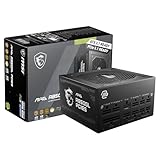
- Top Pick: Apevia SFX-AP500W Mini ITX Solution/Micro ATX/SFX 500W Power Supply | SFX Form Factor, 80mm Auto Thermal Fan, 500W SFX Power Supply, Sleeved PSU Cables, Heavy Duty Protections
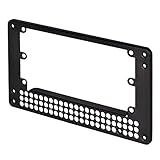
- Best Value: Silverstone Technology PP08 Universal SFX to ATX Power Supply Adapter Bracket, Black, SST-PP08B
- Premium Choice: LIAN LI SP750 V2 750W SFX Power Supply, 80 Plus Gold, Black (SP750G.B) | ATX 3.1-ready SFX power with native 12V-2×6 cable, fully modular design, quiet 92mm FDB fan, and 10-year warranty.
Buy an ATX power supply unless your case is built for SFX, in which case an SFX or SFX-L unit is the only option that fits. The two formats use the same connectors and the same basic electrical design, so the decision is almost entirely about physical size, available wattage and noise.
As an Amazon Associate we earn from qualifying purchases at no extra cost to you.



What ATX, SFX and SFX-L Mean
ATX is the standard desktop power supply form factor. Typical dimensions reported by retailers and guides are about 150 mm wide, 86 mm high and 140 mm deep, with some high-wattage units running longer. Most ATX units use a 120 or 140 mm fan.
SFX (Small Form Factor) power supplies measure roughly 125 mm wide, 63.5 mm high and 100 mm deep, and usually use an 80 or 92 mm fan. SFX-L keeps the same width and height but is deeper, at around 130 mm, which leaves room for a 120 mm fan. Because the mounting holes line up, many cases that take SFX can also take SFX-L if they have the extra depth, but the case manual states which one is supported.
Comparison Table
| Factor | ATX | SFX | SFX-L |
|---|---|---|---|
| Approx. size (W x H x D) | 150 x 86 x 140 mm or longer | 125 x 63.5 x 100 mm | 125 x 63.5 x about 130 mm |
| Typical fan | 120 to 140 mm | 80 to 92 mm | 120 mm |
| Wattage range | Widest, entry-level to very high | Mid to high, commonly up to 1000 W | Mid to high |
| Noise under load | Usually quietest | Small fans can be louder | Quieter than SFX |
| Model choice | Very large | Smaller | Smallest |
| Best fit | Mid towers, mATX and ATX cases | Mini-ITX and compact cases | Compact cases with extra depth |
| Cable length | Longer | Shorter | Shorter |
Power Output and Modern GPUs
A decade ago, SFX units were limited to modest wattages. Guides now report that current SFX and SFX-L models reach 700 to 1000 W, and some makers list higher. That is enough for many builds around a Ryzen 7 9800X3D or an Intel Core Ultra 200S chip paired with a strong RTX 50-series or Radeon RX 9000 card. ATX still has the broadest range of very high-wattage models, which matters for builds with a flagship graphics card and an overclocked CPU.
The right wattage depends on your parts. Graphics card makers publish a recommended minimum power supply for each model, and CPU makers publish power figures. Use those numbers rather than rules of thumb, and leave headroom for transient power spikes that newer cards can produce. Also note that ATX 3.x and PCIe 5.x power supplies include the 12V-2×6 (12VHPWR) connector, and SFX units with the same connector exist from several makers.
Noise, Cooling and Efficiency
Smaller fans must spin faster to move the same air, so SFX models can be louder under heavy load. Reviewers often point to this trade-off, and SFX-L exists partly to solve it by fitting a bigger fan. At light and medium loads, many modern units run the fan at low speed or stop it entirely. Efficiency ratings such as 80 Plus Gold or Platinum apply to both formats, and a good SFX unit can match an ATX unit’s rating, though cost per watt is generally higher for SFX.
Placement inside a small case also affects cooling. Power supplies in tiny builds sit close to other hot parts, so airflow design and fan orientation matter. Follow the case maker’s guidance on which direction the power supply fan should face.
Cables and Installation
All three formats share the same connector standards: a 24-pin motherboard cable, EPS for the CPU, PCIe for graphics cards, and SATA. The differences are cable length and layout. SFX cables are typically shorter, which suits small cases but can be tight if you place an SFX unit in a full tower through an adapter bracket. Fully modular models make small builds much simpler because you can leave out unused cables.
Safety reminder: always switch off and unplug the power supply before opening your PC, and never open the power supply itself. Capacitors inside can hold a charge even when unplugged. If a power supply is noisy, smells burnt, or trips protection repeatedly, stop using it and contact the maker or a technician.
Can You Put an SFX Unit in an ATX Case?
Often yes, using a mounting bracket that adapts an SFX unit to the ATX opening. Many makers include one in the box or sell it separately. The adapter lets the smaller unit be screwed in securely, but it does not change the power rating, and you lose the quieter big fan. It can be a sensible choice when you want a short-cable, tidy build or are moving parts to a different case later. The reverse does not work: an ATX power supply is physically too large for a true SFX case.
Who Should Choose Which
Choose ATX if:
- Your case is a standard mid tower or most mATX towers.
- You want the most choice, the quietest operation and the best value per watt.
- You plan a very powerful graphics card plus a high-end CPU.
Choose SFX or SFX-L if:
- Your Mini-ITX or compact case lists SFX or SFX-L support.
- You want shorter cables and more room for airflow in a small case.
- You accept a limited model list and a higher cost per watt.
Budget tiers follow the same logic. Entry-level builds are served by many affordable ATX models, while SFX has fewer low-end options. Mid-range and enthusiast builders in small cases will find solid SFX models from established makers, but they should expect to pay a premium compared with an equal-wattage ATX unit.
Common Myths
- “SFX is lower quality.” Build quality depends on the model, not the size. Many top-tier SFX units use the same platform as their ATX siblings.
- “SFX cannot power a high-end GPU.” Higher-wattage SFX models exist and can power demanding cards, as long as the rating meets the card maker’s requirement.
- “SFX is always loud.” It can be louder under full load, but many units stay quiet at gaming loads.
- “SFX-L and SFX are interchangeable.” The extra depth of SFX-L means some small cases cannot take it.
Practical Recommendation
Read the case specification first. If it says ATX, buy a reputable ATX unit with enough wattage and the right connectors for your graphics card. If it says SFX only, pick an SFX model; if it also lists SFX-L, consider that for a larger, quieter fan. Match the connectors to your card, including the 12V-2×6 cable if required, and follow the graphics card and power supply makers’ instructions for seating it fully. Warranty length is another useful tiebreaker, since reputable makers back their units for many years.
Frequently Asked Questions
Is SFX as efficient as ATX?
It can be. Efficiency certifications such as 80 Plus Gold and Platinum are available in both formats. Check the rating on the specific model rather than assuming from size.
Does a small form factor PC need an SFX power supply?
Not always, but most very small cases do. Some larger Mini-ITX cases accept a standard ATX unit. The case manual lists the supported formats.
Are SFX power supplies louder?
They can be at high loads because the fans are smaller. SFX-L models with 120 mm fans are generally quieter. At typical gaming loads, many modern units keep fan noise low.
Can I use an ATX power supply in an SFX case?
No. An ATX unit is larger in every dimension and will not fit an SFX bay. You would need a different case or a true SFX or SFX-L unit.
Do SFX and ATX use the same cables?
The connector types are the same, but the cables are often shorter on SFX units. Never mix cables between different models, because pin layouts can differ even when plugs look identical.
How much wattage do I need?
Use the graphics card maker’s recommended power supply figure and add the CPU’s power needs. Then leave some headroom. The format does not change the calculation.