A good laptop dock turns a MacBook into a proper desktop workstation the moment you sit down, restoring the ports Apple stripped away and driving external displays from a single cable. Whether you want a simple vertical stand to reclaim desk space or a full Thunderbolt dock feeding multiple monitors, the right accessory makes docking and undocking effortless.
We tested a spread of MacBook stands, hubs, and docking stations, judging build quality, port selection, display support, and charging performance. Here is our full review of the best options for a clean, capable Mac setup.
As an Amazon Associate we earn from qualifying purchases.



Design & Build
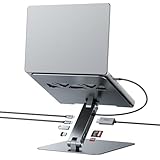
These accessories split into stands and docks. The UGREEN vertical stand and OMOTON dual vertical stand hold your MacBook upright to save desk space, both machined from aluminum for a solid, Mac-matching look. The docks range from the compact Anker Nano 13-in-1 and Anker 7-in-2 Mac hub to the powerhouse Anker Prime TB5 Thunderbolt 5 dock and the BENFEI 7-in-1 laptop stand with integrated docking. Build quality is uniformly good, with the aluminum bodies feeling premium and dissipating heat well. The BENFEI cleverly combines a stand and a dock in one, while the Anker Prime TB5 is the feature-packed centerpiece for demanding setups.
Performance
Display support is the key differentiator. The Anker Prime TB5 Thunderbolt 5 dock is the standout, driving multiple high-resolution monitors with massive bandwidth to spare, ideal for creative professionals. The BENFEI 7-in-1 and Anker 7-in-2 deliver 4K at 60Hz over HDMI plus fast data and 100W power delivery, enough to charge a MacBook Pro while you work. The Anker Nano 13-in-1 packs an impressive port array into a detachable design. The vertical stands add no ports but transform desk ergonomics. Across the board, charging and data transfer are reliable, with the Thunderbolt options offering the most future-proof headroom.
Pros & Cons
- Restores essential ports like HDMI, USB-A, and card readers.
- Single-cable docking with high-wattage power delivery.
- Thunderbolt options drive multiple high-resolution displays.
- Aluminum stands save desk space and match the MacBook aesthetic.
- Thunderbolt 5 docks are a premium investment.
- Apple Silicon Macs limit external displays natively without DisplayLink on some hubs.
Alternatives to Consider
If you only need to save desk space and already have the ports you want, a simple vertical stand like the UGREEN is inexpensive and effective. If you need broad connectivity without breaking the bank, the BENFEI or Anker 7-in-2 hubs cover most needs. But for a future-proof multi-monitor creative workstation, the Anker Prime TB5 Thunderbolt 5 dock is the top-tier choice.
Frequently Asked Questions
Can a dock charge my MacBook?
Yes. Docks with Power Delivery, like the BENFEI 7-in-1 and Anker hubs offering 100W, can charge a MacBook Pro while simultaneously connecting displays and peripherals over one cable.
How many monitors can I connect?
It depends on the dock and your Mac. Thunderbolt docks like the Anker Prime TB5 support multiple displays, though Apple Silicon MacBooks have native display limits that some hubs work around with DisplayLink.
Do I need Thunderbolt?
For multiple high-resolution monitors and maximum bandwidth, Thunderbolt is ideal. For a single 4K display and everyday ports, a standard USB-C hub like the BENFEI is plenty.
Are vertical stands safe for a MacBook?
Yes. Quality aluminum stands like the UGREEN and OMOTON hold the laptop securely with protective padding, and vertical orientation can even help airflow when the Mac is closed.
Verdict
The best MacBook dock depends on your needs. For a full creative workstation, the Anker Prime TB5 Thunderbolt 5 dock is our top pick, while the BENFEI 7-in-1 stand-and-dock combo is the versatile value choice. If you just want to save desk space, the UGREEN vertical stand does the job elegantly.