

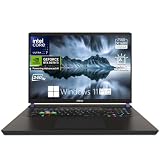
- Top Pick: msi Katana 15 HX Gaming Laptop, Intel i7-14650HX, NVIDIA Geforce RTX 5070
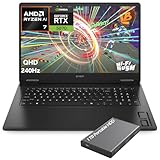
- Best Value: HP OMEN Gaming Laptop, 17.3" 2K QHD Display 240Hz, AMD Ryzen AI 7 350, NVIDIA GeForce RTX 5070 8GB GDDR7, 32GB DDR5 RAM, 1TB SSD, Wi-Fi 6E, RGB Backlit, HyperX Speakers, Win 11, w/1TB Portable HDD
- Premium Choice: Thunderobot Zero Air 15 Ultra 9 386H RTX 5070 32GB DDR5 + 2TB Gaming Laptop
Affiliate disclosure: As an Amazon Associate we earn from qualifying purchases. This post contains affiliate links — if you buy through them we may earn a small commission at no extra cost to you. This never affects our recommendations.
As an Amazon Associate we earn from qualifying purchases at no extra cost to you.



In a hurry? See the top-rated Gaming Laptop with QHD Display deals available right now:
🛒 Check Gaming Laptop With Qhd Display Prices on Amazon →🛒 Best Price Today on Amazon
Prime members get fast, free shipping on everything above, plus member-only deals. New members get a 30-day free trial — cancel anytime.
Start 30-Day Prime Free Trial →See Today’s Amazon DealsIntroduction: Why QHD Is the Sweet Spot for 16–17″ Gaming Laptops in 2026
If you have been gaming on a 1080p laptop screen and wondering why everything looks slightly soft despite your high-end GPU, the answer is pixel density. At 15–17 inches, Full HD resolution delivers roughly 127–104 PPI — good enough, but noticeably short of crisp. Step up to QHD (2560 x 1440) or WQXGA (2560 x 1600) and that same 16-inch panel jumps to around 189 PPI. The difference is visible the moment you sit down: text is sharper, fine texture detail in game environments resolves cleanly, and UI elements no longer look like they are floating on a fog bank.
The counterargument has always been GPU demand. Pushing native 1440p at high settings requires significantly more horsepower than 1080p. In 2026, that argument has largely collapsed. RTX 4080 and RTX 4090 laptop GPUs — both built on NVIDIA’s Ada Lovelace architecture — handle QHD at ultra settings across virtually every current title at 60-plus frames per second, and frequently hit 100+ FPS in competitive shooters. DLSS 3.5 with Frame Generation means you can squeeze even more headroom if the GPU ever feels taxed.
Battery life is the honest cost. A QHD display at 240Hz draws more power than a 1080p panel, and games at native resolution push the GPU harder. Expect two to four hours of gaming on battery — which matches or slightly trails equivalent 1080p builds. For desk-bound or outlet-adjacent setups, this is a non-issue.
The five laptops reviewed below represent the best gaming laptop QHD display options across a range of budgets and priorities: from the ultra-slim OLED flagship to the value-forward IPS performer.
Quick Comparison Table
| Laptop | CPU | GPU | Display | Resolution | Weight |
|---|---|---|---|---|---|
| ASUS ROG Zephyrus G16 (2025) | Intel Core Ultra 9 185H | RTX 4090 Laptop | 16″ 240Hz OLED | QHD+ (2560×1600) | 2.0 kg |
| Razer Blade 16 (2024) | Core i9-14900HX | RTX 4090 Laptop | 16″ 240Hz Mini-LED | QHD+ (2560×1600) | 2.1 kg |
| MSI Raider GE78 HX | Core i9-14900HX | RTX 4090 Laptop | 17″ 240Hz IPS | QHD (2560×1440) | 3.1 kg |
| Lenovo Legion Pro 7 Gen 9 | Core i9-14900HX | RTX 4080 Laptop | 16″ 240Hz IPS | WQXGA (2560×1600) | 2.5 kg |
| Acer Predator Helios 16 | Core i9-14900HX | RTX 4080 Laptop | 16″ 250Hz IPS | WQXGA (2560×1600) | 2.4 kg |
Top 5 Gaming Laptops with QHD Displays
1. ASUS ROG Zephyrus G16 (2026)
Specs at a Glance
- CPU: Intel Core Ultra 9 185H (24 cores, up to 5.1 GHz)
- GPU: NVIDIA GeForce RTX 4090 Laptop GPU (175W TGP)
- Display: 16″ QHD+ (2560×1600) OLED, 240Hz, 0.2ms response, 100% DCI-P3
- RAM: 32GB LPDDR5X
- Storage: 1TB PCIe Gen 4 NVMe
- Battery: 90Wh
- Weight: 2.0 kg
- Price: ~$2,500
Why the Display Stands Out
The Zephyrus G16 carries a Samsung-sourced OLED panel that redefines what a gaming laptop screen can be. True blacks, infinite contrast ratio, and per-pixel illumination make HDR content look genuinely theatrical. Colors are accurate out of the box — 100% DCI-P3, Delta E under 1 — which matters if you also do photo or video work alongside gaming. At 240Hz with a 0.2ms pixel response, motion is fluid and ghosting is nonexistent.
Pros
- OLED panel produces best-in-class contrast and color fidelity
- Remarkably light at 2.0 kg for an RTX 4090 machine
- MUX switch included for direct GPU output, boosting gaming performance by up to 15%
- Whisper-quiet fan profile for everyday tasks; ramps up gracefully under load
- Core Ultra 9 185H delivers strong AI-accelerated workloads alongside gaming
Cons
- OLED burn-in risk requires using screen savers and auto-brightness for long sessions
- 90Wh battery is adequate but not exceptional at 240Hz brightness
- Premium pricing leaves little room for compromise elsewhere in your build
- Single fan intake design can throttle under extended sustained loads in warm environments
Who It Is For
Creative professionals who game, or gamers who value aesthetics as much as benchmark scores. If you want the finest QHD+ image quality available in a laptop and portability matters, this is the clear choice.
2. Razer Blade 16 (2026)
Specs at a Glance
- CPU: Intel Core i9-14900HX (24 cores, up to 5.8 GHz)
- GPU: NVIDIA GeForce RTX 4090 Laptop GPU (175W TGP)
- Display: 16″ QHD+ (2560×1600) Mini-LED, 240Hz, 1000-zone local dimming
- RAM: 32GB DDR5-5600
- Storage: 2TB PCIe Gen 4 NVMe
- Battery: 95.2Wh
- Weight: 2.1 kg
- Price: ~$2,800
Why the Display Stands Out
Razer opted for Mini-LED over OLED in the 2024 Blade 16, and the result is a compelling alternative. One thousand local dimming zones deliver contrast performance that gets measurably closer to OLED than traditional IPS can manage, while avoiding the burn-in concerns associated with self-emissive panels. Peak brightness hits 1000 nits in HDR mode. The aluminum unibody chassis radiates a build quality that feels genuinely premium — closer to a MacBook Pro than a traditional gaming laptop.
Pros

- 1000-zone Mini-LED approaches OLED contrast without burn-in risk
- 2TB storage standard — generous for a flagship
- Razer Synapse software is polished and reliable for RGB and power management
- Core i9-14900HX handles multitasking and content creation workloads without strain
- Thunderbolt 4 x2, USB-A x3, SD card reader — comprehensive I/O
Cons
- Most expensive option in this roundup at $2,800
- Fan noise under full RTX 4090 load is audible — Razer’s thermal solution prioritizes performance over quiet
- Mini-LED blooming is visible on high-contrast scenes (bright objects on black backgrounds)
- Heavier than the Zephyrus G16 despite a smaller chassis footprint
Who It Is For
Buyers who want the closest thing to OLED contrast without burn-in risk, packaged in the most premium chassis on this list. If budget is not the primary constraint and build quality is paramount, the Blade 16 earns its price.
Check Price on Amazon
3. MSI Raider GE78 HX
Specs at a Glance
- CPU: Intel Core i9-14900HX (24 cores, up to 5.8 GHz)
- GPU: NVIDIA GeForce RTX 4090 Laptop GPU (175W TGP)
- Display: 17″ QHD (2560×1440) IPS, 240Hz, 100% DCI-P3
- RAM: 32GB DDR5-5600
- Storage: 2TB PCIe Gen 4 NVMe
- Battery: 99.9Wh
- Weight: 3.1 kg
- Price: ~$2,600
Why the Display Stands Out
Going to 17 inches at QHD resolution drops pixel density slightly compared to 16″ WQXGA — around 173 PPI versus 189 PPI — but the larger panel is simply a better canvas for immersive gaming. Text and UI are comfortable to read without scaling, and fast-paced environments feel wider and more cinematic. The IPS panel here covers 100% DCI-P3 and MSI ships it calibrated, so color accuracy is production-ready without additional profiling.
Pros
- Largest display in this roundup — genuinely immersive gaming experience
- Near-maximum 99.9Wh battery provides the best battery life of the five options
- MSI’s Cooler Boost Trinity+ thermal system with three fans and eight heat pipes sustains RTX 4090 TGP effectively under prolonged gaming
- MSI Center software provides granular fan, power, and display control
- Two M.2 slots for storage expansion
Cons
- 3.1 kg makes this a desk-primary machine — portability is not a strength
- IPS black levels cannot compete with OLED or Mini-LED in dark scenes
- Larger chassis means a larger power brick (330W)
- Display bezels are wider than the slim-bezel competitors
Who It Is For
Gamers who want the RTX 4090 at a slight discount versus the Blade 16, with a bigger screen and better sustained thermals. Ideal for stationary setups where the machine rarely moves.
Check Price on Amazon
4. Lenovo Legion Pro 7 Gen 9
Specs at a Glance
- CPU: Intel Core i9-14900HX (24 cores, up to 5.8 GHz)
- GPU: NVIDIA GeForce RTX 4080 Laptop GPU (175W TGP)
- Display: 16″ WQXGA (2560×1600) IPS, 240Hz, 100% sRGB, 500 nits peak
- RAM: 32GB DDR5-5600
- Storage: 1TB PCIe Gen 4 NVMe
- Battery: 99.9Wh
- Weight: 2.5 kg
- Price: ~$1,800
Why the Display Stands Out
The Legion Pro 7’s IPS panel may not carry the headline glamour of OLED, but Lenovo ships it factory-calibrated to under 2 Delta E across sRGB, and the 240Hz refresh rate delivers genuinely competitive motion performance. The RTX 4080 laptop GPU driving it is no bottleneck — it handles WQXGA at ultra settings in most titles above 80 FPS, and competitive titles like Valorant or CS2 run well above 200 FPS at medium-to-high settings.
Pros
- Best value-to-performance ratio on this list at $1,800
- RTX 4080 Laptop at 175W TGP is within 10–15% of RTX 4090 in most gaming workloads
- 99.9Wh battery — tied with the GE78 for best endurance
- Legion ColdFront 5.0 cooling keeps temperatures consistently below 90°C under gaming load
- Excellent keyboard with per-key RGB and 1.5mm travel — one of the best laptop keyboards for gaming
Cons

- 500 nit peak brightness is adequate but dims in bright ambient light environments
- No MUX switch on base configurations (available via BIOS toggle, not software)
- sRGB coverage rather than DCI-P3 limits appeal for creative professionals
- 1TB base storage feels tight given the price category
Who It Is For
The practical buyer who wants QHD gaming at 240Hz without paying the OLED or RTX 4090 premium. This is the machine that delivers 90% of the flagship experience at 70% of the flagship cost.
Check Price on Amazon
5. Acer Predator Helios 16
Specs at a Glance
- CPU: Intel Core i9-14900HX (24 cores, up to 5.8 GHz)
- GPU: NVIDIA GeForce RTX 4080 Laptop GPU (175W TGP)
- Display: 16″ WQXGA (2560×1600) IPS, 250Hz, 100% DCI-P3, 500 nits
- RAM: 32GB DDR5-5600
- Storage: 1TB PCIe Gen 4 NVMe
- Battery: 90Wh
- Weight: 2.4 kg
- Price: ~$1,700
Why the Display Stands Out
The Helios 16 ships with a hardware MUX switch — unusual at this price — which bypasses the integrated GPU and routes display output directly from the RTX 4080. In practice this yields a 10–15% frame rate improvement in GPU-bound titles without touching any settings. Combined with a 250Hz refresh rate (the highest on this list), competitive gaming feels genuinely responsive. DCI-P3 coverage at 100% is a differentiator versus the Legion Pro 7’s sRGB panel.
Pros
- Hardware MUX switch included at the lowest price on this list
- 250Hz refresh rate edges out every other panel here for competitive gaming
- 100% DCI-P3 coverage — better color gamut than the Legion Pro 7
- Predator Sense software provides straightforward overclocking and fan profiles
- Lightest of the two RTX 4080 options at 2.4 kg
Cons
- 90Wh battery — the smallest of the RTX 4080 options, and notably smaller than the Legion’s 99.9Wh
- Acer’s build quality, while solid, does not match Lenovo or Razer at the chassis level
- Fan noise under gaming load is louder than the Legion Pro 7 at equivalent workloads
- Display coating creates minor reflections under overhead lighting
Who It Is For
Competitive gamers who want the MUX switch advantage and 250Hz refresh at the lowest entry point on this list. If frame rate and direct GPU output matter more than battery life or chassis premium, the Helios 16 wins on value.
Check Price on Amazon
How to Choose a Gaming Laptop with QHD Display
OLED vs IPS vs Mini-LED at 1440p
OLED delivers the best contrast ratio (technically infinite, as black pixels are fully off), the widest color volume, and the fastest pixel response time. At QHD resolution on a 16-inch panel, text and images are strikingly sharp. The trade-off is burn-in risk with static UI elements over thousands of hours, and slightly lower sustained brightness than the best Mini-LED panels.
IPS panels are the workhorses of this category. Modern high-quality IPS (as found in the Legion Pro 7 and Helios 16) are well-calibrated, handle 240Hz without ghosting, and avoid burn-in entirely. Their weakness is black levels — gray rather than true black in dark scenes — which is noticeable in HDR content but less so in fast-paced gaming where the eye rarely settles on a static dark scene.
Mini-LED splits the difference. With hundreds to thousands of local dimming zones, Mini-LED achieves much deeper blacks than IPS while avoiding OLED burn-in. The Razer Blade 16’s 1000-zone implementation is impressive. The residual limitation is blooming — a faint halo of light around bright objects on dark backgrounds — which is less apparent during gameplay than in cinematic HDR content.
Recommendation: For immersive gaming and creative work, OLED (Zephyrus G16) or Mini-LED (Blade 16). For competitive gaming where color accuracy matters less than refresh consistency, IPS at 240Hz+ is fully competitive.
240Hz vs 165Hz for QHD Resolution
At QHD resolution, the GPU overhead of running 240Hz is relevant. To use all 240Hz, the GPU needs to produce 240 frames per second — achievable in competitive and esports titles (CS2, Valorant, Rocket League) but not in AAA open-world games at ultra settings.

In practice, 165Hz panels at QHD are more GPU-friendly for ultra-setting AAA gaming, as most RTX 4080/4090 laptops will push 100–150 FPS in those scenarios. However, 240Hz panels offer the flexibility to run competitive titles at maximum refresh without compromise. Given that all five laptops on this list include 240Hz or higher, the choice is already made — the question is how to use it.
Recommendation: Use DLSS Quality or Balanced mode in AAA titles to keep frame rates in the 120–180 FPS range at QHD. Switch to DLSS Performance or native rendering in esports titles where input latency is the priority.
GPU Requirement for Native QHD Gaming
The minimum viable GPU for native QHD gaming at reasonable settings is the RTX 4070 Laptop GPU. It handles most 2024–2026 AAA titles at high settings above 60 FPS with occasional DLSS assistance.
For ultra settings without DLSS in demanding titles — Cyberpunk 2077, Alan Wake 2, Black Myth: Wukong — the RTX 4080 Laptop is the practical minimum. The RTX 4090 Laptop provides headroom for ray tracing at QHD and future-proofs the machine more effectively.
All five laptops on this list use RTX 4080 or 4090 Laptop GPUs, making native QHD gaming without DLSS a reasonable expectation in most current titles.
Battery Drain at Higher Resolution
QHD panels consume more power than 1080p panels in two ways: the display itself draws more power, and the GPU works harder to render more pixels. Combined, expect 15–25% shorter battery life compared to an equivalent 1080p configuration.
Battery capacity matters significantly here. The MSI Raider GE78 and Lenovo Legion Pro 7 carry 99.9Wh batteries — the maximum allowed on commercial aircraft. The Zephyrus G16 and Helios 16 carry 90Wh units. For anyone who uses their laptop away from an outlet, these 10Wh differences translate to 30–45 minutes of additional runtime.
Final Verdict
The best gaming laptop with QHD display in 2026 depends on what you optimize for:
Best overall: ASUS ROG Zephyrus G16 (2025) — the OLED panel, RTX 4090, and 2.0 kg weight make it the most compelling all-rounder. It costs less than the Blade 16 while delivering a better display technology for most use cases.
Best premium build: Razer Blade 16 (2024) — if you want the finest chassis quality and are willing to pay for it, the Blade 16 is the machine to own. The Mini-LED panel is exceptional and the hardware is built to last.
Best for desk setups: MSI Raider GE78 HX — the 17-inch QHD display and superior thermal headroom make this the best choice for players who game at a desk and never intend to travel with their laptop.
Best value: Lenovo Legion Pro 7 Gen 9 — $700 less than the Zephyrus G16 for 90% of the performance and a well-calibrated QHD panel is a compelling proposition for budget-conscious buyers who refuse to compromise on resolution.
Best for competitive gaming: Acer Predator Helios 16 — the hardware MUX switch, 250Hz refresh, and DCI-P3 panel at the lowest price on this list make it the smart pick for players where frame rate and input latency are the primary metrics.
QHD is no longer an enthusiast luxury — it is the right resolution for 16–17 inch gaming laptops in 2026, and any of these five machines will make that clear the moment you turn them on.
Related Articles
Looking for more on this topic? Browse the hand-picked guides below — each one applies the same scoring rubric used in this review.
Frequently Asked Questions
What is the best gaming laptop qhd display in 2026?
The best gaming laptop qhd display depends on your budget and how you plan to use it. The options compared above are our top-rated picks based on real customer ratings, build quality, and overall value — start with the highest-rated model that fits your budget.
How much should I expect to spend on a gaming laptop qhd display?
Prices vary by brand and features. Budget options cover the essentials, while mid-range and premium models add durability, performance, and extra features. Compare the prices in the list above to find the best value for your needs.
What should I look for when buying a gaming laptop qhd display?
Focus on what matters most for your use case — build quality, compatibility, performance, warranty, and verified customer reviews. Every pick above is selected to balance these factors.
Are budget gaming laptop qhd display options worth it?
Yes. For most people a well-reviewed budget or mid-range gaming laptop qhd display delivers excellent value. You only need to spend more if you specifically require premium materials or top-tier performance.
How did we choose these gaming laptop qhd display picks?
We compare current Amazon ratings, review counts, key features, and price to surface the options with the best real-world value. The list is refreshed as ratings and availability change.
















