Is the 5070 good for gaming? For most people playing at 1080p or 1440p, yes. It is a current-generation mid-to-upper-range GeForce card with modern ray tracing hardware, DLSS support including multi-frame generation, and enough power for the large majority of games. This guide explains where it shines, where it runs out of room, how it stacks up against older cards like the Radeon RX 6800 XT with its 16 GB of memory, and how to pick the best GeForce 5070 GPU listing for your build.
Is the 5070 Good for Gaming at 1080p and 1440p?
The 5070 is aimed squarely at 1440p play, the resolution where many PC gamers now sit. At 1080p it has so much headroom that you can push high refresh rates in esports titles and keep ray tracing on in many single-player games. At 1440p it handles demanding games well, especially when upscaling is turned on.
The card’s real strength is the feature set. DLSS upscaling lets you render at a lower internal resolution and reconstruct a sharp image. Frame generation inserts extra frames to raise smoothness. Together these features let a mid-range card feel like a higher-tier one, with the trade-off of a little added latency that you can judge for yourself.
- 1080p: comfortable at very high settings and high refresh rates.
- 1440p: the sweet spot for this class of card.
- 4K: possible with upscaling and tuned settings, but not the comfortable target.
Where the 5070 Is Strong
Efficiency is a quiet advantage. Cards in this tier usually need a modest power supply and fit in many mid-size cases, which keeps total build cost down. They also tend to run cooler and quieter than the high-end models above them.
Ray tracing support is another plus. Modern games increasingly use ray-traced lighting, reflections and shadows, and current-generation hardware handles those effects far better than older cards. Encoding hardware is useful too, for anyone who records gameplay or streams.
If you are putting together a full machine, our guide to the best budget gaming PC shows how a card like this fits into a balanced, value-driven build without overspending on parts that will not improve your frame rates.
Where It Falls Short
The main limit to watch is video memory. The 5070 ships with 12 GB, which is adequate for current games at 1440p but offers less long-term margin than cards with larger pools. Some recent titles at maximum textures, especially at 4K or with heavy ray tracing, can push past that amount, and then you will need to lower texture quality.
It is also not the card for people who want to max out every slider at 4K with path tracing. That territory belongs to higher tiers. And if you already own a recent high-end card, upgrading to a 5070 would be a sidestep, not a step up.
5070 vs RX 6800 XT 16GB in 2026
A frequent question is whether an older Radeon RX 6800 XT, with its 16 GB of memory, is still worth considering. It was a strong high-end card in its day and its large memory pool still helps with texture-heavy games. For a used-market bargain hunter, that memory is a genuine appeal.
The 5070 counters with newer architecture, much better ray tracing, DLSS upscaling and frame generation, better efficiency, and current driver and feature support. For modern games that use these technologies, the newer card often feels smoother in practice, even if raw rasterization is closer than you might expect. An older card also carries age risk if bought used, with no remaining warranty in many cases.
| Factor | GeForce 5070 | Radeon RX 6800 XT |
|---|---|---|
| Video memory | 12 GB | 16 GB |
| Ray tracing | Current generation, strong | Older generation, weaker |
| Upscaling and frame generation | DLSS with multi-frame generation | FSR support, no DLSS |
| Power and heat | More efficient | Typically draws more |
| Warranty situation | New cards carry full coverage | Often used with limited coverage |
If AMD is your preference but you want something newer, look at the current Radeon lineup. Our overview of the best gaming GPU, including the RX 9070 XT, covers that tier in detail.
How to Choose the Best GeForce 5070 GPU
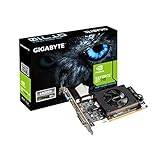
Several board partners sell 5070 cards, and the silicon underneath is the same. What differs is cooling, size, noise, factory clock speed and extras like RGB lighting. Here is what to compare:
- Card length and thickness. Measure your case. Triple-fan models can be long, and some occupy three slots.
- Cooler design. Larger coolers tend to be quieter under load.
- Power connector. Confirm your power supply has the right cable and enough wattage.
- Factory overclock. Small gains in speed, rarely worth a large markup.
- Warranty length. Compare what each partner offers.
Check the listing for the exact configuration, including clock speeds and dimensions, because variants differ.
What to Pair It With
A balanced build matters more than any one part. A modern six- or eight-core processor from either major brand will keep the card fed at 1440p. Aim for at least 16 GB of system memory, with 32 GB giving more breathing room for modern titles. A fast NVMe drive cuts load times, and a quality 650 to 750 watt power supply is a common guideline, but follow the card maker’s stated requirement for your chosen model.
Your monitor decides how much of the GPU you can use. A 1440p panel with a high refresh rate fits the 5070 well. Read our guide to the best refresh rate for gaming to match the screen to the card.
Who Should Buy It, and Who Should Skip It
Buy it if you play at 1080p or 1440p, want modern features like DLSS and ray tracing, care about power draw, or are building a new mid-range PC.
Skip it if you want a long-lasting 4K card with maximum settings, you need more than 12 GB of memory for modding or creative work, or you already hold a similar or better card.
Consider a step up if you want more memory and speed, or a step down if your monitor is 1080p at 60 Hz and the extra power would sit unused.
FAQ
Is the 5070 enough for 1440p gaming?
Yes. It is designed for that resolution and handles most current games well, especially with upscaling enabled.
Is 12 GB of VRAM enough?
For most games at 1080p and 1440p, yes. A few heavy titles at maximum texture settings can exceed it, in which case lowering textures solves the issue.
Is the RX 6800 XT still worth it in 2026?
It remains capable, and its 16 GB of memory is attractive, but newer cards offer better ray tracing, upscaling and efficiency, and used units come with risk.
Which 5070 model is the best?
The silicon is the same across partners, so choose by cooler quality, size, noise level and warranty rather than small factory clock differences.
Can the 5070 run 4K?
It can with upscaling and adjusted settings, but it is better suited to 1440p.